7 Best Portable Thermal Printer

7 Best Portable Thermal Printer Article updated:

Quick guide: choose the paper and print route first

Start with the output you need: receipt, adhesive label or full-page document. Verify the exact model’s media dimensions, supported app or driver, operating system and file import route before buying. Include spare paper and charging equipment in the travel kit. Print and inspect one representative sample, and retain a digital record when the information needs to last.

1
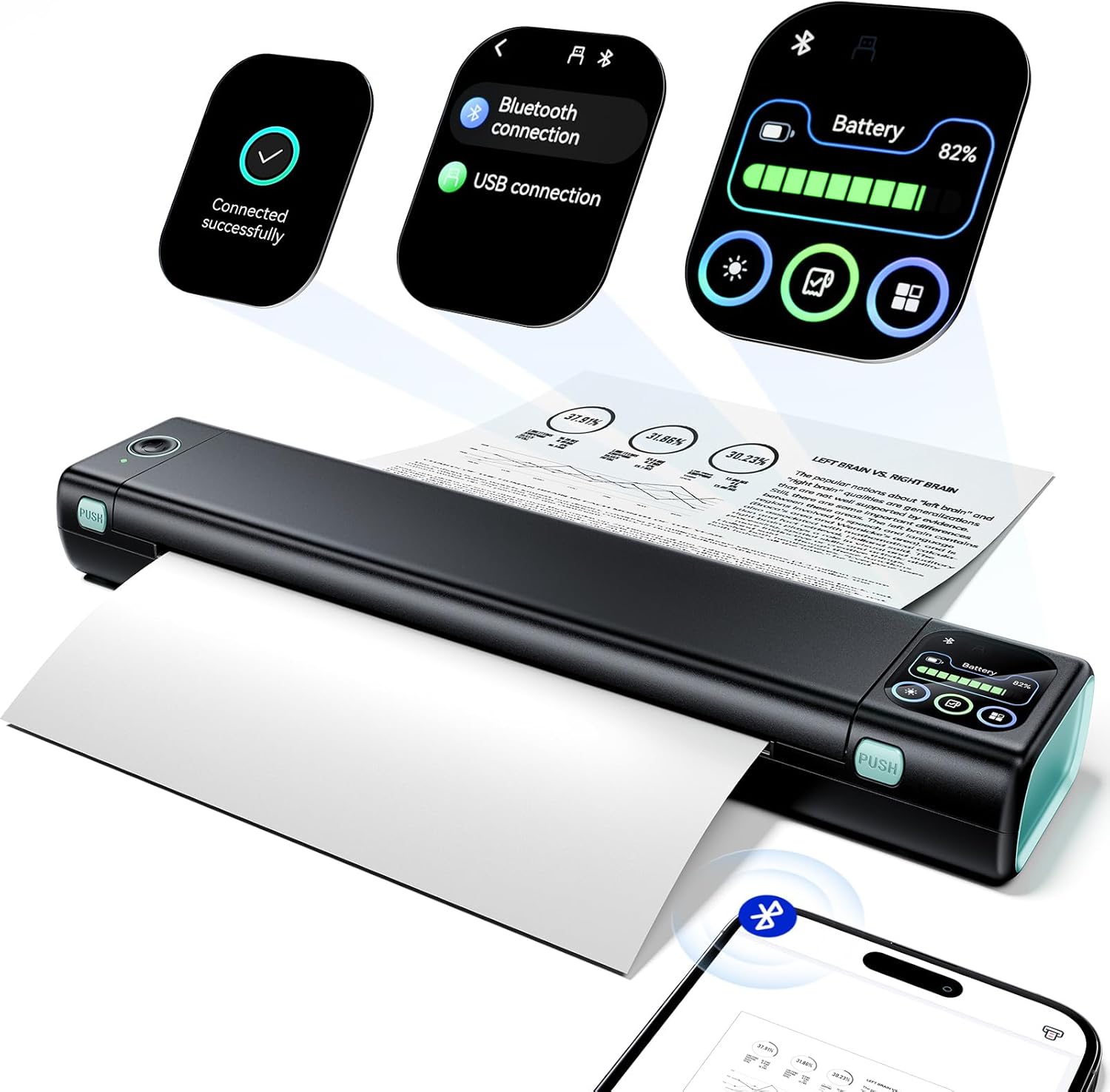
D810 Portable Thermal Printer for Letter-Size Documents
Brand: POLONO
Features / Highlights
  • Inkless thermal printing eliminates cartridges, toner, and messy replacements.
  • Bluetooth connectivity supports convenient printing from iOS and Android devices.
  • Supports 8.5 x 11 inch US Letter documents.
  • Compact portable design works well for travel and mobile offices.
  • - Laptop compatibility adds flexibility for professional document printing.
Our Score
9.90
CHECK PRICE

The D810 gets the important part right: full-size printing without carrying a normal printer

The POLONO D810 is a portable thermal printer designed to handle documents while taking up far less room than a conventional desktop printer. For anyone searching for the best portable thermal printer, its support for 8.5 x 11 inch US Letter documents is particularly important because this is intended for actual paperwork, not just labels, receipts or tiny notes.

The printer uses direct thermal technology, so it does not require traditional ink cartridges or toner. Instead, the print head applies controlled heat to compatible thermal paper to create the image.

That changes what needs to go into a travel bag. There is no spare cartridge to pack, no toner container and no concern about liquid ink drying out after the printer has been sitting unused for a while.

For somebody working from a vehicle, hotel room or temporary office, that simplicity matters. Inkless printing removes a major maintenance problem, especially when finding the correct replacement cartridge away from home would be inconvenient.

The tradeoff is important to understand. A direct thermal printer needs compatible thermal paper, so users should not buy one expecting to feed it ordinary copier paper in exactly the same way they would use a conventional inkjet or laser printer.

Bluetooth makes more sense when the printer is actually travelling with you

The D810 supports Bluetooth connectivity for mobile devices, including iOS and Android. This allows documents to move from a phone or tablet to the printer without requiring a traditional wired desktop setup.

Imagine receiving a document while sitting in a parked vehicle before an appointment. Instead of finding a print shop or returning to the office, a portable printer can produce the required paperwork from the equipment already travelling with you.

That is where this category becomes useful. Mobile printing solves problems away from the office, particularly for field workers, travelling professionals, sales representatives and people who regularly move between temporary work locations.

Laptop compatibility expands the use case further. A computer remains more convenient for longer documents, PDFs, contracts and forms where you may want to inspect page formatting carefully before printing.

The printer supports the standard 8.5 x 11 inch US Letter format, which is a big advantage over smaller portable printers. Business documents, invoices, forms and other normal paperwork can be produced at a familiar page size rather than being reduced to a narrow roll.

Paper loading still needs attention. Thermal paper has a heat sensitive printing side, and loading incompatible media or orienting the paper incorrectly can result in a blank output even though the printer itself is functioning normally.

This is one of the most common mistakes with thermal printing. Correct thermal paper is essential for printing, because there is no ink inside the machine that can simply transfer onto whatever paper happens to be available.

Print expectations should also be realistic. Thermal technology is excellent for text, forms and straightforward monochrome documents, but it is not intended to replace a color photo printer for marketing materials or image heavy presentation work.

Why we believe the D810 deserves our number one position

The POLONO D810 earns our top position because its features line up well with what a portable document printer actually needs to do. It handles full size Letter documents, eliminates ink and toner, connects to mobile devices and remains compact enough to travel between working locations.

The inkless design is a particularly strong advantage for portable use. A mobile printer should reduce the number of supplies somebody needs to carry, and thermal technology keeps the consumable system simple by placing the printing medium in the paper itself.

Bluetooth connectivity is another important part of the package. Phones have become primary business tools for email, cloud documents and messaging, so being able to print directly from a mobile device makes more sense than requiring a full desktop workstation.

The Letter size support also separates the D810 from portable label and receipt printers. This is useful when the goal is producing recognizable business paperwork rather than specialized narrow format prints.

There are limitations. Thermal paper is a specialized consumable, monochrome output will not suit every document, and users who need archival color prints or high quality photographs should choose a different printing technology.

Thermal documents should also be stored sensibly. Because the paper responds to heat, excessive heat and certain storage conditions can affect thermal output over time, which matters when documents need to remain readable for extended periods.

Those limitations are inherent to the technology rather than unusual weaknesses of this particular printer. For travel documents, forms, invoices and other everyday monochrome paperwork, the advantages of avoiding cartridges can outweigh the restrictions.

The compact format is what brings the whole idea together. A portable printer is only useful if people are willing to take it with them, and a smaller thermal mechanism is much easier to incorporate into a mobile office than a conventional full size inkjet.

That is why we believe the POLONO D810 deserves the number one position in our Best Portable Thermal Printer ranking. Its inkless printing and full-size Letter support, combined with Bluetooth mobile connectivity, laptop compatibility and a travel friendly design, make it a particularly practical choice for professionals who need real document printing without carrying a conventional office printer.


2
M08D Touchscreen Portable Thermal Printer
Brand: Phomemo
Features / Highlights
  • Touchscreen controls provide convenient access to important printer functions.
  • Inkless thermal technology eliminates cartridges, toner, and ink replacements.
  • Bluetooth connectivity supports convenient printing from compatible mobile devices.
  • Portable design makes document printing practical while traveling.
  • - Full size document support suits forms, contracts, and office paperwork.
Our Score
9.59
CHECK PRICE

The touchscreen makes a portable printer easier to manage away from a desk

The Phomemo M08D is a portable thermal document printer that combines inkless printing with Bluetooth connectivity and a built in touchscreen interface. For anyone searching for the best portable thermal printer, the touchscreen is an interesting addition because mobile printing often happens away from the comfortable computer setup where printer information would normally be displayed on a large screen.

Instead of relying entirely on buttons and indicator lights, the touchscreen gives users a more direct way to interact with the printer. That can be useful when checking the device during travel, changing settings or dealing with a print job from a temporary workspace.

The M08D uses thermal printing technology, which means there are no traditional ink cartridges or toner supplies inside the machine. Heat from the print head reacts with compatible thermal paper to create the printed document.

For portable use, that is a significant advantage. Inkless printing reduces the supplies you carry, so there is no spare cartridge sitting in a travel bag and no dried ink to discover when the printer has not been used for several weeks.

The tradeoff is that thermal paper is required. This is not a normal inkjet where almost any suitable copier paper can be loaded and covered with liquid ink from a cartridge.

Bluetooth is where this starts working as a real travel printer

The M08D supports Bluetooth connectivity, allowing compatible mobile devices to send documents without creating a traditional wired desktop printing setup. That matters when the printer is being used in a vehicle, hotel room, temporary office or another place where a full workstation is not available.

Imagine receiving a form by email shortly before an appointment. With the document already on a phone, a portable Bluetooth printer can produce a physical copy without requiring a return trip to the office.

That kind of situation explains why this category exists. Portable document printing solves location problems, not just space problems, because the printer can travel to the paperwork rather than forcing the user to find a conventional printer.

The M08D is designed for full size document work rather than tiny labels. That makes it relevant for contracts, forms, invoices, schedules, instructions and other paperwork that needs to remain readable at a normal document size.

Thermal paper needs to be loaded correctly. Because only the heat sensitive side responds to the print head, loading incompatible media or orienting the paper incorrectly can result in a blank page even though the printer appears to be operating normally.

This catches new thermal printer users sometimes. Correct paper is essential for thermal printing, because the printer does not contain ink that can simply be transferred onto ordinary paper.

Print quality expectations should also match the technology. Thermal document printers are particularly useful for text, forms, basic graphics and monochrome paperwork rather than color photographs or presentation materials where accurate color reproduction matters.

That distinction matters for business travel. If the goal is printing a signed form or invoice, thermal output can be perfectly practical, while somebody producing client facing color brochures will need a completely different printer technology.

Why the M08D takes our number two position

The Phomemo M08D ranks highly because it combines the core benefits of portable thermal printing with a useful touchscreen interface. You get an inkless printing system, wireless mobile connectivity and full size document capability in a design intended to travel.

The touchscreen is the feature that helps distinguish it from more basic portable printers. Direct controls make mobile printing easier to manage, especially when there is no permanent desk, monitor or printer control panel nearby.

Bluetooth connectivity strengthens the travel focused design. Phones and tablets often contain the email attachments and cloud documents people need to print, so direct mobile printing is much more practical than requiring a complicated network installation.

The reason we place the M08D at number two rather than number one is the overall balance of our top ranked POLONO D810. The D810 provides a particularly straightforward combination of Letter size document support, mobile compatibility and travel friendly inkless printing that fits our primary use case extremely well.

The touchscreen on the Phomemo adds convenience, but it is not essential for every user. Someone who controls nearly every print job from a phone or laptop may place less value on an additional interface built directly into the printer.

Thermal media remains another consideration. Users need to keep compatible paper available, and that requirement should be included when planning for a long trip or several days of field work.

Document storage deserves attention too. Thermal output can be affected by excessive heat and certain environmental conditions, so important long term records should be handled and stored appropriately rather than left inside a hot vehicle.

For routine mobile paperwork, though, the advantages are clear. There are no cartridges to replace, the printer can travel with a laptop or phone, and full size documents can be produced without locating a conventional office printer.

That is why we believe the Phomemo M08D deserves the number two position in our Best Portable Thermal Printer ranking. It falls just behind our first choice in overall simplicity for everyday portable document printing, but its touchscreen controls and inkless thermal system, combined with Bluetooth connectivity and travel friendly full size printing, make it an excellent option for mobile professionals, remote workers and anyone who regularly needs physical documents away from the office.


3
M08F Portable Thermal Printer with Bluetooth
Brand: Phomemo
Features / Highlights
  • Inkless thermal printing eliminates cartridges, toner, and liquid ink.
  • Bluetooth connectivity supports convenient printing from compatible mobile devices.
  • Portable design fits easily into mobile and travel workspaces.
  • Full size document printing handles everyday forms and office paperwork.
  • - Laptop compatibility provides flexibility for longer professional document workflows.
Our Score
9.31
CHECK PRICE

The M08F keeps portable document printing simple, and that is useful

The Phomemo M08F is a portable thermal printer designed for full size documents without the cartridges and bulky hardware associated with conventional desktop printers. For anyone comparing the best portable thermal printer options, that combination matters because portability is not very useful if you still need to carry several extra printing supplies everywhere the printer goes.

The M08F uses direct thermal technology. Heat from the print head reacts with compatible thermal paper, producing the document without using liquid ink or toner.

That removes one of the more annoying parts of travelling with a printer. There is no ink cartridge to leak inside a bag, no toner to replace and no dried print head caused by liquid ink sitting unused for a long period.

For somebody who prints occasionally while travelling, this can make ownership considerably easier. Inkless printing reduces ongoing maintenance requirements, particularly when the printer spends much of its time packed away between business trips.

The tradeoff is paper compatibility. A thermal printer needs suitable heat sensitive paper, so ordinary copier paper should not be treated as an interchangeable substitute unless the specific printer and media system explicitly support it.

Bluetooth is what turns this into a practical mobile office tool

The M08F supports Bluetooth printing from compatible mobile devices. This is important because a portable printer will often be used in places where there is no traditional office network or permanent computer workstation.

A field worker might receive a form by email while sitting in a vehicle between appointments. Instead of searching for a print shop, the document can be prepared on a phone and sent to the portable printer from the same temporary workspace.

Travelling professionals can use it similarly in hotel rooms. Wireless printing removes unnecessary desk setup, which is useful when the entire working area consists of a laptop, phone and whatever space is available on a small hotel desk.

Laptop compatibility remains important because not every document is convenient to manage from a phone. Multi page PDFs, contracts and forms are often easier to inspect on a larger display before committing them to paper.

Full size document support is another major advantage compared with miniature thermal printers. Small receipt and label printers are highly portable, but they cannot replace a normal page when somebody needs to print a business form, invoice, agreement or other conventional document.

Thermal paper needs to be loaded correctly. The heat sensitive side must face the print mechanism appropriately, otherwise the printer can feed an apparently normal blank page even though nothing is mechanically wrong.

This is worth checking before assuming the printer has failed. Incorrect thermal paper can cause blank output, and switching the paper orientation may solve the problem immediately.

Print expectations should also remain realistic. A portable thermal printer is excellent for monochrome text, forms and basic graphics, but it is not intended for color brochures or high quality photographic printing.

Why the M08F takes our number three position

The Phomemo M08F ranks highly because it focuses on the fundamentals of portable document printing. It combines inkless thermal technology, Bluetooth connectivity, full size document capability and laptop support in a format intended to travel.

The lack of cartridges is one of its biggest advantages. No ink or toner means fewer supplies, which matters much more in a travel bag than it does when a conventional printer permanently sits beside a desk.

Bluetooth connectivity also fits the way mobile work is actually done. Documents increasingly arrive through email, messaging applications and cloud storage on phones, so direct mobile printing can eliminate several unnecessary steps.

The reason we place the M08F at number three is that the two printers above it provide slightly stronger overall packages for our ranking. The POLONO D810 at number one offers a particularly compelling balance of Letter size support and travel friendly functionality.

The Phomemo M08D at number two adds a touchscreen interface, which provides another way to manage printer functions when the device is being used away from a conventional workstation. The M08F takes a simpler approach.

That simplicity is not necessarily a disadvantage. Someone who expects to control nearly every print job from a phone or laptop may have little need for a more elaborate interface directly on the printer.

Thermal media remains the main practical consideration. If the printer is being taken on a long trip, pack enough compatible paper rather than assuming suitable thermal sheets will be easy to find at every destination.

Storage conditions matter too. Thermal documents react to heat, so important paperwork should not be left unnecessarily inside an extremely hot vehicle or stored near other strong heat sources for extended periods.

That is why we believe the Phomemo M08F deserves the number three position in our Best Portable Thermal Printer ranking. It lacks the touchscreen convenience of our second choice and falls slightly behind our top pick in overall feature balance, but its inkless thermal printing and Bluetooth connectivity, combined with full size document support and a travel friendly design, make it a strong option for mobile professionals, business travellers and remote workers who need straightforward document printing away from the office.


4
M832 Touchscreen Portable Thermal Printer
Brand: Phomemo
Features / Highlights
  • Upgraded touchscreen provides convenient access to key printer controls.
  • Inkless thermal printing eliminates cartridges, toner, and liquid ink.
  • Bluetooth connectivity supports convenient printing from compatible mobile devices.
  • Portable design suits business travel and temporary work locations.
  • - Full size document support handles forms and everyday office paperwork.
Our Score
9.11
CHECK PRICE

The touchscreen is useful when there is no proper desk around

The Phomemo M832 is an upgraded portable thermal printer that combines inkless document printing with Bluetooth connectivity and a built in touchscreen. For anyone comparing the best portable thermal printer options, that combination makes sense because mobile printing often happens in places where there is no permanent workstation or conventional printer control panel.

The touchscreen gives users a direct way to interact with the printer rather than relying entirely on a phone or a collection of small indicator lights. That can be convenient when checking printer status or managing basic functions from a vehicle, hotel room or temporary office.

The M832 uses thermal printing technology instead of traditional liquid ink or toner. Heat from the printing mechanism reacts with compatible thermal paper to produce text and monochrome graphics.

This is particularly useful for travel. Inkless printing removes cartridges from the equation, so there is no spare ink to pack, no toner container to replace and no liquid ink system sitting unused between trips.

There is an important tradeoff, though. Thermal printing depends on compatible heat sensitive media, so users need to keep the correct paper available rather than assuming ordinary copier paper will work exactly as it does in a conventional inkjet.

Bluetooth printing makes sense when your phone holds the document

The M832 supports Bluetooth connectivity for compatible mobile devices. This is useful because many documents now arrive through email, messaging applications or cloud storage before they ever reach a laptop.

Imagine receiving a form while travelling between appointments. Instead of returning to the office or searching for a public printer, a mobile thermal printer can produce the paperwork from the equipment already travelling with you.

This is where portability becomes more than simply having a small printer. Mobile printing removes dependence on office equipment, which can be valuable for field workers, travelling professionals, contractors and people working from temporary locations.

A laptop remains useful for more complicated jobs. Multi page PDFs, contracts and documents with precise formatting are often easier to inspect on a larger screen before printing.

Full size document support is another important part of this category. A compact label printer may technically be portable, but it cannot replace a normal sheet when somebody needs a contract, invoice, schedule or business form.

Paper orientation matters with thermal technology. The heat sensitive surface needs to face the printing mechanism correctly, otherwise a page can travel through the printer and emerge completely blank.

This is an easy problem to misdiagnose. Blank output can simply mean reversed paper, so checking media type and orientation should happen before assuming the print head or electronics have failed.

The M832 is best suited to monochrome documents, text and basic graphics. A thermal document printer is not intended to replace a color inkjet for photographs, marketing brochures or presentation material where accurate color reproduction is important.

Why the M832 takes our number four position

The Phomemo M832 has a useful combination of features for mobile document printing. It offers thermal output, Bluetooth connectivity, a touchscreen interface and a compact format that is easier to travel with than a conventional desktop printer.

The upgraded touchscreen is one of its strongest features. Direct printer controls are useful while travelling, particularly when the device is being used independently from a permanent computer setup.

The lack of cartridges is another major advantage. Someone carrying the printer between work sites only needs to think about power and compatible thermal media rather than managing several printer consumables.

The reason we place the M832 at number four is the strong competition from the three printers above it. The POLONO D810 provides a particularly balanced full size portable printing package, while the Phomemo M08D and M08F cover similar mobile document requirements very effectively.

The touchscreen is useful, but it may not be important for everyone. If nearly every print job is started and managed from a phone or laptop, the additional printer interface may provide less everyday value.

Thermal paper availability also needs planning. Before leaving for a long business trip, it is sensible to carry enough compatible media rather than assuming the correct paper will be available at every office supply store along the route.

Storage conditions matter once documents are printed. Thermal media reacts to heat, so paperwork that needs to remain readable should not be left unnecessarily in extremely hot environments such as a closed vehicle for long periods.

For invoices, forms, schedules and general monochrome business documents, however, the technology is practical. It eliminates ink maintenance and makes it possible to carry a real document printer in situations where a desktop inkjet would be unreasonable.

That is why we believe the Phomemo M832 deserves the number four position in our Best Portable Thermal Printer ranking. It falls behind our higher ranked choices in overall feature balance, but its upgraded touchscreen and inkless thermal printing, combined with Bluetooth connectivity and a travel friendly design, make it a positive choice for mobile professionals who need straightforward document printing without carrying conventional ink or toner supplies.


5
D90E Portable Thermal Printer for Travel
Brand: POLONO
Features / Highlights
  • Inkless thermal printing removes the need for replacement cartridges.
  • Compact portable construction suits travel and mobile office setups.
  • Wireless connectivity supports convenient printing from compatible mobile devices.
  • Full size document support handles common business paperwork while travelling.
  • - Thermal printing design reduces maintenance compared with traditional inkjets.
Our Score
8.67
CHECK PRICE

The D90E makes the most sense when your office keeps changing locations

The POLONO D90E is a portable thermal document printer designed for travel, temporary workspaces and situations where carrying a conventional inkjet printer would be impractical. For someone comparing the best portable thermal printer options, its main appeal is straightforward: it can produce full size paperwork without requiring ink cartridges or toner supplies to travel with it.

The D90E uses direct thermal printing technology. Instead of transferring liquid ink onto ordinary paper, its print head applies controlled heat to compatible thermal media and creates the printed image through a heat sensitive coating.

This simplifies the consumable side considerably. There is no cartridge that can dry out after sitting unused, no liquid ink to worry about during transport and no toner container taking up additional room inside a travel bag.

That becomes useful for people who only print occasionally while away from the office. Inkless printing reduces portable printer maintenance, particularly when the machine might spend days or weeks packed away between jobs.

Thermal printing does create one requirement that should be understood before buying. The printer needs compatible thermal paper, so users should not expect ordinary copier sheets to behave like they do inside an inkjet or laser printer.

Full-size documents are what separate this from a label printer

There are plenty of tiny thermal printers available, but many are intended for shipping labels, receipts or small notes. The D90E is aimed at document printing, which makes it more relevant for professionals who need forms, invoices, schedules and other recognizable business paperwork.

This distinction matters in real situations. A receipt width printer may fit into a small bag, but that portability is not especially useful when a customer needs to sign a standard size document.

The D90E is designed around a more practical mobile office workflow. Full-size printing handles real business paperwork, rather than forcing normal documents into a narrow specialized format.

Wireless connectivity adds to that use case. If a document arrives on a compatible mobile device while you are away from the office, it can be prepared for printing without first building a permanent desktop setup.

Consider a contractor working between customer locations. A form arrives electronically, the customer needs a physical copy, and returning to the main office simply to print one page would waste a significant amount of time.

A portable thermal printer can solve that problem from the vehicle or another temporary workspace. This is where the technology becomes useful rather than merely compact.

Paper loading needs to be done correctly. Thermal paper must face the correct direction, because the printer can feed a completely blank page if the heat sensitive side is positioned away from the print head.

Users should also keep the output expectations realistic. Thermal document printers are excellent for monochrome text, forms and simple graphics, but they are not replacements for color inkjets when printing photographs or marketing materials.

Why the D90E takes our number five position

The POLONO D90E covers the essential requirements for portable document printing. It offers inkless thermal operation, a travel friendly form factor, wireless printing functionality and support for the kind of full size paperwork mobile professionals actually need.

The inkless system remains its strongest practical advantage. No cartridges means fewer travel supplies, which makes a meaningful difference when the printer is packed alongside a laptop, chargers, documents and other work equipment.

Its compact design is useful for people who work from several locations. A portable printer should be small enough that taking it along does not become a decision every time somebody leaves the office.

The reason we place the D90E at number five is the stronger overall feature balance of the printers above it. Our top ranked POLONO D810 offers a particularly compelling combination of Letter size support, Bluetooth functionality and mobile compatibility.

The Phomemo models above the D90E also provide strong portable document workflows, with some versions adding touchscreen controls that make the printer easier to manage independently from a phone or computer.

The D90E takes a more straightforward approach. That can be perfectly suitable for users who mainly want to send documents from another device and have little interest in additional controls built into the printer itself.

Thermal media availability remains something to plan around. If you are travelling for several days, bring enough compatible paper rather than assuming it will be available from every nearby office supply store.

Printed thermal documents should also be stored away from excessive heat. Leaving important paperwork inside a very hot vehicle for long periods is not ideal because thermal media is specifically designed to react to temperature.

That is why we believe the POLONO D90E deserves the number five position in our Best Portable Thermal Printer ranking. It lacks some of the touchscreen controls and broader feature flexibility offered by our higher ranked choices, but its inkless thermal system, wireless functionality, full size document support and compact travel focused design make it a positive option for professionals who need straightforward printing away from a conventional office.


6
M08F Letter Portable Thermal Printer with Bluetooth
Brand: Phomemo
Features / Highlights
  • Inkless thermal technology eliminates costly ink and toner replacements.
  • Bluetooth connectivity supports convenient printing from compatible mobile devices.
  • US Letter support handles common full size business documents.
  • Compact portable body fits easily into mobile work setups.
  • - Laptop compatibility supports contracts, forms, invoices, and other paperwork.
Our Score
8.51
CHECK PRICE

The M08F focuses on full-size paperwork without the ink cartridges

The Phomemo M08F is a portable thermal document printer designed around a simple idea: provide full size printing without requiring the ink cartridges, toner supplies and bulky construction associated with a conventional office printer. When comparing the best portable thermal printer options, that combination makes sense for people who need actual business documents while travelling rather than labels or narrow receipt paper.

The M08F supports US Letter size printing, which is important for normal office work. Contracts, invoices, forms, schedules and other documents can retain a familiar full page layout rather than being reformatted for a much narrower printer.

Its direct thermal technology removes traditional ink from the printing process. The print head applies heat to compatible thermal paper, which reacts and creates the visible text or image.

This is particularly convenient when the printer spends a lot of time travelling. Inkless printing means fewer supplies to pack, with no spare cartridge that can leak and no liquid ink system that can dry out after the printer sits unused.

The limitation is straightforward too. Thermal printing requires compatible thermal paper, so the M08F should not be purchased with the expectation that ordinary copier paper will behave exactly as it does inside a standard laser or inkjet printer.

Letter-size printing is what makes this useful for real work

Portable printers come in several very different categories. Tiny label printers are excellent for organization and shipping, but they are not especially helpful when somebody needs a standard business document before walking into a customer meeting.

The M08F is designed for that larger document workflow. A travelling professional can print forms and paperwork at US Letter size without carrying a conventional desktop printer between locations.

That becomes useful in surprisingly ordinary situations. Portable Letter printing can eliminate unnecessary office trips, especially when one missing physical document would otherwise require driving back to a workplace or finding a public print service.

Bluetooth connectivity supports the mobile side of the workflow. Many documents now arrive through email or cloud storage on a phone, so sending a file from a compatible mobile device is more practical than creating a permanent wired workstation.

Laptop compatibility remains valuable for more complicated documents. A multi page PDF or contract is usually easier to inspect on a larger display, particularly when page breaks, signatures and formatting need to be checked before printing.

Thermal paper needs to be inserted correctly. Because only the heat sensitive side responds to the printing mechanism, reversing the paper can result in a completely blank page even though the printer feeds normally.

That is worth remembering when troubleshooting. Blank pages do not always mean printer failure, and checking the thermal paper orientation can save a lot of unnecessary frustration.

Thermal printing is also primarily suited to monochrome output. Text, forms and basic graphics make sense, while color presentations, photographs and marketing materials remain better suited to conventional color printing technologies.

Why the M08F takes our number six position

The Phomemo M08F gets the fundamentals of mobile document printing right. It provides US Letter support, inkless thermal operation, Bluetooth connectivity and laptop compatibility in a format designed to be considerably easier to transport than a desktop printer.

The lack of cartridges is a strong practical advantage. Thermal printing simplifies mobile printer maintenance, particularly for people who use the printer intermittently and do not want to discover dried ink immediately before an important appointment.

The Letter size capability is equally important. This is not simply a portable gadget for producing small labels, because it can handle the type of full page documents used in normal business workflows.

The reason we place this particular M08F at number six is the overall feature balance of the products above it. Our top ranked POLONO D810 offers a particularly compelling travel focused package, while newer Phomemo options add features such as touchscreen controls that make printer management easier away from a permanent desk.

This M08F takes a simpler approach. For users who start nearly every print job from a phone or laptop, that may be perfectly adequate, but it gives the printer fewer distinguishing features compared with the models higher in our ranking.

Paper availability is another practical consideration. Thermal paper is specialized media, so travellers should carry enough compatible sheets for the expected workload instead of assuming the correct paper will always be available locally.

Storage conditions matter after printing too. Excessive heat can affect thermal media, so important documents should not be left for extended periods inside extremely hot vehicles or directly beside other heat sources.

Those limitations are manageable when the printer is used for the right workload. For contracts, forms, invoices and other monochrome documents, the convenience of avoiding ink cartridges can be more valuable than having color printing capability.

That is why we believe the Phomemo M08F deserves the number six position in our Best Portable Thermal Printer ranking. It lacks some of the touchscreen controls and newer convenience features offered by our higher ranked choices, but its US Letter support, Bluetooth connectivity, inkless thermal system and portable construction make it a positive option for business travellers and mobile workers who need straightforward full size document printing away from the office.


7
TravelPro Wireless Portable Thermal Printer with Carrying Case
Brand: PRT
Features / Highlights
  • Inkless thermal printing eliminates traditional ink and toner replacements.
  • Wireless connectivity supports convenient printing from compatible mobile devices.
  • Included carrying case helps protect the printer during travel.
  • Portable construction works well for temporary and mobile workspaces.
  • - Full size document capability supports common business printing needs.
Our Score
8.17
CHECK PRICE

The carrying case makes sense because this printer is meant to move

The PRT TravelPro is a portable thermal document printer designed around wireless printing and a travel focused package that includes a carrying case. For anyone comparing the best portable thermal printer options, that case is more useful than it initially sounds because a printer that regularly travels alongside laptops, chargers and paperwork needs some protection between working locations.

The printer uses thermal technology rather than traditional liquid ink or toner. Heat from the print mechanism reacts with compatible thermal paper, producing the document without requiring a cartridge inside the machine.

That makes the consumable system relatively simple. There is no ink cartridge to leak inside the carrying case and no toner container that needs to be packed separately before leaving for a business trip.

This also helps when the printer is only used occasionally. Inkless printing avoids dried cartridge problems, which can be particularly frustrating when a conventional inkjet has been sitting unused for several weeks and suddenly needs to print an important document.

Compatible thermal paper is still required. Users need to account for that specialized media when packing for longer trips rather than assuming ordinary office paper will work in exactly the same way.

Wireless printing is most useful when the office is temporary

The wireless design allows compatible devices to send documents without creating a permanent printer installation. That fits mobile work particularly well because the printer may be used in a hotel one day, a vehicle the next and a temporary office after that.

A sales representative, for example, could receive paperwork electronically shortly before meeting a customer. Instead of finding a nearby business centre, a portable printer can produce the required document from the equipment already travelling with them.

This is the real benefit of the category. Portable printing reduces dependence on fixed offices, especially when physical paperwork is still required during otherwise digital workflows.

The included carrying case helps keep the setup organized. A dedicated case provides somewhere to store the printer during transport instead of placing the bare device beside chargers, keys and other objects that can scratch or damage it.

It can also make the printer easier to remember. Keeping the device and its related accessories together reduces the chance of arriving at a destination with the printer but leaving an important cable or supply behind.

Full size document printing is important as well. A very small receipt printer might be easier to carry, but it cannot replace a standard business page when somebody needs an invoice, agreement, form or schedule.

Paper orientation is one detail new users need to understand. Thermal media must face the correct direction, because only the treated side reacts properly to the heated print head.

If the printer feeds paper but produces a blank page, check the media before assuming there is a hardware fault. Incorrect paper type or reversed thermal sheets can cause exactly that behavior.

Why the TravelPro finishes our list at number seven

The PRT TravelPro covers the main requirements for basic mobile document printing. It provides an inkless thermal system, wireless connectivity, portable construction and a carrying case designed to make transportation easier.

The case is a particularly sensible addition. A protected printer is easier to travel with, especially for professionals who routinely move their equipment through airports, vehicles, hotels and temporary work locations.

The thermal printing system is another practical advantage. Eliminating cartridges reduces the number of consumables that need to travel with the printer and removes some of the maintenance associated with portable inkjet use.

The reason we place this model at number seven is mainly the stronger feature sets and more established model families above it. The POLONO D810 at number one provides a particularly complete combination of Letter size support, mobile compatibility and straightforward portable operation.

The Phomemo models higher in the ranking offer similarly strong thermal document workflows, with certain versions adding touchscreen controls and other convenience features. Those additions can make the printer easier to manage when working away from a permanent desk.

The PRT takes a simpler approach. That is not necessarily a problem for someone who mainly needs occasional wireless document printing, but it gives the product fewer standout features compared with our higher ranked choices.

Thermal media also creates the same limitations found across this category. Output is primarily suited to monochrome text and basic graphics rather than color photographs, brochures or presentation materials.

Printed documents should be stored sensibly too. Excessive heat can affect thermal media, so important paperwork should not be left unnecessarily inside a very hot vehicle or next to strong heat sources for long periods.

That is why we believe the PRT TravelPro deserves the number seven position in our Best Portable Thermal Printer ranking. It lacks some of the advanced controls and broader feature flexibility offered by our higher ranked options, but its inkless printing, wireless connectivity, full size document capability and included carrying case make it a positive final choice for travellers and mobile workers who want a straightforward printer that is easy to transport.

Start with the job, not the printer's size

A portable thermal printer is useful only when its output matches the job you actually need to finish. A short receipt, an adhesive address label and a full-page document are different formats, even when the devices producing them all fit in a bag. Begin with one real example of your intended output. Record its width, required length, smallest text and whether it must be adhesive. This gives you a practical checklist rather than a vague preference for the smallest machine.

Separate occasional convenience from business-critical printing. A personal packing checklist may tolerate a compact layout; a shipping label must meet the carrier's current format and scanning requirements. An invoice may need readable account details and a record you can retain. Do not assume that a printer advertised for notes can produce compliant labels or replace a conventional document printer. Check the exact model's documentation against your actual file and application.

Think about where the paper exits, too. A portable device still needs a stable surface and enough room for the output to travel without folding back into the feed path. Include the phone or computer, charging arrangement, spare media and protective case in your packed-size comparison. The smallest printer alone may not make the smallest complete working kit.

Match the paper format and consumables

Check the supported media width, roll diameter, core requirements, sheet length and any restrictions on adhesive stock. Two rolls can look similar while fitting different mechanisms. The specification must describe the exact model, not merely the brand or product family. Buy a small quantity of approved consumables first, then verify loading and output before committing to a bulk order. Keep the paper packaging or supplier reference so you can reorder the format that worked.

Direct thermal printing uses compatible heat-sensitive media rather than ordinary copier paper. Other thermal systems can use a transfer ribbon, so confirm the technology and required consumables rather than assuming every thermal printer is ink-free in the same way. Paper and label choices affect running costs, handling and appearance. A cheap device with difficult-to-source rolls can be inconvenient when a deadline arrives.

For labels, inspect the adhesive, backing and intended surface conditions using the media manufacturer's information. Do not assume a label will remain attached to every carton, container or outdoor surface. For receipts, consider how the paper will be filed and how long the information must remain usable. Thermal output is not automatically an archival record. When lasting access matters, keep the original digital file and a suitable backup as well as the printout.

Generic compact printer beside a separate paper roll and stack of blank sheets
Conceptual editorial illustration; not a photograph or test of a ranked product.

Verify the app and file route before buying

Find out exactly how a document reaches the printer. Some models require a proprietary mobile app; others support a documented computer driver or a particular application integration. Bluetooth availability does not by itself mean the device appears in every operating system's ordinary print menu. Likewise, a USB socket may serve charging rather than a supported wired printing route. Confirm the role of each connection in the manual.

Check your phone or computer's current operating-system version against the supported list. Look at the required application's availability, account requirements, permissions and export options. If your workflow starts with a PDF, verify PDF import rather than assuming that image import will be equivalent. If it starts with a shipping platform, confirm that the exact label export and printer route are supported together. A screenshot is not always a reliable substitute for the original file.

Prepare a harmless sample containing the kinds of material you use: ordinary text, a narrow margin, an address and a representative code if relevant. Preview it in the intended app and inspect whether orientation, cropping and scaling remain controllable. Read the app's privacy information before granting access to customer documents. For an accompanying mobile connection, our mobile hotspot without contract guide helps separate hardware from the data plan; a hotspot does not make an unsupported printer app compatible.

Build a repeatable first-print workflow

Charge and set up the printer according to its instructions, away from liquids and without blocking ventilation or the paper exit. Load only the specified media, in the documented orientation. Close the compartment properly before testing. If the printer has a calibration or feed procedure, follow the model's sequence rather than repeatedly pulling paper through the mechanism. Keep fingers away from cutters and allow hot components to cool before permitted cleaning.

Open the original document in the supported app or driver, select the intended media size and check the preview. Start with one copy. Compare the printed dimensions, margins and text with the source instead of judging only whether something came out. A clipped address or unexpectedly reduced code can matter more than a slightly different shade of black. Do not raise darkness or heat settings indiscriminately; use the manufacturer's recommended controls and limits.

For a label that another party must scan, test the exact output through the applicable acceptance process where practical. A phone reading one sample does not establish universal carrier acceptance. Save a simple profile or written setup note once the workflow works: media reference, orientation, app route and chosen settings. Then repeat the test after an operating-system update, an app change or a new paper batch before trusting it for important jobs.

Compact printer beside a phone on a stand, separate USB cable and blank paper slip
Conceptual editorial illustration; not a photograph or test of a ranked product.

Compare portability with daily usability

Battery claims are most useful when translated into your own routine. Ask whether you need a few occasional slips, a session of labels or repeated document batches. Printing activity, idle behavior, wireless use and settings can change the result, so avoid treating an advertised maximum as a guaranteed workday. Check whether printing while charging is permitted and what power supply or cable the manufacturer requires. Use the specified charging arrangement rather than an improvised substitute.

Count the steps required to wake, reconnect and print after the device has been packed away. A slightly larger printer that returns predictably to your usual app may be easier to live with than a smaller one requiring repeated setup. Test connection recovery with the actual phone or computer you will carry. Keep a digital fallback for the document when printing is temporarily unavailable.

Cable organization matters on a small desk or in temporary accommodation. Place the printer so a charging lead cannot pull it off the edge, and leave the output path clear. If you need to organize charging for several devices, compare the requirements with our USB charger buying guide; connector shape alone does not establish the correct power arrangement. Avoid treating a generic charger illustration or product title as proof of compatibility.

Protect paper and records while travelling

Store spare media according to its supplier's temperature, light and handling guidance. Keep it clean, dry and protected from crushing inside the kit. Do not leave important thermal receipts in direct sunlight or next to a heat source and expect permanent legibility. Different coatings and storage conditions behave differently, so use the media manufacturer's advice rather than a universal shelf-life promise.

For records you need later, retain the source document and capture a readable digital copy of the completed receipt when appropriate. Check the date, amount and relevant identifier before filing it. Our document and receipt scanner guide covers the next part of that workflow: producing and checking files rather than assuming a scan will automatically be searchable or suitable for every records policy.

Use a protective case that does not press controls or force the lid open. Power down the printer as instructed before packing it, and separate loose cables from the paper compartment. Never store a still-hot component against delicate media. At the destination, set the printer on a stable surface before reconnecting. This small unpacking routine reduces the chance of damaged rolls, obstructed output and avoidable setup mistakes.

Portable printer beside an open protective case, bagged paper roll, folder and closed laptop
Conceptual editorial illustration; not a photograph or test of a ranked product.

Troubleshoot the file, feed and connection separately

When a print fails, identify the stage that failed before changing several settings. If the app cannot find the printer, check power, the documented pairing route and whether another device is already connected. If it finds the printer but no output appears, confirm the supported file type and queue status. If paper moves but the output is blank, revisit media compatibility and loading orientation using the manual. Do not scrape or dismantle the print head to investigate.

For clipped or oddly scaled content, compare the file's page size with the selected media size. Check whether the application is fitting, rotating or cropping the page. Retry a simple approved sample so you can distinguish a complicated document from a feed or hardware issue. If the media jams, stop and follow the manufacturer's recovery procedure rather than tugging hard or repeatedly commanding more prints.

Keep brief notes about repeatable problems: file route, media batch, settings and what changed. These are more helpful to support than an unsupported claim that the printer never works. Before a return deadline, test the tasks you bought it for under ordinary conditions. Read the seller's current return rules and preserve packaging if required; do not assume every purchase offers the same trial period.

A practical final selection checklist

Choose the printer that completes your normal output with the fewest fragile assumptions. Confirm the physical media, app or driver, operating system, file format, power requirements and place where you will use it. Include replacement consumables in the budget and verify that you can obtain them through a reliable source. Treat optional features as useful only when they address a task you actually have.

Run a complete rehearsal before relying on the kit away from home: retrieve the source file, connect through the supported route, preview, print one sample, inspect it and save the digital record. Pack everything required and repeat the setup somewhere else. The rehearsal exposes missing cables, uncertain account access and media sizes that a specification sheet cannot settle for your particular routine.

Keep your expectations proportional to the technology. Compact thermal printing can be convenient for compatible slips, labels or documents, but it does not promise color output, permanent records, universal app support or acceptance by every external system. A well-matched format and a verified workflow are a stronger basis for buying than an impressive list of features you will never use.

Portable thermal printer FAQs

Can a thermal printer use ordinary copier paper?

A direct thermal printer needs compatible heat-sensitive media. Other thermal systems may require a ribbon. Check the exact model’s technology and specified paper rather than assuming ordinary copier paper will work.

Does Bluetooth mean I can print from any phone app?

No. The printer may require a particular app or documented integration. Verify your operating-system version, the app and the file-import route for the exact model.

Will one portable thermal printer handle receipts and shipping labels?

Do not assume that it will. Check supported media dimensions, adhesive stock and the required label format, then test the output against the shipping provider’s current requirements.

Can thermal receipts serve as permanent records?

Thermal output is not automatically archival. Follow the media supplier’s storage advice and keep a suitable digital record when lasting access is important.

Can I print while the printer is charging?

Only if the manufacturer permits it for the exact model. Use the specified power supply and cable, keep ventilation and the paper exit clear, and follow the charging instructions.

What should I test before keeping the printer?

Test the actual file, supported app or driver, media size, scaling, readable text and any required code acceptance. Repeat the setup after packing the complete kit and check the seller’s current return conditions.


Back to blog