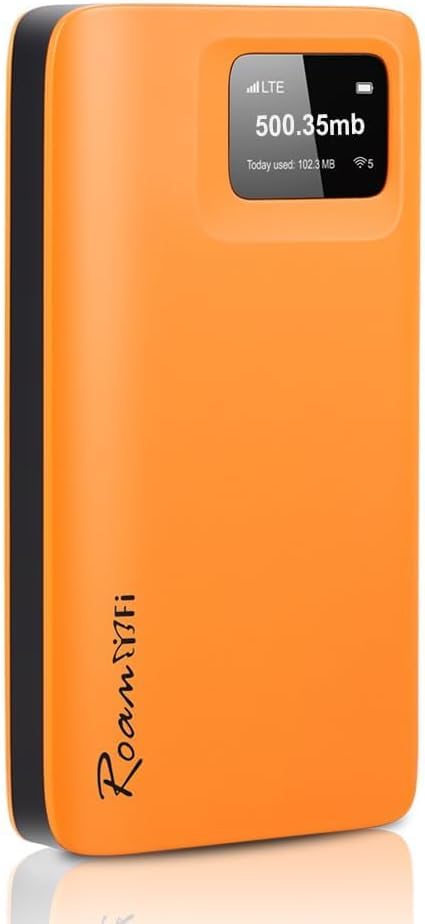
7 Best Mobile Hotspot Without Contract

7 Best Mobile Hotspot Without Contract Article updated:

Quick guide: match the hotspot, carrier and plan

Contract-free hardware still needs a supported paid service arrangement. Verify the exact regional model, cellular bands, carrier acceptance, lock status and SIM or eSIM route. Read data allowance, expiry, renewal and roaming terms. Test your ordinary tasks in the places you need service; neither an unlocked device nor a coverage map promises internet everywhere.
1
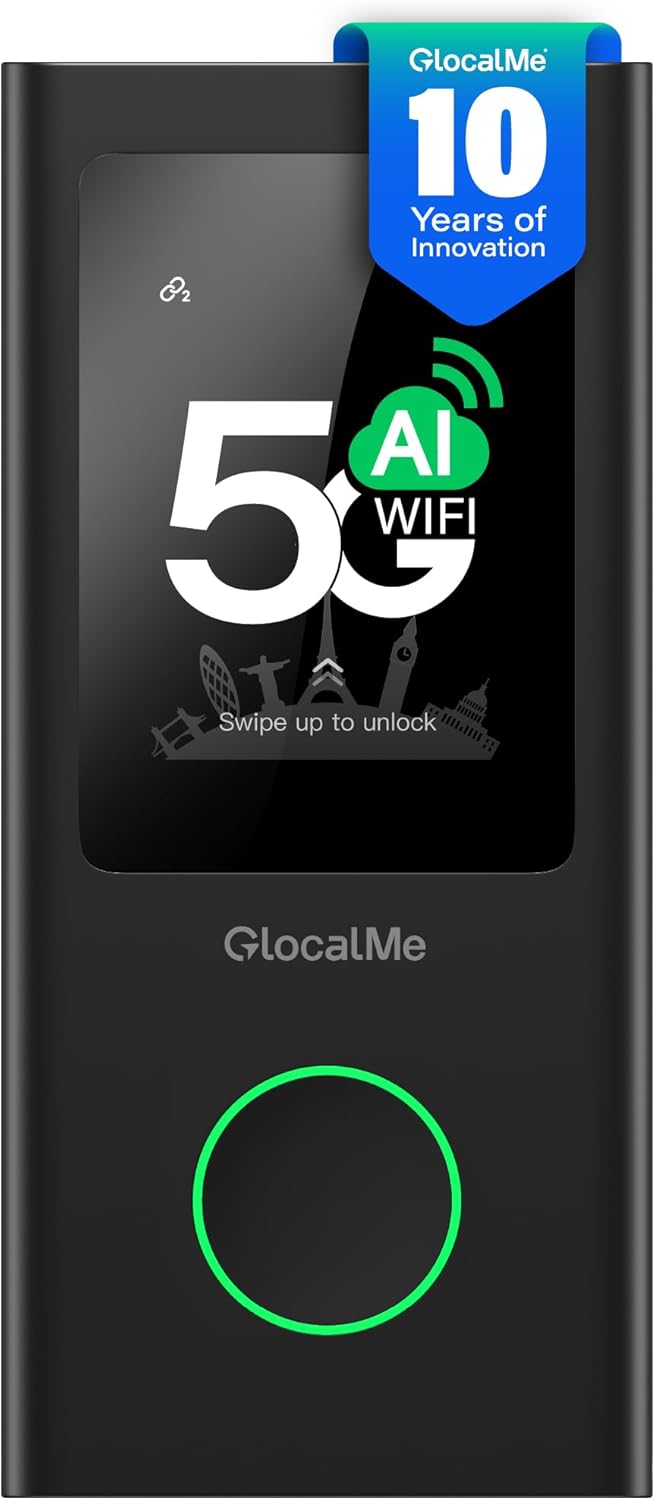
Numen Air 5G Contract-Free Mobile Hotspot
Brand: GlocalMe
Features / Highlights
  • 5G mobile connectivity provides high speed internet while traveling.
  • CloudSIM technology works without requiring a physical SIM card.
  • Contract free data options provide flexibility for occasional travelers.
  • Supports up to 16 connected devices at once.
  • - Touchscreen interface simplifies network and connection management.
Our Score
9.81
CHECK PRICE

The no-SIM setup is what makes the Numen Air interesting for travel

The GlocalMe Numen Air is a portable 5G WiFi hotspot designed to provide mobile internet without requiring users to commit to a traditional carrier contract or install a physical SIM card for normal CloudSIM operation. For anyone looking for the best mobile hotspot without contract, that combination is particularly useful when the device is intended for international travel rather than permanent everyday use in one country.

The Numen Air uses GlocalMe's CloudSIM technology to access available mobile networks. Instead of arriving somewhere and immediately searching for a local SIM card, users can purchase compatible data service and connect through the hotspot.

This can remove one annoying part of international travel. A traveller landing at an unfamiliar airport may need internet immediately for transportation, hotel information, email or maps, and finding a mobile phone shop is not always the first thing they want to do.

The included global data allowance also gives users something to start with, although the amount should be viewed as introductory rather than a replacement for a larger travel data plan. CloudSIM removes the physical SIM requirement, which is the bigger long term advantage here.

There is still an important distinction between no contract and free internet. Data service costs money, so users should check the available GlocalMe data packages for the destination and expected usage before travelling.

5G matters most when several devices are sharing the connection

The Numen Air supports 5G mobile connectivity where compatible network coverage is available. That gives it considerably more performance potential than older portable hotspots limited to earlier cellular standards.

Actual speed will always depend on the local mobile network, signal strength, congestion and available 5G coverage. A hotspot cannot create fast internet where the underlying cellular network is weak.

Where good service is available, though, the additional network capability becomes useful. 5G provides more headroom for demanding mobile work, including large downloads, cloud applications, video calls and several devices sharing the same connection.

The hotspot can support up to 16 connected devices. That means a traveller can connect a laptop, phone and tablet while still leaving capacity for other equipment or additional people.

This can be useful for a small work team travelling together. Instead of every person arranging an individual mobile data plan, several devices can connect through one portable WiFi network when the purchased data package makes that arrangement practical.

The touchscreen is another useful feature because a mobile hotspot often operates independently from a laptop. Network status and device controls can be accessed directly rather than depending entirely on a separate computer interface.

Battery management still matters during travel. 5G and multiple connections can increase power use, particularly when several devices are actively transferring data for long periods.

A power bank can therefore be a sensible companion for full travel days. There is little benefit in having international data available if the hotspot runs out of power halfway through an airport delay or remote work session.

Why we believe the Numen Air deserves our number one position

The GlocalMe Numen Air earns our top position because it combines several features that make sense specifically for contract free mobile internet. It provides 5G capability, CloudSIM connectivity, international data options, touchscreen controls and support for as many as 16 connected devices.

The CloudSIM system is the biggest reason it stands out. No physical SIM makes international setup easier, particularly for travellers moving through several countries where buying and activating a new local SIM at every stop would become inconvenient.

The lack of a traditional long term contract is equally important for occasional use. Someone who travels only several times each year may prefer buying data when needed rather than maintaining another monthly cellular subscription throughout the year.

The 16 device capacity also makes the Numen Air more versatile than a basic personal hotspot. It can support a collection of personal electronics or provide connectivity for several travellers from one device.

There are still practical limitations. The hotspot depends on cellular network availability, so remote areas with poor mobile coverage will still produce slow or unavailable internet regardless of the hardware's 5G specification.

Data pricing should also be checked carefully before each trip. Contract free service provides flexibility, but the cost per gigabyte may differ considerably between destinations and packages, especially when compared with local SIM plans.

Users should also secure the hotspot properly. Choose a strong WiFi password, avoid leaving the network open and review connected devices occasionally, particularly in busy airports, hotels and public spaces.

For the right traveller, those considerations are manageable. The ability to arrive in another country, power on one device and provide internet access to several pieces of equipment can be far more convenient than repeatedly rebuilding a mobile data setup.

That is why we believe the GlocalMe Numen Air deserves the number one position in our Best Mobile Hotspot Without Contract ranking. Its 5G connectivity and SIM-free CloudSIM technology, combined with contract free data options, touchscreen controls and support for up to 16 connected devices, make it a particularly strong choice for international travellers and mobile professionals who want flexible internet access without committing to another traditional carrier contract.


2
R10 Global Contract-Free Mobile Hotspot
Brand: RoamWiFi
Features / Highlights
  • Contract free mobile data provides flexibility for occasional travel.
  • Worldwide connectivity supports internet access across many travel destinations.
  • Portable WiFi network lets several personal devices share one connection.
  • SIM free operation reduces setup when traveling between different countries.
  • - Compact rechargeable design fits easily inside everyday travel bags.
Our Score
9.53
CHECK PRICE

The R10 is useful because you can buy data when you actually need it

The RoamWiFi R10 is a portable global WiFi hotspot designed for travelers who want mobile internet without maintaining another conventional monthly cellular contract. For anyone searching for the best mobile hotspot without contract, that pay for what you need approach makes sense when the hotspot spends part of the year inside a travel bag rather than being used every single day.

The R10 is designed around worldwide portable connectivity rather than service from one domestic carrier. That makes it particularly relevant for international trips where a phone plan may become expensive or provide limited roaming options.

Instead of purchasing a new local SIM card every time you arrive somewhere, the hotspot is built to access compatible mobile networks through its own service platform. This reduces the amount of physical SIM swapping and carrier setup required while moving between destinations.

That can save time immediately after landing. SIM free connectivity simplifies international travel setup, especially when the first things you need are maps, transportation information, hotel details and access to email.

No contract does not mean unlimited free internet, though. Users still need suitable data service, so checking available packages and their allowances before traveling is important.

One hotspot can be easier than managing data on every device

A dedicated travel hotspot creates a private WiFi network that other devices can join. This means a laptop, phone and tablet can access mobile data through the R10 instead of requiring an independent cellular connection for every piece of equipment.

That becomes particularly useful for laptops. Most notebooks do not have built in cellular service, so travelers often end up tethering them to a phone when hotel or airport WiFi is unavailable.

A dedicated hotspot separates that workload from the phone. Your laptop gets its own portable WiFi connection without requiring the phone to remain in hotspot mode throughout a long work session.

Families can benefit from the same idea. Several personal devices can share the travel connection, which may be more convenient than arranging separate roaming packages for every tablet and phone being carried.

Actual performance still depends heavily on the local mobile network. A portable hotspot cannot create strong cellular coverage in an area where the available carrier signal is weak or heavily congested.

This matters when comparing advertised speed claims. Network technology is only one part of the equation, while tower distance, local congestion, building construction and regional coverage can all influence the connection you actually receive.

Battery management is another practical consideration. Continuous WiFi sharing consumes meaningful battery power, particularly when several connected devices are actively downloading, streaming or participating in video calls.

For full travel days, carrying a power bank is sensible. Airports, trains and outdoor work locations do not always provide a convenient outlet exactly when the hotspot needs charging.

Why the R10 takes our number two position

The strongest argument for the RoamWiFi R10 is convenience. It combines international mobile data access, portable WiFi sharing and contract free service in a device designed specifically for travelers rather than permanent home internet use.

The global focus is particularly useful. One hotspot can cover multiple travel destinations, reducing the need to rebuild your connectivity setup whenever an itinerary crosses another border.

The lack of a traditional long term contract is another major advantage. Someone who travels a few times each year can purchase data around those trips instead of maintaining another monthly service bill during periods when the hotspot is sitting unused.

The reason we place the R10 at number two rather than number one is that the GlocalMe Numen Air above it provides a more advanced overall hardware package. Its 5G capability, touchscreen interface and support for up to 16 connected devices give our first choice additional flexibility for demanding mobile work.

The R10 is a more straightforward travel hotspot. Depending on where you travel and what networks are available, that may be completely sufficient for email, web access, maps, messaging and normal remote work.

Users should still compare data package pricing before each trip. Contract free flexibility is valuable, but the most convenient international data option is not automatically the cheapest option for every country or every amount of usage.

Security should be handled properly too. Use a strong WiFi password and avoid leaving the hotspot network open, particularly when using it in airports, hotels, convention centers and other crowded public locations.

For people traveling across several countries, though, the convenience is difficult to ignore. One small device can provide a familiar WiFi network for the electronics already in your bag without requiring each device to have its own international cellular plan.

That is why we believe the RoamWiFi R10 deserves the number two position in our Best Mobile Hotspot Without Contract ranking. It falls just behind our first choice in 5G performance and advanced device controls, but its worldwide connectivity, contract free data model, SIM free convenience and portable WiFi sharing make it an excellent option for travelers who want straightforward internet access without committing to another long term mobile plan.


3
Solis 5G Contract-Free Global Mobile Hotspot
Brand: SIMO
Features / Highlights
  • 5G mobile connectivity supports faster internet in compatible coverage areas.
  • eSIM technology reduces dependence on physical carrier SIM cards.
  • Supports up to 16 connected devices for shared travel internet.
  • International coverage provides connectivity across numerous supported countries.
  • - Contract free data options suit occasional travel and business use.
Our Score
9.38
CHECK PRICE

The 16-device support makes this more than a personal travel hotspot

The SIMO Solis 5G is a portable international WiFi hotspot designed around eSIM connectivity, global mobile data and support for as many as 16 connected devices. For anyone comparing the best mobile hotspot without contract options, that combination makes it particularly interesting for business travel, families and small groups that need internet access without maintaining another conventional monthly cellular plan.

The 16 device capacity is more useful than it might initially sound. A single traveler can already carry a phone, laptop, tablet and other connected equipment, while a small team can quickly multiply that number during a business trip.

Instead of arranging cellular service independently for every device, the hotspot creates one portable WiFi network that compatible equipment can share. That is especially useful for laptops and WiFi only tablets that do not have their own cellular modem.

The eSIM based approach also simplifies international use. eSIM connectivity reduces physical SIM card swapping, so travelers do not necessarily need to visit a mobile carrier shop immediately after arriving in another country.

That can be useful after a long flight when the first priority is getting directions, checking transportation or contacting a hotel. Internet access becomes available through the hotspot service rather than depending on finding and activating a local SIM first.

5G gives you more headroom, but the local network still decides a lot

5G connectivity is one of the main reasons this hotspot stands out from older travel WiFi devices. In areas with compatible network coverage, 5G can provide the bandwidth needed for more demanding tasks such as video calls, large downloads and cloud based work.

That does not mean the hotspot will deliver the same speed everywhere. Actual performance depends on the mobile network available at the destination, local congestion, signal strength, network bands and whether 5G coverage exists where the device is being used.

This is important for travelers to understand. A 5G hotspot still depends on cellular coverage, so a remote area with a weak mobile signal can remain slow regardless of the specification printed on the device.

Where coverage is strong, however, the additional network capability can be valuable when several devices are connected simultaneously. A laptop can handle a work session while phones and tablets remain online through the same portable WiFi connection.

This setup can also reduce dependence on public WiFi. Airports, hotels and cafes often provide wireless internet, but connection quality can vary and users may prefer controlling their own password protected network.

Security still needs attention. Use a strong WiFi password and periodically check which devices are connected, particularly when the hotspot is operating in crowded public environments.

Battery management becomes more important when many devices share the connection. Heavy 5G use can consume battery faster, especially during long video calls, cloud transfers or continuous high bandwidth activity.

For long travel days, a power bank is sensible. A mobile hotspot is most useful when it remains available during airport delays, train journeys and temporary work sessions where a wall outlet may not be nearby.

Why the Solis 5G takes our number three position

The SIMO Solis 5G has a strong feature set for contract free mobile internet. It combines 5G network capability, eSIM technology, international connectivity and support for up to 16 connected devices in a package intended specifically for travel.

The ability to share one connection across many devices is one of its strongest advantages. Sixteen device support works well for groups, making the hotspot useful beyond the typical one person, one laptop travel scenario.

The international eSIM approach is another major positive. Travelers moving through several countries can avoid repeatedly removing tiny physical SIM cards and configuring a different carrier connection at every stop.

The reason we place this hotspot at number three is the overall balance of the two models above it. Our number one GlocalMe Numen Air combines 5G connectivity, CloudSIM operation, touchscreen controls and 16 device support in a particularly complete travel package.

The RoamWiFi R10 at number two takes a straightforward approach to worldwide contract free connectivity and remains an attractive option for travelers whose priority is simple international internet access. Those two devices fit our overall ranking slightly better.

Data pricing is an important consideration with the SIMO system as well. No long term contract gives users flexibility, but travelers should compare the available data packages for each destination rather than assuming the contract free option will always provide the lowest cost per gigabyte.

Coverage should also be checked before relying on the hotspot for important work. International support can be broad, but the quality of service ultimately depends on the partner networks available in the specific country and location.

For frequent travelers, small teams and families, though, the combination is compelling. One compact hotspot can create a familiar WiFi connection for several pieces of equipment while avoiding the need for a traditional monthly mobile hotspot contract.

That is why we believe the SIMO Solis 5G deserves the number three position in our Best Mobile Hotspot Without Contract ranking. It falls slightly behind our first two choices in overall travel convenience and feature balance, but its 5G connectivity and international eSIM support, combined with contract free data options and support for up to 16 devices, make it a strong choice for travelers who need flexible shared internet across multiple destinations.


4
Solis Go Contract-Free Global Mobile Hotspot
Brand: SIMO
Features / Highlights
  • Contract free data options avoid mandatory long term monthly plans.
  • Global mobile connectivity supports internet access across travel destinations.
  • Virtual SIM technology reduces dependence on physical SIM cards.
  • Portable WiFi sharing connects multiple personal devices while traveling.
  • - Compact rechargeable design works well for international and business trips.
Our Score
9.08
CHECK PRICE

The real advantage here is paying for mobile data when you need it

The SIMO Solis Go is a portable global WiFi hotspot designed around flexible mobile data rather than forcing users into a conventional long term carrier contract. For someone searching for the best mobile hotspot without contract, that approach makes sense when the device is mainly needed for travel, temporary work or occasional backup internet.

A traditional hotspot plan can become another monthly bill even during periods when the device is sitting unused. A more flexible data model allows travelers to activate service around the times they actually need mobile connectivity.

That can work particularly well for somebody who takes several international trips each year. There is little reason to maintain a dedicated travel hotspot subscription every month if most of those months are spent at home using normal broadband and mobile service.

The Solis platform is designed around global connectivity rather than one local carrier. Global data access simplifies international travel, especially when an itinerary includes several countries and repeatedly buying local SIM cards would become inconvenient.

No contract does not mean there are no data costs. Users should still check the current available data packages for each destination and estimate how much data they are likely to consume during the trip.

One portable WiFi network can simplify all your travel devices

A dedicated hotspot creates a WiFi connection that other devices can join. This is useful because many laptops and tablets do not include their own cellular modem, even though they may need internet access throughout a trip.

Instead of tethering a laptop to a phone every time hotel WiFi becomes unreliable, the Solis Go can provide a separate portable connection. That also means the phone does not need to remain in personal hotspot mode during every work session.

For a traveler carrying several devices, this arrangement can be cleaner. One hotspot can connect multiple travel devices, reducing the need to think about a separate cellular plan for every piece of equipment.

The same principle can work for couples, families and small work groups. Several people may be able to share one portable connection when the available data plan and network capacity are suitable for their combined usage.

There is a practical limit to what any mobile hotspot can do. Performance depends on the cellular network available in the location, so a device with excellent specifications cannot create a fast connection where local mobile coverage is weak.

Buildings can affect the signal too. Thick walls, underground rooms and certain construction materials can reduce cellular reception, so moving the hotspot closer to a window can sometimes improve performance significantly.

Battery management also matters. Continuous WiFi sharing uses meaningful battery power, particularly when several connected devices are streaming, downloading files or participating in video meetings.

A portable power bank is worth carrying on long travel days. Airports and trains do not always provide working outlets, and losing internet because the hotspot battery is empty can be particularly inconvenient when tickets, maps or work documents are stored online.

Why the Solis Go takes our number four position

The Solis Go covers the fundamentals of contract free travel internet well. It combines international mobile connectivity, portable WiFi sharing and a flexible data model in a compact device that can travel alongside a laptop and phone.

The global service model is one of its strongest advantages. International connectivity reduces repeated SIM setup, which can save time when moving quickly between countries during a multi destination trip.

The contract free structure also makes the hotspot useful as an occasional backup device. Someone can keep it available for travel or temporary connectivity without necessarily treating it as a permanent replacement for home internet.

The reason we place it at number four is the stronger hardware and feature combinations offered by the hotspots above it. Our number one GlocalMe Numen Air adds 5G connectivity, touchscreen controls and support for up to 16 devices, creating a particularly capable package for demanding travel use.

The RoamWiFi R10 at number two offers a straightforward worldwide travel experience, while the SIMO Solis 5G above this model provides higher performance potential and support for larger groups of connected devices. Those differences become important for heavy remote work.

Data pricing remains something buyers should examine carefully. Flexible service is convenient, but the best value can change depending on the destination, trip length and whether the user mainly checks email or spends hours streaming and joining video calls.

Security should also be treated properly. Use a strong WiFi password, review connected devices and avoid leaving the hotspot open when using it in crowded airports, hotels or public spaces.

For moderate travel use, however, the Solis Go has a sensible purpose. It provides a familiar portable WiFi network without requiring the traveler to maintain another traditional monthly hotspot contract throughout the entire year.

That is why we believe the SIMO Solis Go deserves the number four position in our Best Mobile Hotspot Without Contract ranking. It falls behind our higher ranked choices in 5G performance and advanced connectivity features, but its global data access, flexible contract free service and portable WiFi sharing make it a positive option for travelers who want straightforward internet access without another permanent monthly carrier commitment.


5
G4 Pro Contract-Free Global Mobile Hotspot
Brand: GlocalMe
Features / Highlights
  • CloudSIM technology provides connectivity without requiring physical SIM cards.
  • Contract free data options work well for occasional international travel.
  • Touchscreen interface makes hotspot settings easier to manage directly.
  • Global network support provides WiFi access across many travel destinations.
  • - Portable design creates a private connection for multiple personal devices.
Our Score
8.64
CHECK PRICE

The G4 Pro still makes a lot of sense if simplicity matters more than 5G

The GlocalMe G4 Pro is a portable global WiFi hotspot built around CloudSIM technology, touchscreen controls and flexible mobile data service rather than a conventional long term carrier contract. For someone searching for the best mobile hotspot without contract, its biggest advantage is straightforward international connectivity without requiring a physical SIM card for normal CloudSIM operation.

That can remove a surprisingly annoying part of international travel. Instead of landing in another country and immediately looking for a carrier shop, users can access compatible mobile data through the GlocalMe service.

This is particularly useful when the first hour after arrival involves maps, transportation apps, hotel information and messages. Having a familiar portable WiFi network available can make that process much easier.

The CloudSIM approach also works well for multi country travel. No physical SIM means less carrier swapping, so an itinerary involving several destinations does not necessarily require collecting several tiny SIM cards and keeping track of which one belongs to which country.

No contract should not be confused with no cost. Data packages still need to be purchased, and travelers should check the available plans and pricing for each destination before relying on the hotspot.

The touchscreen is useful when you do not want to manage everything from a phone

The G4 Pro includes a touchscreen interface that allows users to interact with the hotspot directly. This is useful because portable hotspots often need to function independently rather than depending on a laptop every time somebody wants to check basic device information.

When travelling, direct controls can make routine management faster. You can check the hotspot itself rather than opening another device simply to understand what is happening with the connection.

That makes the G4 Pro more approachable than very basic hotspots that rely heavily on indicator lights. Touchscreen controls simplify everyday hotspot management, particularly for users who do not want to remember what several blinking LEDs are supposed to indicate.

The hotspot creates a portable WiFi network that other devices can join. A laptop, tablet and phone can therefore use the mobile connection without each device requiring its own international cellular service.

This is particularly useful for laptops because many notebooks have no built in cellular modem. A dedicated hotspot provides internet without forcing the user's phone to remain in tethering mode during an entire work session.

Actual connection quality still depends on the mobile network available at the destination. Building materials, local congestion, tower distance and regional coverage can all affect speed and reliability.

This model also lacks the 5G capability found in newer premium hotspots. Older network technology limits maximum performance potential, which becomes more noticeable during large downloads, high resolution video calls and other demanding remote work.

For email, maps, messaging and general web access, that limitation may be less important. Not every traveler needs maximum cellular speed, particularly if the priority is simply having reliable access across several destinations.

Why the G4 Pro takes our number five position

The GlocalMe G4 Pro still provides a useful combination for contract free international connectivity. CloudSIM technology, touchscreen controls and global data options make it a practical alternative to repeatedly buying local SIM cards.

The touchscreen is one of its strongest usability advantages. Direct device controls make travel connectivity easier, especially when the hotspot is being shared with several other devices and the user wants a dedicated interface for managing it.

The contract free structure also fits occasional travel well. Someone who only needs a dedicated hotspot several times per year may prefer purchasing service around those trips instead of maintaining another permanent monthly cellular subscription.

The reason we place the G4 Pro at number five is largely its older network capability compared with the products higher in our ranking. Our number one GlocalMe Numen Air adds 5G connectivity while retaining the advantages of CloudSIM and touchscreen operation.

The SIMO Solis 5G above it also provides more performance headroom for users who expect to connect numerous devices or rely heavily on video conferencing and cloud applications. Those newer devices are better suited to more demanding mobile workflows.

Data pricing remains another factor to check carefully. Cloud based international connectivity is convenient, but a local SIM or other regional option may sometimes provide more data for the money during an extended stay in one country.

Battery planning matters too. If the hotspot will be used throughout a full travel day, carrying a power bank can prevent the connection disappearing when there is no convenient outlet nearby.

For moderate travel use, though, the G4 Pro remains practical. It offers the convenience of one familiar portable WiFi device across different destinations without requiring the user to commit to a conventional hotspot contract.

That is why we believe the GlocalMe G4 Pro deserves the number five position in our Best Mobile Hotspot Without Contract ranking. It falls behind our higher ranked choices in 5G speed and newer connectivity capabilities, but its CloudSIM technology, touchscreen controls, global data access and contract free service model make it a positive choice for travelers who value simple international WiFi more than maximum network performance.


6
DuoTurbo Contract-Free Global Mobile Hotspot
Brand: GlocalMe
Features / Highlights
  • CloudSIM technology provides mobile data without physical SIM swapping.
  • Contract free data options suit occasional and international travel.
  • Automatic network selection helps find suitable supported mobile connections.
  • Global coverage supports connectivity across numerous international travel destinations.
  • - Portable WiFi sharing connects several personal devices while away.
Our Score
8.42
CHECK PRICE

The automatic network selection is the useful part when you cross borders

The GlocalMe DuoTurbo is a portable global WiFi hotspot built around CloudSIM technology, international coverage and automatic network selection. For someone comparing the best mobile hotspot without contract options, that setup can simplify travel because the device is designed to provide mobile internet without requiring a conventional long term hotspot subscription or constant physical SIM swapping.

The CloudSIM system is particularly relevant for international travel. Instead of purchasing a local SIM immediately after arriving in another country, users can access compatible mobile networks through GlocalMe's service platform.

That can remove a frustrating step from the first hour of a trip. Maps, hotel information, transportation apps and messages may all be needed before a traveler has even left the airport.

Automatic network selection adds another useful layer. The hotspot can select supported local networks, reducing the amount of manual carrier configuration a traveler needs to deal with when moving between destinations.

There is still a difference between contract free service and free service. Mobile data packages need to be purchased, so checking coverage, current pricing and allowances before travelling is important.

One travel hotspot can simplify several connected devices

A dedicated mobile hotspot creates a private WiFi network for other equipment to join. This can be particularly useful when travelling with a laptop because many computers do not include their own cellular modem.

Instead of placing a phone into tethering mode every time the laptop needs internet, the DuoTurbo can handle the mobile connection. The phone can remain a normal connected device rather than also doing the work of the travel router.

This setup becomes even more useful when several pieces of equipment are being carried. One hotspot can serve multiple travel devices, so a phone, laptop and tablet do not each require their own independent international data arrangement.

Families and small work groups can use the same principle. Sharing one connection may be more convenient than arranging roaming or local SIM service for every device, provided the selected data package is large enough for the group's usage.

Network performance still depends on the local cellular infrastructure. Automatic network selection can help find an available supported connection, but it cannot create strong coverage where the surrounding mobile networks are weak.

Buildings can make a difference too. Underground areas, thick concrete walls and certain construction materials can reduce cellular reception, so positioning the hotspot closer to a window may improve the connection in some locations.

Data usage needs attention when several devices are connected. Video streaming can consume travel data quickly, and automatic cloud backups or software updates can quietly use a significant portion of a limited data allowance.

Before travelling, disabling unnecessary automatic updates on connected devices can be sensible. Save large operating system downloads and cloud synchronization jobs for unlimited hotel or home WiFi whenever possible.

Why the DuoTurbo takes our number six position

The GlocalMe DuoTurbo provides several features that fit contract free international travel well. CloudSIM technology, automatic network selection and global data service reduce the amount of carrier setup required when moving between different destinations.

The SIM free approach is one of its strongest advantages. CloudSIM makes multi-country travel much simpler, especially for users who do not want to purchase, activate and store a different physical SIM card for every part of a trip.

The automatic network selection is useful as well. Travelers generally want the hotspot to handle network access in the background rather than spending time manually experimenting with carriers whenever they reach a new location.

The reason we place the DuoTurbo at number six is primarily the stronger hardware offered by newer products higher in our ranking. Our number one GlocalMe Numen Air provides 5G connectivity, touchscreen controls and support for up to 16 connected devices.

The RoamWiFi and SIMO options higher on our list also provide compelling combinations of worldwide service, newer connectivity features and group device support. Those advantages become more important for demanding remote workers and people transferring larger amounts of data.

The DuoTurbo is better suited to travelers whose priorities are straightforward browsing, email, maps, messaging and ordinary remote work. Users chasing maximum mobile broadband performance may prefer one of the newer 5G models.

Data package pricing should also be compared before each trip. A global hotspot is convenient, but a local carrier SIM may sometimes provide better value for somebody spending several weeks in one country and consuming large amounts of data.

Battery planning matters as well. Keep the hotspot charged before leaving for a long travel day, and consider carrying a power bank when internet access will be needed continuously away from wall outlets.

That is why we believe the GlocalMe DuoTurbo deserves the number six position in our Best Mobile Hotspot Without Contract ranking. It falls behind our higher ranked choices in 5G performance and newer hardware capabilities, but its CloudSIM technology, automatic network selection, global coverage and contract free data model make it a positive option for travelers who mainly want uncomplicated internet access across multiple countries.


7
TravelLink Portable Contract-Free Mobile Hotspot Router
Brand: KuWFi
Features / Highlights
  • Portable mobile hotspot design provides WiFi away from fixed networks.
  • SIM based connectivity gives users flexibility when choosing data service.
  • Compact construction makes the router convenient for regular travel.
  • WiFi sharing allows multiple personal devices to use mobile data.
  • - Rechargeable portable operation works well for temporary internet access.
Our Score
8.23
CHECK PRICE

This is the more traditional option if you prefer choosing your own SIM

The KuWFi TravelLink takes a more conventional approach to portable internet, using mobile network connectivity to create a private WiFi network for phones, laptops, tablets and other devices. For someone comparing the best mobile hotspot without contract options, its appeal comes from having more control over the mobile service rather than being tied directly to a traditional monthly hotspot contract.

This approach differs from CloudSIM and eSIM travel hotspots. Instead of purchasing all data through one integrated global service platform, a SIM based hotspot can let the user select a compatible mobile carrier and data option.

That can be useful for people who already know which local carrier they want to use. A prepaid SIM can provide internet for the duration of a trip without necessarily requiring a long term monthly commitment.

The important part is compatibility. Carrier bands and SIM compatibility need checking first, because inserting a SIM does not automatically guarantee that every mobile network will work correctly with the hotspot.

Before travelling, users should compare the supported cellular bands with the frequencies used by the intended carrier. Doing this before arriving can prevent the unpleasant situation of buying a data SIM that the hotspot cannot properly use.

A separate hotspot keeps your phone from doing all the tethering

One practical reason to carry a mobile router is to avoid relying entirely on a smartphone's personal hotspot function. Phone tethering works well for occasional use, but longer laptop sessions can increase battery consumption and keep the phone occupied as the center of the connection.

A dedicated KuWFi hotspot separates those jobs. The router handles the cellular connection and creates WiFi, while the phone becomes another normal client on that network.

This is particularly useful for laptops without cellular hardware. A portable router gives laptops mobile WiFi access, allowing remote work in places where fixed broadband or trustworthy public WiFi is unavailable.

Multiple devices can also share the same mobile data connection. A traveler carrying a laptop, phone and tablet does not need a separate SIM and data plan inside every piece of equipment.

Connection quality will still depend on the underlying mobile network. Signal strength, carrier congestion, surrounding buildings and distance from cellular infrastructure can all affect actual performance.

This means positioning the hotspot can matter. If reception is weak inside a hotel room or temporary office, moving the device closer to a window can sometimes improve the cellular signal without changing anything else.

Battery life needs attention during longer sessions too. Several active devices can increase power consumption, especially when they are streaming video, transferring large files or participating in online meetings.

A power bank can be useful for travel days where the router needs to remain active for hours. Portable connectivity becomes much less useful if the hotspot battery reaches zero when there is no outlet nearby.

Why the TravelLink finishes our list at number seven

The KuWFi provides the essential functionality expected from a portable mobile router. It takes cellular data and turns that connection into WiFi that can be shared with the devices a traveler already carries.

The SIM based design can be an advantage for experienced users. Choosing your own carrier provides additional flexibility, particularly when a local prepaid data package offers better value than an integrated international hotspot service.

It can also work well for occasional use. A compatible prepaid SIM can provide temporary connectivity without requiring the user to maintain another traditional long term hotspot subscription throughout the year.

The reason we place the KuWFi at number seven is that the products above it make international travel easier for less technical users. Our top ranked GlocalMe Numen Air uses CloudSIM technology, supports 5G and can connect up to 16 devices without requiring the traveler to source a physical SIM for normal operation.

The RoamWiFi and SIMO models higher in the ranking also place more emphasis on global service integration. Those systems reduce the need to research local SIM cards, carrier frequencies and network compatibility whenever the trip moves into another country.

The KuWFi requires more preparation. Users should understand which cellular bands are supported, confirm SIM compatibility and choose an appropriate prepaid or contract free data service before relying on it for important connectivity.

That extra work can actually suit technically comfortable travelers who prefer having more control over their carrier choice. It is simply less convenient for somebody who wants to land in another country, switch on one device and immediately use an integrated global data service.

Security remains important as well. Configure a strong WiFi password, avoid running an open wireless network and periodically check which devices are connected when using the router in busy public environments.

That is why we believe the KuWFi TravelLink deserves the number seven position in our Best Mobile Hotspot Without Contract ranking. It falls behind our higher ranked choices in global convenience and automatic network management, but its portable design, SIM based flexibility and ability to share mobile data across several devices make it a positive final option for users who prefer choosing their own compatible prepaid carrier rather than committing to a conventional hotspot contract.

Separate the hotspot from the service plan

A mobile hotspot without a long-term contract still needs a supported network connection and an active service arrangement. Buying the hardware is not the same as buying internet access. Start by separating three decisions: the exact hotspot model, the carrier or service provider and the plan's current terms. A prepaid plan, a month-to-month subscription and a device sold without a bundled plan can all be described loosely as contract-free, but their activation, renewal and cancellation rules differ.

Write down where you need service and what you need to do there. Occasional email from a temporary office is a different task from daily video meetings or uploading large project files. Include indoor locations, likely travel areas and the devices that will connect. This helps you compare a realistic plan and hardware combination rather than chasing an advertised maximum speed that may not describe your situation.

Do not interpret contract-free as free internet, unlimited data or universal coverage. A provider may impose activation charges, a minimum top-up, expiry dates, automatic renewal or restrictions on hotspot use. Read the plan terms alongside the hardware listing before paying. Save the relevant terms and confirmation details so you can distinguish an equipment problem from a service rule later.

Check carrier compatibility at the exact-model level

A device's supported cellular bands, regional variant and carrier acceptance matter more than the generic words 4G or 5G. Check the precise model number and variant against the intended carrier's current compatibility information. If the provider offers a device-identifier checker, use the identifier supplied for the unit where available. Do not assume that two similarly named hotspots have the same radio support or approval in every country.

Check whether the device is carrier-locked, whether unlocking is available and what conditions apply. An unlocked hotspot is not automatically usable on every network: the required bands, service provisioning and plan permissions still need to align. Equally, a SIM that works in a phone may not be authorized for a dedicated hotspot plan. Ask the provider about the exact combination rather than treating an existing phone subscription as proof.

Verify whether the device uses a physical SIM, an eSIM or a provider-managed service arrangement. Check the required card size and activation method. Do not force an incorrect SIM or improvise a poorly fitting adapter. If access-point-name settings are required, obtain them from the provider and follow the device's documentation. Keep the model's supported region and intended plan together in your notes; a title alone cannot settle this compatibility chain.

Generic pocket hotspot beside a separate SIM card, smartphone and closed laptop
Conceptual editorial illustration; not a photograph or test of a ranked product.

Read the data rules before estimating cost

Compare usable service, not just the headline monthly amount. Look for the included data allowance, validity period, overage handling and what happens after a threshold. Some plans reduce speeds; others stop service or require another purchase. The details can differ between phone data and dedicated hotspot data. Check whether the provider describes video restrictions, traffic management, domestic roaming or limits on particular uses that matter to you.

Estimate your needs from actual device usage where possible. A laptop can quietly consume data through operating-system updates, cloud synchronization and application downloads even when you are doing little visible browsing. Review its data settings before connecting. Use metered-connection controls if the operating system provides them, and consider postponing nonessential large downloads. These controls can help manage usage but are not a guarantee that every application will respect your intended budget.

Look for renewal and cancellation instructions you can realistically follow. A plan with automatic renewal may be convenient for regular use but unsuitable for a short trip unless you understand how to stop it. Confirm the payment method, expiry, any inactivity rules and whether unused data carries forward. For occasional travel, compare the total cost of hardware, activation and the period you need, without assuming today's promotional terms will remain available.

Test coverage where the work actually happens

A coverage map is a useful starting point, not a promise of reliable indoor service at every address. Building materials, terrain, network load, device support and local conditions can change the result. Check the provider's current map for your intended locations, then test the exact hotspot and plan where you will use them if the purchase arrangement permits. A good result beside one window does not establish whole-building coverage.

Run ordinary tasks instead of relying on a single speed-test result. Load your work pages, retrieve an email attachment and try the actual meeting application if calls matter. Test at the times you expect to work, because busy periods may behave differently. Note interruptions, reconnect behavior and whether the experience remains usable rather than turning one brief peak reading into a general performance claim.

Place the hotspot on a stable, clear surface using its ventilation and operating guidance. Try a few safe positions in the room without placing the device in direct heat or stretching a charging cable across a walkway. If coverage is inadequate, contact the provider about the tested location and configuration. Do not assume an accessory antenna is compatible or permitted unless the exact device documentation supports it. Keep an alternative route for work you cannot afford to interrupt.

Pocket hotspot on a clear desk beside an open laptop, notebook and pencil near a window
Conceptual editorial illustration; not a photograph or test of a ranked product.

Set up the Wi-Fi side deliberately

Cellular connectivity and the hotspot's local Wi-Fi connection are separate parts of the route. A supported cellular plan does not ensure that every laptop or tablet can join the hotspot's chosen Wi-Fi band or security mode. Check the device's documented Wi-Fi options against your client devices. Configure through the supported management interface rather than assuming the screen on the hotspot exposes every setting you need.

Change default administrative credentials and Wi-Fi passwords using the manufacturer's instructions. Use supported security settings and keep the firmware current through the official update route. Avoid sharing the management login when another person only needs network access. If guest access is available, confirm its isolation behavior in the documentation rather than assuming a guest label automatically separates devices.

Connect one client first and confirm normal browsing before adding the rest. Check the supported client limit, but treat it as a connection ceiling rather than a promise of simultaneous high-quality calls. Several devices share the available service and data allowance. For paper-based work at a temporary desk, our portable thermal printer guide explains why printer app compatibility is another independent check; being on the same Wi-Fi network does not make every printer work.

Plan power, portability and everyday handling

Battery performance depends on workload, signal conditions, connected clients and device settings. An advertised maximum is not a guaranteed day of meetings. Test the routine you expect to repeat, including idle periods and reconnection after sleep. Check the specified charging equipment and whether the manufacturer permits use while charging. Keep ventilation clear and do not operate the hotspot buried in a pouch simply because it is portable.

Include the charger, cable, protective case and any needed SIM-management tools in your packed-kit comparison. A small device becomes less convenient if it relies on a charger you routinely leave behind. Keep cables arranged so they cannot drag equipment from the table. Our USB charger guide is useful when organizing a shared charging kit, but each hotspot still needs its own verified power requirements.

Power the device down as instructed before storing it, and protect it from crushing, moisture and excessive heat. On arrival, place it somewhere stable before connecting clients. Check the data balance and plan validity before an important session rather than discovering expiry halfway through a call. Make account recovery practical: retain provider support details and avoid putting the only access information inside a service you cannot reach without that hotspot.

Pocket hotspot beside an open case, coiled charging cable, unplugged charger and closed laptop
Conceptual editorial illustration; not a photograph or test of a ranked product.

Keep work files and account access resilient

A hotspot can provide a connection, but it does not replace a backup or a secure records workflow. Prepare necessary files before travelling and decide what must remain available offline. Be cautious about large background uploads that compete with calls and use the plan allowance. For work requiring local storage, our external SSD for Mac mini M4 guide discusses checking the storage connection and backup role; a drive is not automatically a complete backup system.

Use the security practices required by your employer or organization. Confirm whether a managed VPN or other access controls are required and test them over the hotspot before relying on them away from home. A private Wi-Fi password does not by itself establish that a device, website or business application is trustworthy. Keep software updated and do not expose the hotspot's management interface beyond the supported configuration.

Travel introduces additional plan boundaries. Check roaming permissions, countries, costs and any restrictions before crossing a border. A physically compatible device may still need a different service arrangement. Do not assume a domestic allowance travels with you, or that an eSIM label means coverage everywhere. Maintain a fallback suitable for the stakes: offline work, another verified connection or rescheduling a task that requires dependable live access.

Diagnose problems one layer at a time

If a client cannot join Wi-Fi, investigate the local connection first: network selection, password, supported band and security mode. If it joins but cannot reach the internet, check plan activation, remaining allowance, expiry and the hotspot's cellular status. Then verify the provider's settings and service information. Changing several unrelated controls at once can make it harder to understand what actually fixed the problem.

If browsing works but calls are unreliable, test the meeting software, competing client activity and normal usage at the same location. Record when the issue occurs and what else is connected. A weak result is not proof that the device is defective, but neither should you accept an unusable workflow because a brief speed test looked impressive. Contact the provider or manufacturer with specific observations and the exact model and plan details.

Before keeping the equipment, rehearse setup, ordinary work, charging and reconnection. Check cancellation and return conditions while you still have time to act. Choose the combination that meets your real locations and tasks without relying on vague coverage or unlimited-use language. Contract flexibility is valuable when it is backed by compatible hardware, transparent service terms and a tested routine, not when it hides the continuing need for a paid and supported connection.

Mobile hotspot without contract FAQs

Does buying a contract-free hotspot include free internet?

No. The hardware still needs a supported active service arrangement. Check whether a plan is included and read its activation, data, expiry and renewal terms.

Will an unlocked hotspot work with every carrier?

No. The exact regional model, supported bands, carrier acceptance, provisioning and plan permissions must align. Unlocking alone does not establish universal compatibility.

Can I use my phone SIM in a dedicated hotspot?

Only when the device supports it and the provider permits that use on your exact plan. Verify the SIM format, activation route and hotspot-use terms before relying on it.

Does a coverage map guarantee service inside my building?

No. Maps are a starting point. Indoor conditions, terrain, network load and the device can affect service, so test the actual location and normal tasks where practical.

Is a no-contract plan automatically unlimited?

No. Check the allowance, validity period, traffic management, any speed reduction or service stop, and how additional data is purchased. Headline wording is not a substitute for the current terms.

Can I use the same hotspot plan abroad?

Do not assume so. Verify the destination, roaming permissions, costs, supported device variant and plan restrictions before travelling, and keep a fallback for important work.


Back to blog