- Dual noise-canceling microphones reduce distracting background office sounds.
- Up to 24 hours talk time supports long workdays.
- 50 meter wireless range allows movement away from desks.
- Included charging stand keeps the headset powered and organized.
- Multi-device connectivity handles computer and smartphone calls conveniently.
This is built around calls first, and that matters in an office
The Poly Voyager 4320 UC takes our number one position in the best wireless headset for office comparison because its features are focused directly on everyday business communication. You get a stereo wireless headset, dual noise-canceling microphones, Acoustic Fence technology, a BT700 Bluetooth adapter, a desktop charging stand, multi-device connectivity, and up to 24 hours of talk time.
The microphone system is the first thing that makes sense for office use. Poly uses two noise-canceling microphones with its Acoustic Fence technology, designed to reduce surrounding noise so the person on the other side of the call hears more of your voice and less of the room around you.
That becomes useful very quickly in an open office. Somebody may be talking two desks away, keyboards are clicking, another employee is joining a meeting, and there is general movement around the room, but your microphone needs to prioritize your voice rather than sending all of that noise into the meeting.
The same feature is useful at home. A washing machine, family conversation, television in another room, or general household activity can become distracting on calls even when you personally stop noticing the noise.
The 50 meter range and 24 hour battery actually change how you work
Poly rates the Voyager 4320 UC for up to 50 metres of wireless range when using the included BT700 adapter. Real-world range depends on walls, doors, interference, and the office layout, but it gives considerably more movement than staying attached to a computer by a short cable.
That can be useful during long internal meetings. You can stand up, walk to a filing cabinet, grab a document, or move around the office without automatically dropping out of the conversation.
For somebody who spends several hours every day on Teams or Zoom, that freedom matters. You are not physically attached to the desk every time a call lasts forty minutes.
The battery specification is equally practical. Poly rates the headset for up to 24 hours of talk time when the online indicator is disabled, or up to 18 hours with the indicator enabled.
Music listening time extends to as much as 47 hours, while standby time reaches up to 50 days under the manufacturer's specified conditions. Actual runtime changes with usage, volume, wireless conditions, and battery age, but there is enough capacity here for a normal workday without constant battery checking.
The included charging stand improves that experience because it gives the headset somewhere obvious to go when work is finished. Put it back on the stand and it charges instead of lying somewhere on the desk slowly losing battery.
A full charge takes under 1.6 hours according to Poly. If the battery does become depleted during work, the headset can also operate using USB audio while connected by cable, so a flat battery does not automatically end the meeting.
Multi-device connectivity is another office feature that sounds ordinary until you use it every day. The Voyager 4320 UC can maintain connections with two devices, allowing a computer and smartphone to become part of the same working setup.
This helps when Teams meetings happen on the computer but normal phone calls arrive on the mobile. Instead of keeping separate headphones nearby or constantly changing Bluetooth pairings, one headset can handle both sides of the workday.
The included BT700 adapter is useful for computer connectivity. It provides a dedicated Bluetooth connection for PC or Mac rather than depending entirely on whatever Bluetooth hardware happens to be built into the computer.
Why we believe the Voyager 4320 UC deserves number one
The stereo on-ear design uses 32 mm speakers with a specified frequency range of 20 Hz to 20 kHz. That gives the headset enough range for speech, video meetings, training material, and music between calls rather than limiting it to telephone-style audio.
The microphone bandwidth is focused more tightly on speech, from 100 Hz to 6.8 kHz. That is appropriate for business communication where clear spoken voice is the priority rather than capturing every low and high frequency in the room.
Physical controls are built into the headset for call answering, ending calls, mute, volume, power, and pairing. This matters when somebody asks you a question while you are standing away from the computer and you need to mute quickly without finding the meeting window first.
Poly also includes voice alerts for things such as mute status, connection state, battery level, and talk time. The dynamic mute behavior is particularly useful because accidentally speaking for thirty seconds while muted is still one of the easiest mistakes to make during online meetings.
The on-call indicator provides another small office benefit. People nearby can see that you are actively on a call, which can reduce interruptions when colleagues would otherwise assume you are simply wearing headphones.
Comfort matters because office headsets are worn differently from ordinary music headphones. A headset can sound excellent for twenty minutes and still become unpleasant after three consecutive meetings.
The Voyager 4320 UC weighs about 162 grams and uses a padded adjustable headband with cushioned on-ear pads. That relatively lightweight construction helps reduce fatigue during longer calling sessions compared with much heavier over-ear headphones.
There is one important distinction around noise cancellation. The microphones use noise-canceling technology to reduce background sound being transmitted to other callers, but this is not the same as active noise cancellation for the listener's ears.
If your main goal is electronically blocking surrounding office noise from your own hearing, a dedicated ANC headset may suit you better. The Voyager 4320 UC is more specifically optimized around business calls, microphone clarity, connectivity, and communication.
Microsoft Teams integration is another strong reason for office deployment, particularly with the certified configuration. The headset is also designed to work with major communication platforms including Zoom, so it fits into common hybrid-work environments rather than being primarily a consumer Bluetooth headphone adapted for meetings.
SoundGuard Digital provides acoustic protection as well. That is relevant when a headset is worn for hours because sudden loud audio events and prolonged exposure are different concerns from simply having good sound quality.
A common mistake with office headsets is leaving the boom microphone too far from the mouth. Position it consistently near the speaking area rather than pushing it high toward the temple, because microphone placement directly affects voice pickup even when noise reduction technology is doing its job.
Another mistake is pairing everything through ordinary computer Bluetooth and then wondering why call controls or meeting integration behave inconsistently. Using the supplied BT700 adapter gives the headset the connection environment Poly designed for computer-based unified communications.
The charging stand should also become part of the routine. Returning the headset after work means the battery is replenished and the device is easy to find the next morning, which sounds simple but matters in a shared or busy workspace.
So why does the Voyager 4320 UC receive our number one ranking out of seven? It combines the features that matter most for actual office communication: strong microphone noise reduction, long talk time, useful wireless range, dual-device connectivity, dedicated computer Bluetooth hardware, physical call controls, a lightweight design, and a proper charging stand.
It is not trying to be the most elaborate audiophile headphone or the strongest listener-side ANC headset. Its strength is that the complete package makes sense for people who spend a substantial part of the working day speaking to colleagues, clients, and customers.
For hybrid workers, open offices, home offices, customer support, managers, recruiters, sales teams, and anyone moving between computer meetings and mobile calls, that balance is why we believe the Poly Voyager 4320 UC deserves rank number one.
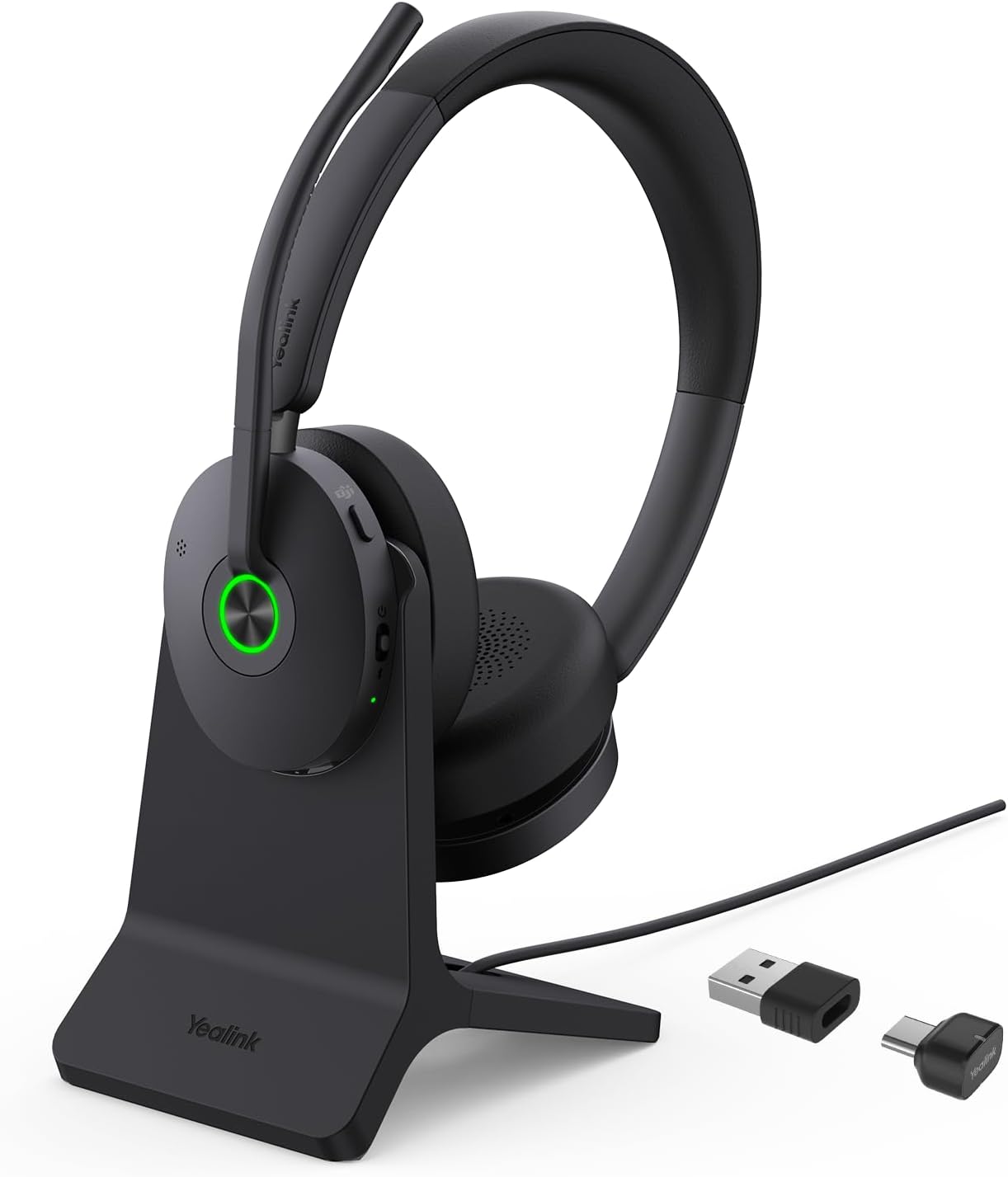
- Hybrid active noise cancellation reduces distracting office background sounds.
- Advanced microphone system isolates speech during busy workplace calls.
- Up to 32 hours talk time handles demanding workdays.
- 50 meter wireless range provides excellent freedom around offices.
- Included charging stand keeps the headset powered and organized.
The BH74 handles noise on both sides of the conversation
The Yealink BH74 takes the number two position in our best wireless headset for office comparison because it addresses two different problems that office workers deal with every day. It uses Hybrid Active Noise Cancellation for the person wearing the headset, while Yealink's microphone noise reduction technology works to keep surrounding office noise away from the person on the other end of the call.
That distinction matters. Microphone noise cancellation and headphone ANC are not the same feature, and having both makes the BH74 particularly useful in open offices, shared workspaces, home offices, airports, and other places where concentration and call clarity can become difficult.
The Hybrid ANC system actively reduces ambient noise reaching your ears. If coworkers are talking nearby or an office printer keeps running behind you, ANC helps reduce those surrounding distractions so you can concentrate on the meeting rather than simply increasing the headset volume.
The microphone system works in the opposite direction. Yealink uses Acoustic Shield Technology 3.0 and a multi-microphone arrangement to identify the user's voice and suppress competing sounds before the audio is transmitted to the call.
Thirty two hours of calls means charging becomes less of a daily concern
Battery life is one of the strongest specifications here. Yealink rates the BH74 for up to 32 hours of talk time, which is considerably longer than a normal eight hour office shift even if several hours are spent in meetings.
Music playback reaches up to 65 hours with ANC switched off. That makes the headset useful beyond calls because employees can keep it connected for music, training videos, recorded presentations, and other audio without immediately worrying about the next charge.
Charging takes up to around 90 minutes. More importantly for this particular package, the included stand gives the headset a permanent charging location rather than leaving another USB cable loose across the desk.
That changes the daily routine. Finish work, put the BH74 onto its stand, and it can be ready again the following morning without someone having to remember to connect a charging cable.
Yealink also supports fast charging. Even a short charging session can provide useful additional listening time, which can help if somebody arrives at work and discovers that the headset was left away from the stand overnight.
The wireless range is rated at up to 50 metres under suitable conditions. That gives employees room to move around an office, collect a document, walk to another desk, or simply stand up during a long meeting without remaining directly beside the computer.
Walls and interference will reduce real-world range, of course. But a 50 metre rated wireless connection provides useful headroom compared with headsets designed primarily for close-range phone listening.
Bluetooth 5.3 handles the wireless connection, and Yealink includes its BT51C adapter for computer use. The adapter supports USB-C with a USB-A option, which makes the package easier to deploy across both newer and older office computers.
The BH74 can maintain simultaneous Bluetooth connections with two devices and remember up to eight paired devices. That is useful for somebody who takes Teams meetings on a laptop but still needs to answer ordinary business calls arriving on a smartphone.
Instead of keeping separate headsets for each device, the BH74 can become the main communication headset. This is one of those features that seems minor on a specification sheet and becomes much more valuable after using it every day.
Why the BH74 comes extremely close to our number one spot
Comfort matters with any office headset because these products are often worn for several hours rather than one short call. The BH74 weighs about 152 grams and uses an on-ear design with memory foam cushions and rotating earcups.
Yealink has designed the headband to distribute pressure across the head rather than concentrating it in one small area. That matters during back-to-back meetings because long-term comfort is part of office performance, not simply a cosmetic feature.
The headset uses 30 mm speakers with a frequency response covering 20 Hz to 20 kHz. That gives it enough range for music and general media while the talk mode is optimized more specifically around voice frequencies.
Adaptive EQ provides another useful layer. The headset can adjust audio behavior depending on what is being played, helping speech and music receive more appropriate tuning rather than treating every audio source identically.
Auto-wear detection can pause and resume media depending on whether the headset is being worn. This is useful when somebody removes the headset to speak with a coworker and does not want a training video or music track continuing unnoticed.
Dual busylights are built into the headset as well. They illuminate during calls, giving nearby coworkers a visual indication that the person wearing the headset is already speaking with someone.
That can reduce interruptions in an open office. A coworker approaching from either side can see the visible on-call status indicator before starting a conversation.
The microphone boom also supports practical mute control. Moving the microphone upward can mute it, while lowering it brings the microphone back into position, which is much quicker than hunting for the mute button inside a meeting application.
Physical controls handle call answering, rejection, volume, mute, playback, and ANC modes. These controls become useful whenever you move away from the computer because basic meeting actions remain available directly from the headset.
The Teams version in this package is certified for Microsoft Teams Premium Open Office use. Yealink also designs the BH74 for broad UC compatibility, making it relevant to workplaces that use Zoom or other collaboration platforms rather than locking the hardware into one meeting application.
One common mistake is assuming ANC means the microphone will automatically sound perfect in every environment. The boom should still be positioned correctly near the mouth because good microphone placement improves voice isolation before software processing even begins.
Another mistake is ignoring the USB adapter. Direct computer Bluetooth can work, but the included BT51C adapter provides the connection environment Yealink designed specifically around business communication and headset control.
The charging stand should also be used consistently. Leaving the headset scattered around the desk removes one of the biggest advantages of buying the stand bundle in the first place.
So why does the BH74 finish number two instead of taking our top ranking? It is extremely close. Hybrid ANC, strong microphone noise cancellation, 32 hour talk time, 50 metre wireless range, Bluetooth 5.3, multi-device connectivity, Teams certification, a USB adapter, and the charging stand create an excellent office package.
Our number one Poly Voyager 4320 UC receives a slight advantage because its complete communication workflow is particularly mature and straightforward for everyday office deployment. The Poly also offers a very strong balance of microphone performance, call controls, computer integration, mobility, and lightweight comfort.
The Yealink counters with stronger listener-side noise cancellation and longer battery life, so some users may actually prefer it. Someone working in a noisy open office may value Hybrid ANC more than the differences that separate these first two positions.
That is why we believe the BH74 comfortably deserves the number two position out of seven. For heavy Teams users, hybrid workers, customer-facing professionals, sales teams, recruiters, and anyone spending several hours per day on calls, it delivers an unusually complete combination of noise control, battery life, wireless freedom, comfort, and business-focused connectivity.
- Advanced microphone noise cancellation helps isolate voices during office calls.
- Up to 35 hours talk time supports demanding work schedules.
- 50 meter wireless range allows movement away from desks.
- Lightweight stereo design supports comfortable extended workplace use.
- Microsoft Teams certification provides convenient professional meeting integration.
The microphone system is where the BH70 starts making sense
The Yealink BH70 takes the number three position in our best wireless headset for office comparison because it concentrates heavily on call quality. It combines Yealink's Acoustic Shield Technology 2.0, multiple microphones, long battery life, a lightweight stereo design, Bluetooth connectivity, and Microsoft Teams certification.
The microphone arrangement is probably the most important feature for office use. Yealink uses a retractable microphone boom with multiple microphones and its Acoustic Shield processing to separate the speaker's voice from surrounding workplace noise.
This matters in an open office where the person beside you may be speaking at the same time. Your voice needs to remain the main signal reaching the customer or coworker on the other side of the call.
The same problem exists at home. Children, another person on a call, a television in the next room, kitchen noise, and normal household activity can all reach an ordinary laptop microphone surprisingly easily.
A dedicated boom microphone has a physical advantage because it sits much closer to the mouth. The noise processing then has a cleaner voice signal to work with rather than trying to separate speech from room noise using microphones positioned several feet away on a laptop.
Thirty five hours of talk time is enough for several busy days
Battery life is one of the BH70's strongest practical specifications. Yealink rates the headset for up to around 35 hours of talk time, giving it enough capacity to handle long days of calls without becoming another device that needs charging every afternoon.
That matters for people in sales, recruitment, customer service, account management, consulting, and remote work. A headset can be comfortable and sound excellent, but none of that helps when the battery dies halfway through a client call.
Long battery life also gives users more flexibility in their charging habits. Somebody who only spends three or four hours per day in meetings may be able to work for several days before the battery becomes a concern.
Still, waiting until the battery is almost empty is not a great office routine. Charge it consistently so the available runtime remains a safety margin rather than something you depend on every day.
The wireless range reaches up to around 50 metres under suitable conditions. That means you can stand up during a meeting, walk to another part of the office, collect a document, or move around during a long conversation without carrying the laptop.
Real-world range will vary. Walls, doors, wireless interference, and the physical layout of an office can reduce the maximum distance, so the specification should be treated as an ideal range rather than a guarantee in every building.
Even with those limitations, the additional mobility is useful. Long meetings become less physically restrictive when you are not required to stay directly beside the computer for the entire conversation.
Bluetooth connectivity also allows the BH70 to fit into a multi-device workday. A laptop can handle Teams or Zoom meetings while a smartphone remains available for ordinary mobile calls.
This is particularly useful for hybrid workers. Instead of keeping one headset connected to the computer and another pair of earbuds for the phone, the same office headset can become the central communication device.
Microsoft Teams certification adds another layer of workplace integration. The controls are designed around business communication rather than simply taking a consumer music headset and hoping it behaves correctly with meeting software.
Why the BH70 lands behind the Poly and the newer BH74
Comfort matters because the BH70 is designed for extended use. Its lightweight stereo on-ear construction avoids the bulk of large over-ear headphones, which can help when the headset remains on for several meetings in a row.
On-ear designs have their own tradeoffs. They put some pressure directly on the ears, so adjusting the headband correctly matters if you want comfortable wear across a full workday.
Do not tighten the headset more than necessary. The microphone does not need the earcups clamped tightly against the head to work correctly, and excessive pressure becomes much more noticeable after an hour or two.
The stereo configuration is useful for concentration. Having audio delivered to both ears makes meetings, training videos, and music feel more natural than a single-ear office headset.
It also reduces the temptation to increase volume just because one ear remains exposed to surrounding conversation. Keeping listening levels reasonable is important when a headset is worn for many hours every week.
The retractable microphone is another thoughtful feature. It can be positioned for calls and then moved out of the way when the headset is being used mainly for listening.
Microphone position still matters. Keep the boom reasonably close to the mouth rather than leaving it beside the cheek or high near the temple because good placement improves speech pickup before processing.
This is one of the easiest mistakes to make with office headsets. People often assume aggressive noise cancellation can compensate for poor microphone placement, but moving the microphone closer to the voice improves the signal the software receives in the first place.
Physical call controls are useful when moving away from the computer. Volume, mute, call management, and other basic functions can be handled from the headset rather than finding the correct meeting window every time something changes.
A dedicated mute control is especially important. During long meetings, somebody may need to speak with a coworker nearby or answer a quick question without broadcasting that conversation to everyone else.
Busylight functionality helps from the opposite direction. A visible indicator can tell coworkers that the headset wearer is currently occupied with a call, reducing unnecessary interruptions in shared offices.
Audio quality is also relevant outside meetings. A stereo office headset will often spend part of the day playing music, recorded training, webinars, or video content, so having competent media playback makes it more useful as an all-day device.
There is one important difference compared with our number two Yealink BH74. The BH74 adds Hybrid Active Noise Cancellation for the person wearing the headset, giving it stronger protection against surrounding distractions in particularly noisy offices.
The BH70 focuses more heavily on keeping your voice clean for other callers rather than electronically cancelling as much environmental noise at your own ears. If the office is very loud, that distinction can become important.
Our number one Poly Voyager 4320 UC also has a particularly mature overall business communication package. Its charging stand configuration, Acoustic Fence microphone system, broad UC integration, wireless range, and straightforward everyday controls give it a slight advantage in our ranking.
The BH70 is still extremely competitive. In fact, somebody who values long battery life and Yealink's microphone processing more than listener-side ANC may have very little reason to feel they are settling for a third-place product.
So why do we believe the BH70 deserves the number three position out of seven? It gets the important office fundamentals right: strong microphone noise reduction, roughly 35 hours of talk time, useful wireless range, lightweight stereo construction, business-focused controls, and Teams integration.
It loses narrowly to the Poly Voyager 4320 UC and Yealink BH74 because those headsets provide slightly more complete packages in charging convenience or active noise cancellation. But for people who spend most of the workday speaking rather than simply listening, the BH70 remains one of the strongest options in this comparison.
For sales calls, customer support, recruitment interviews, internal Teams meetings, hybrid work, and general office communication, it provides the combination that matters most: your voice stays clear, the battery lasts, and you can move away from the desk without ending the conversation.
- Advanced microphone noise cancellation isolates voices during busy office calls.
- Up to 35 hours talk time supports demanding work schedules.
- Included charging stand keeps the headset powered between meetings.
- Long wireless range provides freedom to move around offices.
- Microsoft Teams certification supports convenient professional meeting controls.
The charging stand fixes one of the annoying parts of wireless office headsets
The Yealink BH70 with charging stand takes the number four position in our best wireless headset for office comparison, combining a business-focused stereo headset with Acoustic Shield Technology, long battery life, Teams certification, wireless connectivity, and a dedicated desktop charging stand. It is built around calls first, which is exactly what we want from an office headset.
The charging stand is a simple addition but a useful one. Wireless headsets are easy to leave beside a keyboard at the end of the day, and then somebody discovers the next morning that the battery was never actually charged.
With the stand on the desk, the routine becomes obvious. Finish the last call and put the headset back where it belongs, so charging happens as part of normal storage rather than becoming another task to remember.
The stand also keeps the desk cleaner. Instead of leaving the headset lying across paperwork with a separate charging cable nearby, it has a dedicated upright position when it is not being worn.
The microphone system is designed for offices where other people are talking
The BH70 uses Yealink's Acoustic Shield Technology 2.0 with a multi-microphone system designed to isolate the user's voice from surrounding sounds. That is particularly useful in open offices, shared workspaces, home offices, and customer service environments.
A laptop microphone can pick up a surprising amount of room noise. Somebody speaking nearby, keyboards, printers, ventilation, or another meeting happening across the room can all become part of your call.
A boom microphone starts with a major physical advantage because it sits much closer to the speaker's mouth. Yealink then applies its noise reduction processing so your voice remains clearer to other participants instead of transmitting everything happening around the desk.
This matters more during long conversations than quick internal calls. A client listening to thirty minutes of background office noise can become fatigued even when every individual word remains technically understandable.
Microphone placement still matters. Keep the boom reasonably close to the mouth rather than leaving it high beside the cheek and expecting noise processing to compensate for poor positioning.
The cleaner the original voice signal, the easier it is for the headset to separate speech from environmental sound. Good microphone placement improves noise cancellation before any digital processing is applied.
Battery life is another major advantage. Yealink rates the BH70 for up to roughly 35 hours of talk time, giving it substantially more capacity than a normal eight-hour workday requires.
That is useful for people who move through several consecutive meetings. Sales teams, recruiters, customer support staff, managers, and remote workers may spend hours speaking each day, and battery anxiety becomes distracting when a headset needs constant charging.
The large battery gives you room to forget occasionally. Even so, using the included charging stand every evening is the better routine because the long runtime then becomes a reserve rather than something you regularly exhaust.
Wireless range gives employees more freedom during those meetings. The BH70 is designed to maintain communication well beyond the immediate desk area under suitable conditions, allowing users to stand, move around, or collect something without removing the headset.
Actual distance will depend on walls, doors, wireless interference, and the office layout. Still, office-grade wireless range makes long meetings easier because you are not physically restricted to the chair beside the computer.
Why this BH70 configuration lands in fourth place
The stereo design is useful for both calls and general listening. Audio reaches both ears, making meetings, webinars, training videos, and music feel more natural than a traditional single-ear telephone headset.
Comfort becomes important here because an office headset may remain on for several hours. The BH70 uses a relatively lightweight on-ear construction intended to avoid the bulk of large consumer over-ear headphones.
On-ear pressure should still be adjusted carefully. Tightening the headband more than necessary does not improve microphone performance and can make the headset uncomfortable during a long afternoon of meetings.
Physical controls are another practical office feature. Call management, volume, mute, and other basic actions can be handled directly from the headset rather than constantly switching back to the meeting window.
This becomes especially useful when you walk away from the computer. If somebody approaches your desk while you are speaking with a customer, quick access to mute matters immediately.
Teams certification is important for businesses standardized around Microsoft Teams. Dedicated integration provides a more predictable communication experience than using a general consumer Bluetooth headphone that happens to contain a microphone.
The headset is still useful beyond Teams. Business users often move between Teams, Zoom, browser meetings, ordinary mobile calls, training applications, and media throughout the same workday.
Multi-device connectivity helps with that mixed workflow. A computer can handle online meetings while a smartphone remains available for business calls, reducing the need to switch between separate headsets.
One important limitation should be understood. Microphone noise cancellation is designed primarily to improve what other people hear, and it is different from strong active noise cancellation designed to reduce what the headset wearer hears.
If your biggest problem is concentrating while surrounded by loud coworkers, a headset with dedicated Hybrid ANC can provide an advantage. This is one reason our higher ranked Yealink BH74 finishes ahead of the BH70.
The BH74 combines strong microphone processing with active noise reduction for the listener, making it particularly effective when both sides of the conversation need protection from a noisy environment.
Our number one Poly Voyager 4320 UC also provides an exceptionally balanced business package with Acoustic Fence microphone technology, strong call controls, a charging stand, long wireless range, and mature unified communications support.
There is another reason this particular BH70 configuration sits fourth. The BH70 itself already appears higher in our comparison in a slightly different package, so the charging stand adds useful convenience without fundamentally changing the core headset performance.
That does not make the stand unimportant. For a permanent desk setup, the charging stand is genuinely worth having because it solves storage and charging with one simple habit.
Users should also remember to use the supplied computer connection hardware where applicable. A dedicated Yealink USB adapter can provide a more predictable business communication connection than relying entirely on whatever Bluetooth implementation happens to be built into the computer.
Keep firmware and headset software updated too. Business headsets depend on software for meeting integration, device compatibility, controls, and audio processing, so updates can matter more here than they do with simple wired headphones.
So why does the BH70 with charging stand receive our number four ranking out of seven? It combines excellent microphone noise reduction, long battery life, useful wireless mobility, Teams integration, lightweight stereo construction, and convenient desktop charging.
It falls behind the top three because the BH74 offers stronger listener-side noise control, the Poly provides an exceptionally refined overall office communication package, and the higher ranked BH70 configuration already captures most of this headset's core performance.
But for someone building a permanent office desk and wanting a headset that is easy to keep charged, comfortable through long meetings, and focused heavily on making speech clear, this version of the BH70 remains a strong choice. The charging stand makes everyday ownership easier, and that convenience becomes more valuable the more often the headset is used.
- DECT and Bluetooth wireless support flexible office device connections.
- Acoustic Shield technology reduces distracting background noise during calls.
- Convertible wearing design supports different all-day comfort preferences.
- Long wireless range allows movement well beyond the desk.
- Multi-device connectivity handles computers, phones, and compatible desk phones.
The DECT and Bluetooth combination is the reason this headset is different
The Yealink WH64 Hybrid takes the number five position in our best wireless headset for office comparison because it approaches office connectivity differently from a normal Bluetooth headset. It combines DECT wireless technology with Bluetooth, giving users a way to work across computers, mobile devices, and compatible office phone setups without being restricted to one connection type.
DECT matters because it is designed around wireless voice communication rather than general consumer audio. It can provide substantial working range and a stable connection for employees who need to move around an office while remaining on a call.
Bluetooth handles the more familiar side of the setup. A smartphone or compatible computer can connect without requiring the headset to behave purely as a traditional desk phone accessory, so one headset can cover several communication devices.
That makes sense in offices where employees still use desk phones but also spend much of the day in Teams, Zoom, browser meetings, or mobile calls. Instead of keeping separate headsets around the workstation, the WH64 Hybrid is designed to bring those communication channels together.
The convertible design makes more sense for calls than for music
This model uses a convertible single-ear design rather than the stereo configuration found on several of the headsets higher in our ranking. The idea is to keep one ear available to the room while the other handles the call.
That can be genuinely useful at reception desks, administrative counters, customer service areas, and offices where employees need to remain aware of coworkers. Wearing large stereo headphones can isolate somebody too much when face-to-face communication is still part of the job.
A convertible design also gives users more flexibility in how the headset sits around the ear and head. This can help during very long calling sessions because less hardware is resting on your head compared with a full stereo headset.
The tradeoff is obvious when listening to music. A mono office headset is built primarily around voice communication, so somebody who wants immersive stereo music between meetings will probably prefer the BH70, BH74, or another two-ear headset.
For actual phone calls, that matters much less. Speech does not need a wide stereo soundstage, and keeping one ear open can make office conversations easier when someone approaches the desk while you are still connected to a customer.
Microphone performance is therefore more important here. Yealink uses its Acoustic Shield technology to identify the user's voice and suppress surrounding background noise before the signal reaches the other caller.
This becomes useful at a busy reception area. A printer may be operating nearby, coworkers are speaking, customers are arriving, and another phone may be ringing, but the microphone should keep speech intelligible rather than transmitting the entire room.
Microphone placement still affects the result. Keep the boom positioned close enough to the mouth for the voice to remain strong and consistent instead of assuming digital noise processing can compensate for a badly positioned microphone.
A clean original voice signal gives the processing system something useful to work with. If the microphone sits too far away, the difference between your voice and surrounding sounds becomes smaller.
Why this flexible Yealink lands in fifth place
Wireless range is one of the advantages of using DECT. In an appropriate office environment, DECT allows substantially more movement than a headset intended to stay within a few metres of a smartphone.
This can be useful for employees who regularly walk to filing cabinets, printers, stock areas, or another part of the office while remaining on a call. The computer or desk phone can stay where it is while the conversation continues.
Maximum range should still be treated as an ideal specification. Walls, floors, office construction, radio interference, and the location of the base all affect how far the headset remains reliably connected in practice.
Test the actual work area rather than assuming every corner of a large building will behave like an open-space range test. If employees need to reach a specific stockroom or printer area during calls, that is the distance that matters.
The hybrid connection system is also useful for people moving between mobile and desk-based communication. A smartphone can remain part of the workflow while the office computer handles unified communications calls.
This reduces the need to remove the headset every time a different device rings. For employees who handle a mixture of external phone calls and internal online meetings, that can save a surprising amount of daily friction.
Physical controls are important for the same reason. Call answering, ending, volume, and mute functions are much easier to manage directly from the headset when the user is standing away from the computer.
Mute deserves particular attention. An employee speaking to somebody physically present in the office needs to mute quickly without searching for the correct meeting application or browser tab.
Charging habits matter too. Wireless office headsets should return to their charging location whenever they are not actively being used, especially when several hours of calls are expected the following day.
Do not treat the maximum battery specification as a reason to run the headset nearly empty every time. Regular charging keeps runtime predictable and reduces the chance of a low-battery warning appearing during an important conversation.
The single-ear format also needs to be chosen for the right workplace. In a quiet private office, a stereo headset can provide better concentration and more enjoyable media playback.
In a reception or shared administrative area, the opposite can be true. Hearing the room can be part of the job, so leaving one ear uncovered may be more practical than maximum isolation.
This is one reason ranking office headsets is not purely about which model has the most technology. A feature such as active noise cancellation is valuable when concentration is the priority, but it may be less desirable for someone who needs to hear colleagues and visitors throughout the day.
So why does the WH64 Hybrid finish number five out of seven? The products above it provide more balanced all-day audio experiences, especially the stereo Poly Voyager 4320 UC and Yealink BH70 and BH74 models.
The BH74 also provides stronger listener-side active noise cancellation, while the BH70 combines long battery life with a lightweight stereo design that works better for meetings, music, and general computer audio.
The WH64 Hybrid is more specialized. Its mono convertible design is less appealing for music and immersive listening, but DECT plus Bluetooth connectivity makes it particularly useful for traditional office communication environments.
That specialization is also its biggest strength. A receptionist, call center employee, administrative worker, or office user who needs to connect across a computer, mobile phone, and compatible desk phone may find the WH64 Hybrid better suited to the job than a conventional stereo Bluetooth headset.
That is why we believe it deserves the number five position out of seven. It does not provide the most complete listening experience in our comparison, but its DECT and Bluetooth combination, convertible wearing design, microphone noise reduction, long wireless reach, and multi-device focus make it a strong professional communication tool.
For offices where calls still matter more than music and employees need to remain aware of what is happening around them, the WH64 Hybrid makes a lot of practical sense. It is more specialized than our top choices, but within that specialization it offers a well thought out wireless office setup.
- Acoustic Shield technology reduces distracting background noise during calls.
- Long battery life supports extended meetings and office workdays.
- Included charging stand provides convenient everyday desktop storage.
- Bluetooth wireless connection supports computers and compatible mobile devices.
- Microsoft Teams certification provides business-focused meeting controls and compatibility.
The microphone quality is still the strongest part of this BH70 package
The Yealink BH70 with charging stand takes the number six position in our best wireless headset for office comparison, but that ranking needs some context. This is still a business-focused headset built around Yealink's Acoustic Shield Technology, long battery life, wireless connectivity, a lightweight stereo design, Microsoft Teams integration, and a desktop charging stand.
The microphone system is the part that matters most for office communication. Yealink designed the BH70 to separate the speaker's voice from competing background sounds, which is useful when calls happen in open offices, shared rooms, customer service areas, or home offices.
A dedicated boom microphone already has an advantage over the microphone inside a laptop. It sits much closer to the mouth, giving the headset a stronger voice signal before noise reduction processing even begins.
That matters when another employee starts talking nearby. Instead of transmitting both conversations at similar levels, the headset can concentrate more heavily on the person actually wearing it.
The charging stand makes long battery life even easier to manage
Battery life is one of the reasons the BH70 works well as an all-day office headset. It is designed to handle long periods of business calling without requiring employees to stop halfway through the day and find a charging cable.
That matters more for some jobs than others. Someone in recruitment, customer support, sales, consulting, or account management can easily spend several hours every day moving between internal meetings and external calls.
The charging stand improves the routine because the headset has somewhere obvious to go whenever it is removed. Storage and charging happen in the same place, which reduces the chance of beginning the following day with a depleted battery.
That sounds simple, but it solves a real problem. Wireless headsets often end up sitting beside a keyboard overnight because plugging in another USB cable feels like a separate task at the end of the workday.
With the stand, you finish the last meeting and return the headset to its normal position. The desk stays more organized, and charging becomes something that happens automatically as part of putting the equipment away.
Wireless operation also gives employees more freedom around the office. You can stand up during a long call, walk to a filing cabinet, collect a document, or move around the room without carrying the laptop with you.
Real-world wireless range depends on walls, doors, interference, and the computer setup. Still, office-focused wireless mobility reduces desk restriction during meetings that may last thirty minutes or considerably longer.
Bluetooth also makes the BH70 useful across more than one type of device. A computer can handle Teams meetings while a compatible smartphone remains available for normal business calls.
This becomes useful for hybrid workers because the communication day is rarely limited to one application. Teams, Zoom, browser calls, mobile calls, webinars, training material, and music can all happen using the same workstation.
Keeping one headset connected across that workflow is much easier than switching between laptop speakers, earbuds, and a separate telephone headset throughout the day.
Why this BH70 configuration falls to sixth place
The stereo design gives the BH70 another advantage over traditional mono office headsets. Hearing meetings through both ears can improve concentration, and music or training videos sound more natural than they do through a single-ear call headset.
Comfort becomes important because the headset may stay on for hours. Yealink keeps the BH70 relatively lightweight, which helps reduce the heavy feeling that can develop with large consumer over-ear headphones during consecutive meetings.
Fit still needs adjustment. Do not tighten the headband excessively because more pressure does not improve microphone performance, and the extra force becomes noticeable after an hour or two.
Microphone position deserves similar attention. The boom should sit reasonably close to the mouth so the speaker's voice reaches the microphones clearly and consistently.
Noise reduction technology can do a lot, but it cannot completely compensate for a microphone positioned badly. Keeping the boom near the intended speaking position improves the ratio between your voice and the noise elsewhere in the room.
Physical controls are useful for call management. Volume, mute, answering, and other basic functions can be handled from the headset instead of requiring the user to find the correct Teams window every time.
Mute control becomes especially useful when you leave the desk. If a coworker approaches while you are still connected to a client, being able to mute immediately matters more than having another audio setting buried inside software.
Teams certification is another practical feature. Business headsets need reliable communication controls and software integration rather than simply functioning as generic Bluetooth headphones with a microphone attached.
Using the supplied Yealink computer connection hardware where applicable is also sensible. Built-in laptop Bluetooth can work, but a dedicated USB adapter can provide a more predictable connection for unified communications and headset controls.
Firmware should be kept updated as well. Business headset performance depends partly on software for device compatibility, call control, microphone processing, and meeting integration.
The main reason this model finishes sixth has less to do with poor performance and more to do with how strong the products above it are. Several of our higher positions are occupied by other Yealink models that share some of the BH70's strengths while adding features or providing a more compelling overall package.
The BH74, for example, adds Hybrid Active Noise Cancellation. That means it works on reducing noise for the headset wearer as well as keeping background noise away from the microphone signal.
This difference becomes important in a loud open office. The BH70 may help the customer hear your voice clearly, but the BH74 is better equipped to reduce how much of the surrounding office you personally hear while trying to concentrate.
Our top Poly Voyager 4320 UC also provides a very balanced combination of microphone noise reduction, wireless range, call controls, multi-device connectivity, Teams support, and charging convenience. That broader balance gives it an advantage in our overall office ranking.
There is also some overlap between BH70 configurations in this seven-product comparison. When several bundles use essentially the same core headset, differences in included accessories and exact configuration become less significant than moving to a fundamentally different model.
That explains why this version sits lower despite still being capable. The core BH70 headset remains very strong, but another BH70 package and the newer BH74 already cover similar needs higher in our ranking.
The charging stand is still worth having for a permanent desk. It keeps the headset visible, organized, and ready for the next call rather than adding another loose device and cable to the workspace.
So why do we believe this Yealink BH70 deserves the number six position out of seven? It delivers strong microphone noise reduction, long battery life, stereo audio, useful wireless connectivity, Teams integration, and convenient stand-based charging.
It falls lower because other choices offer stronger listener-side noise cancellation, different connectivity options, or a more distinctive overall office package. But for someone who mainly wants clear business calls, a comfortable stereo headset, and an easy charging routine, this BH70 configuration remains a very capable workplace option.
- Acoustic Shield microphone technology reduces distracting background call noise.
- Long battery life supports extended office meetings and calls.
- USB-C adapter provides reliable connectivity with modern business computers.
- Lightweight stereo design supports comfortable use throughout workdays.
- Microsoft Teams certification provides convenient professional call control integration.
The microphone performance is much better than seventh place sounds
The Yealink BH70 Teams USB-C takes the number seven position in our best wireless headset for office comparison, but this needs some explanation because the core headset itself is still very capable. It combines Yealink's Acoustic Shield Technology, a multi-microphone system, long battery life, a lightweight stereo design, Bluetooth connectivity, a USB-C adapter, and Microsoft Teams certification.
The microphone system remains the biggest reason to consider the BH70. Yealink designed it specifically around business communication, where reducing the background conversation reaching clients and coworkers matters more than adding exaggerated bass or entertainment-focused audio effects.
That is useful in open offices. Somebody may be having another meeting a few metres away, keyboards are active, phones are ringing, and people are walking through the room, but your microphone needs to prioritize your speech.
The retractable boom also puts the microphones close to the mouth. That physical placement gives the headset a cleaner voice signal than a laptop microphone sitting much farther away on a desk.
The USB-C adapter makes more sense than relying only on laptop Bluetooth
This configuration includes a USB-C connection option intended for modern computers. That matters because more business laptops now prioritize USB-C ports while reducing the number of traditional USB-A connections.
A dedicated headset adapter can also provide a more predictable office communication experience than depending entirely on whatever Bluetooth hardware and drivers happen to be installed inside the computer. The headset and adapter are designed to work together for business calling.
This can improve convenience around Teams controls and headset behavior. Dedicated computer connectivity reduces setup uncertainty, particularly when a company needs employees to connect equipment quickly rather than troubleshoot Bluetooth settings before every meeting.
Bluetooth remains useful for mobile devices. A smartphone can stay connected for business calls while the computer handles Teams, Zoom, browser meetings, webinars, and other work applications.
This kind of multi-device workflow matters more than it first appears. Many employees do not spend the entire day communicating through one application, so switching repeatedly between computer speakers, earbuds, and a mobile headset becomes annoying.
The BH70 is designed to make one headset handle more of that communication. A salesperson, recruiter, consultant, or remote worker can move between computer meetings and phone calls without completely changing their audio setup.
Battery life is another major strength. The BH70 is designed for extended talk time, providing considerably more capacity than a normal office shift requires under typical conditions.
That means several hours of meetings are manageable without stopping to charge the headset during lunch. People who only spend part of each day on calls may go considerably longer between charging sessions.
Still, a long battery specification should not encourage poor charging habits. Charging the headset regularly means the remaining battery becomes a useful reserve rather than something you depend on during an important client call.
Wireless range gives users another practical benefit. A meeting does not automatically require sitting directly beside the computer for the entire conversation.
You can stand, stretch, walk to a nearby cabinet, collect a document, or move around a home office while remaining connected. This can make long internal meetings noticeably less restrictive.
Why this BH70 configuration ends up at number seven
The stereo on-ear design works well for general office use. Having audio in both ears improves concentration during meetings and makes music, webinars, and training videos more natural than a traditional single-ear telephone headset.
Comfort matters because an office headset can remain on for several hours. The BH70 keeps the overall construction relatively lightweight rather than using the heavier enclosure found on some large over-ear consumer headphones.
The headband should still be adjusted properly. A tighter fit does not improve call quality, and unnecessary pressure becomes increasingly noticeable during consecutive meetings.
Microphone positioning deserves attention too. Keep the boom reasonably close to the mouth so your speech reaches the microphone clearly before Acoustic Shield processing begins removing competing environmental sounds.
If the microphone sits too far away, the voice becomes weaker relative to the room. Noise reduction technology then has a more difficult job separating the intended speaker from everybody else.
Microsoft Teams certification is another useful part of this configuration. A dedicated business headset provides call controls and integration intended around workplace communication rather than behaving simply as a pair of Bluetooth music headphones.
Physical mute and call controls become particularly useful when you move away from the computer. If a coworker starts speaking to you while you are still connected to a meeting, you need to mute immediately rather than searching for the correct application window.
Busylight functionality can help prevent the interruption in the first place. A visible indicator gives people nearby some indication that the headset wearer is currently occupied with a call.
There is an important limitation compared with the Yealink BH74 higher in our ranking. The BH70 focuses strongly on microphone noise cancellation, but it does not provide the same Hybrid Active Noise Cancellation experience for reducing environmental sound reaching the listener's ears.
This distinction matters in a loud open office. The BH70 can help the customer hear you clearly while you may still hear coworkers and other surrounding activity yourself.
A strong ANC headset works on both parts of that problem. It reduces distractions for the person wearing it while microphone processing reduces what gets transmitted to the other side.
So why is this capable headset actually ranked seventh? The main reason is the unusually heavy overlap in this particular seven-product comparison.
Several positions are occupied by other BH70 configurations. They share much of the same core microphone technology, battery performance, comfort, wireless behavior, and Teams functionality, so this USB-C version adds fewer unique advantages than moving to a fundamentally different headset.
The charging-stand BH70 packages offer a more convenient permanent desk setup. The BH74 adds Hybrid ANC, while the WH64 Hybrid provides DECT connectivity and a convertible mono design for offices that still rely heavily on desk phones.
Our number one Poly Voyager 4320 UC also provides a particularly complete communication package. Its Acoustic Fence microphone technology, charging stand, dedicated Bluetooth adapter, multi-device operation, call controls, and office-focused design make it easy to recommend across a broad range of workplaces.
That leaves this BH70 USB-C configuration in a strange position. There is nothing fundamentally wrong with it, but other products in the same comparison either add useful hardware or provide a more distinctive workflow.
The USB-C adapter can still be exactly the right choice for a modern laptop. If your computer has limited USB-A connectivity and you do not particularly want a charging stand occupying desk space, this simpler configuration can make more sense.
It also retains the core strengths that make the BH70 a strong business headset. Voice-focused microphone processing, long battery life, stereo audio, useful wireless mobility, Teams certification, and a lightweight design are all relevant for everyday professional use.
That is why we believe it deserves the number seven position rather than being dismissed entirely. The ranking reflects how much feature overlap exists with stronger packages above it, not poor basic headset performance.
For someone using a USB-C laptop who mainly needs clear calls, long battery life, comfortable stereo listening, and reliable Teams integration, the BH70 remains a solid office headset. It finishes last in this group, but its core communication performance is still well suited to a demanding workday.