


- Seamless mouse roaming lets you switch computers just by moving the cursor across monitors
- Supports controlling up to four computers using a single keyboard and mouse setup
- Multiple switching methods including mouse roaming hotkeys and physical push button
- USB 3.0 peripheral sharing with additional USB ports for accessories and devices
- Independent audio switching with both USB audio and 3.5 mm audio pass through

A USB switch that removes the annoying parts of working across multiple computers
The P4A20132 Roaming KM Switch solves a problem that people with two or more computers run into almost immediately. Multiple keyboards, multiple mice, messy desk, and constant switching between systems. A proper USB switch for sharing a keyboard and mouse between two computers eliminates that entire setup.
This particular device goes a step further because it is not just a button switcher. It uses mouse roaming. That means the cursor literally moves from one computer screen to another and the control follows it automatically.
In practical terms, this feels similar to using multiple monitors on a single computer. Except each monitor is actually a different computer system running independently.
Mouse roaming sounds simple but it fixes a real workflow bottleneck
Most basic USB switches require pressing a button every time you want to change machines. That works fine if you switch occasionally. It becomes extremely annoying if you are constantly jumping between a work PC, a personal laptop, and maybe a testing machine.
The roaming feature removes that interruption. Moving the cursor across the monitor edge switches control instantly. Keyboard and mouse input automatically follow the cursor which keeps your workflow uninterrupted.
Developers and IT admins often use setups like this. Imagine running code on one machine while monitoring logs on another system. Instead of reaching for a switch button every few minutes, the cursor simply moves across screens.
This KM switch can control up to four computers with one keyboard and mouse. That is more capacity than most home office setups require, but it gives room for expansion if you later add another workstation. The device supports Windows, macOS, and Linux which matters in mixed environment setups.
Another important detail is the monitor layout presets. The switch includes four display configuration presets so the mouse movement aligns correctly with how the monitors are physically arranged. Without this feature, cursor roaming across computers would feel inconsistent or jump in strange directions.
USB 3.0 peripheral sharing and audio control actually matter more than people think
Many people assume these switches only share keyboards and mice. In reality, peripheral sharing becomes extremely useful once the setup grows. This unit supports multiple USB devices including USB 3.0 peripherals.
For example, imagine using a USB microphone, webcam, or external storage across machines. Instead of unplugging cables constantly, the switch handles that automatically. USB devices can be shared between multiple computers without reconnecting cables.
The audio switching feature is another surprisingly useful detail. You can listen to audio from one computer while controlling another system with the keyboard and mouse. This happens through USB audio or standard 3.5 mm audio pass through connections.
That might sound minor but think about common situations. Someone might be editing on one computer while monitoring a video render on another. Or a system administrator may want system alerts from one machine while actively working on another device.
The hardware itself is built in a compact desktop form factor. The device measures roughly 8.7 by 5.1 by 1.3 inches and weighs about 1.8 pounds. It also includes LED indicators showing which system is currently active, along with an audible confirmation tone when switching through hotkeys.
Another reliability detail is the long operational life rating. The device has a mean time between failures rated around 156,000 hours. That level of durability matters in office environments where switching hardware may run continuously for years.
Why this earned the number one spot in our ranking
There are many USB switches available for sharing a keyboard and mouse between two computers. Most of them do the same basic job. Press a button and control moves to another machine.
This device stands out because it removes that manual step entirely. Mouse roaming switching combined with multi computer support changes how multi system workflows feel during daily use. It is smoother and significantly faster.
The additional features help reinforce that position. USB 3.0 peripheral sharing, independent audio switching, multiple monitor layout presets, and cross platform operating system compatibility all add real utility instead of gimmicks.
The price is higher than entry level USB switches. However, the functionality gap between this and a basic switch is significant. For anyone working across multiple systems daily, the productivity improvement quickly justifies the cost.
That combination of smart switching design, strong compatibility, and reliable hardware is exactly why this model earned the number one ranking in our list.

- Supports controlling two computers with a single keyboard and mouse setup
- Instant switching between computers using a front push button control
- Built with USB emulation to ensure stable keyboard and mouse detection
- Compact aluminum housing designed for professional desktop environments
- Plug and play compatibility with Windows macOS and Linux systems
This is the kind of KM switch people buy after getting tired of two keyboards
The AV Access iDock KM Switch focuses on one specific problem. Running two computers on the same desk without doubling every input device. Many people working with a laptop and desktop run into this immediately.
Instead of maintaining two keyboards and two mice, the switch allows one keyboard and mouse to control two computers. That is exactly what the category called USB switches for sharing a keyboard and mouse between two computers is built to solve.
The device itself is straightforward. It connects both computers through USB and lets the user toggle control between them using a physical switch button on the front panel.
This might sound simple but it removes a surprising amount of friction in daily work. Developers, traders, remote workers, and IT administrators often run two systems at the same time. One machine might handle work tasks while the other is used for testing, monitoring, or personal use.
USB emulation is a small technical detail that actually prevents big problems
A feature many people overlook in KM switches is USB emulation. This model uses keyboard and mouse emulation to maintain constant device recognition on both computers. Without this feature, some systems lose track of the keyboard or mouse when switching.
When that happens the user may need to unplug and reconnect devices. That becomes frustrating quickly. With emulation active, the computers always think the keyboard and mouse are connected even while the switch toggles control.
Keyboard and mouse emulation technology keeps both computers stable and avoids input detection delays. That detail becomes important when switching between machines multiple times per hour.
A good example is someone running a workstation and a laptop side by side. The workstation might be compiling software while the laptop handles email or documentation. Switching control takes one press of the front panel button and the keyboard immediately responds.
The device also works across multiple operating systems. Windows macOS and Linux are supported which matters for mixed workstation environments. A developer might run Linux on one system and Windows on another without needing different hardware.
Compact design matters more than people think for desk setups
Many USB switches are bulky or look like network hardware. This unit keeps a small footprint and uses a metal housing designed for desk placement. That helps when organizing workspace cables and peripherals.
The switch connects via USB cables to each computer. Once connected, the keyboard and mouse plug directly into the switch. No driver installation is required which makes it a true plug and play setup.
Plug and play keyboard mouse switching between two computers is exactly what many home office users want. Especially people who run a work laptop docked beside a personal desktop.
Another common scenario appears in streaming setups. A creator might control the streaming PC and gaming PC using a single keyboard and mouse. The switch lets them move control between machines instantly without rearranging input devices.
Failing to use a proper KM switch often leads to awkward workarounds. People end up sliding keyboards across desks or using wireless devices paired to multiple receivers. Those setups become messy and unreliable over time.
Dedicated USB switches keep the input routing consistent. The keyboard stays connected to one hub while the switch manages which computer receives the input.
Why this earned the number two spot in our ranking
This device performs extremely well for its intended purpose. It is stable, simple to install, and handles keyboard and mouse switching between two computers reliably.
The USB emulation feature gives it an advantage over very cheap switches. It prevents the common issue where devices disconnect briefly during switching. That alone makes it more practical for frequent switching environments.
However the reason it ranked second instead of first comes down to functionality. Some higher ranked models include mouse roaming or automatic cursor based switching across monitors. Those features create a smoother multi computer workflow.
This AV Access unit relies on manual button switching. That approach still works perfectly well and many users actually prefer the control of a physical switch.
Overall it remains one of the most dependable options available. For users who want a reliable USB switch for sharing keyboard and mouse between two computers without extra complexity, this model delivers exactly what it promises.

- Supports controlling two computers using one keyboard and mouse setup
- Integrated USB device charging port for powering phones or accessories
- Stable keyboard and mouse switching with built in USB emulation technology
- Compact metal enclosure designed for organized desktop workstation setups
- Plug and play compatibility with Windows macOS and Linux systems
A KM switch that quietly solves a very real desk problem
Anyone running two computers on the same desk eventually runs into the same issue. Two keyboards, two mice, and cables everywhere. A proper USB switch for sharing a keyboard and mouse between two computers eliminates that clutter immediately.
The AV Access iDock C10 KM Switch does exactly that. It allows one keyboard and one mouse to control two computers while keeping the desk setup simple and organized. Switching happens with a single button press on the device.
People who work with both a work laptop and a personal desktop understand the value instantly. Without a KM switch you either slide input devices across the desk or maintain duplicate peripherals. Neither solution holds up well long term.
This device acts as the control hub. The keyboard and mouse connect directly to the switch and the switch connects to each computer via USB. From there the device decides which machine receives the input signals.
USB emulation and charging are small features that fix common headaches
The first feature worth understanding is USB emulation. This KM switch maintains keyboard and mouse recognition on both computers even when switching between them. That means the operating system always thinks the devices remain connected.
Without emulation some cheaper switches cause a delay. The computer briefly disconnects and reconnects the keyboard or mouse which can interrupt work. Keyboard and mouse emulation keeps both systems stable during switching.
A practical example appears in IT environments. A technician might monitor a server console on one system while working on documentation from another computer. Instant switching between machines becomes essential.
This model also includes a charging port which is not something every KM switch offers. The port allows charging small devices such as wireless headphones, a phone, or a rechargeable mouse. Built in USB charging adds convenience to multi computer desk setups.
That feature may sound minor but it removes the need for extra chargers cluttering the desk. Small improvements like this often make a workspace feel more organized.
The device supports Windows, macOS, and Linux systems which makes it flexible for mixed environments. Developers frequently run Linux on one system and Windows on another machine. A KM switch that works across both platforms becomes extremely useful.
Why KM switches matter for real productivity setups
Running two computers has become increasingly common. Remote work setups often include a corporate laptop alongside a personal workstation. Gaming and streaming setups frequently use separate systems as well.
Without a KM switch the workflow becomes awkward. Users constantly move their hands between two keyboards or reach for a second mouse. Over time this wastes time and creates a cluttered workspace.
Devices like this simplify everything. One keyboard and mouse controlling two computers becomes the default behavior instead of juggling input devices.
Another benefit is reliability. Wireless keyboards connected to multiple receivers can introduce interference or lag. A wired KM switch keeps the connection stable and predictable.
Installation is also extremely simple. The device requires no drivers or software configuration. Plug the USB cables into both computers, connect the keyboard and mouse, and the switch begins working immediately.
Why this product earned the number three spot
The AV Access iDock C10 is a reliable and well built KM switch. It solves the main problem of sharing keyboard and mouse control between two computers without adding complexity.
The USB emulation feature keeps switching stable and avoids common input detection issues. The charging port also adds a practical benefit that improves everyday desk organization.
However it ranks third in this list because some higher ranked models offer more advanced switching methods. Features like automatic mouse roaming across multiple monitors can create an even smoother workflow.
This device relies on manual button switching. While that approach works perfectly well, it does not provide the same level of seamless interaction as cursor based switching.
Even with that limitation the iDock C10 remains a strong option. For users who want a dependable USB switch for sharing keyboard and mouse between two computers with a simple setup and durable build, this model performs very well.

- Supports controlling two computers while sharing one monitor keyboard and mouse
- HDMI KVM functionality with resolution support up to 4K at 60Hz
- Multiple switching methods including hotkeys front button and remote control
- USB keyboard and mouse emulation for stable switching between computers
- Compact metal housing designed for professional workstation environments
This one handles keyboard mouse and monitor switching in one box
The TESmart HKS0401A10 KM switch solves a slightly different problem compared to basic USB switches. Instead of only sharing a keyboard and mouse, it also handles the monitor connection between computers. That combination turns it into a full KVM switch.
For people running two computers on the same desk, that can simplify the entire setup. A single keyboard, mouse, and monitor become the control station. The device then decides which computer receives the input and sends video output to the display.
That is why many people researching the best USB switches for sharing a keyboard and mouse between two computers eventually discover KVM switches like this. They combine input control and video switching in the same unit.
Instead of maintaining two monitors or separate keyboard setups, users switch everything together. Press a button or trigger a hotkey and the entire workstation moves to the other computer.
4K HDMI switching makes this useful beyond simple office setups
The device supports HDMI video up to 4K resolution at 60Hz. That specification matters if you are working on modern displays where lower resolution switching devices create blurry output. Higher resolution support keeps text sharp and readable.
This becomes especially useful in editing or development environments. Designers working in high resolution tools need consistent display quality when switching between systems.
The switch includes multiple control methods. Users can toggle between computers using a physical button on the device, keyboard hotkeys, or the included remote control. Multiple switching methods make multi computer control easier depending on how the desk is arranged.
Imagine a developer running a Windows workstation and a Linux testing machine. One hotkey combination immediately moves the keyboard mouse and monitor to the other system. No unplugging cables and no rearranging devices.
The device also includes keyboard and mouse emulation. This means the computers maintain constant detection of input devices even while switching occurs. Keyboard and mouse emulation prevents connection delays during switching.
Without this feature some computers take a few seconds to recognize input devices again. That delay becomes frustrating if switching happens frequently throughout the day.
Why combining KVM features changes the typical workflow
A traditional USB switch only manages input devices. The monitor stays connected to one computer at a time or requires manual cable swapping. That approach works but it limits the usefulness of the switch.
KVM switches solve that limitation by routing video signals as well. One monitor can display whichever computer is currently active. For compact desks this can dramatically reduce hardware clutter.
For example many remote workers use a company laptop and a personal desktop system. With a KVM switch the desk can run both machines without doubling monitors or keyboards.
The TESmart unit also uses a durable metal housing and compact desktop footprint. That makes it easy to place near a monitor stand or dock without consuming much space.
Another advantage appears in streaming or content creation setups. Streamers sometimes operate a gaming PC and a broadcast PC simultaneously. A KVM switch allows them to control both machines from the same keyboard and mouse.
Common mistakes people make with multi computer setups include relying on wireless keyboard pairing or manually switching USB receivers. Those workarounds become unreliable when used heavily.
Dedicated keyboard mouse sharing switches keep input routing stable and predictable during daily use. That consistency is exactly what these devices are designed for.
Why this product ranks fourth in our list
The TESmart HKS0401A10 delivers a strong feature set. It supports 4K video switching, keyboard and mouse sharing, multiple switching methods, and reliable device emulation.
For users who want both video and input switching in one device, this model can be extremely useful. It simplifies desk setups and removes the need for duplicate monitors.
The reason it ranks fourth instead of higher comes down to focus. Some users specifically want a pure USB KM switch without video routing. KVM switches add complexity and sometimes higher cost.
For setups where monitor switching is unnecessary, simpler USB switches can provide faster or smoother control. That difference pushed this model slightly lower in the ranking.
Even so it remains a powerful option. Anyone needing a reliable KVM switch for sharing keyboard mouse and monitor between two computers will find this device capable and well built.

- Supports controlling two computers while sharing dual monitors keyboard and mouse
- Dual HDMI output allowing simultaneous control of two display screens
- Multiple switching options including push button and keyboard hotkeys
- Built in keyboard and mouse emulation for stable device recognition
- Plug and play compatibility with Windows macOS and Linux systems
A KM switch built for people running two computers and two monitors
The AIMOS KMV201 is designed for a very specific type of desk setup. Two computers, two monitors, and a single keyboard and mouse controlling everything. That kind of configuration is common now, especially in remote work and development environments.
Devices like this sit somewhere between a traditional USB KM switch and a full KVM switch. The goal is simple. Let users operate two computers without duplicating every input device on the desk.
This is exactly why people search for the best USB switches for sharing a keyboard and mouse between two computers. Multi computer setups have become normal, but the hardware to control them cleanly still matters.
The KMV201 connects both computers through HDMI and USB connections. Once connected, the keyboard and mouse plug into the switch instead of directly into the computers. From there the switch decides which system receives the input.
Dual monitor switching changes how people work across two systems
One of the defining features of this device is dual monitor support. The switch allows two monitors to move between computers at the same time. That means your entire visual workspace moves when switching machines.
This matters more than people expect. Many professionals rely on two monitors to maintain productivity. Moving to a single monitor temporarily while switching computers can slow things down significantly.
With this switch both displays move together. Dual monitor switching keeps the full workspace intact when switching between computers.
Imagine a developer who runs code on one machine and documentation on another. When switching systems they still have access to both monitors immediately. Nothing needs to be rearranged.
The device supports HDMI video connections and standard USB input for keyboard and mouse devices. Setup typically involves connecting HDMI cables from both computers and plugging the USB keyboard and mouse into the front ports.
Once installed the switch can be controlled using front panel buttons or keyboard hotkeys. Keyboard hotkey switching provides quick control between computers without reaching for the hardware.
Another useful feature is keyboard and mouse emulation. This allows the computers to maintain consistent recognition of the input devices even while switching occurs.
Without this feature some computers may briefly disconnect the keyboard and mouse when switching inputs. That delay can interrupt work and sometimes causes software to behave unpredictably.
Why multi computer workstations rely on switches like this
Many modern work environments require multiple computers running simultaneously. A company laptop might handle corporate applications while a personal desktop runs development tools or creative software.
Without a proper switching device the desk becomes cluttered. Two keyboards, two mice, extra monitors, and cables everywhere. Productivity decreases simply because the workspace becomes harder to manage.
KM switches simplify the control layer. One keyboard and mouse controlling two computers becomes the normal workflow rather than juggling multiple input devices.
Another common scenario appears in content creation. Streamers often run a gaming PC alongside a streaming PC. A switching device allows control of both systems without needing duplicate peripherals.
Installation for this type of hardware is usually straightforward. Most models including this one operate with plug and play USB connections and do not require driver installation.
Common mistakes include buying cheap switches that lack device emulation or stable video routing. Those can cause flickering monitors or temporary keyboard disconnects during switching.
Why this model ranked fifth on our list
The AIMOS KMV201 offers a strong feature set for dual monitor setups. It supports keyboard and mouse sharing, dual HDMI outputs, and reliable switching controls.
For users who need to move two displays between computers, this model provides a convenient solution. It simplifies the desk layout and removes the need for duplicate monitors.
However it ranked fifth mainly because the feature set focuses heavily on monitor switching. Some higher ranked models in this list prioritize seamless keyboard and mouse sharing features such as automatic cursor roaming.
Those switches provide a slightly smoother workflow when switching frequently between computers. This model relies on manual switching methods.
Still it remains a capable option. For anyone running a dual monitor workstation with two computers, this KM switch provides reliable keyboard mouse and monitor control in a compact device.
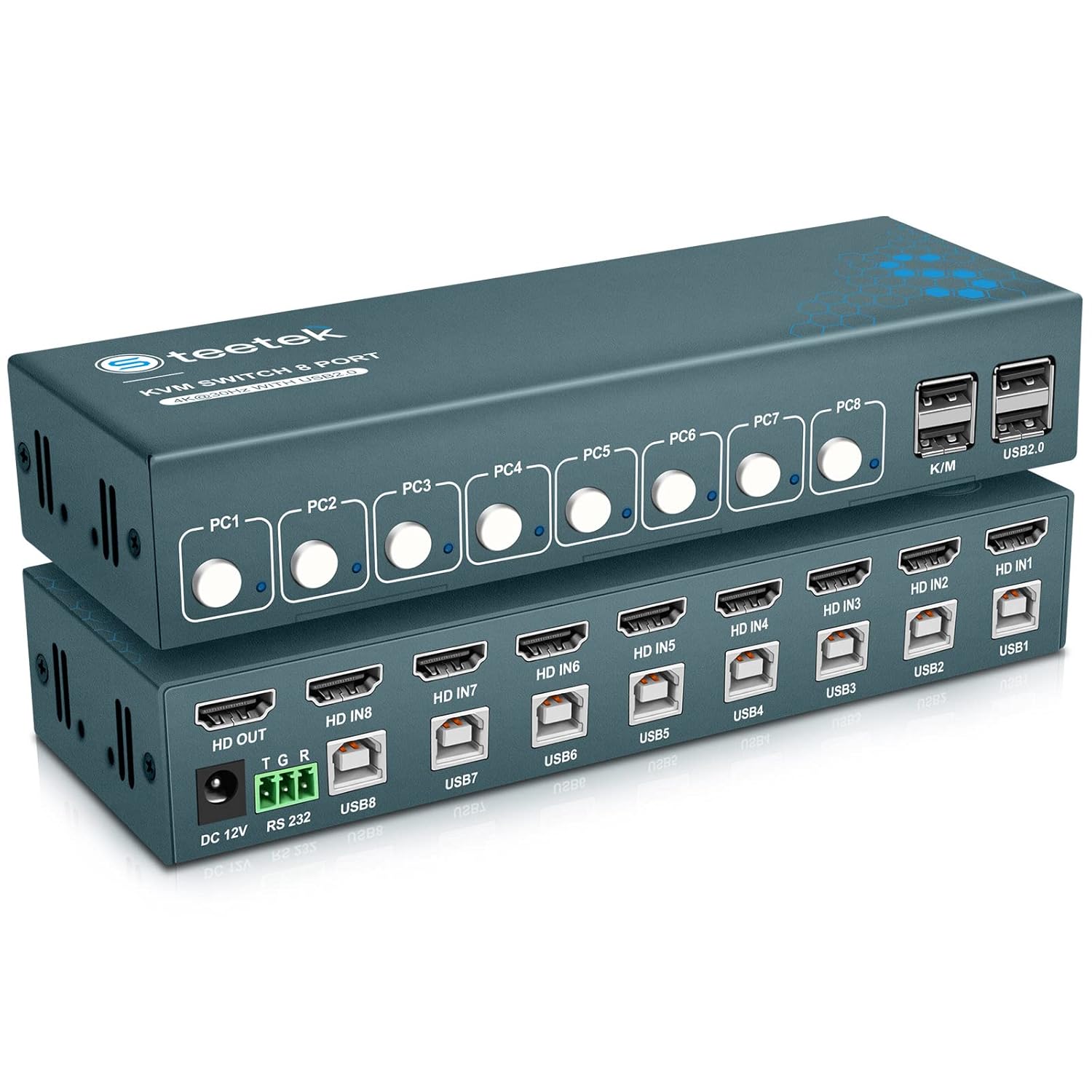
- Allows one keyboard and mouse to control two computers simultaneously
- Simple push button switching between connected computer systems
- USB 2.0 ports supporting keyboard mouse and basic peripherals
- Compact lightweight design suitable for home or office desks
- Plug and play compatibility with Windows macOS and Linux systems
Simple keyboard and mouse switching without extra complexity
The ABLEWE ABW KS2 KM Switch is designed for a very straightforward purpose. It lets one keyboard and mouse control two computers from a single desk. That basic capability is the core reason these devices exist.
Anyone researching the best USB switches for sharing a keyboard and mouse between two computers usually has the same situation. Two computers running side by side and no clean way to control them without duplicating input devices.
This switch acts as the connection hub. The keyboard and mouse plug into the switch while two USB cables connect to each computer. Pressing the button on the device changes which computer receives the input.
That might sound basic, but it removes the need for two keyboards or constantly moving devices around the desk. Many people run a work laptop and personal desktop at the same time. A KM switch keeps the workspace manageable.
Push button switching is simple but still practical
The switching method here relies on a physical button. Press it once and the keyboard and mouse move control to the other computer. A small indicator light usually shows which system is currently active.
This approach is slower than automatic switching systems, but it remains reliable. Some users actually prefer it because it prevents accidental switching while working.
Manual keyboard and mouse switching between two computers still solves the main problem of managing multiple machines. It simply does it in a very direct way.
For example, a student might run a school laptop next to a personal desktop computer. During the day the laptop is used for assignments while the desktop handles personal tasks or gaming.
Instead of constantly grabbing different input devices, the switch moves control instantly. The keyboard and mouse remain in the same place and the computer changes.
The unit also supports common operating systems including Windows macOS and Linux. This matters for users who work in mixed environments such as developers or IT technicians.
Another practical advantage is the small size. The switch does not require much space and can sit next to a keyboard or monitor stand easily.
Compact USB switching hardware keeps multi computer desks organized without introducing large equipment or complicated wiring.
Understanding the limitations of entry level KM switches
This model focuses on simplicity rather than advanced features. It does not include video switching or monitor management. The monitor must remain connected to whichever computer you want to display.
Higher end switching devices sometimes include mouse roaming or automatic switching across monitors. Those features allow the cursor to move between computers without pressing a button.
Devices like this one rely on manual switching instead. That makes them slightly less seamless for workflows that require constant switching.
Another limitation is that USB 2.0 ports are used instead of USB 3.0. For keyboard and mouse input this makes almost no difference, but it does limit use with higher bandwidth peripherals.
That said, most people buying KM switches only connect keyboards and mice. For those devices the performance difference is negligible.
Installation is extremely simple. Connect the USB cables to both computers, plug the keyboard and mouse into the switch, and press the button to toggle control.
Plug and play keyboard mouse sharing hardware is often preferred by users who want a quick solution without configuring software.
Why this product ranked sixth in our list
The ABLEWE ABW KS2 is a very functional device. It accomplishes the basic task of sharing a keyboard and mouse between two computers without difficulty.
The reason it sits lower in the ranking mainly relates to feature depth. Higher ranked products in this list provide USB emulation, automatic switching methods, or integrated video management.
Those features can create a smoother workflow for users who frequently switch between systems throughout the day.
This model keeps things simple instead. It provides dependable push button switching and broad operating system compatibility.
For people who want a budget friendly USB switch for sharing keyboard and mouse between two computers, the ABW KS2 still performs well and remains a practical option.

- Allows two computers to share keyboard mouse and DisplayPort monitor
- Supports DisplayPort video output for modern high resolution monitors
- Physical controller button for quick switching between computers
- Plug and play setup with no driver installation required
- Compatible with Windows macOS and Linux operating systems
A functional KVM style switch but clearly built for simpler setups
The ABLEWE DPK201 DisplayPort KM Switch is designed to handle both input devices and monitor switching. One keyboard, one mouse, and one monitor can be shared between two computers using this unit. That puts it closer to a small KVM switch than a basic USB device switch.
People searching for the best USB switches for sharing a keyboard and mouse between two computers often run into products like this. They add video switching along with keyboard and mouse control.
For certain setups that combination can be useful. Especially when a desk only has space for a single monitor and two machines must share it.
The switch connects to both computers through USB and DisplayPort cables. The keyboard and mouse plug directly into the front of the device. A button press on the controller switches the active system.
DisplayPort monitor sharing can simplify tight desk setups
The primary advantage of this device is DisplayPort support. Many modern monitors rely on DisplayPort rather than HDMI because it supports higher refresh rates and resolutions.
Users who own a DisplayPort monitor may prefer a switch that supports that connection directly. This avoids needing adapters or extra cables.
DisplayPort monitor switching between two computers allows one display to act as the central workspace. When the switch changes computers, the monitor signal changes at the same time.
A typical example is a home office desk where a work laptop sits next to a personal desktop computer. Instead of maintaining two monitors, one screen can serve both systems.
The keyboard and mouse remain connected to the switch. When the user presses the controller button, the input devices and video output move to the other computer.
The device operates through plug and play USB connections. No drivers or software installation are required which simplifies setup.
Plug and play keyboard mouse sharing hardware is often easier for users who want to install the device quickly without configuring software utilities.
Where this type of switch works well and where it feels limited
Products like this are typically used in small workspaces. Students, remote workers, or casual home office setups often have two computers sharing the same desk.
A KVM style switch allows those systems to share input devices and a display. That reduces clutter and prevents the need for multiple keyboards or monitors.
However there are limitations with simpler switches like this one. Some advanced KM switches allow automatic mouse roaming across screens or faster switching logic.
This model relies entirely on manual button switching. That means every change between computers requires reaching for the controller.
Another limitation is that it focuses primarily on basic switching features. It does not include some of the advanced keyboard emulation or peripheral management options found in higher end models.
For occasional switching the difference is minor. For heavy workflows where switching occurs constantly, more advanced devices can feel smoother.
Dedicated keyboard mouse sharing switches with advanced switching features often provide a more seamless experience during frequent system changes.
Why this model ranked seventh in our list
The ABLEWE DPK201 still performs the core task correctly. It allows two computers to share a keyboard mouse and monitor using DisplayPort connections.
That functionality makes it useful for compact desk setups. Especially for users who want to control both systems with a single set of peripherals.
The reason it ranks seventh mainly relates to feature depth and switching flexibility. Some higher ranked devices offer automatic switching features, USB emulation, or more refined workflow integration.
This model focuses on basic functionality and manual switching instead. It does the job but lacks some of the enhancements that improve productivity for heavy multi computer users.
Even so it remains a practical solution. For someone looking for a simple DisplayPort switch for sharing keyboard mouse and monitor between two computers, this device can still serve as a reliable entry level option.