
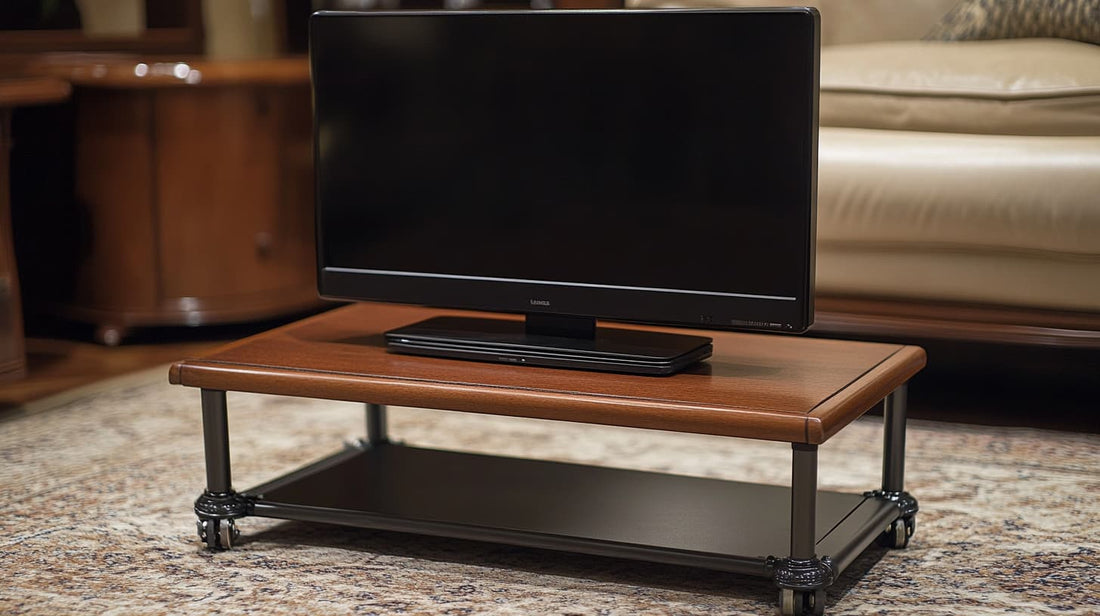
The best rolling TV stand supports the screen's actual weight and VESA pattern while remaining stable when moved. Verify the mount's minimum and maximum VESA spacing, height range, base width, caster quality, and rated load. A broad wheelbase and locking casters matter more than decorative shelves when the stand crosses uneven flooring.
Measure doorways, viewing height, and the route between rooms before ordering. Shelves should fit the intended soundbar, camera, or media player without raising the center of gravity unnecessarily. Route cables with enough slack for height adjustment and turning, then lock every wheel whenever the display is parked.

- Supports TVs up to 75 inches and 150 pounds weight
- Foldable table offers versatile workspace for any need
- Large-capacity storage cabinets keep media accessories neatly organized
- Six adjustable height settings adapt to various viewing angles
- 360-degree lockable wheels ensure smooth and stable mobility


- Supports 32–75 inch TVs up to 100 pounds weight
- Built-in wood shelf offers convenient media storage space
- Heavy-duty steel frame ensures stable performance over time
- Height adjustable design suits various viewing angles
- Integrated cable management keeps cords out of sight

- Supports 42–86 inch televisions up to 176 pounds weight
- Height adjustable stand adapts to any viewing scenario
- Heavy-duty steel frame ensures lasting durability under load
- Lockable 360-degree caster wheels for effortless, stable mobility
- Built-in laptop/DVD shelf keeps media devices neatly organized

- Trapezoidal design provides superior balance and support
- Holds 32–85 inch TVs up to 220 pounds total weight
- Height adjustable from 47.2” to 52.6” for perfect eye-level
- Walnut particle board shelf offers generous media storage
- Lockable caster wheels deliver smooth mobility and stability

- Holds up to 220 pounds with heavy-duty metal frame
- Adjustable height range from 43 to 52 inches easily achieved
- Extra-large mid-shelf supports up to fifty pounds equipment
- Compatible with VESA mounts 200×200 to 410×610 millimeters
- Lockable caster wheels provide secure and stable mobility

- Heavy-duty alloy steel frame supports TVs up to 200 pounds
- Fits 50–92 inch screens with VESA compatibility up to 800×600mm
- Four whisper-quiet lockable caster wheels for smooth mobility
- Height adjustable from 63.5" to 70.6" with cable management
- Moisture-resistant MDF shelf holds up to 44 pounds

- Accommodates 49–80 inch TVs supporting up to 110 pounds
- Four silent, rubber-protected lockable caster wheels ensure smooth mobility
- High-density aluminum frame tested four times its maximum load
- Integrated FSC-certified wooden shelves organize consoles and accessories
- Built-in cable management channels keep cords neatly out of sight
How to Choose the Best Rolling TV Stand for Your Space
The best rolling TV stand is not just a screen holder with wheels. It has to carry the weight of your TV, roll without wobbling, hold accessories where you actually need them, and stay steady when someone bumps the frame. That matters in a living room, classroom, conference room, studio, bedroom, trade booth, or small office where a wall mount is not practical.
Start with the screen size and weight rating, then look at how the stand moves. A good mobile TV stand should have a wide base, lockable caster wheels, VESA mounting support, and enough height adjustment to place the screen at eye level. If you plan to use a laptop, console, streaming box, webcam, or speaker, a shelf becomes more than a nice extra. It keeps the setup from turning into a pile of cords behind the display.
Rolling TV Stand Features That Matter Most

For most buyers, the first filter should be compatibility. Check the TV size range, maximum load, and VESA pattern before anything else. A stand that says it fits large TVs can still be wrong for your exact mounting holes. If your TV is 65, 75, or 85 inches, give yourself extra weight capacity rather than choosing a stand that barely clears the spec sheet.


Next, think about where the stand will move. Carpet, tile, concrete, and wood floors all feel different under caster wheels. Rubberized wheels are usually quieter and safer for indoor floors. Locking casters are essential if the TV will sit near kids, pets, foot traffic, or a presentation area. If the cart will cross a shared office or lobby, it is also worth planning how you will cover floor cables in shared rooms so the whole setup stays safe.
Cable control is another deciding factor. A rolling TV cart that looks clean from the front can still be messy from the back. If you have a power strip, HDMI cable, soundbar, camera, or game console attached, use the frame to route wires vertically and clean up the power cords around a rolling display. For longer visible runs, it can help to keep loose cables off the walking path before the cords start catching on wheels.

Quick Comparison: What to Check Before Buying

| Feature | Why it matters | Best choice |
|---|---|---|
| TV size and VESA fit | Prevents mounting mismatch | Stand supports your TV size, weight, and mounting pattern |
| Weight capacity | Keeps large screens stable | Choose more capacity than your TV requires |
| Wheel quality | Controls noise and movement | Rubber caster wheels with locks |
| Shelf space | Holds laptops, consoles, remotes, and receivers | At least one sturdy adjustable shelf |
| Cable routing | Keeps the cart clean and safer to move | Internal channels, ties, or room for cable sleeves |
Best Uses for a Mobile TV Stand
A rolling TV stand makes the most sense when one screen needs to serve more than one room. In a home, it can move from a living room to a bedroom, patio, workout area, or gaming corner. In an office, it can roll between meeting rooms, training spaces, and video-call setups. If you already have a desk-heavy workspace, you can build a stronger office workstation around the screen and use the TV cart as a second display zone instead of crowding the main surface.

The same idea works for hybrid rooms. A cart can sit beside a desk during the day, then move toward a sofa or group table later. If your room has two purposes, it may be smarter to create a more flexible dual work zone than to lock the TV into one wall. For users juggling several screens, a rolling TV stand can also work alongside a setup designed to support multiple displays at a desk without making the desk itself feel overloaded.

Stability, Safety, and Power Setup
Stability is where cheap stands usually disappoint. Look for a wide footprint, steel frame, strong mounting brackets, and wheels that lock firmly. A tall display creates leverage, so even a small wobble can feel worse once a large TV is installed. If you plan to move the cart often, tighten the mount after setup and check the bolts again after the first week.

Power is just as important. Many rolling stands do not include built-in outlets, so you need to plan where the plug will go. A compact surge protector can protect the plugs feeding your cart and devices, especially if the cart carries a TV, streaming device, laptop, and speaker. In a desk-adjacent setup, you may also want to run power bricks under the desk instead of across the floor so the TV cart does not create a cord pile on the floor.

If the stand is part of a standing workstation, match the rest of the room to the screen height. You might raise the rest of your work surface cleanly, add seating that works with taller setups, or stabilize a heavy-duty standing-desk setup depending on whether the cart is used for presentations, focused work, or shared viewing. The goal is to make the TV mobile without making the workspace feel temporary.
Storage and Accessories Worth Having

A shelf is useful, but the best shelf is one you can actually reach. Put heavier devices low and light items higher. Streaming boxes, gaming consoles, webcams, remotes, and adapters should not sit loose on the floor. If the stand lives near a desk, it helps to organize remotes and small accessories nearby so small items do not disappear behind the cart.


For video calls, a rolling TV stand can become a simple presentation wall. Add a webcam, keep the background clean, and make a small video-call corner feel intentional. Sales teams and trainers may also pair the cart with a compact travel screen when they need a smaller second screen away from the main display. The cart then becomes part of a flexible presentation kit instead of just furniture.
Final Buying Advice
If you want the safest pick, choose a rolling TV stand with more weight capacity than you need, a wide base, lockable wheels, and a shelf that fits your devices. Do not buy only by screen size. A stand that technically fits an 80-inch TV can still feel flimsy if the frame is narrow or the wheels are weak.
For home users, prioritize quiet movement, cable control, and a design that looks decent from multiple angles. For offices and classrooms, prioritize stability, easy height adjustment, and safer cord routing. If the screen will support webinars, training, or recorded content, it may be worth building the room around it and set up a cleaner podcasting or office recording space. A good rolling TV stand should make the screen easier to use, not harder to manage.
Rolling TV Stand FAQ
The best rolling TV stand for most homes is one that supports your TV size and weight with extra capacity, has lockable rubber caster wheels, and includes at least one shelf for a streaming box, console, or laptop.
Yes, rolling TV stands can be safe for large TVs when the stand matches the screen size, VESA pattern, and weight. Choose a wide base, lock the wheels after positioning, and avoid moving the cart quickly over thresholds or uneven flooring.
Height adjustment is useful if the TV will be used in more than one room or by seated and standing viewers. It helps place the center of the screen closer to eye level for movie nights, presentations, gaming, or video calls.
It depends on the model. Many mobile TV stands support 32 to 75 inch TVs, while heavy-duty versions can support larger 85 or 90 inch screens. Always check both the weight rating and VESA mounting range before buying.
You can use some rolling TV carts outdoors temporarily on a patio or covered area, but most are not designed for rain or permanent outdoor exposure. Check wheel performance on concrete and bring the TV and stand back indoors after use.
Route cables down the frame, use cable ties or sleeves, and keep power strips on a shelf or mounted to the stand when possible. Leave enough slack for height adjustment, but not so much that cords can catch under the wheels.
A wall mount is cleaner for a fixed room, but a rolling TV stand is better when you need mobility, rental-friendly setup, shared-room flexibility, or a screen that moves between work, gaming, training, and entertainment areas.