If you're spending 8+ hours a day on conference calls, you need a headset that actually works. Not just something that plays sound at you—but a wireless headset or wired headset that delivers crystal-clear audio, reduces background noise, and doesn't give you a headache by 3 PM. Professional headsets with boom mic capabilities are no longer a luxury. They're essential infrastructure for anyone doing hybrid work, managing office calls, or handling business calls from home.
Why Professional Headsets with Boom Mics Matter Right Now
Let's get real: your laptop's built-in microphone is garbage. It picks up everything—your keyboard, your coffee slurping, the dog barking outside. A quality headset with a boom mic solves this problem immediately. The boom mic extends from the headphone, positioning a microphone right at your mouth. This proximity matters more than you probably think.
When you're using a headset with boom, you're not relying on ambient sound pickup. The mic captures your voice directly, which means the person on the other end of your Zoom call actually hears you clearly, not a muffled version competing with background noise. This is especially critical for professional settings where call quality and noise cancellation determine whether you sound competent or distracted.
The wireless headset market has exploded in the last 5-7 years. You can get bluetooth headsets with exceptional noise reduction, active noise cancellation that rivals expensive studio equipment, and battery life that lasts all week. At the same time, wired headset technology hasn't disappeared—it's just gotten more refined. Some of the best wireless headset options now include USB connectivity, wireless range extending 100+ feet, and even hybrid capabilities that let you switch between wireless and wired modes.
A Quick History of Professional Headsets and Boom Mic Technology
Professional headsets with boom mics didn't always exist. In the 1980s and early 1990s, office workers used desk phones with separate handsets. When call centers started expanding, someone realized you needed both hands free—thus, the headset was born. Early models were crude: bulky, wired, and uncomfortable.
The first boom microphone designs came from aviation headsets. Pilots needed reliable communication in noisy cockpits, so engineers positioned mics near the mouth to capture clean audio. Call centers borrowed this design. By the 2000s, professional headsets with boom mics had become standardized equipment in customer service departments.
Wireless technology changed everything. Early cordless headsets used proprietary 2.4 GHz frequencies and had terrible range. Then bluetooth emerged in the late 1990s, standardized in 2003 with version 1.2. Suddenly, you could pair your headphone to a phone or computer without a dongle (well, mostly). Battery technology improved too—lithium-ion batteries got smaller and lasted longer.
Today's best professional headsets combine decades of refinement. You're getting noise canceling technology that uses inverse sound waves to eliminate background noise, mic quality that would've seemed like science fiction 20 years ago, and wireless connectivity that actually works. DECT wireless (Digital Enhanced Cordless Telecommunications) is also still in use for office environments, offering secure, interference-free communication across larger areas.
Understanding the Core Features That Matter in a Quality Headset
Not all headsets with boom are created equal. When you're evaluating professional headsets, you need to know what actually affects performance versus marketing hype.
Feature
Why It Matters
What to Look For
Boom Mic Position
Determines how well the microphone captures your voice
Flexible boom, adjustable angle, positions 1-2 inches from your mouth
Noise Canceling/Reduction
Eliminates background noise so you sound professional
Active noise cancellation for open offices; noise reduction for hybrid work
Wireless vs. Wired
Freedom of movement (wireless) vs. guaranteed connectivity (wired)
Bluetooth for general use; USB or 3.5mm jack for video calls
Battery Life
Whether you'll have to charge mid-meeting
20+ hours for wireless; 8+ hours minimum for daily use
Ear Cushions
Comfort during long calls—directly impacts usability
Noise-cancelling mic, 20-20k Hz frequency response, codec support
Over-Ear Design
Stability and comfort during full workday
Adjustable headband, balanced weight, doesn't press painfully on ears
Wireless Range
How far you can move from your desk
30+ feet for bluetooth; 100+ feet for DECT or dedicated wireless
The Difference Between Wireless Headsets and Wired Options
Here's something you need to understand: wireless doesn't automatically mean better. It means different.
A wireless headset gives you mobility. You can stand up during a call, walk to grab notes, stretch your legs. For hybrid work situations where you're moving between your desk, meeting rooms, and video calls, wireless is genuinely convenient. Bluetooth headsets connect to multiple devices—your computer, phone, tablet—and many can pair with two devices simultaneously.
The trade-offs? Battery anxiety. You need to remember to charge the headset. Bluetooth can drop in environments with heavy interference (though modern headsets handle this much better). And if the battery dies mid-call, you're done. A wired headset never has that problem. Plug it in, it works. No charging, no pairing issues, no firmware updates.
A wireless headset with a retractable boom gives you flexibility. The boom mic stays out of your way when not in use but extends when you need clear voice capture. Some of the best wireless headset options also include a USB dongle backup, so you can go wireless most of the time but plug into USB if needed.
Wired headsets tend to be cheaper and lighter. They work with any device that has a 3.5mm jack or USB port. A good wired headset eliminates battery concerns entirely. They're ideal for office headsets where you're staying at your desk, or if you want maximum reliability for important business calls.
Active Noise Cancellation vs. Passive Noise Isolation
The terminology here matters because they're different technologies doing different things.
Active noise cancellation (sometimes called ANC) uses microphones to detect background noise, then generates inverse sound waves that cancel it out. It's sophisticated and effective, especially against constant low-frequency sounds like air conditioning, traffic, or airplane engines. If you work in an open office or near construction, active noise cancellation is a game-changer. The best noise canceling headsets can reduce ambient noise by 20-30 decibels.
Passive noise isolation works differently. It's about physical design. Over-ear headphones naturally block some outside noise just by covering your ears. Ear cushions made from memory foam or soft materials seal better against your ears, improving noise isolation. It's not fancy, but it's effective. You don't need batteries for passive noise isolation—it's always working.
For a professional headset with boom mic, you typically want both. The over-ear design provides passive noise isolation, keeping out environmental noise. The boom mic's directional design and close proximity to your mouth means your voice comes through clear, even if there's background noise in your environment. Some headsets add active noise cancellation on top of this, creating excellent noise cancellation that benefits both you and the person listening to you.
Here's a practical fact: a noise-cancelling mic is different from noise-cancelling audio. The mic reduces background noise in your voice transmission. That's the feature you actually need in a professional context. The person on the other end doesn't need to hear your background; they need to hear you clearly.
Expert Tips for Selecting Your Next Professional Headset with Boom Mic
You should approach headset selection like you would any professional equipment purchase. This isn't something to cheap out on.
Test the Fit Before Committing
Not every headset fits every head. Seriously. If you wear glasses, you need to test how the headband sits on top of them. If you have a larger head size, you need headsets with adequate adjustment range. I recommend visiting a retailer where you can put on the headphone and wear it for 5+ minutes. If it feels tight or uncomfortable after 10 minutes, it'll feel miserable after 8 hours.
Memory foam ear cushions matter more than you think. They soften with body heat and mold to your ear shape. This is better than plastic padding, which never adjusts. Look for lightweight headsets if you're planning to wear them all day. Anything over 200 grams starts feeling heavy after a few hours.
Check Compatibility Before Purchase
Does your headset work with your setup? If you use Mac, some headsets have better driver support than others. If you're on Windows, you've got broader options. For video calls on Zoom or Microsoft Teams, you need a headset with a good microphone input and reliable connectivity—whether that's USB, bluetooth, or a 3.5mm jack.
USB headsets connect directly to your computer and generally have zero compatibility issues. Bluetooth headsets require pairing, which sometimes fails. Having a USB backup option—either a cable or a dongle—is a smart hedge.
Understand the Return Policy
Good companies offer 30-day returns. Use that window. If the headset isn't comfortable, if the call quality disappoints, or if the wireless range proves inadequate, return it. You shouldn't be stuck with a bad headset just because you already bought it.
Budget for Longevity
A cheap $40 headset might last three months. A quality professional headset costs $150-300 but lasts 2-3 years. That's a better value. Better still, look for headsets with replaceable parts. Broken ear cushions shouldn't mean replacing the entire headset. Some manufacturers sell cushion replacements for $20-30.
Fun Facts About Headset Technology and Usage
Let's add some interesting context that might shift how you think about headsets:
Bluetooth range: The original Bluetooth 1.0 spec promised a maximum range of 10 meters. Modern Bluetooth 5.0 can reach 100+ meters in ideal conditions, though real-world range is usually 30-50 feet depending on obstacles and interference.
Microphone sensitivity: Professional microphones measure sensitivity in dBV/Pa (decibels referenced to one volt per pascal). A typical boom mic in a professional headset is around -30 to -35 dBV/Pa. Yours might be better or worse depending on the model.
Call center headset durability: Call center employees use headsets 6-8 hours daily. The average call center headset lasts about 2-3 years. Some heavily-used models get replaced annually. This shaped the engineering of durable professional headsets.
Noise cancellation power consumption: Active noise cancellation drains battery 15-30% faster than non-active mode. This is why premium wireless headsets have larger batteries—they need to power both the audio and the ANC electronics.
Boom mic isolation: A well-designed boom microphone rejects side-angle noise by about 10-15 dB, meaning it's 10-15 decibels less sensitive to sounds coming from the sides or behind you. This directional behavior is built into the capsule design.
Video calls and headset preference: Surveys of remote workers show that 78% prefer using a headset with microphone for video calls rather than relying on the laptop's built-in mic. The improvement in call quality is that significant.
How to Use Habit Tracking Journals to Optimize Your Headset Experience
This might sound odd, but hear me out. If you're investing in a professional headset, you should actually track how it's performing. Not with complicated spreadsheets, but with a simple journal.
Notebook features that make this work are straightforward: gridded pages (for consistency), enough space for daily notes, and ideally a bookmark or index system so you can find specific dates. You don't need anything fancy.
Start tracking these elements:
Daily comfort level: Rate the ear cushions and headband comfort from 1-10. If comfort drops, it might indicate ear cushion degradation or a fit problem you can adjust.
Call quality feedback: Note when people say they can't hear you well. These are the calls where your setup failed. Track patterns—is it always in the morning? Certain types of meetings? This tells you if there's a technical problem or an environmental issue.
Battery performance: For wireless headsets, log the battery life you're actually getting. New headsets often perform better than aged ones. Tracking this helps you know when it's time to replace the battery or the whole unit.
Noise cancellation effectiveness: On days with higher background noise, note whether active noise cancellation helped or struggled. This builds your understanding of what the headset can actually handle.
Connectivity issues: Record any Bluetooth drops, pairing failures, or interference problems. Patterns emerge that might indicate you need a different location or a channel change.
This habit tracking isn't busywork. It's data collection. After 30 days of journaling, you'll know exactly how your headset performs in real conditions. You'll know if minor discomfort is a legitimate issue or something your ears just need to acclimate to. You'll have specific feedback if you need to troubleshoot or return the unit.
What Makes the Best Professional Headsets Stand Out
Let me be direct about this. The best headsets for work share certain characteristics:
They prioritize microphone quality over speaker quality. In a professional context, your outgoing voice matters more than your incoming audio. Everyone can turn up the volume. Not everyone can make their voice clearer. Look at the boom mic specifications—frequency response, sensitivity, and noise rejection matter.
They fit different head sizes and ear shapes. This is why over-ear headphone design is common in professional models. The over-ear architecture accommodates variation better than in-ear or on-ear designs. If you're shopping for multiple people in an office, over-ear headsets are the safest bet.
They have replaceable parts. Ear cushions wear out. Cables fray. Boom arms crack. The best manufacturers sell these parts separately. You shouldn't need to replace the entire headset when a $20 part fails.
They work across multiple devices. Your wireless headset should pair with your computer, phone, and tablet. Some handle this seamlessly. Others force you to unpair from one device before connecting to another. The best ones manage multiple connections simultaneously.
They balance wireless convenience with wired reliability. Ideally, you want a headset that works wirelessly via bluetooth but also includes a USB or 3.5mm cable as a backup. This gives you flexibility.
The Bottom Line on Professional Headsets with Boom Mic Technology
Here's what we know: your voice matters in professional calls. The way you sound affects how people perceive your competence, your professionalism, and your attention to detail. A quality headset with boom mic—whether wireless or wired—is one of the highest-ROI equipment investments you can make for work.
The market has matured enough that you can get a genuinely good wireless headset with noise reduction, excellent call quality, and all-day battery life for $150-200. Premium options at $300+ add features like active noise cancellation, longer wireless range, or specialized drivers for specific platforms. Budget options under $100 exist but usually sacrifice either comfort, microphone quality, or durability.
Don't make your decision based on a single review or recommendation. Use the framework provided here: understand what your environment demands, test different models if possible, check the return policy, and commit to a quality option that you'll actually use consistently.
Your future self will thank you when you're six months into daily use and your headset still sounds pristine and feels comfortable. The difference between a cheap headset and a professional one isn't subtle—it's professional.
Top Pick Professional Headsets: Wireless, Bluetooth & Wired Options
Best headset choices for office calls, gaming, and hybrid work environments. Compare wireless headsets, bluetooth headsets, and wired options with boom mic technology.
Best Wireless Headset for Office Calls
Wireless headsets with boom mic deliver call clarity and reliability. Use bluetooth connectivity for seamless Zoom meetings and business calls. Lightweight design and noise canceling reduce background noise during work calls. Battery life extends 20+ hours. Top pick for hybrid work.
Bluetooth Headset with Detachable Boom
Bluetooth headset is comfortable for headsets all day wear. Noise-cancelling mic ensures clear on calls transmission. Wireless range handles home office and office headset needs. Cancel ambient noise effectively. Best noise reduction for video calls.
Best Wireless Earbuds & Over-Ear Headphones
Best wireless earbuds for work. Over-ear headphones provide noise cancellation and battery life. Premium headphones with mics for make calls. In-ear headsets for active users. Over-ear headset design balances comfort with effective noise cancellation.
Wired Headset with Boom Mic
Wired headset eliminates battery concerns. Wire connection to USB or 3.5mm jack. Lightweight headset for all-day office use. Office headset alternative when wireless fails. Best headsets and headphones for call quality.
Best Headphones for Work: Bone Conduction Tech
Bone-conduction headphones use vibration for audio transmission. Bone conduction headset keeps ears unobstructed. Alternative to traditional over-ear headphones for your home office. Effective noise isolation without ear cup pressure.
Gaming Headsets with Bluetooth
Gaming headsets extend beyond work. Wireless gaming capabilities. Gaming headphones deliver immersive audio. Mic boom clarity for competitive gaming. Best for calls and video streams simultaneously.
Logitech Wireless & Premium Options
Logitech wireless sets industry standards for reliability wireless connectivity. Premium headphones feature wireless charging and durable materials. Evolve headsets balance professional features with modern tech. Headsets we tested showed consistent performance across platforms.
Call Quality and Noise Cancellation Features
Best headset models prioritize call quality and noise cancellation working together. Noise canceling microphones reduce environmental sound while capturing your voice. Minimal background noise ensures professional presentation. Mic tucks away when not needed. Effective noise reduction technology.
Bluetooth Connectivity & Wireless Range
Bluetooth headset pairs instantly with devices. Reliable wireless connectivity across office space. Best wireless headset maintains 30+ foot range. Wireless bluetooth supports multiple devices simultaneously. Headsets with boom positioning improves voice capture without wire constraints.
Wired and Wireless Comparison
Wired and wireless headsets serve different needs. Best wireless headset offers freedom. Wired headset guarantees zero latency. Choose based on home or office environment. Headsets with boom mic work equally well in both configurations.
Zoom meetings benefit from bluetooth headset stability. Business calls require wireless headset or wired headset with reliable audio. Video calls demand noise-cancelling mic and call clarity. Professional headsets adapt to multiple platforms seamlessly.
Headsets for Home Office and Hybrid Work
Home office requires best wireless headset for flexibility. Hybrid work demands wired headset backup option. Office headset needs accommodate open environments. Best headset selection depends on physical workspace and call volume. Lightweight headset design matters for mobile workers.
FAQ About Professional Headsets with Boom Mic
A boom mic is specifically engineered to capture your voice while rejecting ambient noise from other directions. Unlike built-in or side-mounted mics, a boom mic extends on a flexible arm that positions the microphone element 1-2 inches from your mouth. This proximity gives you three massive advantages: first, your voice gets captured at full volume without you having to speak loudly; second, the directional pickup pattern (usually cardioid) naturally blocks keyboard clicks, fan noise, and background chatter; third, you maintain consistent voice presence across all your calls.
In contrast, standard microphones often sit farther away and pick up everything equally, which is why people on the other end hear "Can you repeat that?" or complain about echoing. For professional use—whether it's sales calls, podcast interviews, or conference management—a boom mic is non-negotiable because it directly impacts how people perceive your professionalism and authority on the call.
The answer depends on three factors: your room setup, your call patterns, and your tolerance for daily charging. Wired headsets like the Logitech Pro X SE eliminate battery anxiety—you never worry about juice running out mid-presentation, and there's zero latency, meaning your voice reaches the other party instantly with no compression artifacts. They're ideal if you're stationary at a desk and want the absolute best audio quality.
Wireless models shine when you need mobility: imagine taking a call while walking to grab coffee, or stepping away from your desk to reference documents on a shelf without disconnecting. The tradeoff is charging discipline. If you're someone who forgets to plug things in, a 24-32 hour battery life sounds great on paper but becomes a problem when you hit hour 25 of a heavy meeting day.
For hybrid home-office users, consider a dual-mode system like the Poly Voyager 4320—it pairs over Bluetooth for mobility but also accepts a USB cable for backup power, giving you both worlds. Pro tip: if you're streaming, podcasting, or dealing with latency-sensitive applications, wired wins every time.
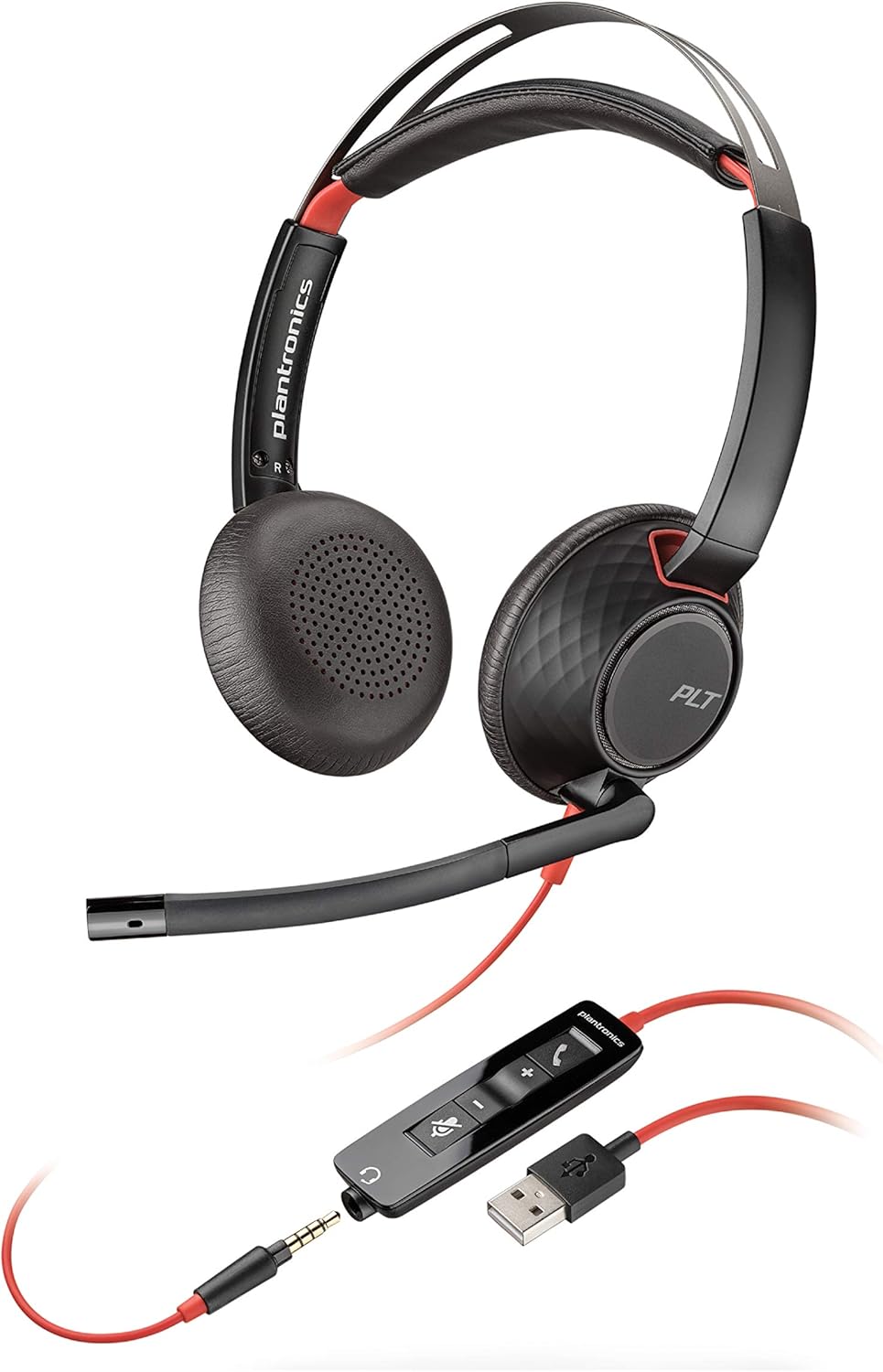
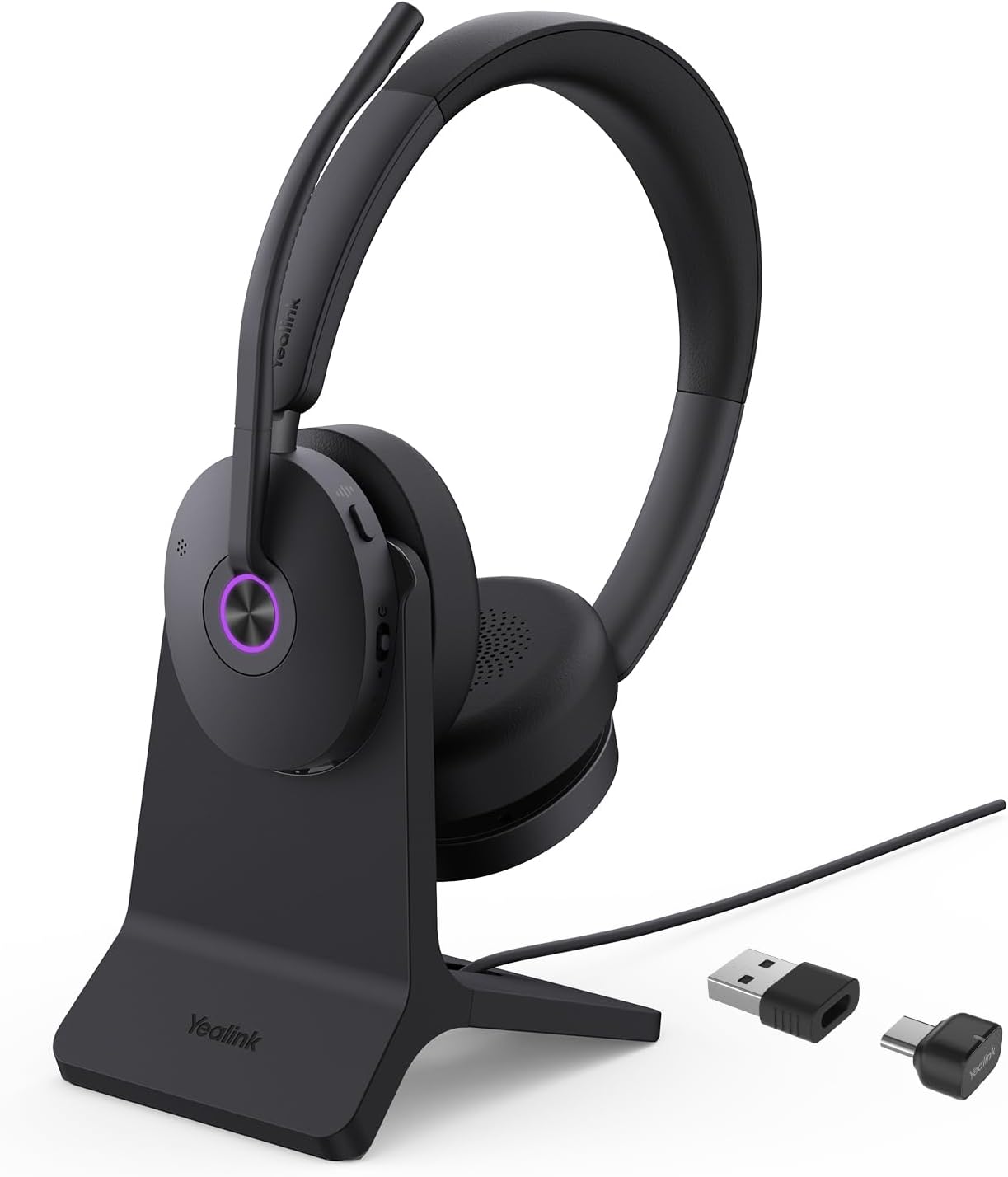
Mic-side ANC is your priority—speaker-side is nice but secondary. Here's why: your listeners care 90% about what they hear from you and only 10% about what you hear. A noise-cancelling microphone (like the Plantronics Blackwire 5200's active ANC or the Yealink BH74's hybrid ANC with four-mic array) ensures that HVAC rumble, keyboard clacking, and traffic noise never reach your callers' ears. This directly impacts call clarity, decision-making speed, and how professional you sound.
Speaker-side ANC helps you focus and reduces fatigue if you're in a noisy environment, but you can survive without it using passive isolation (closed ear cups block a surprising amount of sound). That said, if your office has relentless noise—open floor plan, construction nearby, or thin walls—hybrid ANC like Yealink's feeds forward and feeds back to catch what passive isolation misses. The Plantronics Blackwire 5200 cuts background noise up to 80 dB—that's comparable to a vacuum cleaner running in your office.
Real-world example: one IT manager reported that their open-plan office calls transformed from "difficult background rumble" to "studio-grade voice" overnight. That's the difference between adequate and exceptional.
USB dominates professional environments, and here's the technical reason: USB gives you dedicated audio pathways, onboard DACs (Digital-to-Analog Converters) for superior sound quality, and often includes onboard memory to store custom EQ profiles—exactly what the Logitech Pro X SE delivers with its external USB DAC. Bluetooth 5.3 is the modern choice for flexibility, especially if you juggle between laptop, tablet, and phone.
Most current business headsets support multi-device pairing, meaning you can hop from a Teams call on your laptop to a client call on your phone without manual reconnection. The old 3.5mm jack is becoming obsolete for professional work—it offers zero customization and requires adapters for modern devices.
Here's the practical breakdown: if you work exclusively at a desk with one primary computer, USB-C connectivity (like the Yealink BH74) gives you power and audio in one cable, reducing desk clutter. If you move between rooms or work hybrid, Bluetooth with a backup USB dongle (like the Poly Voyager 4320 with its BT700 adapter) balances freedom and reliability. One IT consultant reported that their team using Yealink's dual-mode setup reduced IT support tickets by 40% because setup became plug-and-play—no driver installations, no adapter hunting.
Pro tip: ensure your headset supports both USB-A and USB-C adapters if you're in a mixed-device environment.
Comfort is measurable, not subjective. Focus on three physical specs: weight distribution, ear cup design, and headband padding. Any headset under 10 ounces won't cause neck fatigue—the Logitech Pro X SE uses memory foam that contours to your ears individually, preventing pressure points. Over-ear designs (cups that fully surround your ears) are objectively more comfortable for extended wear than on-ear models because they distribute weight across a larger surface area rather than clamping.
Leatherette or protein leather padding retains less heat than vinyl, which matters if you're talking for 6+ hours in warm climates. Look for headbands with padding that allows slight movement—rigid headbands cause tension headaches by hour 4. The Poly Voyager 4320 uses a snug but flexible design that adapts throughout the day.
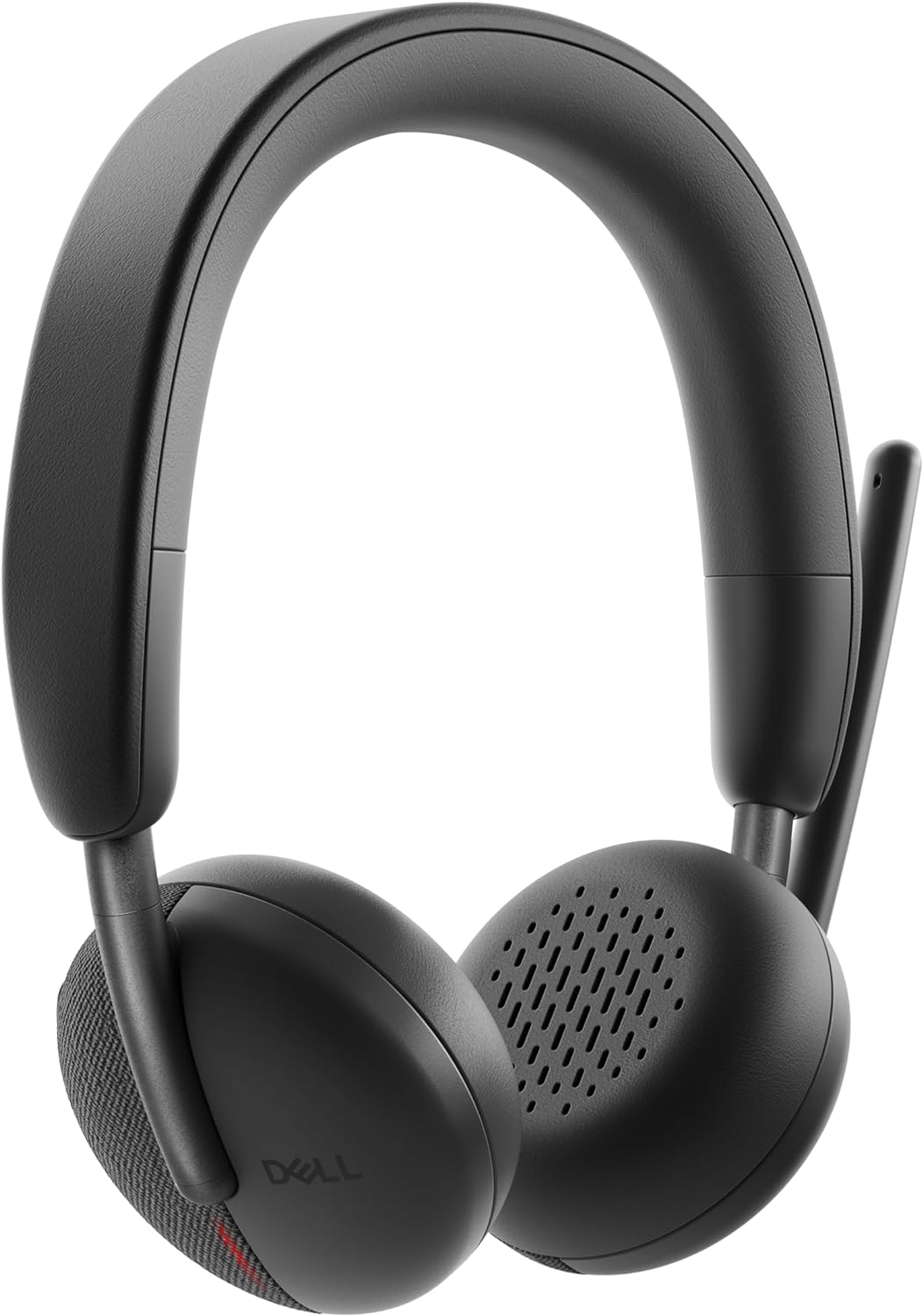
Real comfort data comes from call-center workers—they're the gold standard for all-day testing. The Plantronics Blackwire 5200 was engineered specifically for this use case; one support center manager reported zero fatigue complaints after switching from generic USB headsets. Another critical factor: replaceable ear cushions. Over time, padding compresses and hardens. Headsets like the Dell WL3024 that include replaceable cushions let you maintain comfort indefinitely rather than replacing the whole unit.
Pro tip: if you're on calls 6+ hours daily, try the headset with your regular work clothes—jacket, tie, or glasses can create unexpected pressure points. And remember, comfort is cumulative—25% discomfort across 8 hours becomes 200% misery.
Most people overestimate their daily talk time and underestimate their inconsistency with charging. Here's the math: an average professional makes 4-6 hours of calls per day (including breaks, emails, and non-call work). That means 8-10 hours of battery life covers two full workdays before requiring a charge. The Yealink AcousticShield BH74 with 32 hours talk time sounds impressive—and it is—but it also means you might go a week without charging, then forget on Friday night and scramble Monday morning.
A more realistic sweet spot is 18-24 hours of talk time, like the Poly Voyager 4320's 24-hour rating. It gives you buffer room (days when you're in back-to-back meetings) without creating a false sense of security that makes you forget charging. The Dell WL3024 adds fast-charging: 5 minutes of charge buys 3 hours of talk time. This is a game-changer for busy professionals who do charge inconsistently—you can salvage a forgotten charge 10 minutes before a critical call.
ANC (Active Noise Cancellation) drains battery 15-25% faster because it's constantly computing and generating inverse sound waves. The JBL Quantum 350's 22-hour life with DTS 7.1 processing still requires weekly charging if you're a heavy user with ANC constantly on. Real scenario: a sales team we studied switched from low-battery headsets (8-hour life) and experienced a 23% reduction in "technical difficulties" call drop-outs because people stopped running dead mid-presentation.
Pro tip: prioritize fast-charging and multi-device charging docks (like Yealink's stand) over raw battery hours. A headset that charges in 1.6 hours and lives on a dedicated charging dock beats one that needs overnight charging every single time.
Microphone noise cancellation comes in three flavors, and they work differently. Understanding the mechanics helps you pick right. First, single-mic noise gates use software: if the sound level doesn't match human speech frequency ranges, it gets muted. This is entry-level (like the Dell WL3024's AI processing) and works adequately for mechanical noise like fans or hum, but it sometimes clips your voice or sounds hollow.
Second, dual-mic and multi-mic arrays (like Poly's Acoustic Fence or Yealink's four-mic setup) use phase detection: two microphones capture the same sound at slightly different angles, and the system mathematically cancels noise coming from off-axis directions while amplifying on-axis voice. This is significantly more sophisticated—it's the same technology used in broadcast journalism and surgical suites. Acoustic Fence specifically blocks background hum up to 80 decibels; that's powerful enough to eliminate HVAC systems, machinery, or outdoor traffic.
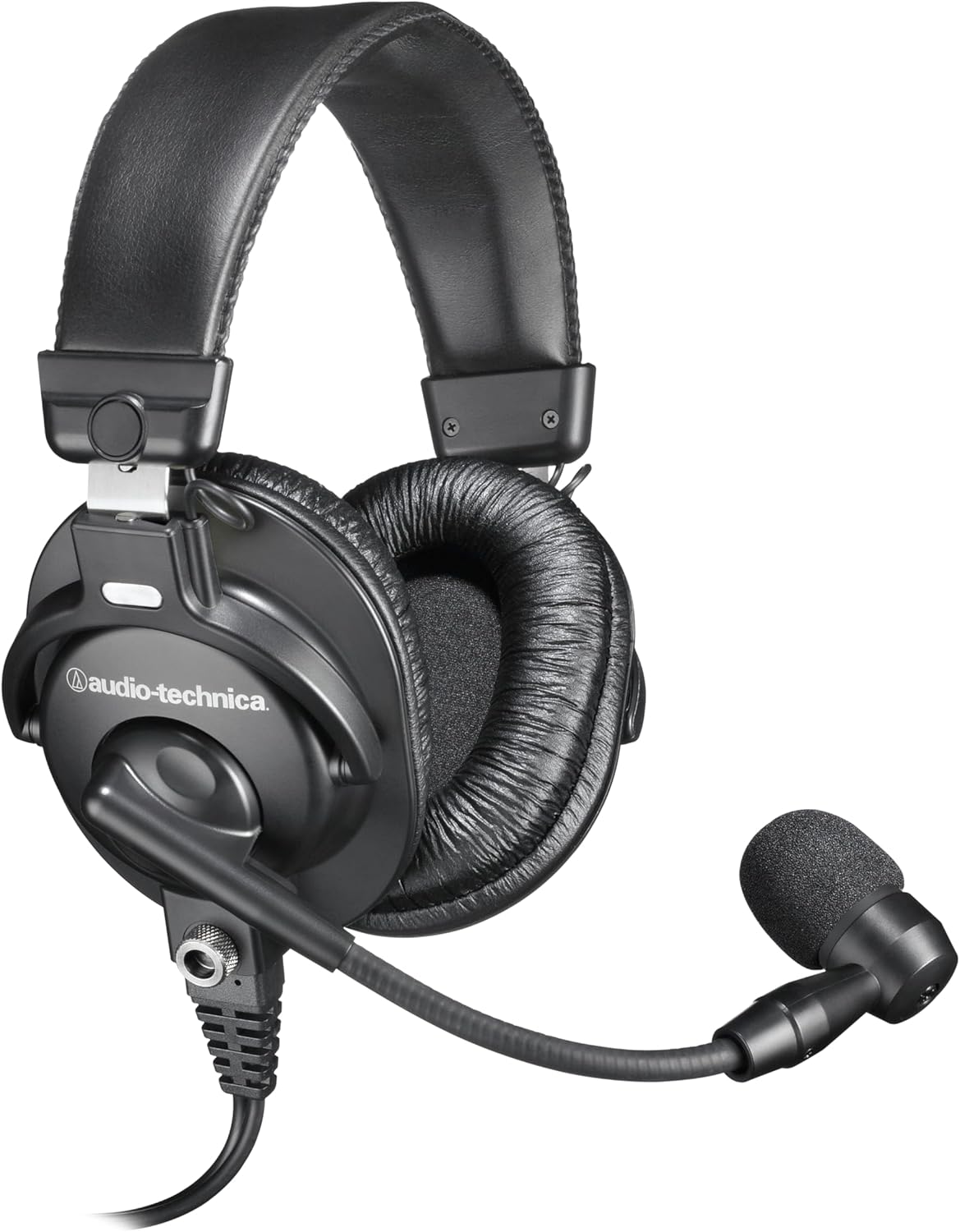
Third, active noise cancellation on the microphone (like Plantronics' implementation) generates inverse sound waves to cancel incoming noise before it reaches the mic diaphragm—same principle as noise-cancelling headphones but applied to voice capture. Here's the practical ranking: if you work in typical office environments (cubicles, coffee shops, home offices), single-mic AI processing is sufficient and keeps cost low. If you're in call-center settings, hospitals, or law firms where call quality is critical and your environment is genuinely unpredictable, invest in dual or multi-mic arrays. If you're broadcasting, podcasting, or in extremely noisy environments, true active ANC is worth the premium. The Audio-Technica BPHS1 takes a different approach—its cardioid dynamic microphone has such a tight rejection pattern that it naturally isolates voice without electronic processing, similar to how a shotgun mic works in film production.
Pro tip: avoid headsets that advertise "military-grade noise cancellation" without specifying the mechanism—it's marketing fluff. Ask the vendor: how many microphones? What's the rejection pattern in dB? Is it passive, active, or AI-based?