


- Staples up to 60 sheets for demanding office paperwork.
- Saddle and flat stitching support multiple document finishing jobs.
- Handles both A4 and A3 paper formats conveniently.
- Heavy-duty metal construction suits frequent office stapling tasks.
- Adjustable paper positioning helps produce consistent staple placement.

This is much more capable than the stapler sitting beside most keyboards
The RAYSON SH-03 takes our number one position in the best office stapler comparison because it is designed for jobs that an ordinary desktop stapler simply cannot handle well. Its 60-sheet capacity, heavy-duty construction, flat stitching, saddle stapling capability, and support for A4 and A3 documents make it useful for both routine paperwork and document finishing.
The 60-sheet capacity is the first big difference. A basic office stapler can become difficult to press once a document gets thick, and using staples that are too short can leave the legs barely folded underneath the paper.
The SH-03 is built for substantially larger stacks. Up to 60 sheets can be stapled when the correct staple and paper conditions are used, which covers reports, proposals, training packs, presentation documents, and other paperwork that would normally require a heavier machine.
That capacity matters in a busy office. If a department regularly assembles 40-page or 50-page documents, repeatedly splitting them into smaller sections just because the stapler cannot cope adds unnecessary work.
The saddle function is what gives the SH-03 a different kind of usefulness
The SH-03 is not limited to conventional flat stapling. Its saddle stapling capability allows folded sheets to be stapled along the center fold, which is useful when producing booklets, brochures, internal manuals, programs, newsletters, and other folded documents.
This is a very different requirement from putting a staple into the top-left corner of a report. The staple has to reach the center line of the sheet accurately so the document folds correctly and the finished booklet remains aligned.
That is where saddle stapling becomes genuinely useful. An office can produce small booklet-style documents internally rather than treating every folded document as a job that needs separate finishing equipment.
A training department is a good example. Imagine preparing a short employee handbook from several A3 sheets that will be folded into an A4 booklet.
A normal desktop stapler cannot reach far enough into the center of the paper. The SH-03 provides the depth and positioning needed to place staples around the fold rather than forcing someone to improvise with a stapler that was never designed for booklet making.
Support for both A4 and A3 formats increases that flexibility. These are common document sizes for office reports, diagrams, presentations, instructional material, and booklet production.
The adjustable positioning system matters because staple placement needs to remain consistent from one document to the next. If ten booklets are being prepared for a meeting, staples that shift noticeably between copies make the finished work look careless.
Set the guides before beginning the batch. Consistent positioning improves the finished document and reduces the need to measure every booklet separately.
Do a test piece first when producing saddle-stitched material. Fold a sample using the same paper and page count, position it in the stapler, and check that the staple lands correctly on the center line.
This takes a minute and can prevent an entire batch from being stapled slightly off-center. Once holes are made in the paper, correcting a badly positioned staple without leaving visible damage is difficult.
Flat stitching is more familiar and useful for ordinary office documents. Reports, contracts, proposals, meeting packs, and reference documents can be fastened as conventional stacks without changing to another machine.
That combination is important. Instead of buying one long-reach stapler for booklets and another heavy-duty stapler for thick reports, the SH-03 can cover both types of work.
Why we believe the SH-03 deserves the number one position
Heavy-duty stapling is not only about applying more force. The staple length needs to match the thickness of the document so the legs penetrate the entire stack and close properly underneath.
Using an unsuitable staple is a common mistake. If it is too short, it may fail to secure the bottom sheets, while an unnecessarily long staple can produce excessive metal underneath the document.
Always match the staple specification to the job. Correct staples matter as much as pressure when working near the upper end of a stapler's sheet capacity.
Paper thickness matters too. A 60-sheet rating is normally based around ordinary office paper, and 60 sheets of heavy presentation stock are physically much thicker than 60 sheets of standard copier paper.
That means sheet count should not be treated as an absolute measurement for every paper type. If the stack uses heavier stock, reduce the number of sheets and test the staple before committing to a large batch.
Alignment becomes increasingly important as the stack gets thicker. Tap the pages against a flat surface before stapling so the edges are square and the document does not shift while pressure is being applied.
This sounds basic, but it solves a real problem. A powerful stapler can permanently fasten a badly aligned stack just as easily as a properly aligned one.
The manual operating mechanism also has an advantage in a shared office. There is no motor, battery, or power connection required before somebody can use it.
Place it on a stable desk, load the appropriate staples, position the document, and press the handle. The mechanical design keeps operation straightforward, which is useful when several employees may use the stapler without training.
The heavy-duty construction is relevant here because the leverage required for thick documents creates much greater mechanical stress than ordinary two-sheet stapling. A larger metal mechanism is better suited to repeated high-capacity work than a lightweight desktop body.
Placement matters, though. Use the stapler on a solid, level surface rather than balancing it near the edge of a desk, particularly when working with thicker stacks that require more downward pressure.
Keep fingers away from the staple exit and clinching area as well. A heavy-duty stapler is still a mechanical fastening tool, and the force needed to penetrate a thick stack is considerably greater than what people may be accustomed to with a small office stapler.
Jams should be cleared properly rather than repeatedly forcing the handle. If the mechanism suddenly feels wrong, stop, inspect the staple channel, and remove the obstruction according to the product instructions.
Forcing a jam can bend staples inside the mechanism and make the problem harder to clear. It can also damage components that would otherwise continue working normally once the malformed staple is removed.
There is one practical downside to the SH-03. This is larger than a normal desk stapler, so it requires dedicated workspace and makes less sense for somebody who only staples three or four sheets occasionally.
It is also manually operated. An electric stapler can be faster for extremely repetitive single-position jobs where hundreds of small document sets need to be stapled throughout the day.
But manual operation gives the user more control when document thickness and placement change regularly. That is particularly useful when moving between flat reports and center-stitched booklets.
The combination of flat and saddle stapling is ultimately what separates the SH-03 from more ordinary office choices. It can handle everyday thick documents while also taking on finishing work that normally requires a specialized long-reach stapler.
That is why we believe the RAYSON SH-03 deserves the number one ranking out of seven. Its 60-sheet capacity, heavy-duty mechanism, A4 and A3 compatibility, adjustable positioning, and ability to perform both flat and saddle stitching give it a broader range of useful office applications.
For offices producing reports, training manuals, brochures, presentation packs, booklets, and other thicker documents, it offers much more capability than a conventional desktop stapler. It takes up more room, yes, but that extra size is being used for genuinely useful capacity and document-finishing flexibility.

- Heavy-duty mechanism handles thick office document stacks efficiently.
- Jam-resistant design reduces interruptions during repetitive stapling jobs.
- Adjustable paper guide helps maintain consistent staple placement.
- High sheet capacity suits reports, manuals, and presentation packets.
- Long lever design reduces effort when stapling thicker documents.
This is built for the stacks that make normal staplers struggle
The AFMAT heavy-duty stapler takes the number two position in our best office stapler comparison because it is designed around thicker paperwork and repeated office use. Its high-capacity mechanism, long operating handle, adjustable paper positioning, and jam-resistant design make it considerably more useful than a basic desktop stapler when documents start getting substantial.
The biggest advantage is sheet capacity. A standard stapler works well for a few pages, but once a report becomes thick, the amount of force required increases and ordinary staples may fail to penetrate the entire stack correctly.
The AFMAT is intended for those larger jobs. Thick document stacks are much easier to fasten when the mechanism and leverage are actually designed for higher-capacity stapling rather than occasional two-page paperwork.
Think about an office preparing training manuals for twenty employees. If every manual contains dozens of sheets, struggling through them with a small desktop stapler becomes slow and inconsistent, and some staples may need to be removed and tried again.
The longer handle matters more than it looks
Heavy-duty stapling requires force, but the design of the lever determines how much effort the person actually has to provide. A longer handle gives the user more mechanical leverage, which is particularly noticeable when working with thicker reports.
That can make repetitive work less tiring. If an administrator needs to staple fifty presentation packets before a meeting, reduced operating effort becomes genuinely useful rather than simply being a comfort feature.
The stapler should still be placed on a stable desk when handling thicker material. Trying to operate a heavy-duty stapler while holding it in one hand or balancing it near the edge of a table makes alignment more difficult and gives the user less control.
Square the paper stack first. Tap the bottom and side edges against a flat surface so every sheet is aligned before placing the document underneath the stapling head.
This matters more as documents become thicker. Once a powerful staple has passed through dozens of sheets, correcting a badly aligned stack means removing the staple and potentially leaving visible holes behind.
The adjustable paper guide helps with repeatable positioning. If an office is preparing multiple copies of the same report, the guide can be set so each staple lands in a consistent position rather than being judged by eye every time.
That creates a cleaner finished document. It also speeds up repetitive stapling because the user can slide each stack against the guide rather than measuring the distance from the paper edge again.
The jam-resistant design is another important feature for higher-volume work. Staple jams interrupt the workflow, and they become especially frustrating when a malformed staple gets trapped inside a heavy-duty mechanism.
No stapler should be treated as completely impossible to jam, though. Incorrect staple sizes, overloaded paper stacks, damaged staple strips, or forcing the handle when something feels wrong can still create problems.
Use the staple type specified for the machine and match staple length to the thickness of the document. Correct staple selection prevents many failures before the handle is even pressed.
A staple that is too short may penetrate the upper pages but fail to secure the bottom of the stack. A staple that is unnecessarily long can leave excessive metal folded against the back of the document.
Why the AFMAT comes very close to our number one pick
Paper thickness also affects the real capacity of any heavy-duty stapler. A sheet rating is generally based around ordinary office paper, and heavier presentation stock takes up considerably more physical space per sheet.
This means a stack of thick 32 lb paper should not be treated exactly like the same number of sheets of lighter copier paper. When using heavier stock, reduce the stack size and perform a test staple before processing the complete batch.
This is particularly important with presentation materials. Sheet count is not the whole story because the stapler ultimately has to drive metal through the physical thickness of the stack.
Manual operation has some advantages in an office environment. There are no batteries to recharge, no power adapter occupying an outlet, and no motor that has to cycle every time a document is inserted.
That makes the stapler easy to place in a shared supply area. Employees can walk over with a document, position it, press the lever, and return to work without dealing with settings or power.
The downside appears when the job involves hundreds of repetitive stacks. An electric stapler may be faster in that particular situation because the motor performs the stapling action automatically once the document is positioned.
For mixed office work, manual control can actually be preferable. One document might contain ten sheets, the next forty, and another could require a slightly different staple position.
The user can feel how the mechanism is behaving during each job. If the handle suddenly requires abnormal force, stopping immediately can prevent a worse jam instead of forcing the mechanism downward.
If a staple does jam, do not repeatedly press harder. Remove the paper, inspect the staple channel, and clear the malformed staple according to the product instructions before continuing.
Trying to force a jammed mechanism can bend additional staples or damage the internal feeding system. A thirty-second inspection is better than turning a minor jam into a stapler that no longer feeds properly.
Finger placement matters too. Heavy-duty staplers generate substantially more force than small desktop models, so hands should remain clear of the stapling head, anvil, and staple exit area during operation.
The stapler should also stay on a firm, non-slippery work surface. When more downward pressure is required, a machine that shifts across a polished desk can make accurate placement harder.
One reason the AFMAT works well for offices is the range of documents that benefit from higher capacity. Financial reports, proposals, training packets, manuals, academic material, presentation documents, contracts, and project files can all exceed what a normal stapler handles comfortably.
That does not mean every document should be stapled at maximum capacity. Use only the force and staple required for the actual stack rather than treating every job as a heavy-duty test.
So why does this AFMAT stapler receive the number two ranking instead of taking our top position? The RAYSON SH-03 above it provides a more specialized document-finishing package because it supports both conventional flat stitching and saddle stapling.
Saddle stapling matters when an office produces folded booklets, brochures, programs, newsletters, or training manuals. The ability to reach and staple the center fold gives the RAYSON a type of versatility that the AFMAT's more conventional heavy-duty design cannot fully match.
The RAYSON also supports document finishing across A4 and A3 workflows, making it particularly useful for offices that produce booklets internally. That broader finishing capability is why it receives the slight advantage in our overall ranking.
The AFMAT, however, is arguably more straightforward for ordinary thick paperwork. Its strength is everyday heavy-duty stapling, with useful leverage, adjustable positioning, high sheet capacity, and a design intended to reduce frustrating jams.
That makes it an excellent fit for administrative offices, schools, accounting departments, legal workplaces, reception areas, and businesses regularly assembling thick reports. You get more capability than a normal desktop stapler without needing an electric machine or specialized booklet stapling setup.
That is why we believe the AFMAT deserves the number two position out of seven. It narrowly misses first place because the RAYSON offers greater finishing versatility, but for straightforward high-capacity office stapling, the AFMAT provides a strong balance of power, control, consistency, and practical everyday usability.

- High-capacity design staples thick office document stacks efficiently.
- Long lever mechanism reduces effort during heavy-duty stapling.
- Adjustable paper guide helps maintain accurate staple positioning.
- Jam-resistant mechanism supports smoother repetitive office stapling tasks.
- Heavy-duty construction suits classrooms, offices, and administrative departments.
This is the kind of stapler you buy when ordinary ones keep failing
The AFMAT heavy-duty stapler takes the number three position in our best office stapler comparison because it is built around a very practical problem. Standard desktop staplers are convenient for a few pages, but once reports and document packets become thick, you need more leverage, a stronger mechanism, and better control over staple placement.
This AFMAT is designed for higher-capacity stapling and repetitive office work. The larger body and extended handle give the user more mechanical leverage, which means thick document stacks can be fastened without applying the awkward amount of hand pressure required by a small stapler.
That becomes useful when an office is preparing reports for a meeting. If twenty employees each need a substantial document packet, high-capacity stapling saves considerable time compared with separating every report into smaller sections.
The same applies in classrooms and administrative departments. Course material, training documents, policy packs, project reports, financial paperwork, and presentation handouts can all exceed the comfortable capacity of an ordinary stapler.
The adjustable guide matters when you are stapling the same document repeatedly
The adjustable paper guide is one of the less exciting features on the specification sheet, but it becomes useful during repetitive work. It allows the paper to be positioned against a consistent reference point so the staple lands in roughly the same location on every copy.
Imagine preparing 40 copies of a report for a conference. Without a guide, the first staple may sit half an inch from the corner, the next one slightly lower, and another farther toward the center because each stack is positioned by eye.
Set the guide once and the process becomes much more repeatable. Consistent staple placement looks more professional, and it also saves time because you are not measuring or carefully judging every document individually.
Paper alignment still needs attention before the stack enters the stapler. Tap the bottom and side edges against a flat surface so the sheets are square, particularly when dealing with thicker documents.
This matters because a heavy-duty staple is difficult to remove cleanly. If 50 or 60 sheets are crooked when the staple goes through them, fixing the mistake can leave visible holes and damaged pages.
The long operating handle helps when working near the stapler's higher capacity. Basic leverage means a longer handle allows the user to generate greater stapling force without applying the same amount of direct hand pressure.
That is useful when several thick documents need to be finished consecutively. Reduced effort matters during repetitive stapling, especially for reception staff, administrators, teachers, and office employees preparing large batches.
The stapler should still sit on a firm surface. Heavy-duty stapling is much easier to control when the base is flat against a stable desk rather than being held in one hand like a small portable stapler.
Staple selection is equally important. Higher-capacity staplers often support different staple lengths because a staple suitable for ten sheets is not necessarily appropriate for a much thicker stack.
If the staple legs are too short, they may pass through most of the document but fail to close securely underneath. If they are excessively long, too much metal can fold against the back of the document.
Use the staple size recommended for the number and thickness of pages being fastened. Correct staple length improves reliability and reduces malformed staples, incomplete fastening, and unnecessary jams.
Paper weight changes the equation too. A sheet-capacity specification normally assumes conventional office paper, while cardstock and heavier presentation paper can be substantially thicker.
So a stack containing 50 sheets of heavier stock should not automatically be treated like 50 sheets of ordinary copier paper. Test a smaller stack first and increase it gradually when using unfamiliar material.
Why this AFMAT lands at number three
Jam resistance is important for an office stapler because interruptions become irritating when dozens of documents need finishing. A stronger feeding mechanism can reduce malformed staples and help maintain smoother operation through repetitive jobs.
Still, jam resistant does not mean a stapler can never jam. Incorrect staples, damaged staple strips, excessive paper thickness, poor alignment, or repeatedly forcing the handle can still cause trouble.
If the handle suddenly feels unusually difficult to press, stop. Do not force a jammed mechanism because additional pressure can bend another staple inside the channel and make a simple blockage more difficult to clear.
Remove the document and inspect the mechanism according to the product instructions. Once the malformed staple is cleared, check the remaining staple strip before continuing with the next document.
Manual operation has advantages compared with an electric stapler. There is no power cord occupying an outlet, no batteries to replace, and no motor that needs to activate for every document.
That makes this AFMAT easy to place in a central supply area. Anyone can bring over a report, position it against the guide, press the handle, and continue working.
An electric stapler may still be faster for extremely repetitive low-capacity work. If an employee staples hundreds of identical five-page packets every day, automatic activation can remove another manual step.
This AFMAT makes more sense when document thickness varies. One report might contain 15 sheets while the next contains 45, and manual control works well with mixed workloads where the user wants to position each stack carefully.
Safety deserves attention because the mechanism produces substantially more force than a small desktop stapler. Fingers should stay clear of the stapling head, staple exit, and anvil while pressure is being applied.
The stapler should also be positioned far enough from the edge of the desk that it cannot slide or tip during a firm press. A stable working position improves both safety and staple accuracy.
Another practical consideration is size. Heavy-duty staplers naturally occupy more desk space than small staplers, so this is probably not something every employee needs beside their keyboard.
A better arrangement may be one heavy-duty unit in a shared printing or document preparation area. Employees can keep ordinary staplers at their desks and use the AFMAT whenever a report exceeds normal stapling capacity.
So why does this AFMAT receive the number three ranking out of seven? The products above it offer slightly broader capabilities within our office stapler comparison.
The RAYSON SH-03 in first place adds saddle stapling as well as heavy-duty flat stitching. That gives it a major advantage for offices producing folded booklets, brochures, manuals, newsletters, and other center-stapled material.
Our second-ranked AFMAT configuration also provides a particularly strong heavy-duty package for conventional thick documents. With very similar use cases appearing near the top of this comparison, the differences become more about exact configuration and versatility rather than basic stapling ability.
This model remains strong because its core heavy-duty features are genuinely useful. High sheet capacity, adjustable positioning, substantial leverage, jam-resistant operation, and a sturdy desktop design address the problems people actually encounter when ordinary staplers reach their limits.
It is less versatile than the saddle-capable RAYSON, and its larger format is unnecessary for somebody who only staples a few sheets at a time. Those are the main reasons it does not take the top position.
But for offices, classrooms, accounting teams, administrative departments, and workplaces regularly assembling thick reports or document packets, it remains an excellent practical choice. That combination of capacity, leverage, consistency, and straightforward manual operation is why we believe this AFMAT deserves rank number three.
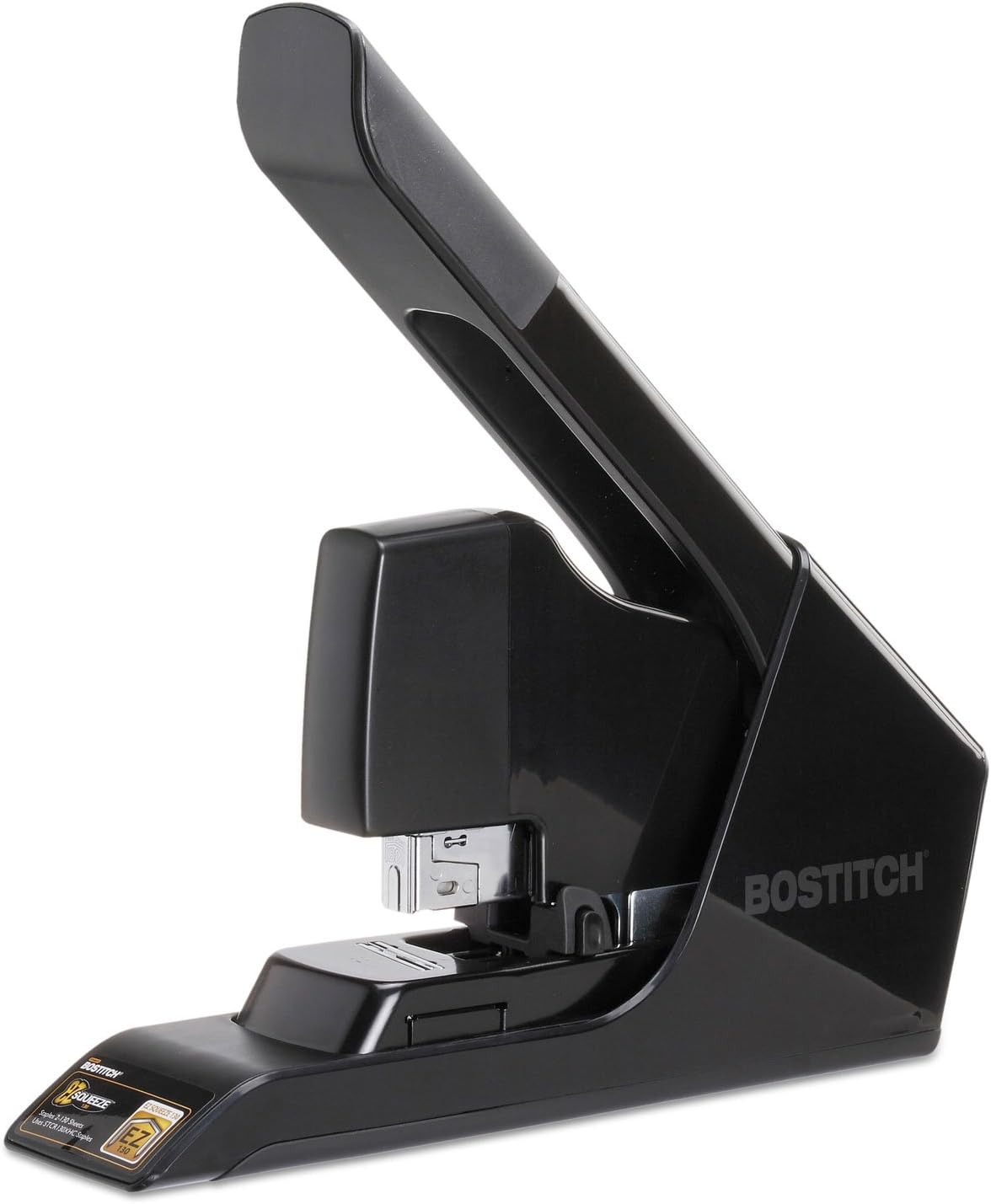
- Staples up to 30 sheets for everyday office documents.
- Reduced-effort mechanism makes repeated stapling easier on hands.
- Compact desktop design fits neatly into busy workspaces.
- No-Jam technology helps reduce frustrating staple interruptions.
- Opens for bulletin board tacking and temporary posting tasks.
The reduced-effort mechanism is what makes this useful every day
The Bostitch B8130 EZ Squeeze takes the number four position in our best office stapler comparison because it focuses on something that matters during ordinary office work: making repeated stapling easier. It combines a 30-sheet capacity with Bostitch's reduced-effort mechanism, a compact desktop format, No-Jam technology, and the ability to open for tacking.
A 30-sheet capacity puts it in a useful middle ground. It handles considerably more paper than somebody usually staples in a normal workday, but it does not have the size and bulk of the heavy-duty machines ranked above it.
That makes sense for invoices, meeting notes, contracts, presentation handouts, client documents, and internal reports. Thirty sheets covers most routine office jobs without requiring a dedicated heavy-duty stapling station.
The reduced-effort design is probably the more important feature, though. Bostitch designed the mechanism so stapling requires substantially less force than a conventional stapler, which becomes noticeable when somebody processes document after document.
Less hand pressure matters when the stapler gets used all day
A stapler is simple equipment, but repetitive hand pressure adds up. Reception staff, teachers, administrators, accounting teams, and employees preparing meeting packets may use one dozens or even hundreds of times during a busy day.
The EZ Squeeze mechanism reduces the amount of force needed to drive the staple through the paper. Lower operating effort improves repetitive use, especially for people who find traditional staplers unnecessarily stiff.
This also makes the B8130 practical when a document approaches the upper end of its capacity. A thick stack naturally requires more force than two sheets, so mechanical assistance becomes more noticeable as page count increases.
Paper thickness still matters. A 30-sheet rating normally assumes standard office paper, and thirty sheets of heavier presentation stock can be considerably thicker than thirty sheets of ordinary copier paper.
If the document uses heavy paper, do not automatically rely on the maximum sheet count. Test a smaller stack first and make sure the staple penetrates completely and closes correctly underneath.
Staple choice matters for the same reason. The correct staple helps prevent poor fastening, while damaged, incompatible, or badly manufactured staples can increase the likelihood of jams and malformed results.
The No-Jam technology is useful during repetitive office work. A jam is not a major disaster, but it stops the task completely and can become irritating when several document packets are waiting to be finished.
Good loading habits still matter. Insert the staple strip correctly, avoid mixing incompatible staples in the magazine, and do not continue pressing the handle if the mechanism suddenly feels blocked.
Forcing a jam can make a small problem worse. A bent staple may become lodged deeper in the mechanism, or another staple can feed behind it and create a more difficult obstruction.
If resistance suddenly feels abnormal, stop and inspect the stapler. Clearing one malformed staple is easier than forcing the mechanism until several pieces of metal are trapped inside.
Paper alignment is another basic step that saves frustration. Before stapling a thicker report, tap the edges against a flat desk so the pages are square and positioned correctly.
This matters because removing a staple from a 25-page report can leave visible holes. Getting the alignment right before pressing the handle is faster than repairing the document afterward.
Why the B8130 lands in fourth place instead of the top three
The B8130 is considerably more compact than the heavy-duty staplers ranked above it. That is an advantage when the stapler needs to stay beside a keyboard, telephone, notebook, and other equipment on a normal office desk.
You do not need a large document-finishing machine occupying permanent space just to staple six-page invoices. The compact size suits everyday desktop use, which is where this Bostitch makes the most sense.
The stapler can also open for tacking. That allows staples to be driven into compatible bulletin board surfaces when notices, schedules, temporary signs, or other paper materials need to be posted.
This gives the B8130 another small advantage over staplers that remain locked into one desktop position. In a classroom, administrative office, or shared workspace, the same tool can handle document fastening and occasional bulletin board work.
Tacking should still be limited to suitable surfaces. Do not drive staples into walls, hard materials, electrical surfaces, or anything that could conceal wiring or be damaged by the staple.
The manual design keeps operation straightforward. There are no batteries, motors, sensors, or power cables, so the stapler remains ready whenever it is needed.
That simplicity also makes it easy to move between desks or keep inside a supply cabinet. An employee can pick it up, staple a report, and return it without checking whether a battery is charged.
For very repetitive work, an electric stapler may still be faster. Automatic activation removes the pressing motion entirely, which can be useful when hundreds of identical small packets are processed every day.
The B8130 instead provides a good balance of control and assistance. The user still positions each document manually, but the reduced-effort mechanism makes the actual stapling action easier.
So why does it finish behind our first three products? Capacity is the main reason.
The RAYSON SH-03 at number one can handle much heavier document stacks and adds saddle stapling for booklets, brochures, manuals, and other center-stitched material. That gives it substantially broader document-finishing capability.
The AFMAT models above the Bostitch are also designed for heavier office work. Their larger mechanisms and longer handles make them more appropriate for thick reports that go beyond the B8130's 30-sheet range.
That difference becomes important in departments producing substantial documents. If an office routinely staples 40-sheet or 50-sheet packets, the Bostitch simply has less capacity than the heavy-duty choices above it.
But higher capacity is not automatically better for every desk. A large heavy-duty stapler can be excessive when 90 percent of the workload consists of documents under fifteen pages.
For normal office use, the B8130 may actually be easier to live with. It is smaller, requires less operating force, handles up to 30 sheets, and does not need electricity.
Its compact format also means an organization can reasonably put one on several desks rather than making employees walk to a central heavy-duty stapler every time they need to fasten a normal document.
That is why we believe the Bostitch B8130 deserves the number four position out of seven. It cannot match the capacity or specialized finishing capabilities of our top three, but its reduced-effort mechanism, 30-sheet capacity, jam-resistant design, tacking capability, and compact size make it extremely practical for everyday office work.
For someone who mostly staples reports, invoices, meeting packets, forms, and ordinary business documents, this is a sensible balance. It provides more capacity and easier operation than a basic stapler without taking over the desk like a full heavy-duty machine.

- Full-strip magazine reduces how frequently staples need reloading.
- Durable metal construction suits regular everyday office stapling.
- Classic desktop design provides stable and controlled paper fastening.
- Adjustable anvil supports both permanent and temporary stapling styles.
- Compact manual operation requires no batteries or electrical connection.
This is a traditional office stapler built around durability and simplicity
The Rapid Retro Classic takes the number five position in our best office stapler comparison because it follows a very different approach from the heavy-duty machines above it. This is a traditional full-strip manual stapler designed for everyday paperwork, with a sturdy construction, straightforward operation, and the kind of desktop format that can remain beside a keyboard without taking over the workspace.
The full-strip magazine is one of the practical advantages. A longer staple magazine means fewer interruptions for reloading, which becomes useful in administrative offices where the stapler gets passed around and nobody wants to discover an empty magazine halfway through preparing meeting documents.
There is no complicated setup involved. Load the correct staples, align the pages, press the handle, and the stapling process stays very straightforward.
That simplicity matters because most office stapling jobs are not 50-page manuals. They are invoices, forms, letters, meeting notes, expense documents, contracts, and small reports that need to stay together without requiring specialized finishing equipment.
The metal construction makes sense for something people use every day
A shared office stapler gets treated differently from a personal stapler sitting inside someone's drawer. Different employees use it, it gets moved around the desk, and sometimes people press much harder than necessary because they assume more force will produce a better staple.
A sturdy metal construction makes sense in that environment. It gives the stapler a more substantial feel on the desk and provides the rigidity needed for consistent alignment between the driver, staple, paper, and anvil.
That alignment is important. A staple needs to enter the paper cleanly, pass through the entire stack, and meet the anvil in the correct position so its legs bend underneath the document.
If the paper stack is badly positioned, the staple may end up too close to an edge or at an awkward angle. With thicker paperwork, removing it afterward can leave visible holes and slightly damaged sheets.
Before stapling a report, tap the pages against a flat desk so the edges line up. It takes only a few seconds, and the finished document immediately looks cleaner.
The adjustable anvil provides another useful option. Depending on its position, a stapler can support the conventional inward clinch used for permanent fastening or a different staple formation intended to make temporary fastening easier to remove.
For normal business records, the standard permanent position is usually what you want. Contracts, invoices, reports, and archived paperwork should remain securely fastened rather than coming apart during handling.
Temporary fastening can be useful for draft documents or material that will later be separated. Choosing the correct anvil position matters because the way the staple legs are formed changes how securely the pages stay together.
Staple compatibility is equally important. A stapler should be loaded with the size and type specified by the manufacturer rather than whatever loose staples happen to be available in the supply cupboard.
Incorrect staples can feed badly, bend inside the mechanism, or fail to clinch properly. A jam caused by incompatible staples wastes far more time than checking the staple specification before loading the magazine.
If the handle suddenly becomes difficult to press, stop rather than forcing it. A malformed staple may already be sitting underneath the driver, and additional pressure can push it farther into the mechanism.
Remove the paper and inspect the stapler according to the manufacturer's instructions. Forcing a jam can make it worse, especially when another staple feeds behind the first damaged one.
Why this classic Rapid finishes in fifth place
The main limitation is capacity. This is a conventional office stapler rather than the type of high-capacity machine designed to punch through very thick training manuals or substantial document packets.
That difference is why our RAYSON and AFMAT choices sit higher in the ranking. Their larger mechanisms provide the leverage and staple capacity required when offices regularly deal with much thicker paperwork.
The RAYSON SH-03 at number one goes further by supporting saddle stapling. That means it can work with center-folded booklets, brochures, manuals, and other documents that a conventional desktop stapler simply cannot reach correctly.
The AFMAT models above the Rapid are more focused on high-capacity flat stapling. Their longer handles provide additional leverage, so thicker stacks require less physical effort than trying to push them through a smaller conventional mechanism.
The Bostitch B8130 ranked directly above this model also offers a reduced-effort mechanism and a 30-sheet capacity. That gives it an advantage for users who want an ordinary desktop footprint but regularly staple somewhat larger reports.
The Rapid is more traditional. There is no motor, no charging, no sensor, and no complicated mechanical assistance, which can actually be an advantage for offices that mostly deal with smaller document sets.
Manual operation means it is always available. You do not need an outlet beside the desk, and there is no battery that can be flat when somebody needs to finish a report immediately.
The full-strip design also suits frequent use. More staples between reloads saves interruptions, particularly in shared administrative areas where the stapler may be used dozens of times throughout the day.
Paper thickness should still be considered when judging capacity. Twenty sheets of heavier presentation stock can create a much thicker stack than twenty sheets of standard copier paper.
If the stapler begins requiring excessive force, reduce the stack rather than pressing harder. A stapler works best when the paper thickness remains comfortably within what its mechanism and staple length are designed to handle.
This is another common office mistake. Someone reaches the stapler's limit, adds several more pages, then leans heavily on the handle and assumes the stapler is defective when the staple bends.
Use a heavy-duty stapler for heavy-duty documents. Matching the tool to the paper stack produces cleaner fastening and places less unnecessary stress on the mechanism.
Placement on the desk matters too. Keep the base flat against a solid surface while stapling rather than holding the unit at an angle, particularly when the document contains more than a few sheets.
The stable base gives the user better control over where the staple lands. It also allows the mechanism to work in the orientation it was designed for.
Because the design is compact, this Rapid makes more sense as an individual desk stapler than some of our top-ranked products. A large heavy-duty stapler can live in the printing area while employees keep smaller units like this beside their computers for routine work.
That two-stapler setup can actually be efficient in a larger office. Employees handle normal paperwork at their desks and only walk to the shared heavy-duty unit when a document exceeds the capacity of the everyday stapler.
So why does the Rapid Retro Classic receive our number five position out of seven? It falls behind the higher-ranked models because it does not provide the same heavy-duty sheet capacity, reduced-effort mechanism, or specialized saddle-stapling capability.
But those limitations do not make it a poor office stapler. They simply define the kind of work it is designed to handle.
For normal invoices, forms, meeting notes, reports, correspondence, and everyday business documents, the full-strip magazine, durable construction, adjustable anvil, compact footprint, and straightforward manual mechanism are all useful features. It does the ordinary office job without adding unnecessary complexity.
That is why we believe the Rapid Retro Classic deserves rank number five. It is not the strongest option for very thick document packets, but for someone who wants a dependable traditional stapler that can stay on the desk and handle everyday paperwork repeatedly, it remains a practical and well-focused choice.

- Staples up to 50 sheets for thicker office documents.
- Durable all-metal construction supports frequent everyday office use.
- Full-strip magazine reduces interruptions caused by frequent staple refilling.
- Adjustable anvil supports different permanent and temporary stapling needs.
- Traditional manual mechanism works without batteries or electrical power.
The K2 is old-school office hardware, and that has some advantages
The Rapid K2 Classic takes the number six position in our best office stapler comparison because it sticks closely to a traditional heavy-duty desktop design. It combines a substantial metal construction, full-strip staple magazine, adjustable anvil, manual operation, and capacity for thicker document stacks than a lightweight personal stapler.
The headline feature is its ability to staple up to around 50 sheets under appropriate paper and staple conditions. That gives the K2 considerably more flexibility when an ordinary five-page memo suddenly becomes a 30-page report or a larger presentation packet.
For an administrative desk, that range is useful. One stapler can handle everyday paperwork while still having enough capacity for reports, meeting documents, proposals, training material, and other moderately thick office stacks.
The all-metal construction also makes sense for shared environments. This is the type of stapler that may get used by several employees throughout the day, sometimes carefully, sometimes not.
Fifty sheets sounds simple, but paper thickness changes everything
A 50-sheet capacity should always be understood in context. Stapler capacity is generally based around standard office paper, and the physical thickness of the document matters just as much as the number of pages.
Fifty sheets of normal copier paper are very different from fifty sheets of heavier presentation stock. If the document contains thicker material, reduce the sheet count before stapling rather than assuming the maximum rating still applies.
A quick test helps. Staple a smaller sample using the same paper stock and check whether the staple penetrates cleanly and the legs close properly underneath.
Staple size matters too. Higher-capacity staplers can use different staple lengths because a staple designed for a thin packet may not have enough leg length to pass completely through a much thicker stack.
If the staple is too short, the upper pages may appear secure while the sheets at the bottom remain loose. That creates a document that can separate during filing or repeated handling.
An excessively long staple is not ideal either. Too much metal can fold underneath the stack, leaving an untidy result and making the document less comfortable to handle.
Using the manufacturer's recommended staple for the actual document thickness is the sensible approach. Correct staple selection improves fastening reliability and can also reduce jams and malformed staples.
The full-strip magazine is useful during regular office work because it holds a longer strip of staples. That means fewer interruptions compared with a smaller stapler that needs to be opened and reloaded more frequently.
This becomes noticeable when assembling a large number of documents. An administrator preparing dozens of meeting packets can continue working rather than stopping repeatedly because the stapler has run empty.
The adjustable anvil gives the K2 another practical function. Depending on how it is configured, the staple legs can be clinched differently for permanent fastening or temporary document assembly.
Permanent clinching is what most offices will use for invoices, reports, contracts, and records that need to remain securely together. Temporary stapling can be useful when draft material will later be separated or reorganized.
Why the K2 Classic lands in sixth place
Manual operation keeps the K2 straightforward. It does not require batteries, a wall outlet, charging, sensors, or an electric motor before somebody can staple a document.
That makes it easy to keep in a shared print area or administrative workspace. The stapler is always ready to use as long as the magazine contains the correct staples.
The metal construction also provides a stable base for thicker documents. When stapling near the higher end of its capacity, place the unit flat on a solid desk rather than attempting to operate it casually in one hand.
Mechanical leverage works better when the base is stable. It also gives the user better control over the exact position of the document underneath the stapling head.
Paper alignment should happen before pressing the handle. Tap the bottom and side edges of the report against a flat surface so the stack is square.
This becomes increasingly important as page count rises. A thick misaligned stack is difficult to correct after a heavy staple has already created holes through every sheet.
Jam handling requires the same basic discipline. If the handle suddenly feels unusually stiff or stops partway through its travel, do not keep pressing harder.
A malformed staple may be trapped inside the mechanism. Forcing the handle can bend another staple behind it or make the blockage more difficult to remove.
Stop, remove the document, inspect the staple channel, and clear the obstruction according to the manufacturer's instructions. Once the jam is removed, check that the remaining staple strip is sitting correctly before continuing.
Heavy-duty stapling also means keeping fingers away from the staple exit and anvil. The mechanism is designed to drive metal through a substantial stack of paper, so the stapling area should be treated accordingly.
Compared with the products higher in our ranking, the K2's weakness is not basic capacity. Fifty sheets is actually substantial for an office stapler.
The difference is that some competitors provide more specialized features. Our number one RAYSON SH-03 combines heavy-duty flat stapling with saddle stapling, which allows an office to produce center-stapled booklets, brochures, manuals, and similar folded material.
The AFMAT models higher in the ranking also focus heavily on reduced effort, adjustable positioning, and high-capacity document work. Those features can make repetitive thick-stack stapling easier when an office produces large document batches frequently.
The Bostitch B8130 is lower in capacity but provides a reduced-effort mechanism in a much more compact desktop format. For employees mostly handling smaller reports, ease of operation can matter more than maximum capacity.
The Rapid K2 is more traditional by comparison. It gives you a strong manual mechanism and substantial capacity, but without the specialized saddle capability or more modern effort-reduction features that help distinguish our higher-ranked products.
Its size should also be considered. A stapler built for 50-sheet documents naturally takes up more desk space than a lightweight personal model, and that extra capacity may be unnecessary for someone who rarely staples more than ten pages.
For a shared printing area, however, the larger format makes more sense. Employees can use smaller staplers for ordinary paperwork and keep the K2 available when a document exceeds normal desktop capacity.
There is also something useful about equipment that does not depend on electronics. No power means no battery degradation, no charger to lose, and no motor that can interrupt work because it has stopped functioning.
So why do we believe the Rapid K2 Classic deserves the number six position out of seven? It provides strong 50-sheet capacity, durable metal construction, a full-strip magazine, adjustable stapling options, and simple manual operation, but the products above it offer either more specialized document finishing or easier repetitive operation.
That ranking should not hide what the K2 does well. For offices that want a substantial traditional stapler for reports, training packs, proposals, administrative paperwork, and other thicker document stacks, its simple mechanical design is still very practical.
It may not have the most advanced features in this comparison, but it provides the capacity and construction needed for real office use. For someone who values a straightforward metal stapler that can handle both routine paperwork and occasional thick documents, the K2 Classic remains a solid option.

- Automatic electric operation staples documents without manual pressing effort.
- Handles up to 30 sheets for everyday office paperwork.
- Impulse Drive technology provides fast stapling for repetitive tasks.
- No-Jam technology helps reduce interruptions during busy office use.
- Refill alert light indicates when staple supplies run low.
The electric mechanism makes the most sense when stapling becomes repetitive
The Bostitch Impulse electric stapler takes the number seven position in our best office stapler comparison, but it has one feature none of the traditional manual models can quite replicate. Instead of pushing down a handle every time, the electric mechanism automatically drives the staple, making it particularly useful when somebody has a large number of similar document sets to process.
The stapler is designed to handle up to 30 sheets at a time. That is enough for invoices, reports, meeting packets, forms, presentation material, contracts, and most of the smaller document stacks produced during normal office work.
Its capacity is not heavy-duty territory, though. The benefit here is fast automatic everyday stapling, rather than trying to compete with 50-sheet or 60-sheet manual staplers designed for substantially thicker documents.
That distinction matters when choosing an office stapler. A machine can have lower maximum capacity and still be more convenient if the job involves stapling hundreds of small packets rather than a handful of very thick reports.
Automatic stapling can save a surprising amount of hand movement
The Impulse Drive system is designed around speed. Position the document correctly and the electric mechanism performs the actual stapling action, removing the repetitive downward press required by a conventional manual stapler.
Imagine an administrative employee preparing 150 five-page handouts for an event. With a manual stapler, that means aligning the stack and physically pressing the mechanism 150 times.
An electric stapler changes that workflow. The machine provides the stapling force, leaving the employee to concentrate on aligning and feeding each document.
That can also help at reception desks, copy rooms, mailrooms, schools, and administrative departments where stapling happens repeatedly throughout the day. The benefit becomes more obvious as the number of individual stapling actions increases.
The 30-sheet capacity gives the machine enough range for typical office documents. A ten-page contract is easy territory, while a larger 25-page report can still remain within the stapler's intended workload when normal office paper is being used.
Paper thickness still matters. Thirty sheets of heavier presentation stock can be considerably thicker than thirty sheets of ordinary copier paper, so sheet count should not be treated blindly.
If the paper is unusually heavy, start with a smaller stack and test it. Make sure the staple passes completely through the document and the legs close correctly underneath before processing the rest of the batch.
The No-Jam technology is another useful feature because jams interrupt the main advantage of an electric stapler. Automatic operation is only convenient when documents can move through the machine consistently.
Correct staples still need to be used. An anti-jam design cannot compensate indefinitely for incompatible staples, damaged strips, badly aligned paper, or stacks that exceed the stapler's intended capacity.
If the machine stops behaving normally, do not repeatedly trigger it. Disconnect it when appropriate and follow the manufacturer's jam-clearing procedure rather than trying to force another staple through an obstruction.
The refill alert is a small feature that becomes useful in shared offices. Knowing staples are running low beforehand is better than discovering an empty magazine halfway through a large batch of meeting documents.
Keep replacement staples near the machine if it is used frequently. A dedicated electric stapling station loses much of its convenience if employees have to search through several supply cabinets every time the magazine becomes empty.
Why this electric Bostitch finishes at number seven
The biggest limitation is capacity compared with our higher-ranked choices. Thirty sheets is useful for ordinary office paperwork, but the RAYSON and AFMAT models above it are designed for substantially heavier document stacks.
Our number one RAYSON SH-03 also provides saddle stapling. That allows an office to produce folded booklets, brochures, programs, training manuals, and other center-stapled documents that this electric Bostitch is not designed to finish in the same way.
The heavy-duty AFMAT options provide greater leverage and higher-capacity manual stapling. For an office regularly producing thick reports, higher sheet capacity becomes more valuable than automatic activation.
The Bostitch B8130 higher in our ranking also handles up to 30 sheets, but it uses a reduced-effort manual mechanism. That gives users an easier press while keeping the simplicity of a stapler that does not depend on electrical power.
Power dependency is therefore another consideration with the Impulse. A manual stapler can be moved to practically any desk and used immediately, while an electric model needs its required power setup to provide the automatic function people are buying it for.
That is not necessarily a problem in a permanent office workstation. If the stapler always stays beside the printer or document preparation area, connecting it to power once is hardly a major inconvenience.
It becomes less convenient if the stapler needs to move frequently between desks. A traditional manual stapler is easier to pick up and relocate without thinking about power access.
Electric staplers also need careful document positioning. Automatic operation removes the pressing action, but it does not magically align a crooked stack before the staple enters the paper.
Tap the edges of the document against a flat surface first. Good alignment prevents avoidable restapling, particularly when several copies of the same packet are being assembled.
Consistent positioning becomes important during repetitive jobs too. If the staple needs to sit at the same distance from the corner on every packet, establish a simple placement routine before processing the entire batch.
The electric mechanism is particularly useful when the documents themselves remain consistent. A receptionist preparing a large set of five-page forms can feed one after another without changing paper thickness or staple position much.
Mixed workloads reduce that advantage slightly. If one document has three pages, another has twenty-eight, and the next needs an unusual staple location, the user has to spend more time positioning each stack anyway.
Safety also deserves attention with automatic stapling. Keep fingers away from the staple exit and document insertion area because the machine supplies the driving force automatically.
Children or untrained users should not treat it like an ordinary desk accessory. The mechanism is specifically designed to drive metal staples through substantial stacks of paper quickly.
Another practical consideration is whether an office actually staples enough documents to justify an electric model. Someone who fastens two or three small reports each day gains very little from automatic operation.
A busy administrative desk is different. When hundreds of individual stapling actions accumulate during the week, removing the manual press can improve both speed and convenience.
So why do we believe the Bostitch Impulse deserves the number seven position out of seven? Its 30-sheet capacity is lower than our heavy-duty leaders, it lacks the saddle-stapling versatility of the RAYSON, and it depends on power while several competing manual staplers remain ready anywhere.
Those limitations matter in a broad comparison of the best office staplers. We gave higher positions to products that can accommodate thicker documents or handle a wider range of fastening jobs.
But the Bostitch has a clear advantage for one particular workflow. Automatic operation is excellent for repetitive stapling, especially when an employee is processing large numbers of relatively small document packets.
That is why seventh place should not be interpreted as a poor product. For reception areas, administrative desks, copy rooms, schools, and offices where speed and low-effort repetition matter more than maximum sheet capacity, the Bostitch Impulse remains a useful and practical electric office stapler.