

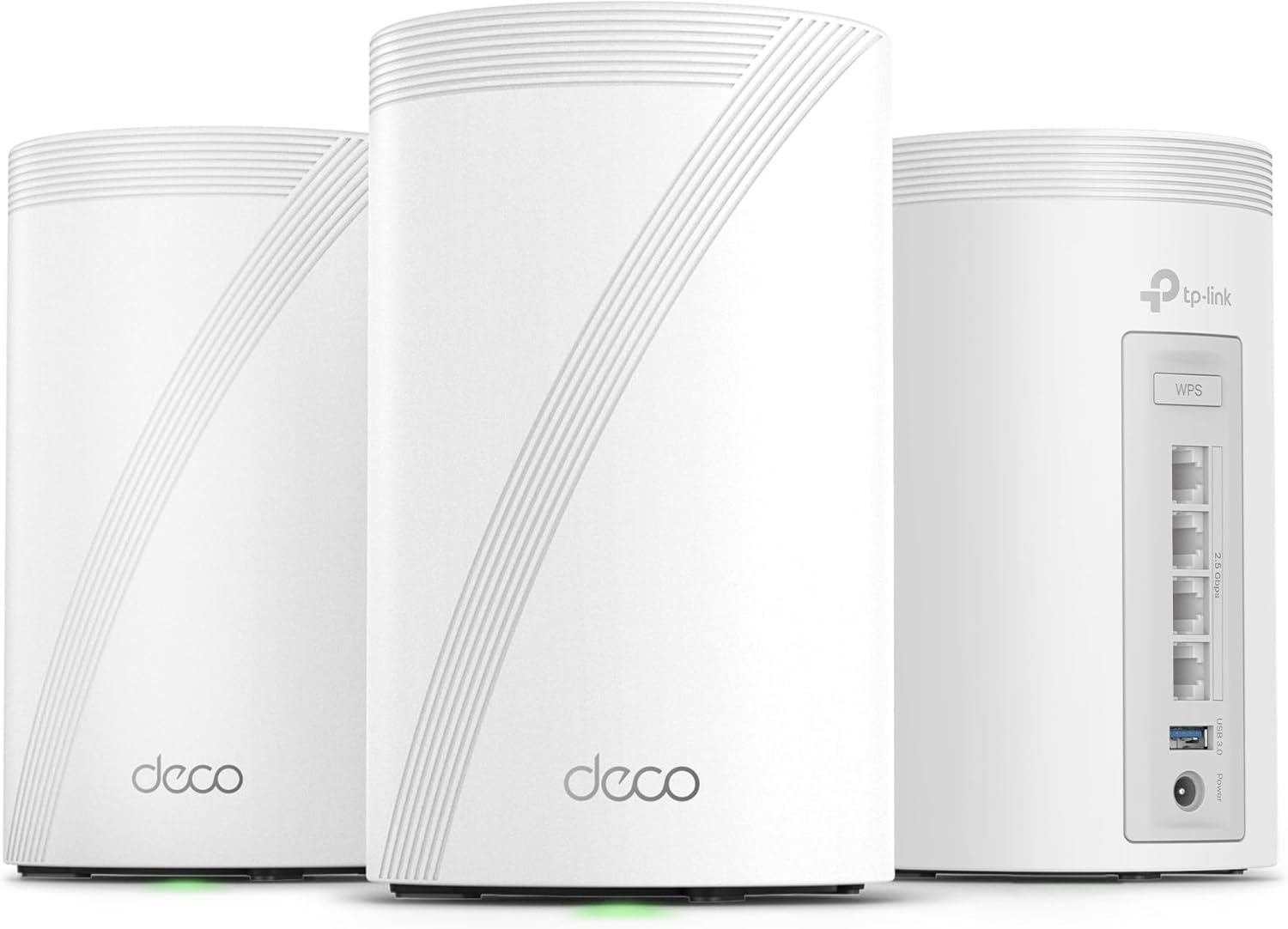
- Tri-Band Wi-Fi 7 with BE10000 Wireless Performance: Combines 2.4 GHz, 5 GHz, and 6 GHz bands to support demanding home networks with streaming, gaming, video calls, and numerous connected devices.
- Three Mesh Units for Better Coverage Across Thick Walls: Allows homeowners to distribute wireless access points throughout larger properties, reducing dependence on a single router transmitting through multiple walls.
- Four 2.5 Gbps Ethernet Ports on Every Unit: Supports high-speed wired devices and Ethernet backhaul, providing a practical way to maintain network performance where concrete or brick walls weaken wireless connections.
- Multi-Link Operation with Intelligent Mesh Roaming Technology: Supports compatible Wi-Fi 7 devices using multiple wireless links while helping connected devices transition between mesh nodes as users move throughout the home.
- - HomeShield Security with Convenient Deco App Management: Provides centralized network controls, supported security features, guest networking, and straightforward mesh configuration through the TP-Link mobile application.

The Deco BE63 Is a Strong Choice When One Router Cannot Cover the Whole House
The TP-Link Deco BE63 is a tri-band Wi-Fi 7 mesh system designed to provide wireless coverage across larger homes, including properties where thick walls make ordinary routers less effective. This three-unit package combines BE10000 wireless performance, four 2.5 Gbps Ethernet ports on each unit, and support for both wireless and wired mesh connections. For anyone comparing the Best Mesh Wifi For Thick Walls options, its strongest advantage is the ability to position several access points around a property instead of relying on one central router.
The first thing worth understanding is that thick walls create a different networking problem from ordinary wireless congestion. Brick, reinforced concrete, stone, and metal structures can weaken radio signals as they pass through a building. The distributed mesh network for homes with thick walls helps address this problem by placing additional wireless access points closer to the devices that need them.
Consider someone living in an older two-story house with solid brick internal walls. Their internet connection may work perfectly near the router but become unreliable in an upstairs bedroom. Installing additional Deco units in suitable locations can reduce the number of walls that the signal must pass through.
However, mesh networking does not make thick walls disappear as an obstacle. Each satellite unit still needs a reliable connection to the main network. The correct placement of mesh nodes for stronger wireless coverage is therefore one of the most important parts of installation.
For example, someone may place a satellite directly inside a room where the existing Wi-Fi signal is almost unusable. That satellite could struggle because its own connection to the main router is weak. Positioning it closer to the main unit, where the signal remains reliable, may produce better results.
The Deco BE63 package includes three mesh units. This allows homeowners to create several wireless coverage areas across different floors or sections of the house. The three-unit mesh configuration for larger residential properties provides more placement flexibility than a single router.
Consider a house with a downstairs living room, upstairs bedrooms, and a converted garage office. One Deco could connect to the modem, another could serve the upper floor, and the third could provide coverage closer to the garage. The exact arrangement should depend on the building layout rather than placing each unit at equal distances.
TP-Link advertises coverage of up to 7,600 square feet for the three-pack configuration. This is a useful indication of the system's intended scale, but it should not be interpreted as guaranteed coverage inside every building. The actual Wi-Fi coverage through brick and concrete walls can be substantially lower than an open-area estimate.
For example, a modern timber-framed home and an older stone house may have similar floor areas but very different wireless performance. Thick masonry and reinforced concrete can reduce signal strength considerably. Buyers should prioritize the layout and construction of their property rather than selecting a system based only on advertised square footage.
The Deco BE63 uses tri-band Wi-Fi 7 technology across the 2.4 GHz, 5 GHz, and 6 GHz frequency bands. Its advertised maximum wireless rates are 574 Mbps on 2.4 GHz, 4,324 Mbps on 5 GHz, and 5,188 Mbps on 6 GHz. The tri-band Wi-Fi 7 system for demanding home networks provides several connection options for compatible devices.
However, those figures are theoretical wireless link rates rather than actual internet download speeds. They also represent separate frequency bands and should not be added together to estimate the speed of one ordinary device. Real performance depends on device compatibility, distance, interference, and the internet connection.
The different frequency bands are particularly important in homes with thick walls. Lower-frequency 2.4 GHz signals generally travel farther and penetrate many obstacles more effectively than higher-frequency signals. The practical difference between 2.4 GHz and 6 GHz coverage matters when deciding where mesh nodes should be installed.
Consider someone using a laptop in a room separated from the main router by two thick brick walls. A 6 GHz connection may offer impressive speeds at close range but become weak across those obstacles. A 2.4 GHz connection or a nearby mesh satellite may provide a more dependable connection.
The 6 GHz band is still valuable. It provides additional spectrum that can reduce congestion in suitable environments, particularly when compatible devices are close to a mesh unit. The additional 6 GHz wireless capacity for nearby high-performance devices can benefit demanding activities such as large file transfers and high-resolution streaming.
For example, a home office with a Wi-Fi 7 laptop positioned near a Deco unit may benefit from the additional bandwidth. However, placing that Deco behind several concrete walls could reduce the advantage. The location of the access point remains important even with newer wireless technology.
The 2.5 Gbps Ethernet Ports Are Especially Valuable in Thick-Walled Homes
One of the strongest features of the Deco BE63 is its wired connectivity. Each unit includes four auto-sensing 2.5 Gbps Ethernet ports, providing a total of twelve ports across the three-unit package. The multi-gigabit Ethernet connectivity for faster home networking supports high-speed wired devices and connections between mesh units.
This is particularly important for properties with thick internal walls. Wireless mesh systems must transfer data between their access points, and obstacles can reduce the quality of those connections. Ethernet backhaul provides an alternative that does not depend on radio signals passing through masonry.
Consider someone living in a three-story concrete house. They may install one Deco on each floor, but the reinforced floors could weaken wireless communication between them. Connecting the units through existing Ethernet cabling can provide a more reliable network connection.
The wired Ethernet backhaul for bypassing thick walls and floors is one of the main reasons we rate this system highly. Instead of repeatedly transmitting data through difficult building materials, the mesh units can communicate over network cables.
For example, a homeowner may already have Ethernet sockets installed in several rooms. Connecting Deco units through those sockets can allow each location to provide a strong local wireless signal. This arrangement can be especially effective in older buildings that have been renovated with structured network cabling.
However, wired backhaul requires suitable cabling and compatible network equipment. The presence of Ethernet sockets does not automatically guarantee that every connection supports 2.5 Gbps. The importance of checking Ethernet cable and network switch compatibility should not be overlooked.
For example, someone may connect two Deco units through an older 100 Mbps network switch. That switch could restrict the connection speed even though the Deco ports support 2.5 Gbps. Reviewing the complete wired network path helps identify these limitations.
The system also supports wireless backhaul when Ethernet connections are unavailable. This allows the mesh units to communicate without installing additional network cables. The wireless mesh backhaul for flexible router placement is useful in homes where running cables would be difficult or expensive.
However, wireless backhaul performance depends heavily on placement. A satellite separated from the main unit by several thick walls may experience reduced throughput. Positioning the units where they maintain a reliable connection can improve performance.
The Deco BE63 also supports Wi-Fi 7 Multi-Link Operation, commonly called MLO. This technology allows compatible devices and supported mesh connections to use multiple wireless links. The Multi-Link Operation technology for improving wireless connection flexibility can help increase throughput and reduce latency under suitable conditions.
Consider someone transferring large files from a laptop to a network storage device while other family members stream video. A compatible Wi-Fi 7 connection may provide additional wireless capacity for demanding traffic. However, the benefits depend on the capabilities of both the router and the connected device.
Not every smartphone, laptop, or television supports Wi-Fi 7. Older devices can still connect using supported earlier Wi-Fi standards, but they will not gain every new feature. The backward compatibility with existing household wireless devices is useful for families that upgrade equipment gradually.
For example, a household may have a new Wi-Fi 7 laptop, several Wi-Fi 6 smartphones, and older smart plugs using 2.4 GHz connections. The Deco system can accommodate different supported wireless generations within the same home network. This reduces the need to replace existing devices simply to install a newer router.
The system also supports 320 MHz channel bandwidth on compatible 6 GHz connections, subject to regional availability and device support. Wider channels can increase potential wireless throughput. The high-bandwidth wireless connections for compatible Wi-Fi 7 equipment are particularly useful for demanding local network activity.
However, wider channels do not automatically improve coverage through thick walls. In difficult environments, a stable narrower connection may be more useful than a faster theoretical connection that frequently drops. The system's real-world performance should be evaluated through practical testing.
The Deco BE63 includes four internal antennas in each unit. These are designed to provide wireless coverage in multiple directions. The integrated antenna arrangement for distributing wireless coverage throughout rooms contributes to the system's compact appearance.
However, internal antennas do not eliminate the effects of building materials. Metal cabinets, reinforced concrete, and other obstacles can still weaken signals. Placing the Deco units in open, elevated locations is generally preferable to hiding them inside enclosed furniture.
For example, someone may place a Deco inside a television cabinet because they want the equipment out of sight. The cabinet and nearby electronics could interfere with wireless performance. Moving the unit into an open position may improve coverage without changing any network settings.
The system also supports intelligent mesh roaming. Devices can move between Deco access points while remaining connected to the same network name. The seamless mesh roaming for moving between different rooms is useful in larger homes.
Consider someone participating in a video call while walking from a downstairs office to an upstairs bedroom. A mesh system can help the device transition between nearby access points. However, the quality of that transition also depends on the device's roaming capabilities.
The Deco BE63 is managed through the TP-Link Deco mobile application. Users can configure the network, review connected devices, and manage supported settings. The centralized mesh network management through the Deco application makes installation more approachable than configuring several unrelated routers.
For example, a homeowner may want to identify which devices are connected to the network or create a separate guest connection. The application provides a convenient interface for supported management tasks. This can be useful when the household includes numerous phones, televisions, computers, and smart-home devices.
TP-Link also includes HomeShield network security features. The platform provides basic network protection and supported parental controls, with additional capabilities available through paid plans. The HomeShield network security tools for managing connected household devices add functionality beyond ordinary wireless coverage.
However, buyers should check which HomeShield features are included without payment. Some advanced functions require a subscription. The availability of individual features can also change with software updates.
The Deco BE63 supports WPA3 security on compatible devices. This provides a modern wireless security option when the connected equipment supports it. The WPA3 wireless security support for protecting home network access is useful for households with newer devices.
However, older equipment may require compatibility settings. Some smart-home products support only earlier wireless security methods. Users should check device requirements before changing network security settings.
The system is advertised as supporting more than 200 connected devices. This indicates that it is designed for households with numerous wireless products. The large connected-device capacity for modern smart homes can be useful when phones, computers, cameras, and home automation equipment share the same network.
However, the advertised device count is not a guarantee that every connected device can use maximum bandwidth simultaneously. A large number of active video streams or downloads can still create network congestion. Available internet bandwidth and local network traffic remain important.
The Deco BE63 also includes VPN client and server capabilities. These can support certain remote access and privacy-related networking arrangements. The integrated VPN support for advanced home networking requirements may appeal to users who want additional configuration options.
However, VPN setup requires some technical understanding, and performance depends on the selected service and configuration. Buyers should not assume that enabling a VPN automatically improves wireless coverage or connection speed.
Each Deco unit also includes a USB 3.0 port. This provides additional connectivity for supported USB functions. However, users should verify the currently supported storage and sharing features before relying on the USB port for a particular application.
Why We Ranked the Deco BE63 First for Homes With Thick Walls
We placed the TP-Link Deco BE63 at number one in our Best Mesh Wifi For Thick Walls rankings because it combines three mesh access points, tri-band Wi-Fi 7, multi-gigabit Ethernet connectivity, and flexible backhaul options. These features address several practical problems that homeowners encounter when trying to provide reliable wireless coverage across thick masonry and concrete walls.
The three-node mesh system for distributing Wi-Fi throughout large homes is one of its strongest advantages. Instead of depending on a single router, homeowners can position access points closer to the rooms where wireless coverage is needed.
Another major advantage is the availability of four 2.5 Gbps Ethernet ports on every unit. This provides considerable flexibility for connecting wired devices and establishing Ethernet backhaul. The high-speed wired backhaul capability for difficult building layouts is particularly valuable when wireless signals struggle to penetrate thick walls.
For example, a homeowner with Ethernet cabling between floors can connect the Deco units directly. Each unit can then provide local wireless coverage without depending entirely on a weak connection through reinforced concrete. This is often a more effective approach than simply purchasing a single router with a higher advertised wireless speed.
The tri-band Wi-Fi 7 design also contributes to its ranking. The system supports 2.4 GHz, 5 GHz, and 6 GHz connections, allowing compatible devices to use different wireless bands according to their capabilities and network conditions. This provides flexibility for households with a mixture of older and newer equipment.
The combination of modern Wi-Fi technology and flexible mesh placement makes the Deco BE63 particularly appealing for larger properties. It can support demanding activities such as video conferencing, gaming, high-resolution streaming, and local file transfers.
However, there are limitations worth considering. The first is that 6 GHz signals generally do not penetrate thick walls as effectively as lower-frequency signals. Buyers should not assume that Wi-Fi 7 alone will eliminate coverage problems caused by difficult building materials.
Another consideration is cost. A three-unit Wi-Fi 7 system with multi-gigabit Ethernet ports may be more expensive than a basic Wi-Fi 6 mesh package. Households with modest internet speeds and smaller properties may not need every advanced feature.
The advertised BE10000 wireless rate is another specification that requires context. It represents combined theoretical rates across several frequency bands rather than a guaranteed 10 Gbps internet connection. The difference between advertised wireless capacity and actual internet speed should be understood before purchasing.
For example, someone with a 500 Mbps internet plan will not suddenly receive a 10 Gbps internet connection after installing the Deco BE63. The system may still improve coverage and local network performance, but the internet service remains a limiting factor.
Another limitation is that wired backhaul provides the greatest advantage in particularly difficult environments, yet installing Ethernet cables may require additional work. Homeowners without existing cabling may need to rely on wireless backhaul or consider professional installation.
The system also requires suitable placement. Installing all three units too close together may provide unnecessary overlapping coverage, while placing them too far apart can weaken their connections. The importance of planning mesh node locations before permanent installation remains essential.
For the best results, we recommend placing the main Deco near the modem and positioning the additional units where they maintain reliable connections while serving rooms with weak coverage. Avoid enclosed cabinets, large metal objects, and unnecessary obstructions.
Where possible, use Ethernet backhaul between units, especially across reinforced concrete floors or thick masonry walls. Test wireless performance in the rooms that matter most, including bedrooms, home offices, and other frequently used areas.
We also recommend testing both connection speed and stability rather than relying only on the number of Wi-Fi signal bars displayed on a device. A stable connection with moderate speed can be more useful than a faster connection that frequently disconnects.
Ultimately, the TP-Link Deco BE63 deserves first place because its three-unit configuration, Wi-Fi 7 capabilities, four 2.5 Gbps Ethernet ports per unit, and flexible backhaul options provide a strong foundation for reliable networking in challenging homes. For homeowners dealing with thick brick walls, concrete floors, multiple stories, or difficult room layouts, it is an excellent whole-home mesh Wi-Fi system that offers both immediate coverage improvements and room for future network upgrades.

- Three Wi-Fi 7 Mesh Units for Better Whole-Home Coverage: Distributes wireless access points across different rooms and floors, reducing dependence on one router transmitting through multiple thick walls.
- BE5000 Dual-Band Wireless Performance for Busy Households: Provides advertised rates up to 4,324 Mbps on 5 GHz and 688 Mbps on 2.4 GHz for compatible devices and demanding home network activity.
- Dual 2.5 Gbps Ethernet Ports on Every Mesh Unit: Supports fast wired devices and Ethernet backhaul, helping maintain reliable connections where brick or concrete walls weaken wireless signals.
- Multi-Link Operation with Intelligent AI-Driven Mesh Roaming: Supports compatible Wi-Fi 7 connections using multiple wireless links while helping devices transition between mesh nodes throughout the home.
- - HomeShield Security and Convenient Deco App Network Management: Provides supported network protection, parental controls, guest networking, and centralized configuration through the TP-Link mobile application.
The Deco BE25 Is a Practical Way to Improve Wi-Fi Across Thick Walls
The TP-Link Deco BE25 is a three-unit Wi-Fi 7 mesh system designed to improve wireless coverage throughout larger homes, including properties with thick brick walls, concrete floors, and difficult room layouts. This US BE5000 version combines dual-band wireless networking, two 2.5 Gbps Ethernet ports per unit, and intelligent mesh roaming. For anyone comparing the Best Mesh Wifi For Thick Walls options, its strongest advantage is the ability to distribute three wireless access points throughout a property without purchasing an expensive tri-band system.
The first thing worth understanding is that thick walls create a different problem from having too many devices connected to a router. Brick, stone, reinforced concrete, and metal structures can weaken wireless signals before they reach another room. The three-unit mesh network for homes with thick walls helps by positioning additional access points closer to the areas where reliable connections are needed.
Consider someone living in a two-story house with solid brick internal walls. Their internet connection may work perfectly in the living room but become unreliable in an upstairs bedroom. Installing additional Deco units in suitable locations can reduce the number of walls separating devices from their nearest access point.
However, mesh networking does not eliminate the physical limitations of wireless signals. Each satellite unit still needs a reliable connection to the main network. The correct placement of mesh access points throughout the home remains essential for achieving consistent performance.
For example, someone may install a satellite directly inside a bedroom where the existing wireless signal is extremely weak. That satellite could struggle because its connection to the main Deco is also weak. Positioning it closer to the main unit, where the connection remains reliable, may provide better results.
The Deco BE25 package includes three mesh units. This allows homeowners to create several wireless coverage areas across different rooms or floors. The three-node mesh configuration for larger residential properties provides more flexibility than relying on a single router.
Consider a house with a downstairs living room, upstairs bedrooms, and a converted garage office. One Deco could connect to the modem, another could serve the upper floor, and the third could provide coverage closer to the garage. The best arrangement depends on the actual building layout rather than placing every unit at equal distances.
TP-Link advertises coverage of up to 6,600 square feet for the three-pack configuration. This provides a useful indication of the system's intended scale. However, the actual wireless coverage through brick and concrete walls may be substantially lower than the advertised figure.
For example, a modern timber-framed house and an older stone property may have similar floor areas but very different wireless performance. Dense building materials can reduce signal strength considerably. Buyers should evaluate their home's construction and room arrangement rather than selecting a system based only on advertised square footage.
The US Deco BE25 uses dual-band Wi-Fi 7 technology across the 2.4 GHz and 5 GHz frequency bands. It advertises theoretical maximum rates of 4,324 Mbps on 5 GHz and 688 Mbps on 2.4 GHz. The BE5000 dual-band wireless system for demanding home networks provides substantial wireless capacity for compatible devices.
However, those figures represent theoretical wireless link rates rather than actual internet download speeds. They should not be added together to estimate the speed available to one ordinary device. Real performance depends on device compatibility, interference, distance, and the internet service.
The two frequency bands behave differently around obstacles. The 2.4 GHz band generally provides better range and wall penetration, while 5 GHz can provide higher throughput over shorter distances. The difference between 2.4 GHz and 5 GHz wireless coverage matters in homes with thick internal walls.
Consider someone using a laptop in a bedroom separated from the main router by several brick walls. A 5 GHz connection may become weak across those obstacles. Connecting through a nearby mesh satellite can improve the situation by shortening the wireless path.
The 2.4 GHz band is also useful for smart-home equipment. Many smart plugs, sensors, and other connected devices use this frequency. The support for older wireless devices alongside newer Wi-Fi 7 equipment makes the Deco BE25 suitable for households that upgrade gradually.
For example, a family may have a Wi-Fi 7 laptop, several Wi-Fi 6 smartphones, and older smart-home devices. The Deco system can support compatible devices using different wireless generations. This reduces the need to replace existing equipment when upgrading the home network.
The 2.5 Gbps Ethernet Ports Are Especially Useful for Difficult Building Layouts
One of the strongest features of the Deco BE25 is its wired connectivity. Each unit includes two auto-sensing 2.5 Gbps Ethernet ports, providing six ports across the three-unit package. The multi-gigabit Ethernet connections for faster home networking support high-speed wired devices and connections between mesh units.
This matters because thick walls can weaken the wireless connection between mesh satellites. If the satellites cannot communicate reliably, devices connected to them may still experience slow speeds. Ethernet backhaul provides an alternative that does not depend on radio signals passing through difficult building materials.
Consider someone living in a three-story house with reinforced concrete floors. They may install one Deco on each floor, but wireless communication between the units could be unreliable. Connecting them through existing Ethernet cables can provide a more dependable connection.
The wired Ethernet backhaul for bypassing concrete walls and floors is one of the main reasons we rate this system highly. Instead of relying entirely on wireless communication between access points, the units can exchange data through network cabling.
For example, a homeowner may already have Ethernet sockets installed in several rooms. Connecting Deco units through those sockets can allow each location to provide strong local Wi-Fi coverage. This arrangement can be particularly effective in older houses that have been renovated with network cabling.
However, wired backhaul requires suitable cables and compatible networking equipment. An older Ethernet switch or damaged cable may restrict connection speed. The importance of checking Ethernet cable and network switch compatibility should not be overlooked.
For example, someone may connect two Deco units through an older 100 Mbps network switch. That switch could restrict the connection despite the Deco ports supporting 2.5 Gbps. Reviewing the complete wired network path can help identify these limitations.
The Deco BE25 also supports wireless backhaul when Ethernet cabling is unavailable. This allows the units to communicate without additional network cables. The wireless mesh backhaul for flexible access point placement is useful in homes where running cables would be expensive or inconvenient.
However, wireless backhaul performance depends on the quality of the connection between units. A satellite separated from the main router by several thick walls may experience reduced throughput. Positioning the units where they maintain reliable communication can improve performance.
The system also supports combined wired and wireless backhaul under suitable conditions. This allows supported connections to use more than one communication path. The combined backhaul capability for improving mesh network performance provides additional flexibility when the network configuration supports it.
Another important feature is Wi-Fi 7 Multi-Link Operation, commonly called MLO. This technology allows compatible devices and supported network connections to use multiple wireless links. The Multi-Link Operation technology for improving wireless connection efficiency can help increase throughput and reduce latency under suitable conditions.
Consider someone transferring large files from a laptop while other household members stream video. A compatible Wi-Fi 7 connection may provide additional capacity for demanding traffic. However, the benefits depend on the capabilities of both the router and the connected device.
The US Deco BE25 supports wider channel operation, with TP-Link's US documentation listing 240 MHz bandwidth support. Wider channels can increase potential wireless throughput when compatible devices and suitable spectrum are available. The high-bandwidth Wi-Fi 7 connections for compatible devices are particularly useful for demanding local network activity.
However, wider channels do not automatically improve coverage through thick walls. A stable connection with lower theoretical speed may be more useful than a faster connection that frequently disconnects. Practical testing remains more important than relying only on advertised figures.
The Deco BE25 also includes four internal antennas per unit. These are designed to distribute wireless coverage in multiple directions. The integrated antenna system for broader indoor wireless coverage contributes to the device's compact design.
However, internal antennas do not eliminate interference from metal objects or dense building materials. Placing the units inside cabinets or behind large electronics may reduce performance. Open locations are generally preferable.
For example, someone may place a Deco inside a television cabinet because they want the equipment hidden. The cabinet and nearby electronics could interfere with wireless signals. Moving the unit into an open position may improve coverage without changing any network settings.
The Deco BE25 also supports AI-driven mesh roaming. This technology helps compatible devices move between access points while remaining connected to the same wireless network. The intelligent mesh roaming for maintaining connections between rooms is useful in larger properties.
Consider someone participating in a video call while walking from a downstairs office to an upstairs bedroom. The mesh system can help the device transition to a more suitable access point. However, the quality of that transition also depends on the connected device's roaming capabilities.
Network management is handled through the TP-Link Deco mobile application. Users can configure the network, review connected devices, and manage supported settings. The centralized network management through the Deco smartphone application makes setup more approachable than configuring several unrelated routers.
For example, a homeowner may want to create a guest network or identify which devices are connected. The application provides access to supported management functions. This is useful when the household includes numerous phones, computers, televisions, and smart-home devices.
TP-Link also includes HomeShield security features. The platform provides network protection, parental controls, and supported quality-of-service settings. The HomeShield security tools for managing household network activity add functionality beyond ordinary wireless coverage.
However, buyers should check which features are available without payment. TP-Link includes a free basic HomeShield plan, while certain advanced functions require a subscription. The availability of individual features may also change with software updates.
The Deco BE25 supports WPA3 wireless security for compatible devices. This provides a modern security option alongside support for earlier wireless standards. The WPA3 security support for protecting compatible home network devices is useful for households with newer equipment.
However, some older smart-home devices may require compatibility settings. Users should verify device requirements before changing security configurations. A secure network should also remain usable for the equipment the household actually owns.
TP-Link advertises support for more than 150 connected devices. This indicates that the system is intended for households with numerous wireless products. The large connected-device capacity for modern smart homes can be useful when computers, cameras, televisions, and automation equipment share the same network.
However, the advertised device count is not a guarantee that every connected device can use maximum bandwidth simultaneously. Heavy downloads, multiple video streams, and network congestion can still affect performance. Available internet bandwidth remains an important factor.
The Deco BE25 also supports router and access point operating modes. Router mode allows the system to manage the household network, while access point mode can provide wireless coverage through an existing router. The flexible router and access point operating modes make it easier to integrate the system into different home networking arrangements.
For example, someone may already have a router supplied by their internet provider. They could choose a suitable configuration that allows the Deco units to provide improved wireless coverage. However, the correct setup depends on the existing equipment and whether the provider's router can be placed into bridge mode.
Why We Ranked the Deco BE25 Second Instead of First
We placed the TP-Link Deco BE25 at number two in our Best Mesh Wifi For Thick Walls rankings because it combines three Wi-Fi 7 mesh units, multi-gigabit Ethernet connectivity, and intelligent roaming in a practical whole-home package. Its strongest advantage is the ability to distribute wireless access points throughout a property while retaining the option of wired backhaul.
The three-unit mesh configuration for improving coverage across multiple floors is particularly useful for homes where one router cannot provide reliable service. Instead of relying on a single access point, homeowners can position Deco units closer to important rooms.
Another major advantage is the inclusion of two 2.5 Gbps Ethernet ports on every unit. These provide flexibility for wired devices and Ethernet backhaul. The high-speed wired connections for overcoming difficult wireless environments are particularly valuable in homes with reinforced concrete or thick masonry walls.
The BE5000 Wi-Fi 7 technology also contributes to its appeal. It provides substantial theoretical wireless capacity for compatible devices while maintaining support for older Wi-Fi generations. This makes it suitable for households that want to improve coverage without replacing every connected device.
AI-driven roaming is another useful feature. It helps devices transition between mesh nodes as users move throughout the home. This can improve convenience in larger properties where different access points serve different rooms.
However, several limitations explain why we placed the Deco BE25 below the top-ranked Deco BE63. The first is its dual-band wireless design. The BE25 uses 2.4 GHz and 5 GHz frequencies, while the BE63 adds a separate 6 GHz band.
The absence of a dedicated 6 GHz wireless band reduces the BE25's flexibility compared with the higher-ranked tri-band system. In suitable environments, the additional band can provide more capacity for compatible devices and mesh connections.
For example, a household with several Wi-Fi 7 laptops and demanding wireless workloads may benefit from the BE63's additional spectrum. The BE25 remains capable, but it offers fewer wireless band options.
Another consideration is Ethernet connectivity. The BE25 includes two 2.5 Gbps ports per unit, while the BE63 provides four. The smaller number of available Ethernet ports for wired equipment may matter in homes with several desktop computers, gaming consoles, or network storage devices.
For example, someone may want to connect a desktop computer, gaming console, and Ethernet backhaul cable to the same mesh unit. The BE25's two ports may require an additional network switch. The BE63 provides more direct connection options.
The BE25 also has a lower advertised combined wireless rate. Its BE5000 classification is below the BE63's BE10000 specification. However, these figures represent theoretical capacity rather than guaranteed internet speeds.
The difference in maximum wireless capacity between the two systems may matter most for households with high-speed internet plans and several demanding devices. Homes with more modest requirements may not notice the same difference.
Another limitation is that wireless mesh performance still depends on node placement. Thick concrete and brick walls can weaken the connection between satellites, even when the system uses Wi-Fi 7. The BE25 cannot eliminate these physical obstacles.
For example, placing a satellite behind several reinforced concrete walls may result in poor backhaul performance. Moving it closer to the main unit or using Ethernet can improve the connection. Careful installation remains important.
Another consideration is the advertised coverage area. Although TP-Link lists up to 6,600 square feet for the three-pack, actual coverage can be lower in difficult buildings. Homeowners should not assume that the maximum advertised area applies equally to every property.
However, these limitations do not make the Deco BE25 a weak option. Its three-unit configuration, modern wireless technology, and multi-gigabit Ethernet connectivity provide a strong foundation for improving coverage across larger homes.
For the best results, we recommend placing the main Deco near the modem and positioning the additional units where they maintain reliable connections while serving rooms with weak coverage. Avoid enclosed cabinets, large metal objects, and unnecessary obstructions.
Where possible, use Ethernet backhaul between units, especially across reinforced concrete floors or thick masonry walls. Test wireless performance in the rooms that matter most, including bedrooms, home offices, and frequently used living areas.
We also recommend evaluating connection stability rather than relying only on maximum speed test results. A dependable connection is often more useful for video calls, streaming, and remote work than a faster connection that frequently disconnects.
Ultimately, the TP-Link Deco BE25 deserves second place because it offers excellent three-node coverage, Wi-Fi 7 performance, AI-driven roaming, and 2.5 Gbps Ethernet backhaul, but lacks the additional wireless band and Ethernet connectivity of the higher-ranked Deco BE63. For homeowners who want reliable whole-home Wi-Fi across thick walls without requiring the most advanced tri-band hardware, it remains an excellent and practical mesh networking solution.

- Three WiFi 7 Mesh Routers for Better Whole-Home Coverage: Distributes wireless access points across rooms and floors, reducing reliance on one router transmitting through multiple brick or concrete walls.
- BE5000 Dual-Band Wireless Performance with Multi-Link Operation: Supports theoretical speeds up to 4,323 Mbps on 5 GHz and 688 Mbps on 2.4 GHz, with MLO technology for compatible WiFi 7 devices.
- Dual 2.5 Gbps Ethernet Ports for Reliable Wired Backhaul: Allows mesh units to communicate through network cables, helping maintain consistent performance when thick walls weaken wireless connections.
- AiMesh Technology with Flexible Network Expansion Options: Supports compatible ASUS routers and intelligent roaming, making it easier to expand coverage as household networking requirements change.
- - AiProtection Pro Security with Smart Home Network Management: Includes advanced security tools, parental controls, dedicated smart-home network options, and VPN functionality without requiring a separate security subscription.
The ASUS ZenWiFi BD5 Is a Strong Option for Homes With Difficult Wall Layouts
The ASUS ZenWiFi BD5 is a three-unit WiFi 7 mesh system designed to provide wireless coverage across larger homes, including properties where thick brick walls, concrete floors, and complicated room layouts weaken ordinary WiFi signals. This BE5000 system combines dual-band wireless networking, ASUS AiMesh technology, and two 2.5 Gbps Ethernet ports on every router. For anyone comparing the Best Mesh Wifi For Thick Walls options, its strongest advantage is the combination of distributed wireless coverage and flexible wired networking.
The first thing worth understanding is that thick walls affect wireless signals differently from ordinary network congestion. Dense brick, reinforced concrete, stone, and metal structures can reduce signal strength as wireless transmissions pass through them. The three-router mesh configuration for homes with thick walls helps by placing additional access points closer to the rooms where reliable connections are needed.
Consider someone living in an older two-story house with solid brick internal walls. Their internet connection may work perfectly near the main router but become unreliable in an upstairs bedroom. Installing additional ZenWiFi BD5 units in suitable locations can reduce the number of walls separating devices from their nearest access point.
However, mesh networking does not eliminate the physical limitations of wireless signals. Each satellite router still needs a reliable connection to the main network. The correct placement of mesh routers throughout the property remains one of the most important parts of installation.
For example, someone may place a satellite inside a room where the existing WiFi signal is almost unusable. That satellite could struggle because its own connection to the main router is weak. Moving it closer to the main unit, where the connection remains reliable, may improve performance.
The package includes three ZenWiFi BD5 routers. This provides enough equipment to create several wireless coverage areas across different floors or sections of a house. The three-node mesh system for distributing wireless access points offers more placement flexibility than a single router.
Consider a house with a downstairs living room, upstairs bedrooms, and a converted garage office. One ASUS router could connect to the modem, another could serve the upper floor, and the third could provide coverage closer to the garage. The exact arrangement should depend on the building layout rather than placing every router at equal distances.
ASUS advertises coverage of up to 6,800 square feet for the three-pack configuration. This provides a useful indication of the system's intended scale. However, the actual wireless coverage through brick and concrete walls may be substantially lower than the advertised maximum.
For example, a modern timber-framed house and an older stone property may have similar floor areas but very different wireless performance. Dense construction materials can reduce signal strength considerably. Buyers should evaluate their property's layout and construction rather than relying only on advertised square footage.
The ZenWiFi BD5 uses dual-band WiFi 7 technology across the 2.4 GHz and 5 GHz frequency bands. ASUS lists theoretical maximum rates of 4,323 Mbps on 5 GHz and 688 Mbps on 2.4 GHz. The BE5000 dual-band WiFi 7 system for demanding home networks provides substantial wireless capacity for compatible devices.
However, these figures represent theoretical wireless link rates rather than actual internet download speeds. They also describe separate frequency bands and should not be treated as the speed available to one ordinary device. Real performance depends on device compatibility, interference, distance, and the internet connection.
The two frequency bands behave differently around obstacles. The 2.4 GHz band generally provides better range and wall penetration, while 5 GHz offers higher potential throughput over shorter distances. The difference between 2.4 GHz and 5 GHz wireless coverage is particularly important in homes with thick internal walls.
Consider someone using a laptop in a bedroom separated from the main router by several brick walls. A 5 GHz connection may become weak across those obstacles. Connecting through a nearby mesh router can improve performance by shortening the wireless path.
The 2.4 GHz band is also useful for smart-home equipment. Many smart plugs, sensors, and connected household devices use this frequency. The support for older wireless devices alongside modern WiFi 7 equipment makes the ZenWiFi BD5 suitable for households that upgrade gradually.
For example, a family may have a WiFi 7 laptop, several WiFi 6 smartphones, and older smart-home devices. The ASUS system can support compatible devices using different wireless generations. This reduces the need to replace existing equipment when upgrading the home network.
The ZenWiFi BD5 also includes four internal antennas and four high-power front-end modules per router. These components are designed to support wireless coverage and communication reliability. The integrated antenna arrangement for distributing wireless signals throughout rooms contributes to the system's compact construction.
However, antenna design does not eliminate interference from dense walls or metal objects. Placing the routers inside enclosed cabinets or behind large electronics may reduce performance. Open locations with fewer surrounding obstacles are generally preferable.
The AiMesh System and 2.5 Gbps Ethernet Ports Are Its Most Useful Features
One of the strongest features of the ASUS ZenWiFi BD5 is its wired connectivity. Each router includes two auto-sensing 2.5 Gbps Ethernet ports, providing six ports across the three-unit package. The multi-gigabit Ethernet connectivity for faster home networking supports wired devices and connections between mesh routers.
This is particularly important for homes with thick walls. Wireless mesh systems must transfer data between their access points, and obstacles can weaken those connections. Ethernet backhaul provides an alternative that does not depend on radio signals passing through masonry.
Consider someone living in a three-story concrete house. They may install one ZenWiFi router on each floor, but reinforced concrete could weaken wireless communication between them. Connecting the routers through existing Ethernet cables can provide a more dependable network connection.
The wired Ethernet backhaul for bypassing thick concrete walls is one of the main reasons we rate this system highly. Instead of repeatedly transmitting data through difficult building materials, the routers can communicate through network cables.
For example, a homeowner may already have Ethernet sockets installed in several rooms. Connecting the ASUS routers through those sockets can allow each location to provide strong local WiFi coverage. This arrangement can be particularly effective in older buildings that have been renovated with structured network cabling.
However, wired backhaul requires suitable cables and compatible networking equipment. An older network switch or damaged Ethernet cable may restrict connection speed. The importance of checking Ethernet cable and network switch compatibility should not be overlooked.
For example, someone may connect two ZenWiFi routers through an older 100 Mbps network switch. That switch could restrict the connection even though the ASUS ports support 2.5 Gbps. Reviewing the complete wired network path helps identify these limitations.
The ZenWiFi BD5 also supports wireless backhaul when Ethernet cabling is unavailable. This allows the mesh routers to communicate without additional network cables. The wireless AiMesh backhaul for flexible router placement is useful in homes where running cables would be expensive or inconvenient.
However, wireless backhaul performance depends on the quality of the connection between routers. A satellite separated from the main unit by several thick walls may experience reduced throughput. Positioning the routers where they maintain reliable communication can improve performance.
Another important feature is ASUS AiMesh technology. This allows compatible ASUS routers to operate together as a unified mesh network. The expandable AiMesh networking system for improving whole-home coverage provides flexibility when household networking requirements change.
Consider someone who initially installs three ZenWiFi BD5 routers around their home. Later, they may convert a detached garage into an office and require additional wireless coverage. Compatible ASUS AiMesh equipment can provide a possible expansion route without replacing the entire network.
However, compatibility should be checked before purchasing additional routers. Not every ASUS networking product supports the same features or wireless standards. The manufacturer also recommends using the most capable compatible router as the main AiMesh router when combining different models.
The ZenWiFi BD5 supports WiFi 7 Multi-Link Operation, commonly called MLO. This technology allows compatible devices to use multiple wireless links for communication. The Multi-Link Operation technology for improving wireless connection efficiency can help increase throughput and reduce latency under suitable conditions.
Consider someone transferring large files from a laptop while other family members stream video. A compatible WiFi 7 connection may provide additional capacity for demanding traffic. However, the benefits depend on the capabilities of both the router and the connected device.
The ZenWiFi BD5 also supports 4096-QAM, commonly called 4K-QAM. This modulation technology allows compatible wireless connections to transmit more information under suitable signal conditions. The 4K-QAM wireless technology for increasing data transmission efficiency is one of the improvements introduced with WiFi 7.
However, higher-order modulation requires a sufficiently strong and clean wireless signal. Thick walls and interference can reduce the conditions needed to achieve its maximum benefit. This is another reason why router placement remains important.
For example, a laptop positioned near a ZenWiFi router may benefit from a strong wireless connection. Moving several rooms away through concrete walls could reduce the available speed. Additional mesh access points can help shorten the distance between devices and their wireless connection.
The router also supports wider wireless channels, with availability depending on regional regulations and device compatibility. Wider channels can increase potential throughput when suitable spectrum is available. The high-bandwidth wireless connections for compatible WiFi 7 devices are useful for demanding local network activity.
However, wider channels do not automatically improve wall penetration. A stable connection using a narrower channel may be more useful than a faster theoretical connection that frequently disconnects. Practical testing remains more important than relying only on advertised wireless rates.
The ZenWiFi BD5 uses a 1.5 GHz quad-core processor with 512MB of RAM and 128MB of flash memory. These components support the router's networking functions and software features. The quad-core processing platform for managing household network traffic provides the hardware foundation for its mesh and security capabilities.
However, processor specifications should not be interpreted as a direct measure of wireless coverage. Antenna placement, building materials, and network configuration still determine much of the real-world experience.
Another major advantage is ASUS AiProtection Pro. This security platform provides supported network protection features without requiring a separate subscription for its core functions. The included network security tools for protecting connected household devices add value beyond ordinary wireless coverage.
Consider a household with several computers, smartphones, smart televisions, and connected appliances. Managing network security across all those devices can become complicated. Router-level security features provide an additional layer of protection alongside security measures on individual devices.
However, router security does not replace software updates, strong passwords, or safe browsing practices. The importance of maintaining security on individual connected devices remains relevant even when the router includes advanced protection features.
The ZenWiFi BD5 also includes parental controls. These allow households to manage supported internet access settings for selected devices. The built-in parental controls for managing family internet access can be useful when several family members share the same network.
For example, parents may want to establish different internet access schedules for children's devices. Supported parental control settings can help manage those arrangements. However, the available functions should be reviewed in the ASUS Router application before relying on them.
Another useful feature is Smart Home Master. ASUS provides dedicated network options for smart-home equipment, children, and VPN-related connections. The separate wireless network options for organizing connected devices can make a busy household network easier to manage.
Consider someone with numerous smart plugs, cameras, and other connected appliances. Keeping supported smart-home devices on a separate network can simplify organization and certain access controls. This can also make troubleshooting easier when a particular device experiences connection problems.
However, some smart-home devices require communication with smartphones or controllers on the same local network. Network separation settings should be configured carefully to avoid interrupting those connections. Testing devices after changing network settings is important.
The ZenWiFi BD5 also supports several VPN technologies, including OpenVPN and WireGuard. It provides VPN client and server capabilities along with ASUS VPN Fusion. The integrated VPN features for advanced home network management may appeal to users who want additional privacy and remote access options.
For example, someone working remotely may want selected devices to use a particular VPN connection. Supported VPN routing features can help manage that arrangement. However, VPN performance depends on the service, configuration, and available processing capacity.
The ASUS Router mobile application provides centralized network management. Users can configure the mesh system, review connected devices, and adjust supported security settings. The centralized router management through the ASUS mobile application makes everyday administration more convenient.
Consider someone noticing that a particular room has an unreliable connection. The application can help them review the network configuration and connected equipment. However, detailed wireless troubleshooting may still require testing signal strength and connection speeds in the affected location.
The ZenWiFi BD5 also supports router, access point, and AiMesh node operating modes. This allows it to work in different networking arrangements. The flexible operating modes for integrating existing home networking equipment are useful when a household already has an internet provider's router.
For example, someone may want to retain their existing gateway while using the ASUS system to provide improved wireless coverage. Access point mode can be appropriate in certain configurations. However, the correct arrangement depends on the capabilities of the existing equipment.
Why We Ranked the ASUS ZenWiFi BD5 Third Instead of First
We placed the ASUS ZenWiFi BD5 at number three in our Best Mesh Wifi For Thick Walls rankings because it combines three WiFi 7 mesh routers, multi-gigabit Ethernet connectivity, expandable AiMesh networking, and comprehensive security features. Its strongest advantages are flexible whole-home coverage and the ability to use wired backhaul in difficult buildings.
The three-router AiMesh configuration for covering multiple floors is particularly useful for homes where one router cannot provide reliable service. Homeowners can position access points closer to important rooms rather than depending on a single central wireless signal.
Another major advantage is the inclusion of two 2.5 Gbps Ethernet ports on every router. These provide flexibility for wired devices and Ethernet backhaul. The high-speed wired connections for overcoming difficult wireless environments are especially valuable in homes with reinforced concrete or thick masonry walls.
ASUS AiProtection Pro also contributes to the system's appeal. It provides supported network security features without requiring a separate subscription for its core protection functions. This may be particularly attractive to households that want comprehensive networking features without additional recurring security costs.
The Smart Home Master network options and VPN capabilities also provide useful flexibility. These features allow more advanced network organization than many basic mesh systems. The advanced network management features for connected smart homes are a significant advantage for users who want greater control.
However, several limitations explain why we placed the ZenWiFi BD5 below the higher-ranked TP-Link Deco BE63 and Deco BE25. The first is its dual-band wireless design. The BD5 uses 2.4 GHz and 5 GHz frequencies, while the top-ranked Deco BE63 also provides a 6 GHz band.
The absence of a separate 6 GHz wireless band reduces the BD5's flexibility compared with the higher-ranked tri-band system. In suitable environments, the additional band can provide more capacity for compatible devices and mesh connections.
For example, a household with several WiFi 7 laptops and demanding wireless workloads may benefit from the Deco BE63's additional spectrum. The ZenWiFi BD5 remains capable, but it offers fewer wireless band options.
Another consideration is Ethernet connectivity. The BD5 includes two 2.5 Gbps ports per router, while the Deco BE63 provides four. The smaller number of Ethernet ports for connecting wired equipment may matter in homes with several desktop computers, gaming consoles, or network storage devices.
For example, someone may want to connect a desktop computer, gaming console, and Ethernet backhaul cable to the same mesh router. The BD5's two ports may require an additional network switch. The Deco BE63 provides more direct connection options.
The ZenWiFi BD5 also shares several core specifications with the second-ranked Deco BE25. Both are BE5000 dual-band WiFi 7 systems with three-node packages and two 2.5 Gbps Ethernet ports per unit. The similar wireless specifications between these two mesh systems mean their practical differences depend heavily on software features, compatibility, and installation requirements.
The Deco BE25 is rated above the ASUS system in our comparison because it provides a straightforward mesh-focused setup and intelligent roaming features within TP-Link's Deco ecosystem. However, the ASUS system offers advantages of its own, particularly its security tools, VPN capabilities, and compatibility with supported AiMesh routers.
Another limitation is that wireless backhaul performance still depends on node placement. Thick concrete and brick walls can weaken the connection between mesh routers, even when the system uses WiFi 7. The BD5 cannot eliminate these physical obstacles.
For example, placing a satellite behind several reinforced concrete walls may result in poor wireless backhaul performance. Moving it closer to the main router or using Ethernet can improve the connection. Careful installation remains important.
The advertised 6,800-square-foot coverage figure also requires context. Actual coverage may be lower in properties with dense construction materials. The difference between advertised coverage and real-world thick-wall performance should be considered before purchasing.
Another consideration is that the BD5 does not include the 6 GHz wireless band found on some more expensive WiFi 7 systems. Buyers seeking maximum wireless capacity for demanding devices may prefer a tri-band alternative. However, households using primarily 2.4 GHz and 5 GHz devices may find the BD5 entirely sufficient.
For the best results, we recommend positioning the main ASUS router near the modem and placing the additional units where they maintain reliable connections while serving rooms with weak coverage. Avoid enclosed cabinets, large metal objects, and unnecessary obstructions.
Where possible, use Ethernet backhaul between routers, especially across reinforced concrete floors or thick masonry walls. Test wireless performance in bedrooms, home offices, and other frequently used areas before deciding whether additional nodes are necessary.
We also recommend reviewing the AiMesh configuration, security settings, and smart-home network options after installation. Keeping the router firmware updated and testing connections from different rooms can help maintain consistent performance.
Ultimately, the ASUS ZenWiFi BD5 deserves third place because it provides strong three-node coverage, modern WiFi 7 technology, and advanced network management features, but lacks the additional wireless band and Ethernet connectivity of the top-ranked Deco BE63. Nevertheless, its expandable AiMesh system, 2.5 Gbps Ethernet backhaul, AiProtection Pro security, and flexible network configuration make it an excellent choice for homeowners who want reliable WiFi across thick walls with greater control over their home network.

- Three Mesh Units for Better Coverage Across Thick Walls: Distributes wireless access points throughout multiple rooms and floors, helping reduce dead zones caused by brick, stone, and concrete construction.
- Tri-Band Wi-Fi 6E with Dedicated 6 GHz Connectivity: Provides additional wireless spectrum alongside 2.4 GHz and 5 GHz connections, helping compatible devices and mesh links avoid congestion.
- Three Gigabit Ethernet Ports on Every Mesh Unit: Supports wired computers, gaming consoles, and Ethernet backhaul connections for improved reliability where thick walls weaken wireless communication.
- AI-Driven Mesh Roaming for More Consistent Whole-Home Connections: Helps compatible devices transition between nearby access points while maintaining a unified network name throughout the property.
- - HomeShield Security with Convenient Deco App Network Management: Provides supported network protection, parental controls, guest networking, and centralized setup through TP-Link's mobile application.
The Deco XE75 Makes Sense for Large Homes With Difficult WiFi Coverage
The TP-Link Deco XE75 is a tri-band WiFi 6E mesh system designed to improve wireless coverage across larger homes, including properties with thick brick walls, concrete floors, and complicated room layouts. This three-unit AXE5400 package combines 2.4 GHz, 5 GHz, and 6 GHz wireless connections with AI-driven mesh technology and three Gigabit Ethernet ports on every unit. For anyone comparing the Best Mesh Wifi For Thick Walls options, its strongest advantage is the ability to distribute wireless access points throughout a property instead of relying on one router.
The first thing worth understanding is that thick walls affect wireless signals differently from ordinary network congestion. Brick, stone, reinforced concrete, and metal structures can weaken radio signals as they pass through a building. The three-unit mesh system for homes with thick walls helps by placing additional wireless access points closer to the rooms where reliable connections are needed.
Consider someone living in an older two-story house with solid brick internal walls. Their internet connection may work perfectly near the main router but become unreliable in an upstairs bedroom. Installing additional Deco units in suitable locations can reduce the number of walls separating devices from their nearest access point.
However, mesh networking does not eliminate the physical limitations of wireless signals. Each satellite unit still needs a reliable connection to the main network. The correct placement of mesh nodes throughout the property remains essential for achieving consistent performance.
For example, someone may place a satellite directly inside a room where the existing WiFi signal is extremely weak. That satellite could struggle because its own connection to the main Deco is also weak. Moving it closer to the main unit, where the signal remains reliable, may improve performance.
The Deco XE75 package includes three mesh units. This allows homeowners to establish several wireless coverage areas across different rooms and floors. The three-node mesh configuration for larger residential properties provides more flexibility than a single wireless router.
Consider a house with a downstairs living room, upstairs bedrooms, and a converted garage office. One Deco could connect to the modem, another could serve the upper floor, and the third could provide coverage closer to the garage. The best arrangement depends on the actual building layout rather than placing every unit at equal distances.
TP-Link advertises coverage of up to 7,200 square feet for the three-pack configuration. This provides a useful indication of the system's intended scale. However, the actual WiFi coverage through brick and concrete walls may be considerably lower than the advertised maximum.
For example, a modern timber-framed home and an older stone property may have similar floor areas but very different wireless performance. Dense building materials can reduce signal strength significantly. Buyers should evaluate their home's construction and layout rather than relying only on advertised square footage.
The Deco XE75 uses tri-band WiFi 6E technology across the 2.4 GHz, 5 GHz, and 6 GHz frequency bands. TP-Link advertises theoretical maximum rates of 2,402 Mbps on 6 GHz, 2,402 Mbps on 5 GHz, and 574 Mbps on 2.4 GHz. The AXE5400 tri-band wireless system for demanding home networks provides several connection options for compatible devices.
However, these figures represent theoretical wireless link rates rather than actual internet download speeds. They describe separate frequency bands and should not be added together to estimate the speed available to one ordinary device. Real performance depends on device compatibility, interference, distance, and the internet connection.
The three frequency bands behave differently around obstacles. The 2.4 GHz band generally provides better range and wall penetration, while 5 GHz offers higher potential throughput over shorter distances. The difference between wireless frequency bands in thick-walled homes matters when deciding where mesh units should be installed.
Consider someone using a laptop in a bedroom separated from the main router by several brick walls. A 5 GHz connection may become weak across those obstacles. Connecting through a nearby Deco satellite can improve performance by shortening the wireless path.
The 6 GHz band provides additional wireless spectrum for compatible WiFi 6E devices. This can reduce congestion and provide additional capacity in suitable environments. The additional 6 GHz wireless spectrum for compatible devices is particularly useful when several high-performance devices operate near a mesh unit.
For example, someone working from a home office may use a WiFi 6E laptop for large file transfers and video conferencing. A nearby Deco unit can provide access to the 6 GHz band when the device supports it. However, the connection still depends on signal strength and surrounding obstacles.
There is an important limitation with 6 GHz wireless connections. Higher-frequency signals generally experience greater attenuation through thick walls than lower-frequency signals. The limited wall penetration of higher-frequency wireless connections should be considered before assuming that the additional band automatically improves distant-room coverage.
For example, a 6 GHz connection may perform well in the same room as a Deco unit but weaken substantially after passing through reinforced concrete. In that situation, a nearby satellite or wired connection may provide a more reliable solution.
The Deco XE75 also supports older wireless standards. This allows compatible WiFi 5 and WiFi 6 devices to connect alongside newer WiFi 6E equipment. The backward compatibility with existing household wireless devices makes the system suitable for homes that upgrade their technology gradually.
Consider a household with a WiFi 6E laptop, several older smartphones, and smart-home devices using 2.4 GHz connections. The Deco XE75 can accommodate compatible devices using different wireless generations. This reduces the need to replace existing equipment simply to install a newer mesh network.
The 6 GHz Band and Ethernet Backhaul Offer Useful Installation Flexibility
One of the most interesting features of the Deco XE75 is its use of three wireless frequency bands. The system can distribute compatible devices and mesh communication across available wireless connections. The tri-band wireless architecture for managing network traffic provides more flexibility than a basic dual-band system.
Consider a household where several people stream video, participate in online meetings, and use connected televisions simultaneously. Multiple wireless bands can help distribute supported connections across the network. However, the actual improvement depends on device capabilities and the quality of the mesh connections.
The 6 GHz band can also participate in wireless backhaul communication between Deco units. This provides additional spectrum for transferring data through the mesh network. The wireless backhaul capability using additional 6 GHz spectrum can be useful when the units have a strong connection to one another.
However, thick walls can reduce the effectiveness of this arrangement. A satellite separated from the main router by several concrete walls may struggle to maintain a strong 6 GHz connection. The system may need to use other available connections, depending on network conditions.
For example, someone may install one Deco downstairs and another directly above it on the next floor. If the floor contains reinforced concrete, wireless backhaul performance may be limited. Moving the satellite closer to a stairwell or using Ethernet can improve the connection.
Each Deco XE75 includes three Gigabit Ethernet ports, providing nine ports across the three-unit package. These ports can connect wired devices or support Ethernet backhaul between mesh units. The Gigabit Ethernet connectivity for reliable home network connections is particularly useful in buildings with difficult wireless environments.
Consider someone living in a three-story concrete house. They may install one Deco on each floor, but wireless communication between the units could be unreliable. Connecting them through existing Ethernet cables can provide a more dependable network connection.
The wired Ethernet backhaul for bypassing thick walls and floors is one of the strongest reasons to consider this system. Instead of relying entirely on radio signals passing through dense building materials, the mesh units can exchange data through network cabling.
For example, a homeowner may already have Ethernet sockets installed in several rooms. Connecting Deco units through those sockets allows each location to provide local wireless coverage without depending entirely on a weak wireless connection to another floor.
However, the standard Deco XE75 uses Gigabit Ethernet ports rather than 2.5 Gbps connections. This means wired connections are limited by the capabilities of the Gigabit interfaces. The difference between Gigabit Ethernet and multi-gigabit networking matters when comparing the XE75 with newer mesh systems.
For example, someone with a multi-gigabit internet plan may want a router capable of accepting more than 1 Gbps through a single Ethernet port. The standard XE75 cannot provide that capability through its Gigabit interfaces. Buyers requiring faster wired connectivity should consider a multi-gigabit model.
The Deco XE75 Pro is a separate product that includes a 2.5 Gbps Ethernet port. It should not be confused with the standard XE75 reviewed here. The importance of checking the exact Deco model before purchasing is particularly relevant when wired network speed matters.
Another useful feature is AI-driven mesh technology. TP-Link uses adaptive networking algorithms to help manage connections throughout the home. The AI-driven mesh roaming for maintaining connections between rooms can improve convenience when users move around the property.
Consider someone participating in a video call while walking from a downstairs office to an upstairs bedroom. The mesh network can help their device transition between nearby access points. However, the quality of the transition also depends on the connected device's roaming capabilities.
The Deco XE75 uses four internal high-gain antennas per unit. These work with supported beamforming technology to improve wireless communication in suitable directions. The integrated antenna system for distributing wireless coverage throughout rooms contributes to the device's compact construction.
However, antenna design does not eliminate interference from dense walls or large metal objects. Placing the units inside cabinets or behind electronics may reduce performance. Open locations with fewer surrounding obstacles are generally preferable.
For example, someone may place a Deco inside a television cabinet because they want the equipment hidden. The cabinet and nearby electronics could interfere with wireless signals. Moving the unit into an open position may improve coverage without changing any network settings.
The Deco XE75 also supports OFDMA and MU-MIMO technologies. These help compatible devices share wireless network resources more efficiently. The OFDMA and MU-MIMO technologies for managing multiple connected devices are useful in households with substantial wireless activity.
Consider a family using several smartphones, laptops, televisions, and smart-home devices at the same time. Efficient wireless communication can help reduce congestion under suitable conditions. However, the benefits depend on the capabilities of the connected devices.
TP-Link advertises support for up to 200 connected devices. This indicates that the system is designed for households with numerous wireless products. The large connected-device capacity for modern smart homes can be useful when computers, cameras, televisions, and automation equipment share the same network.
However, the advertised device count does not guarantee maximum performance when every device is active simultaneously. Multiple high-resolution video streams, large downloads, and other demanding activities can still create congestion. Available internet bandwidth remains an important factor.
The Deco XE75 is managed through the TP-Link Deco mobile application. Users can configure the mesh network, review connected devices, and manage supported settings. The centralized network management through the Deco smartphone application makes setup more approachable than configuring several unrelated routers.
Consider someone installing their first mesh system. They can connect the main Deco to their modem, follow the application instructions, and add the remaining units. This provides a guided setup process without requiring extensive networking knowledge.
However, the application cannot automatically determine the best physical location for every satellite. Users should still test connection quality in different rooms. Moving a unit a short distance can sometimes improve wireless performance significantly.
The system also includes TP-Link HomeShield security features. These provide supported network protection, parental controls, and additional management options. The HomeShield network security tools for managing connected household devices add functionality beyond ordinary wireless coverage.
However, buyers should check which features are included without payment. TP-Link offers a free basic HomeShield plan, while certain advanced capabilities require a subscription. The availability of individual features can also change through software updates.
The Deco XE75 supports WPA3 wireless security for compatible devices. This provides a modern security option alongside support for earlier wireless standards. The WPA3 security support for protecting compatible home network connections is useful for households with newer equipment.
However, some older smart-home devices may require compatibility settings. Users should verify device requirements before changing network security configurations. A secure network should also remain usable for the equipment the household owns.
The system supports guest networking and selected IoT network features. These can help organize connected devices and provide separate access for visitors. The separate network options for guests and smart-home equipment can make a busy household network easier to manage.
For example, a homeowner may want visitors to access the internet without sharing the main household network credentials. A guest network provides a separate connection option. Supported device isolation settings can also help manage communication between connected equipment.
However, some smart-home devices require communication with smartphones or controllers on the same local network. Network separation should be configured carefully to avoid interrupting those connections. Testing devices after changing settings is important.
The Deco XE75 also supports router and access point operating modes. Router mode allows the system to manage the household network, while access point mode can provide wireless coverage through an existing router. The flexible operating modes for integrating existing network equipment are useful when a household already has an internet provider's gateway.
For example, someone may want to retain their existing router while using the Deco system to improve wireless coverage. Access point mode can be appropriate in certain configurations. However, the correct arrangement depends on the capabilities of the existing equipment.
Why We Ranked the Deco XE75 Fourth Instead of First
We placed the TP-Link Deco XE75 at number four in our Best Mesh Wifi For Thick Walls rankings because it combines three mesh units, tri-band WiFi 6E, intelligent roaming, and Ethernet backhaul in a practical whole-home package. Its strongest advantage is the ability to distribute wireless access points throughout a property while retaining the option of wired connections.
The three-unit mesh configuration for improving coverage across multiple floors is particularly useful for homes where one router cannot provide reliable service. Homeowners can position access points closer to important rooms rather than depending on a single central wireless signal.
Another major advantage is the 6 GHz wireless band. This provides additional spectrum for compatible devices and supported mesh communication. The tri-band WiFi 6E system for reducing wireless congestion offers more frequency options than a conventional dual-band WiFi 6 system.
The Ethernet backhaul capability also contributes to its ranking. In homes with thick masonry or reinforced concrete, wired connections between mesh units can provide a more dependable network foundation. This can be more important than the advertised maximum wireless speed.
AI-driven roaming is another useful feature. It helps compatible devices transition between nearby access points as users move throughout the home. This is particularly valuable in larger properties where different mesh units serve different rooms.
However, several limitations explain why we placed the Deco XE75 below the higher-ranked TP-Link Deco BE63, Deco BE25, and ASUS ZenWiFi BD5. The first is its WiFi 6E technology rather than WiFi 7. The newer systems support additional wireless technologies designed to improve efficiency and performance for compatible devices.
The absence of WiFi 7 Multi-Link Operation support is one of the XE75's main technical disadvantages. WiFi 7 devices can benefit from MLO when connected to compatible routers, while the XE75 does not provide that feature.
For example, someone purchasing a new WiFi 7 laptop may want to take advantage of the latest wireless capabilities. The Deco XE75 can still provide a compatible wireless connection, but it cannot deliver every feature available through a WiFi 7 mesh system.
Another consideration is Ethernet speed. The standard XE75 includes three Gigabit ports per unit, while the higher-ranked Deco BE63, Deco BE25, and ASUS ZenWiFi BD5 provide 2.5 Gbps Ethernet connectivity. The limited Gigabit Ethernet speed compared with newer mesh systems may matter for households with multi-gigabit internet plans.
For example, someone subscribing to a 2 Gbps internet service may want a router with a multi-gigabit WAN connection. The standard XE75's Gigabit ports cannot accept that full speed through one port. A newer multi-gigabit model would be more appropriate.
Another limitation is that the 6 GHz band does not penetrate thick walls as effectively as lower-frequency wireless connections. Although the additional spectrum is useful, it does not automatically solve coverage problems in concrete buildings. The physical limitations of higher-frequency WiFi through dense walls remain important.
For example, placing a satellite behind several reinforced concrete walls may result in poor wireless backhaul performance. Moving it closer to the main unit or using Ethernet can improve the connection. Careful installation remains essential.
The advertised 7,200-square-foot coverage figure also requires context. Actual coverage may be lower in properties with dense construction materials. The difference between advertised coverage and real-world thick-wall performance should be considered before purchasing.
Another consideration is that HomeShield includes optional paid features. Buyers should review the free and subscription-based capabilities before deciding which security functions they need. This helps avoid unexpected recurring expenses.
However, these limitations do not make the Deco XE75 a weak option. Its three-unit configuration, additional 6 GHz band, and Ethernet backhaul capability provide a strong foundation for improving wireless coverage across larger homes.
For the best results, we recommend placing the main Deco near the modem and positioning the additional units where they maintain reliable connections while serving rooms with weak coverage. Avoid enclosed cabinets, large metal objects, and unnecessary obstructions.
Where possible, use Ethernet backhaul between units, especially across reinforced concrete floors or thick masonry walls. Test wireless performance in bedrooms, home offices, and frequently used living areas before deciding whether additional equipment is necessary.
We also recommend evaluating connection stability rather than relying only on maximum speed test results. A dependable connection is often more useful for video calls, streaming, and remote work than a faster connection that frequently disconnects.
Ultimately, the TP-Link Deco XE75 deserves fourth place because it provides excellent tri-band WiFi 6E coverage, intelligent roaming, and flexible backhaul options, but lacks the WiFi 7 capabilities and multi-gigabit Ethernet connectivity of the higher-ranked systems. Nevertheless, its three-node design, additional 6 GHz spectrum, straightforward Deco app management, and reliable wired backhaul support make it an excellent choice for homeowners who want stronger whole-home WiFi across thick walls without necessarily upgrading to WiFi 7.

- Three Mesh Routers for Better Coverage Across Multiple Rooms: Distributes wireless access points throughout the home, helping reduce dead zones caused by thick walls, long hallways, and multiple floors.
- Dual-Band AC1200 Wi-Fi with Intelligent Device Roaming: Supports 2.4 GHz and 5 GHz connections while automatically helping compatible devices transition between nearby mesh points as users move throughout the property.
- Two Gigabit Ethernet Ports for Reliable Wired Backhaul: Allows mesh routers to communicate through network cables, providing a practical way to maintain connectivity where brick or concrete walls weaken wireless signals.
- Google Home App for Simple Setup and Network Management: Provides guided installation, connected-device management, guest networking, and supported parental controls through a familiar smartphone application.
- - Expandable Mesh Coverage with Automatic Network Optimization: Supports additional compatible Google Wifi or Nest Wifi equipment and uses automatic channel selection to help maintain reliable wireless connections.
The Google Wifi AC1200 Still Makes Sense for Basic Whole-Home Coverage
The Google Wifi AC1200 is a three-unit mesh networking system designed to improve wireless coverage across multiple rooms, floors, and difficult areas of a home. It uses dual-band Wi-Fi 5 technology, supports wireless and Ethernet backhaul, and provides centralized management through the Google Home application. For anyone comparing the Best Mesh Wifi For Thick Walls options, its main advantage is the ability to distribute three wireless access points throughout a property without requiring complicated networking equipment.
The first thing worth understanding is that thick walls create a physical obstacle for wireless signals. Brick, reinforced concrete, stone, and metal structures can weaken radio transmissions before they reach another room. The three-unit mesh system for homes with thick walls helps by positioning additional access points closer to the devices that need reliable connections.
Consider someone living in an older two-story house with solid brick internal walls. Their internet connection may work properly near the main router but become unreliable in an upstairs bedroom. Installing additional Google Wifi points in suitable locations can reduce the number of walls separating devices from their nearest access point.
However, mesh networking does not eliminate the effects of thick construction materials. Each satellite still needs a dependable connection to the main network. The correct placement of mesh access points throughout the property remains essential for achieving consistent performance.
For example, someone may install a satellite directly inside a bedroom where the existing Wi-Fi signal is almost unusable. That satellite could struggle because its own wireless connection to the main router is weak. Moving it closer to the main unit, where the connection remains reliable, may produce better results.
The package includes three Google Wifi routers. This provides enough equipment to establish several wireless coverage areas across different sections of a house. The three-node mesh configuration for improving residential wireless coverage offers more flexibility than a single traditional router.
Consider a property with a downstairs living room, upstairs bedrooms, and a converted garage office. One Google Wifi point could connect to the modem, another could serve the upper floor, and the third could provide coverage closer to the garage. The best arrangement depends on the actual building layout rather than placing each unit at equal distances.
Google advertises coverage of up to 4,500 square feet for the three-pack configuration, with approximately 1,500 square feet per unit under suitable conditions. This provides a useful indication of the system's intended scale. However, the actual wireless coverage through brick and concrete walls may be substantially lower than the advertised maximum.
For example, a modern timber-framed house and an older stone property may have similar floor areas but very different wireless performance. Dense building materials can reduce signal strength considerably. Buyers should evaluate their property's construction and room arrangement rather than relying only on advertised square footage.
The Google Wifi AC1200 uses dual-band Wi-Fi 5 technology across the 2.4 GHz and 5 GHz frequency bands. Its theoretical maximum wireless rates are approximately 300 Mbps on 2.4 GHz and 867 Mbps on 5 GHz. The AC1200 dual-band wireless system for everyday home networking is intended for activities such as browsing, streaming, video calls, and ordinary connected-device use.
However, those figures represent theoretical wireless link rates rather than guaranteed internet speeds. They should not be added together to estimate the speed available to one ordinary device. Real performance depends on interference, distance, connected equipment, and the internet connection.
The two frequency bands behave differently around obstacles. The 2.4 GHz band generally provides better range and wall penetration, while 5 GHz offers higher potential throughput over shorter distances. The difference between 2.4 GHz and 5 GHz wireless coverage is particularly important in homes with thick internal walls.
Consider someone using a laptop in a room separated from the main router by several brick walls. A 5 GHz connection may become weak across those obstacles. Connecting through a nearby Google Wifi satellite can improve performance by shortening the wireless path.
The 2.4 GHz band is also useful for smart-home equipment. Many smart plugs, sensors, and connected household devices use this frequency. The support for older wireless devices and smart-home equipment makes Google Wifi suitable for households with a mixture of connected products.
For example, a family may have several smartphones, a smart television, security cameras, and older smart plugs. The Google Wifi system can support compatible devices using different wireless generations. This makes it possible to improve coverage without replacing every connected device.
However, Google Wifi does not support Wi-Fi 6, Wi-Fi 6E, or Wi-Fi 7. Those newer standards offer additional efficiency and performance capabilities for compatible equipment. The older Wi-Fi 5 technology compared with modern mesh systems is an important consideration for buyers planning a long-term network upgrade.
The Google Home App and Ethernet Backhaul Are Its Most Practical Features
One of the strongest features of Google Wifi is its relatively straightforward installation process. The system is configured through the Google Home application, which guides users through connecting the main router and adding additional mesh points. The guided smartphone setup for installing a whole-home mesh network is useful for homeowners who prefer not to configure routers manually.
Consider someone replacing an unreliable internet provider router. They can connect the primary Google Wifi unit to the existing modem or suitable gateway, open the Google Home application, and follow the setup instructions. Additional points can then be added to extend coverage.
However, the primary Google Wifi router must connect to the internet source through Ethernet. The additional points can connect wirelessly or through supported wired arrangements. The difference between the primary router and additional mesh points matters during installation.
For example, someone may assume that all three units can be placed anywhere without any wired connection. In reality, the primary router requires a physical connection to the modem or upstream network equipment. Each unit also needs electrical power.
The Google Home application provides a mesh test after the points are configured. This helps users evaluate communication between the devices. The built-in mesh connection testing for checking satellite placement is particularly useful in homes with difficult wireless conditions.
Consider someone installing a satellite upstairs behind a thick concrete wall. The application may indicate that the connection between mesh points needs improvement. Moving the satellite closer to a stairwell or another less obstructed location may improve the result.
Google recommends positioning additional points in open locations, generally around one or two rooms apart when practical. This helps maintain communication between mesh units. However, the ideal distance depends on the building materials and surrounding interference.
The importance of placing mesh routers in open indoor locations should not be underestimated. Enclosed cabinets, large metal objects, and thick walls can weaken the connection between points. A convenient hiding place is not always a suitable networking location.
For example, someone may place a Google Wifi router inside a television cabinet to keep it out of sight. The surrounding furniture and electronics could reduce wireless performance. Moving the unit into an open position may improve coverage without changing any settings.
Another useful feature is automatic wireless optimization. Google Wifi supports band steering and automatic channel selection to help connected devices use suitable wireless connections. The automatic network optimization for managing everyday wireless traffic can reduce the need for manual adjustments.
Consider a household where several people use smartphones, laptops, and televisions simultaneously. The system can manage supported wireless connections according to network conditions. However, automatic optimization cannot eliminate physical interference or increase the household's internet subscription speed.
Google Wifi also supports automatic client roaming. This helps compatible devices transition between nearby mesh points while remaining connected to the same network. The automatic mesh roaming for maintaining connections between rooms is useful in larger homes.
Consider someone participating in a video call while walking from a downstairs office to an upstairs bedroom. The mesh network can help their device connect through a more suitable access point. However, the quality of that transition also depends on the connected device's roaming behavior.
One of the most important features for thick-walled properties is Ethernet backhaul. Each Google Wifi unit includes two Gigabit Ethernet ports. The wired Ethernet backhaul for bypassing thick walls and floors allows compatible mesh points to communicate through network cables instead of relying entirely on wireless signals.
Consider someone living in a three-story concrete house. They may install one Google Wifi point on each floor, but reinforced concrete could weaken wireless communication between them. Connecting the points through existing Ethernet cabling can provide a more dependable network connection.
For example, a homeowner may already have Ethernet sockets installed in several rooms. Connecting Google Wifi units through those sockets allows each location to provide local wireless coverage. This arrangement can be more effective than repeatedly transmitting data through thick masonry.
However, Ethernet backhaul requires suitable cables and network equipment. An older switch or damaged cable may restrict connection speed. The importance of checking wired network equipment before installation becomes relevant when connecting several mesh points.
For example, someone may connect two Google Wifi units through an older 100 Mbps Ethernet switch. That switch could restrict the connection despite the routers supporting Gigabit Ethernet. Checking the complete wired connection helps identify these limitations.
The standard Google Wifi units include two Gigabit ports each, providing six ports across the three-pack. On the primary router, one port is normally used for the internet connection. The available Ethernet connections for computers and wired networking equipment can be useful in rooms where a cable connection is preferred.
However, Google Wifi does not provide 2.5 Gbps Ethernet ports. Its wired connections are limited to Gigabit speeds. This is an important difference compared with newer mesh systems designed for multi-gigabit networking.
For example, someone subscribing to a 2 Gbps internet service may want a router with a multi-gigabit WAN port. Google Wifi cannot accept that full speed through its Gigabit WAN interface. A newer system would be more appropriate for that requirement.
Google Wifi also supports expandable mesh networking. Additional compatible Google Wifi or original Nest Wifi equipment can be added when more coverage is needed. The expandable mesh network for covering additional rooms and floors provides flexibility for changing household requirements.
Consider someone who initially installs three points around their house. Later, they may convert a detached garage into an office and require additional coverage. Compatible equipment can provide an expansion option without replacing the entire network.
However, compatibility has limitations. Google Wifi cannot form a mesh network with Nest Wifi Pro equipment. The importance of checking compatibility before purchasing additional mesh routers is essential when expanding an existing system.
For example, someone may purchase a newer Nest Wifi Pro router expecting it to join an older Google Wifi network. Those product generations are not mesh-compatible. Buyers should confirm the supported models before purchasing expansion hardware.
Google also advises against adding excessive numbers of points because too many wireless mesh connections can reduce performance. More routers do not automatically mean a faster network. The importance of choosing the correct number of mesh access points remains relevant.
For example, placing several satellites close together may create unnecessary overlap without improving coverage. A smaller number of well-positioned points can sometimes provide better results. The goal is reliable coverage, not simply installing as many routers as possible.
The Google Home application also provides connected-device management. Users can review supported network information, configure guest access, and manage selected household settings. The centralized network management through the Google Home application makes routine administration convenient.
Consider someone who wants to provide internet access to visiting friends without sharing their main network credentials. A guest network provides a separate connection option. This can make household network management more straightforward.
Google Wifi also includes Family Wi-Fi features. These allow supported internet access controls and scheduled pauses for selected devices. The family internet controls for managing connected household devices may be useful for households with children.
For example, parents may want to pause internet access on certain devices during homework or bedtime. Supported schedules can help manage those arrangements. However, users should review the current application settings to confirm the available controls.
The system supports WPA3 security and automatic security updates. These provide important protection features for compatible connections. The automatic security updates for maintaining supported home network protection reduce the need for some manual maintenance.
However, router security does not replace strong passwords, updated devices, or safe browsing practices. Older smart-home equipment may also require compatible wireless security settings. Users should review device requirements when configuring the network.
Google Wifi includes a quad-core ARM processor, 512MB of RAM, and 4GB of flash storage per point. These components support the router's networking functions and software. However, processor specifications should not be interpreted as a direct measure of wireless coverage through thick walls.
Each Google Wifi unit has a compact circular design measuring approximately 4.18 inches in diameter and 2.71 inches high. This makes the devices relatively easy to position on shelves or desks. The compact router design for discreet placement around the home is another practical advantage.
However, the units should not be hidden inside enclosed furniture simply because they are small. Open placement helps maintain reliable wireless communication. Users should also leave enough space for power and Ethernet connections.
Why We Ranked Google Wifi AC1200 Fifth Instead of First
We placed the Google Wifi AC1200 at number five in our Best Mesh Wifi For Thick Walls rankings because it provides practical whole-home coverage, straightforward setup, and useful Ethernet backhaul support, but relies on an older Wi-Fi generation. Its strongest advantages are simplicity and the ability to distribute three access points throughout a property.
The three-unit mesh configuration for improving coverage across multiple rooms is particularly useful for homes where one router cannot provide reliable service. Homeowners can position additional points closer to important rooms rather than depending on a single central wireless signal.
Another important advantage is the Google Home application. It provides a guided setup process and a convenient way to manage the network. This makes Google Wifi approachable for users who do not want to configure advanced networking settings manually.
Ethernet backhaul also contributes to its ranking. In homes with thick masonry or reinforced concrete, wired connections between mesh points can provide a more dependable network foundation. The ability to bypass difficult wireless obstacles using Ethernet cabling is especially valuable in older buildings.
However, several limitations explain why we placed Google Wifi below the higher-ranked TP-Link and ASUS systems. The first is its Wi-Fi 5 technology. The Deco BE63, Deco BE25, and ASUS ZenWiFi BD5 support Wi-Fi 7, while the Deco XE75 supports Wi-Fi 6E.
The older Wi-Fi 5 standard compared with modern mesh networking technology limits Google Wifi's maximum wireless performance. It lacks features such as Wi-Fi 7 Multi-Link Operation and the additional 6 GHz spectrum available on certain newer systems.
For example, someone purchasing a new Wi-Fi 7 laptop may want to take advantage of its advanced wireless capabilities. Google Wifi can still provide a compatible connection, but it cannot deliver the additional features available through a Wi-Fi 7 router.
Another limitation is the AC1200 wireless classification. Google Wifi provides considerably less theoretical wireless capacity than the higher-ranked BE5000 and BE10000 systems. The lower maximum wireless throughput compared with newer mesh routers may matter for households with demanding network activity.
For example, a household may have several people streaming high-resolution video, transferring large files, and participating in online meetings simultaneously. A newer mesh system may provide greater wireless capacity under suitable conditions. Google Wifi is better suited to more moderate networking requirements.
Another consideration is the absence of a 6 GHz band. The system uses only 2.4 GHz and 5 GHz connections. This limits the available wireless spectrum compared with tri-band Wi-Fi 6E and Wi-Fi 7 alternatives.
The limited wireless band options for managing demanding household traffic can become relevant when several devices compete for available capacity. However, the 2.4 GHz band remains useful for longer-range connections and many smart-home devices.
Ethernet speed is another limitation. Google Wifi includes Gigabit ports rather than the 2.5 Gbps connections offered by several higher-ranked systems. Buyers with multi-gigabit internet plans may find this restrictive.
For example, someone subscribing to a 2 Gbps internet service would not be able to use that full speed through Google Wifi's Gigabit WAN connection. A newer multi-gigabit router would be more appropriate.
Another consideration is coverage. Google advertises up to 4,500 square feet for the three-pack, which is lower than the coverage figures published for several higher-ranked systems. Actual coverage through thick walls may be lower still.
The smaller advertised coverage area compared with newer three-node systems may matter for larger properties. However, advertised square footage should not be treated as a direct guarantee of performance, because construction materials and placement have a major influence.
Google Wifi also has limited compatibility with newer Google networking products. It can work with compatible original Nest Wifi equipment but cannot join a Nest Wifi Pro mesh network. This may restrict future expansion options.
Another limitation is the absence of advanced networking features available on some ASUS and TP-Link systems. Users who want extensive VPN controls, multi-gigabit networking, or advanced wireless configuration may prefer a newer router platform.
However, these limitations do not make Google Wifi unsuitable for every household. Its straightforward setup, automatic roaming, and three-unit configuration remain useful for ordinary internet activities. The system can provide a practical improvement over a single poorly positioned router.
For the best results, we recommend connecting the primary Google Wifi point to the modem and positioning additional points where they maintain reliable connections while serving rooms with weak coverage. Avoid enclosed cabinets, large metal objects, and unnecessary obstructions.
Where possible, use Ethernet backhaul between points, especially across reinforced concrete floors or thick masonry walls. Run the mesh test through Google Home after installation and adjust satellite positions if the connection quality is poor.
We also recommend evaluating connection stability rather than relying only on maximum speed test results. A dependable connection is often more useful for video calls, streaming, and everyday browsing than a faster connection that frequently disconnects.
Ultimately, the Google Wifi AC1200 deserves fifth place because its Wi-Fi 5 technology, lower wireless capacity, Gigabit Ethernet limitations, and smaller advertised coverage area make it less capable than the higher-ranked modern mesh systems. Nevertheless, its simple Google Home setup, three-node coverage, automatic roaming, and wired backhaul support make it a practical choice for homeowners who want to improve basic whole-home Wi-Fi coverage across thick walls without requiring the latest networking technology.

- Three WiFi 7 Mesh Routers for Improved Whole-Home Coverage: Distributes wireless access points across multiple rooms and floors, helping reduce dead zones caused by thick brick, stone, and concrete walls.
- BE3600 Dual-Band Performance with WiFi 7 Multi-Link Operation: Supports theoretical wireless speeds up to 2,882 Mbps on 5 GHz and 688 Mbps on 2.4 GHz, with MLO for compatible devices.
- Dual 2.5 Gbps Ethernet Ports for Reliable Wired Backhaul: Allows mesh routers to communicate through high-speed network cables, helping maintain consistent performance where dense walls weaken wireless connections.
- Expandable ASUS AiMesh Networking with Intelligent Roaming Support: Works with compatible ASUS routers to extend wireless coverage while helping devices maintain connections as users move throughout the property.
- - Subscription-Free AiProtection Pro with Advanced Smart Home Controls: Includes network security features, parental controls, VPN capabilities, and dedicated network options for organizing connected household devices.
The ASUS ZenWiFi BD4 Offers Modern WiFi 7 Coverage Without an Expensive Tri-Band Setup
The ASUS ZenWiFi BD4 is a three-unit WiFi 7 mesh system designed to improve wireless coverage across larger homes, including properties with thick brick walls, concrete floors, and complicated room layouts. It combines BE3600 dual-band wireless networking, ASUS AiMesh technology, and two 2.5 Gbps Ethernet ports on every router. For anyone comparing the Best Mesh Wifi For Thick Walls options, its strongest advantage is the ability to distribute three wireless access points throughout a property while retaining support for high-speed wired connections.
Thick walls create a particular problem for home wireless networks. Brick, stone, reinforced concrete, and metal structures can weaken wireless signals as they travel between rooms. The three-router mesh configuration for homes with thick walls helps by placing additional access points closer to the devices that need reliable connections.
Consider someone living in an older two-story house with solid brick internal walls. Their internet connection may work perfectly in the living room but become unreliable in an upstairs bedroom. Installing additional ZenWiFi BD4 routers in suitable locations can reduce the number of walls separating devices from their nearest access point.
However, mesh networking does not eliminate the physical limitations of wireless signals. Each satellite router still needs a reliable connection to the main network. The correct placement of mesh routers throughout the property remains essential for achieving consistent performance.
For example, someone may place a satellite inside a bedroom where the existing wireless signal is extremely weak. That satellite could struggle because its own connection to the main router is also weak. Moving it closer to the main unit, where the connection remains reliable, may produce better results.
The ZenWiFi BD4 package includes three mesh routers. This allows homeowners to establish several wireless coverage areas across different rooms and floors. The three-node mesh system for larger residential properties provides more placement flexibility than relying on one traditional router.
Consider a house with a downstairs living room, upstairs bedrooms, and a converted garage office. One ASUS router could connect to the modem, another could serve the upper floor, and the third could provide coverage closer to the garage. The best arrangement depends on the building layout rather than placing every router at equal distances.
ASUS advertises coverage of up to 6,500 square feet for the three-pack configuration. This provides a useful indication of the system's intended scale. However, the actual wireless coverage through brick and concrete walls may be substantially lower than the advertised maximum.
For example, a modern timber-framed house and an older stone property may have similar floor areas but very different wireless performance. Dense construction materials can reduce signal strength considerably. Buyers should evaluate their home's construction and room arrangement rather than relying only on advertised square footage.
The ZenWiFi BD4 uses dual-band WiFi 7 technology across the 2.4 GHz and 5 GHz frequency bands. ASUS advertises theoretical maximum rates of 2,882 Mbps on 5 GHz and 688 Mbps on 2.4 GHz. The BE3600 dual-band WiFi 7 system for everyday home networking provides substantial wireless capacity for compatible devices.
However, these figures represent theoretical wireless link rates rather than actual internet download speeds. They should not be added together to estimate the speed available to one ordinary device. Real performance depends on device compatibility, interference, distance, and the internet connection.
The two frequency bands behave differently around obstacles. The 2.4 GHz band generally provides better range and wall penetration, while 5 GHz offers higher potential throughput over shorter distances. The difference between 2.4 GHz and 5 GHz wireless coverage matters when deciding where mesh routers should be installed.
Consider someone using a laptop in a bedroom separated from the main router by several brick walls. A 5 GHz connection may become weak across those obstacles. Connecting through a nearby mesh router can improve performance by shortening the wireless path.
The 2.4 GHz band is also useful for smart-home equipment. Many smart plugs, sensors, and connected household devices use this frequency. The support for older wireless devices alongside modern WiFi 7 equipment makes the BD4 suitable for households that upgrade gradually.
For example, a family may have a WiFi 7 laptop, several WiFi 6 smartphones, and older smart-home devices. The ASUS system can support compatible equipment using different wireless generations. This reduces the need to replace existing devices when upgrading the home network.
The ZenWiFi BD4 also supports WiFi 7 Multi-Link Operation, commonly called MLO. This technology allows compatible devices to use multiple wireless links for communication. The Multi-Link Operation technology for improving wireless connection efficiency can help improve throughput and latency under suitable conditions.
However, MLO benefits depend on device compatibility and available wireless bands. The BD4 does not include a separate 6 GHz band. Its MLO capabilities therefore differ from those of more advanced tri-band WiFi 7 systems.
The 2.5 Gbps Ethernet Ports and AiMesh Features Are Its Biggest Advantages
One of the strongest features of the ASUS ZenWiFi BD4 is its wired connectivity. Each router includes two auto-sensing 2.5 Gbps Ethernet ports, providing six ports across the three-unit package. The multi-gigabit Ethernet connectivity for faster home networking supports high-speed wired devices and connections between mesh routers.
This is particularly important for homes with thick walls. Wireless mesh systems must transfer data between access points, and dense building materials can weaken those connections. Ethernet backhaul provides an alternative that does not depend on radio signals passing through masonry.
Consider someone living in a three-story house with reinforced concrete floors. They may install one ZenWiFi router on each floor, but wireless communication between the units could be unreliable. Connecting the routers through existing Ethernet cables can provide a more dependable network connection.
The wired Ethernet backhaul for bypassing thick concrete walls is one of the main reasons this system deserves consideration. Instead of relying entirely on wireless communication between floors, the routers can exchange data through network cabling.
For example, a homeowner may already have Ethernet sockets installed in several rooms. Connecting ASUS routers through those sockets can allow each location to provide strong local WiFi coverage. This arrangement can be particularly effective in older buildings that have been renovated with structured network cabling.
However, wired backhaul requires suitable cables and compatible networking equipment. An older network switch or damaged Ethernet cable may restrict connection speed. The importance of checking Ethernet cable and network switch compatibility should not be overlooked.
For example, someone may connect two ZenWiFi routers through an older 100 Mbps network switch. That switch could restrict the connection even though the ASUS ports support 2.5 Gbps. Reviewing the complete wired network path helps identify these limitations.
The ZenWiFi BD4 also supports wireless backhaul when Ethernet cabling is unavailable. This allows the mesh routers to communicate without additional network cables. The wireless AiMesh backhaul for flexible router placement is useful in homes where installing cables would be expensive or inconvenient.
However, wireless backhaul performance depends on the quality of the connection between routers. A satellite separated from the main unit by several thick walls may experience reduced throughput. Positioning the routers where they maintain reliable communication can improve performance.
Another important feature is ASUS AiMesh technology. This allows compatible ASUS routers to operate together as a unified mesh network. The expandable AiMesh networking system for improving whole-home coverage provides flexibility when household networking requirements change.
Consider someone who initially installs three ZenWiFi BD4 routers around their home. Later, they may convert a detached garage into an office and require additional wireless coverage. Compatible ASUS AiMesh equipment can provide a possible expansion route without replacing the entire network.
However, compatibility should be checked before purchasing additional routers. Not every ASUS networking product supports the same wireless features or connection options. The manufacturer recommends using the most capable compatible router as the primary AiMesh router when combining different models.
The ZenWiFi BD4 supports 160 MHz channel bandwidth on compatible 5 GHz connections. Wider channels can increase potential wireless throughput when suitable spectrum is available. The high-bandwidth WiFi 7 connections for compatible wireless devices can benefit demanding local network activities.
Consider someone transferring large files between a laptop and a network storage device. A strong 160 MHz wireless connection may provide additional capacity compared with a narrower channel. However, actual performance depends on interference, device capabilities, and distance.
Wider channels do not automatically improve wall penetration. A stable connection using a narrower channel may be more useful than a faster theoretical connection that frequently disconnects. The importance of prioritizing stable wireless connections over maximum speeds is particularly relevant in thick-walled properties.
The BD4 also supports 4096-QAM, commonly called 4K-QAM. This modulation technology allows compatible connections to transmit more information under suitable signal conditions. The 4K-QAM technology for improving wireless data transmission efficiency is one of the improvements introduced with WiFi 7.
However, higher-order modulation requires a sufficiently strong and clean wireless signal. Thick walls and interference can reduce the conditions needed to achieve its maximum benefit. This is another reason why router placement remains important.
The ZenWiFi BD4 includes four internal antennas and four high-power front-end modules per router. These components support wireless communication and coverage. The integrated antenna system for distributing wireless signals throughout rooms contributes to the router's compact design.
However, internal antennas do not eliminate interference from dense walls or large metal objects. Placing the routers inside enclosed cabinets or behind electronics may reduce performance. Open locations with fewer surrounding obstacles are generally preferable.
For example, someone may place a ZenWiFi router inside a television cabinet because they want the equipment hidden. The cabinet and nearby electronics could interfere with wireless signals. Moving the unit into an open position may improve coverage without changing any network settings.
The BD4 uses a 1.5 GHz quad-core processor with 512MB of RAM and 128MB of flash memory. These components support its routing, mesh, and software functions. The quad-core processing platform for managing household network traffic provides a capable foundation for everyday use.
However, processor specifications should not be interpreted as a direct measure of wireless coverage. Antenna placement, building materials, and network configuration still determine much of the real-world experience.
Another major advantage is ASUS AiProtection Pro. This security platform provides supported network protection features without requiring a separate subscription for its core functions. The subscription-free network security features for protecting household devices add value beyond ordinary wireless coverage.
Consider a household with several computers, smartphones, smart televisions, and connected appliances. Managing security across all those devices can become complicated. Router-level protection provides an additional layer of security alongside safeguards installed on individual devices.
However, router security does not replace software updates, strong passwords, or safe browsing practices. The importance of maintaining security on individual connected devices remains relevant even when the router includes advanced protection features.
The ZenWiFi BD4 also includes parental controls. These allow households to manage supported internet access settings for selected devices. The built-in parental controls for managing family internet access can be useful when several family members share the same network.
For example, parents may want to establish different internet access schedules for children's devices. Supported parental control settings can help manage those arrangements. However, the available functions should be reviewed in the ASUS Router application before relying on them.
Another useful feature is Smart Home Master. ASUS provides dedicated network options for smart-home equipment, children, and VPN-related connections. The separate wireless network options for organizing connected devices can make a busy household network easier to manage.
Consider someone with numerous smart plugs, cameras, and connected appliances. Keeping supported smart-home equipment on a separate network can simplify organization and certain access controls. This can also make troubleshooting easier when a particular device experiences connection problems.
However, some smart-home devices require communication with smartphones or controllers on the same local network. Network separation settings should be configured carefully to avoid interrupting those connections. Testing devices after changing network settings is important.
The ZenWiFi BD4 also supports several VPN technologies, including OpenVPN and WireGuard. It provides VPN client and server capabilities along with ASUS VPN Fusion. The integrated VPN features for advanced home network management may appeal to users who want additional privacy and remote access options.
For example, someone working remotely may want selected devices to use a particular VPN connection. Supported VPN routing features can help manage that arrangement. However, VPN performance depends on the selected service, configuration, and available processing capacity.
The ASUS Router mobile application provides centralized network management. Users can configure the mesh system, review connected devices, and adjust supported settings. The centralized router management through the ASUS mobile application makes everyday administration more convenient.
Consider someone noticing that a particular bedroom has an unreliable connection. The application can help them review the network configuration and connected equipment. However, detailed troubleshooting may still require testing signal strength and connection speeds in the affected location.
The ZenWiFi BD4 also supports router, access point, and AiMesh node operating modes. This allows it to work in different networking arrangements. The flexible operating modes for integrating existing home networking equipment are useful when a household already has an internet provider's router.
For example, someone may want to retain their existing gateway while using the ASUS system to improve wireless coverage. Access point mode can be appropriate in certain configurations. However, the correct arrangement depends on the capabilities of the existing equipment.
Why We Ranked the ASUS ZenWiFi BD4 Sixth Instead of First
We placed the ASUS ZenWiFi BD4 at number six in our Best Mesh Wifi For Thick Walls rankings because it offers modern WiFi 7 networking, three mesh routers, multi-gigabit Ethernet connectivity, and comprehensive security features, but provides less wireless capacity than several higher-ranked systems. Its strongest advantages are flexible whole-home coverage and the ability to use wired backhaul in difficult buildings.
The three-router AiMesh configuration for covering multiple floors is particularly useful for homes where one router cannot provide reliable service. Homeowners can position access points closer to important rooms rather than depending on a single central wireless signal.
Another major advantage is the inclusion of two 2.5 Gbps Ethernet ports on every router. These provide flexibility for wired devices and Ethernet backhaul. The high-speed wired connections for overcoming difficult wireless environments are especially valuable in homes with reinforced concrete or thick masonry walls.
ASUS AiProtection Pro also contributes to the system's appeal. It provides supported network security features without requiring a separate subscription for its core protection functions. This may be particularly attractive to households that want advanced security without additional recurring costs.
The Smart Home Master network options and VPN capabilities also provide useful flexibility. These features allow more advanced network organization than many basic mesh systems. The advanced network management features for connected smart homes are a significant advantage for users who want greater control.
However, several limitations explain why we placed the ZenWiFi BD4 below the higher-ranked TP-Link Deco BE63, Deco BE25, ASUS ZenWiFi BD5, and Deco XE75 systems. The first is its BE3600 wireless classification. The BD4 provides lower theoretical wireless capacity than the BE5000 and BE10000 WiFi 7 systems.
The lower maximum wireless capacity compared with higher-ranked mesh routers may matter for households with several demanding devices. However, theoretical wireless rates do not guarantee actual internet speeds.
For example, someone with multiple high-performance laptops, gaming consoles, and network storage devices may benefit from a system with greater wireless capacity. The ZenWiFi BD4 remains capable, but it is positioned below more powerful alternatives.
Another limitation is its dual-band wireless design. The BD4 uses 2.4 GHz and 5 GHz frequencies, while the top-ranked Deco BE63 and fourth-ranked Deco XE75 also provide a 6 GHz band. The absence of a separate 6 GHz wireless band reduces the available wireless spectrum for compatible devices.
For example, a household with several WiFi 7 laptops and demanding wireless workloads may benefit from a tri-band system. The additional 6 GHz spectrum can provide more connection options under suitable conditions. The BD4 does not offer that capability.
Another consideration is Ethernet connectivity. The BD4 includes two 2.5 Gbps ports per router, while the Deco BE63 provides four. The smaller number of Ethernet ports for connecting wired equipment may matter in homes with several desktop computers, gaming consoles, or network storage devices.
For example, someone may want to connect a desktop computer, gaming console, and Ethernet backhaul cable to the same mesh router. The BD4's two ports may require an additional network switch. The Deco BE63 provides more direct connection options.
The ZenWiFi BD4 also shares several core features with the higher-ranked ASUS ZenWiFi BD5. Both are dual-band WiFi 7 systems with three-node packages, AiMesh support, and two 2.5 Gbps Ethernet ports per router. The similar networking features between the two ASUS mesh systems mean buyers should compare their wireless capacity and actual requirements carefully.
The BD5 offers higher theoretical wireless speeds, with a BE5000 classification compared with the BD4's BE3600 rating. This gives the BD5 more wireless capacity for compatible devices under suitable conditions. However, both systems provide the same basic advantage of distributed mesh coverage.
Another limitation is that wireless backhaul performance still depends on router placement. Thick concrete and brick walls can weaken the connection between mesh units, even when the system uses WiFi 7. The BD4 cannot eliminate these physical obstacles.
For example, placing a satellite behind several reinforced concrete walls may result in poor wireless backhaul performance. Moving it closer to the main router or using Ethernet can improve the connection. Careful installation remains important.
The advertised 6,500-square-foot coverage figure also requires context. Actual coverage may be lower in properties with dense construction materials. The difference between advertised coverage and real-world thick-wall performance should be considered before purchasing.
Another consideration is that the BD4 does not include the 6 GHz wireless band found on more advanced WiFi 7 systems. Buyers seeking maximum wireless capacity for demanding devices may prefer a tri-band alternative. However, households using primarily 2.4 GHz and 5 GHz devices may find the BD4 entirely sufficient.
For the best results, we recommend positioning the main ASUS router near the modem and placing the additional units where they maintain reliable connections while serving rooms with weak coverage. Avoid enclosed cabinets, large metal objects, and unnecessary obstructions.
Where possible, use Ethernet backhaul between routers, especially across reinforced concrete floors or thick masonry walls. Test wireless performance in bedrooms, home offices, and frequently used living areas before deciding whether additional nodes are necessary.
We also recommend reviewing the AiMesh configuration, security settings, and smart-home network options after installation. Keeping router firmware updated and testing connections from different rooms can help maintain consistent performance.
Ultimately, the ASUS ZenWiFi BD4 deserves sixth place because its BE3600 wireless capacity, dual-band design, and limited number of Ethernet ports make it less versatile than several higher-ranked systems. Nevertheless, its expandable AiMesh technology, 2.5 Gbps Ethernet backhaul, subscription-free AiProtection Pro security, and three-router configuration make it an excellent choice for homeowners who want modern WiFi 7 coverage across thick walls without requiring the highest-performance mesh hardware.
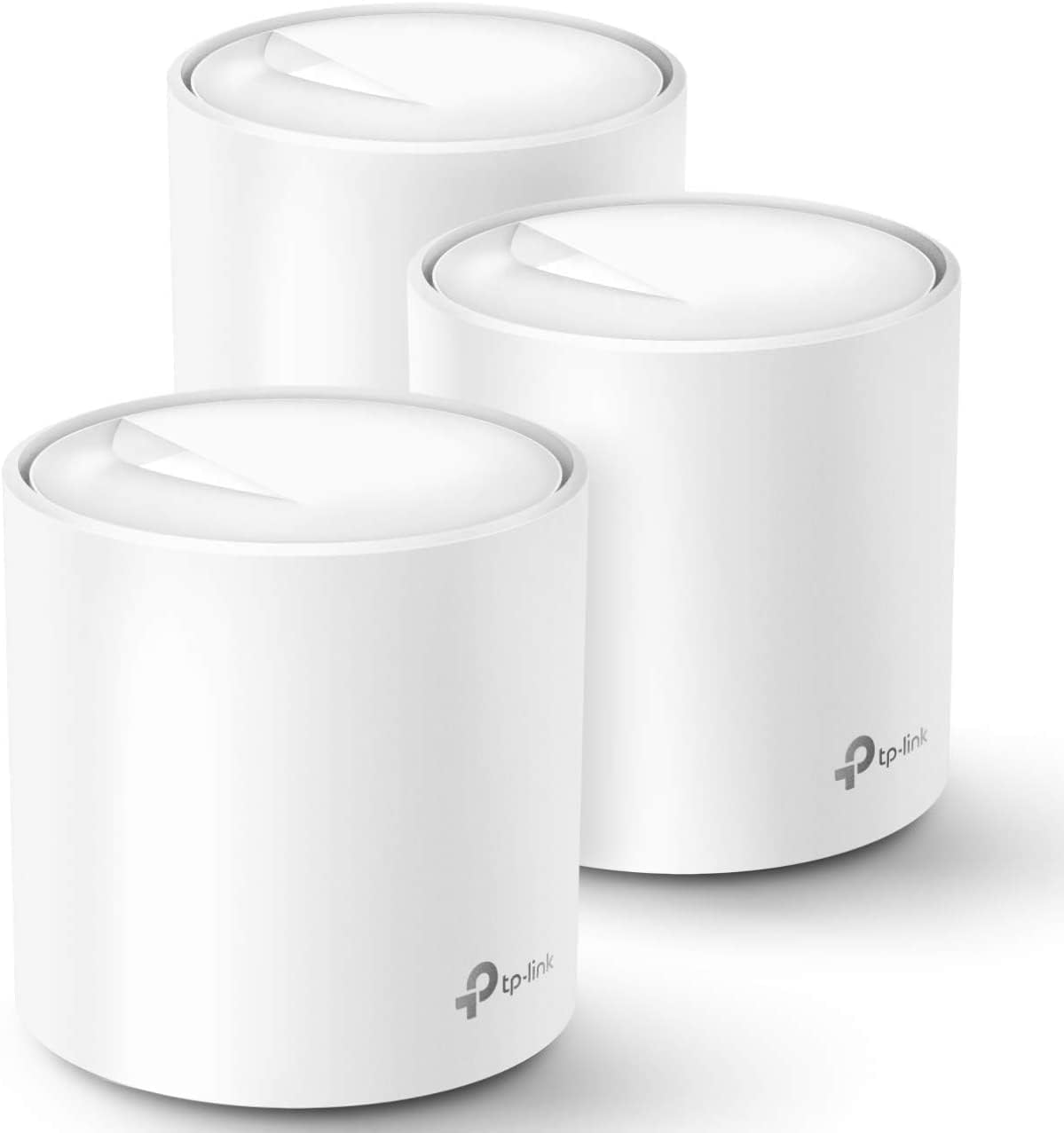
- Three Wi-Fi 6 Mesh Units for Whole-Home Coverage: Distributes wireless access points across multiple rooms and floors, helping reduce dead zones caused by thick walls and difficult layouts.
- AX1800 Dual-Band Performance for Everyday Household Internet Use: Provides theoretical speeds up to 1,201 Mbps on 5 GHz and 574 Mbps on 2.4 GHz for compatible devices.
- Six Gigabit Ethernet Ports with Wired Backhaul Support: Allows mesh units to connect through Ethernet cables, helping maintain reliable networking where concrete floors or brick walls weaken wireless signals.
- OFDMA and MU-MIMO for Multiple Connected Devices: Supports more efficient wireless communication when smartphones, computers, smart televisions, and other compatible household devices use the network simultaneously.
- - Seamless Mesh Roaming with Convenient Deco App Management: Helps compatible devices transition between access points while providing guided installation, guest networking, and supported parental controls.
The Deco X20 Is Still a Practical Mesh System for Homes With Thick Walls
The TP-Link Deco X20 is a three-unit Wi-Fi 6 mesh system designed to improve wireless coverage throughout larger homes. It uses AX1800 dual-band networking, supports Ethernet backhaul, and includes six Gigabit Ethernet ports across the three-unit package. For anyone comparing the Best Mesh Wifi For Thick Walls options, its main advantage is the ability to position multiple access points around a property without investing in more expensive Wi-Fi 7 equipment.
Thick walls are a common reason why an otherwise reliable internet connection becomes frustrating in certain rooms. Brick, stone, reinforced concrete, and metal structures can weaken wireless signals as they travel through a building. The three-unit mesh network for homes with thick walls helps reduce the distance between connected devices and their nearest wireless access point.
Consider someone living in a two-story brick house. Their internet connection may work properly in the downstairs living room but become unreliable in an upstairs bedroom. Installing additional Deco X20 units in suitable locations can improve coverage by reducing the number of obstacles between the device and its nearest mesh point.
However, mesh networking does not eliminate the physical limitations of wireless signals. Each satellite still needs a reliable connection to the main network. The correct placement of mesh access points throughout the property remains essential for achieving consistent performance.
For example, someone may place a satellite directly inside a bedroom where the existing wireless signal is almost unusable. That satellite could struggle because its own connection to the main router is weak. Moving it closer to the main unit, where the connection remains reliable, may improve performance.
The Deco X20 package includes three mesh units. This allows homeowners to create several wireless coverage areas across different rooms or floors. The three-node mesh configuration for improving whole-home Wi-Fi coverage provides more placement flexibility than a single router.
Consider a house with a downstairs living room, upstairs bedrooms, and a converted garage office. One Deco could connect to the modem, another could serve the upper floor, and the third could provide coverage closer to the garage. The best arrangement depends on the building layout rather than placing each unit at equal distances.
TP-Link advertises coverage of up to 5,800 square feet for the three-pack configuration. This provides a useful indication of the system's intended scale. However, the actual wireless coverage through thick brick and concrete walls may be substantially lower than the advertised maximum.
For example, a modern timber-framed home and an older stone property may have similar floor areas but very different wireless performance. Dense building materials can reduce signal strength considerably. Buyers should evaluate their home's construction and layout rather than relying only on advertised square footage.
The Deco X20 uses dual-band Wi-Fi 6 technology across the 2.4 GHz and 5 GHz frequency bands. Its theoretical maximum rates are 1,201 Mbps on 5 GHz and 574 Mbps on 2.4 GHz. The AX1800 dual-band wireless system for everyday home networking is suitable for activities such as browsing, streaming, video calls, and ordinary connected-device use.
However, these figures represent theoretical wireless link rates rather than actual internet download speeds. They should not be added together to estimate the speed available to one ordinary device. Real performance depends on interference, distance, device compatibility, and the internet connection.
The two frequency bands behave differently around obstacles. The 2.4 GHz band generally provides better range and wall penetration, while 5 GHz offers higher potential throughput over shorter distances. The difference between 2.4 GHz and 5 GHz wireless coverage matters when deciding where mesh units should be installed.
Consider someone using a laptop in a room separated from the main router by several brick walls. A 5 GHz connection may become weak across those obstacles. Connecting through a nearby Deco satellite can improve performance by shortening the wireless path.
The 2.4 GHz band is also useful for smart-home equipment. Many smart plugs, sensors, and connected household devices use this frequency. The support for older wireless devices alongside Wi-Fi 6 equipment makes the Deco X20 suitable for households with a mixture of connected products.
For example, a family may have several Wi-Fi 6 smartphones, older laptops, smart televisions, and security cameras. The Deco X20 can support compatible devices using different wireless generations. This reduces the need to replace existing equipment when upgrading the home network.
However, the Deco X20 does not support Wi-Fi 6E or Wi-Fi 7. It also lacks a separate 6 GHz wireless band. The older wireless technology compared with newer mesh networking systems is an important consideration for buyers planning a long-term upgrade.
Ethernet Backhaul and Intelligent Mesh Roaming Make the Biggest Difference
One of the strongest features of the TP-Link Deco X20 is its Ethernet connectivity. Each unit includes two Gigabit Ethernet ports, providing six ports across the three-unit package. The Gigabit Ethernet connectivity for reliable home network connections supports wired devices and connections between mesh units.
This is particularly important in homes with thick walls. Wireless mesh systems must transfer data between their access points, and dense building materials can weaken those connections. Ethernet backhaul provides an alternative that does not depend on radio signals passing through masonry.
Consider someone living in a three-story concrete house. They may install one Deco X20 on each floor, but reinforced concrete could weaken wireless communication between the units. Connecting them through existing Ethernet cables can provide a more dependable network connection.
The wired Ethernet backhaul for bypassing thick walls and floors is one of the main reasons this system deserves consideration. Instead of relying entirely on wireless communication between floors, the mesh units can exchange data through network cabling.
For example, a homeowner may already have Ethernet sockets installed in several rooms. Connecting Deco units through those sockets allows each location to provide local wireless coverage. This arrangement can be more effective than repeatedly transmitting data through thick masonry.
However, wired backhaul requires suitable cables and compatible network equipment. An older Ethernet switch or damaged cable may restrict connection speed. The importance of checking Ethernet cable and network switch compatibility should not be overlooked.
For example, someone may connect two Deco units through an older 100 Mbps network switch. That switch could restrict the connection even though the Deco ports support Gigabit Ethernet. Reviewing the complete wired network path helps identify these limitations.
The Deco X20 also supports wireless backhaul when Ethernet cabling is unavailable. This allows the units to communicate without installing additional network cables. The wireless mesh backhaul for flexible router placement is useful in homes where running cables would be expensive or inconvenient.
However, the Deco X20 uses a dual-band wireless design. The available wireless bands must support compatible client connections and wireless mesh communication. This can reduce available throughput when traffic travels through several wireless hops.
Consider someone connecting a laptop to a satellite that communicates wirelessly with another Deco unit. Data must travel between the laptop and satellite, then across the mesh connection. The additional wireless communication required by multi-hop mesh networks can affect performance.
This limitation becomes more noticeable when thick walls weaken the connection between satellites. Moving the units closer together or using Ethernet backhaul can improve stability. The best arrangement depends on the physical layout of the home.
The Deco X20 supports Wi-Fi 6 OFDMA technology. This allows compatible devices to share wireless resources more efficiently. The OFDMA technology for managing multiple connected wireless devices can be useful when several household products communicate with the network simultaneously.
Consider a family using smartphones, laptops, smart televisions, and connected appliances at the same time. Efficient wireless scheduling can help manage the available capacity. However, the benefits depend on the capabilities of the connected devices and the amount of network traffic.
The system also supports MU-MIMO technology. This allows compatible wireless communication with multiple devices under suitable conditions. The MU-MIMO wireless technology for improving simultaneous device communication contributes to the Deco X20's ability to serve busy households.
However, MU-MIMO does not guarantee maximum speed for every connected device. Network congestion, signal quality, and the available internet connection remain important. A large number of active devices can still reduce performance.
TP-Link advertises support for up to 150 connected devices. This indicates that the system is designed for households with numerous wireless products. The large connected-device capacity for modern smart-home networks can be useful when computers, cameras, televisions, and automation equipment share the same network.
However, the advertised device count should not be interpreted as a guarantee that 150 devices can perform demanding activities at maximum speed simultaneously. A household with many active video streams may still experience congestion. Available internet bandwidth remains an important factor.
The Deco X20 also supports beamforming technology. This helps direct supported wireless transmissions toward connected devices. The beamforming technology for improving communication with compatible wireless devices can contribute to connection quality under suitable conditions.
However, beamforming does not eliminate signal loss caused by dense building materials. Reinforced concrete and thick masonry can still weaken wireless communication. Correct placement remains essential.
For example, someone may place a Deco inside a television cabinet because they want the equipment hidden. The cabinet and nearby electronics could interfere with wireless signals. Moving the unit into an open position may improve coverage without changing network settings.
The Deco X20 uses TP-Link's mesh networking technology to provide a unified wireless network. Compatible devices can move between access points while remaining connected to the same network name. The seamless mesh roaming for maintaining connections between rooms is useful in larger properties.
Consider someone participating in a video call while walking from a downstairs office to an upstairs bedroom. The mesh system can help their device transition to a more suitable access point. However, the quality of that transition also depends on the connected device's roaming behavior.
The system also supports automatic network optimization. TP-Link's Deco platform can manage supported wireless settings and help select suitable connections. The automatic mesh network optimization for everyday household connectivity reduces the need for some manual configuration.
However, automatic optimization cannot eliminate interference from dense walls or metal objects. It also cannot increase the speed of the household's internet subscription. Physical placement and network capacity remain important.
Network setup is handled through the TP-Link Deco mobile application. Users can connect the primary Deco to their modem, follow the guided installation process, and add the remaining units. The guided smartphone setup for installing a whole-home mesh network makes the system approachable for homeowners without extensive networking experience.
Consider someone replacing an unreliable internet provider router. They can install the main Deco, configure the wireless network, and then position the additional units around the house. The application provides a centralized interface for managing the system.
However, the application cannot automatically determine the best physical location for every satellite. Users should test wireless performance in different rooms and adjust placement where necessary. Moving a unit a short distance can sometimes improve the connection considerably.
The Deco X20 also supports guest networking. This allows visitors to access a separate wireless network without requiring the main household network credentials. The separate guest wireless network for managing visitor internet access can be useful in busy homes.
For example, a household may regularly have friends or relatives visiting. Providing guest network access avoids sharing the primary wireless password. Supported access restrictions can also help manage communication between devices.
The system includes parental control capabilities through TP-Link's networking software. These can help households manage supported internet access settings for selected devices. The parental control features for managing family internet access are useful when several family members share the network.
For example, parents may want to establish different internet access schedules for children's devices. Supported parental control settings can help manage those arrangements. However, the available functions depend on the model, firmware, and current software service.
Some Deco X20 listings refer to TP-Link HomeCare, while other documentation describes HomeShield services. Buyers should verify the security features included with their exact hardware revision and firmware. The importance of checking current security and subscription features is relevant before relying on a particular function.
The Deco X20 supports modern wireless security options, including WPA3 on supported firmware and compatible devices. This can provide improved protection for newer equipment. However, some older smart-home devices may require compatibility settings.
Users should also keep the router firmware updated. Security updates can address vulnerabilities and improve software reliability. The regular firmware maintenance for protecting connected household devices remains important even when the router includes built-in security tools.
The Deco X20 supports router and access point operating modes. Router mode allows the system to manage the household network, while access point mode can provide wireless coverage through an existing router. The flexible operating modes for integrating existing network equipment are useful when a household already has an internet provider's gateway.
For example, someone may want to retain their existing router while using the Deco units to improve coverage. Access point mode can be appropriate in certain configurations. However, the correct arrangement depends on the existing equipment and network requirements.
The Deco X20 can also be expanded with compatible Deco mesh products. This allows homeowners to add supported access points when additional coverage is needed. The expandable Deco mesh network for covering additional rooms provides flexibility when household requirements change.
Consider someone who initially installs three Deco X20 units around their home. Later, they may convert a detached garage into an office and require additional wireless coverage. A compatible Deco unit can provide an expansion option without replacing the entire network.
However, adding more satellites does not automatically improve performance. Too many wireless hops or poorly positioned access points can reduce network efficiency. The importance of choosing appropriate mesh node locations and quantities should be considered before expanding.
Why We Ranked the TP-Link Deco X20 Seventh Instead of First
We placed the TP-Link Deco X20 at number seven in our Best Mesh Wifi For Thick Walls rankings because it provides useful whole-home coverage and Ethernet backhaul support, but offers less wireless capacity and fewer advanced networking features than the higher-ranked systems. Its strongest advantages are straightforward installation, three-node coverage, and practical Gigabit Ethernet connectivity.
The three-unit mesh configuration for improving coverage across multiple floors is particularly useful for homes where one router cannot provide reliable service. Homeowners can position additional access points closer to important rooms instead of relying on a single central wireless signal.
Another major advantage is Ethernet backhaul. In homes with thick masonry or reinforced concrete, wired connections between mesh units can provide a more dependable network foundation. The ability to bypass difficult wireless obstacles using Ethernet cabling is especially valuable in older buildings.
The Deco app also contributes to its appeal. It provides guided installation and centralized network management. This makes the system approachable for homeowners who want better coverage without configuring several independent routers.
However, several limitations explain why the Deco X20 ranks below the TP-Link Deco BE63, Deco BE25, ASUS ZenWiFi BD5, Deco XE75, Google Wifi AC1200, and ASUS ZenWiFi BD4 in our selected lineup. The first is its AX1800 wireless classification, which provides lower theoretical capacity than the more advanced Wi-Fi 6E and Wi-Fi 7 systems.
The lower maximum wireless throughput compared with higher-performance mesh systems may matter for households with demanding network activity. However, theoretical wireless rates do not guarantee actual internet speeds.
For example, someone with multiple high-performance laptops, gaming consoles, and network storage devices may benefit from a system with greater wireless capacity. The Deco X20 remains capable of ordinary household networking, but it is not designed to match the highest-performance alternatives.
Another limitation is its dual-band wireless design. The X20 uses 2.4 GHz and 5 GHz frequencies, while the Deco BE63 and Deco XE75 provide an additional 6 GHz band. The absence of a separate 6 GHz wireless band reduces the available spectrum for compatible high-performance devices.
For example, a household with several newer laptops and demanding wireless workloads may benefit from a tri-band system. The additional wireless band can provide more connection options under suitable conditions. The Deco X20 does not offer that capability.
Another consideration is Ethernet speed. The X20 includes Gigabit Ethernet ports, while several higher-ranked systems provide 2.5 Gbps connections. The limited Gigabit Ethernet speed compared with multi-gigabit mesh routers may matter for households with faster internet plans.
For example, someone subscribing to a 2 Gbps internet service may want a router with a multi-gigabit WAN port. The Deco X20 cannot accept that full speed through a single Gigabit WAN connection. A newer multi-gigabit model would be more appropriate.
The Deco X20 also lacks Wi-Fi 7 Multi-Link Operation. This technology allows compatible Wi-Fi 7 devices to use multiple wireless links under suitable conditions. The absence of newer Wi-Fi 7 communication features limits its potential for future high-performance wireless equipment.
Another limitation is its wireless backhaul capacity. Because the system uses two wireless bands, satellite communication and connected devices must share the available wireless resources. This can affect throughput when several wireless hops are required.
For example, a satellite positioned behind multiple thick walls may receive a weak connection from the main Deco. Devices connected to that satellite may experience reduced speeds even if their local wireless signal appears strong. Ethernet backhaul or better satellite placement can help address the problem.
The advertised 5,800-square-foot coverage figure also requires context. Actual coverage may be lower in properties with dense construction materials. The difference between advertised coverage and real-world thick-wall performance should be considered before purchasing.
There is also an important comparison with the fifth-ranked Google Wifi AC1200. Although the Google system uses the older Wi-Fi 5 standard, the Deco X20 offers newer Wi-Fi 6 technology and greater theoretical wireless capacity. Their positions in this particular roundup should therefore not be interpreted as proof that Google Wifi is technically faster or better at penetrating thick walls.
The practical differences between mesh systems depend on installation conditions, not only the ranking. A properly positioned Deco X20 with Ethernet backhaul may outperform a more expensive system using weak wireless connections through concrete walls.
For the best results, we recommend placing the primary Deco near the modem and positioning the additional units where they maintain reliable connections while serving rooms with weak coverage. Avoid enclosed cabinets, large metal objects, and unnecessary obstructions.
Where possible, use Ethernet backhaul between units, especially across reinforced concrete floors or thick masonry walls. Test wireless performance in bedrooms, home offices, and frequently used living areas before deciding whether additional equipment is necessary.
We also recommend evaluating connection stability rather than relying only on maximum speed test results. A dependable connection is often more useful for video calls, streaming, and everyday browsing than a faster connection that frequently disconnects.
Ultimately, the TP-Link Deco X20 takes seventh place in our selected ranking because its AX1800 dual-band design, Gigabit Ethernet ports, and lack of newer Wi-Fi 6E and Wi-Fi 7 features limit its performance potential compared with the more advanced systems. Nevertheless, its three-node coverage, Wi-Fi 6 technology, convenient Deco app, and reliable Ethernet backhaul support make it a practical choice for homeowners who want to improve everyday Wi-Fi coverage across thick walls without investing in premium networking hardware.