


- 4800 DPI Full-Color Printing for Professional Product Labels: Produces detailed graphics, colorful illustrations, and readable text for small-business packaging, helping products achieve a consistent and professional appearance.
- Built-In Cutter for Convenient Short-Run Label Production: Allows users to separate printed labels without relying on additional cutting equipment, making smaller packaging batches easier to manage.
- Compact Desktop Design for Small Business Workspaces: Fits into home offices, packaging stations, and retail work areas without requiring the floor space of a larger industrial labeling system.
- Flexible Four-Inch Printing Width for Different Packaging Applications: Supports compatible label formats for jars, bottles, boxes, candles, and other small products requiring custom printed branding.
- - Single Tri-Color Ink Cartridge with Label Design Software: Simplifies routine ink replacement and provides a practical starting point for creating customized product labels without purchasing a separate commercial design package.

The Primera LX500c Makes Professional Label Printing Practical for Small Businesses
The Primera LX500c, manufacturer part number 74275, is a desktop color inkjet label printer designed for businesses that need professional-looking labels without outsourcing every printing job. It combines a maximum resolution of 4800 x 1200 dpi, a built-in cutter, and support for several types of label media. For anyone comparing the Best Color Label Printer For Small Business options, its strongest advantage is the ability to print customized product labels in relatively small quantities whenever they are needed.
The first thing worth understanding is that the LX500c is a dedicated label printer rather than a conventional office printer. It handles compatible roll-fed labels and tags, including pre-cut adhesive label stock. The dedicated color label printing system for product packaging makes it particularly useful for businesses selling packaged goods.
Consider someone operating a small homemade jam business. They may sell strawberry, raspberry, and blueberry varieties, each requiring a different label design. Instead of ordering hundreds of professionally printed labels for every flavor, they can print smaller quantities according to current demand.
This flexibility is especially useful when product information changes. A business may need to update ingredients, adjust packaging details, or introduce a limited seasonal product. The ability to print customized labels whenever inventory changes can reduce the inconvenience of maintaining large quantities of outdated packaging materials.
However, printing labels internally does not automatically make every production run cheaper. Ink consumption, label material, and printing volume influence the final cost. Businesses should calculate the cost per finished label before deciding whether in-house printing is more economical than outsourcing.
The LX500c uses thermal inkjet printing with a single cyan, magenta, and yellow cartridge. This provides full-color printing without requiring separate cartridges for each color. The single tri-color cartridge for straightforward ink replacement simplifies routine maintenance.
For example, someone running a small candle business may print labels containing colorful illustrations, decorative borders, and product names. The printer can reproduce these elements using its color ink system. However, the amount of ink consumed depends on how much of the label is covered by graphics.
A design with a large solid-color background will generally use more ink than one with a white background and smaller illustrations. The relationship between label artwork and ongoing ink costs becomes important when printing hundreds of labels regularly.
For example, a business may initially design a label with a completely dark background. After calculating printing costs, the owner may discover that a lighter design provides a similar appearance while consuming less ink. Testing several layouts can help control expenses without compromising the product's visual presentation.
The printer's maximum resolution is 4800 x 1200 dpi. This allows it to reproduce detailed artwork and small design elements when suitable label media is used. The high-resolution color printing for detailed product labels is useful for packaging that includes illustrations, logos, and fine graphics.
Consider a small cosmetics business producing labels for handmade soaps and skincare products. The packaging may include decorative illustrations, ingredient information, and product variations. High-resolution printing can help maintain a consistent appearance across the product range.
However, printing resolution should not be confused with guaranteed readability. Extremely small text can still become difficult to read, particularly on textured or glossy materials. The importance of choosing readable font sizes for product packaging remains essential.
For example, a business may attempt to fit a long ingredients list onto a narrow bottle label. Reducing the text size excessively may make the information difficult for customers to read. A better approach may involve changing the label dimensions or simplifying the layout where regulations permit.
The Built-In Cutter and Flexible Media Support Are Useful Every Day
One of the most practical features of the Primera LX500c is its built-in cutter. The 74275 configuration includes a guillotine-style cutting mechanism that separates printed label material. The integrated label cutter for convenient short-run production reduces the need for separate cutting equipment.
Consider someone printing labels for a small batch of handmade candles. They may need twenty labels for one fragrance and thirty for another. The built-in cutter can separate the printed output after the selected job, making the finished labels easier to handle.
However, the cutter should not be confused with a contour-cutting system. It cuts across the label material rather than tracing arbitrary shapes around individual graphics. The difference between straight cutting and custom contour cutting matters when choosing label stock.
For example, someone producing circular labels should use compatible pre-cut circular label media. The LX500c can print the artwork onto those labels, but its built-in cutter does not automatically cut each circle from a continuous sheet. Businesses requiring custom-shaped cutting may need different equipment.
The printer supports media widths from approximately 1 inch to 4.25 inches, with a maximum printable width of about 4 inches. It also supports label lengths up to 24 inches. The flexible label dimensions for different product packaging formats make it suitable for several small-business applications.
Consider a business selling candles, jars of preserves, and small gift boxes. Each product may require a different label size. The LX500c allows compatible media to be changed without replacing the printer.
However, businesses should distinguish between media width and printable width. A label roll measuring 4.25 inches wide does not mean the printer can print edge-to-edge across that entire width. The maximum printable area for accurate label artwork placement must be considered when preparing designs.
For example, someone may create artwork that extends beyond the supported printable region. Important text or graphics could be clipped during printing. Checking the label template and printer settings before production can prevent wasted materials.
The LX500c supports compatible roll-fed pressure-sensitive labels and tags. It can also handle certain fan-fold media configurations. The support for multiple label media formats and finishes provides flexibility when choosing packaging materials.
For example, a small food business may prefer glossy labels for colorful product packaging, while a handmade soap company may choose a matte finish. Different media can produce different visual results even when the artwork is identical.
However, not every adhesive label material is suitable for inkjet printing. Using incompatible media may produce poor ink absorption, smearing, or feeding problems. The importance of selecting inkjet-compatible label stock for reliable results should not be overlooked.
Consider someone purchasing inexpensive labels designed for thermal printers. Those labels may not accept inkjet ink properly. Using media intended for the LX500c can reduce printing problems and unnecessary waste.
The printer accommodates label rolls with a maximum outside diameter of approximately 5 inches, subject to core and media requirements. This provides a practical capacity for desktop production. However, users should confirm roll compatibility before ordering large quantities of supplies.
The LX500c also includes media sensing technology for compatible pre-cut labels and marked stock. This helps the printer identify label positions during feeding. The accurate label positioning for consistent printed packaging designs is useful when producing multiple labels from the same artwork.
For example, a business printing one hundred identical jar labels needs the artwork to remain aligned throughout the run. Incorrect media settings can cause the image to shift between labels. Proper sensor configuration helps reduce this problem.
Another useful feature is the included BarTender UltraLite Primera Edition software. It provides a starting point for designing and printing labels on supported Windows computers. The included label design software for creating customized product packaging can help businesses begin printing without purchasing a separate commercial labeling application.
Consider someone launching a small candle brand. They may already have a logo and several fragrance names but need to arrange them into printable label layouts. Label design software can help organize the artwork and match it to the selected media size.
However, software compatibility should be checked carefully. The LX500 is an older printer family, and operating system support depends on available drivers. The importance of verifying current computer and printer compatibility is particularly relevant for businesses using newer computers.
For example, someone purchasing the printer for a modern Windows or Mac workstation should confirm that suitable drivers are available before ordering. An older software disc included with the printer may not contain the latest compatible version. Checking Primera's support resources can prevent installation difficulties.
The LX500c connects through USB rather than relying on built-in network printing. This provides a straightforward connection to a compatible computer. The direct USB connection for a dedicated label printing workstation is suitable for many small packaging areas.
However, businesses expecting wireless printing from several computers should consider this limitation. The printer does not provide the same network flexibility as a model with integrated Ethernet or Wi-Fi. A dedicated workstation may be the simplest arrangement.
The printer measures approximately 10.4 inches wide, 15.3 inches deep, and 7.1 inches high when closed. It weighs about 7 pounds. The compact desktop footprint for small business packaging stations makes it suitable for workspaces where larger commercial printers would be inconvenient.
For example, someone operating an online store from a home office may have limited space for packaging equipment. The LX500c can sit beside a computer, label supplies, and shipping materials. However, users should leave enough clearance to open the printer and replace media.
Maintenance is another practical consideration. Inkjet printers require appropriate cartridge care and occasional cleaning. The routine printer maintenance for maintaining consistent color output helps prevent avoidable printing defects.
For example, a business that prints labels only occasionally may experience reduced print quality after long periods of inactivity. Following the manufacturer's maintenance instructions can help restore consistent output. Printing a small test label before an important batch is a sensible precaution.
Why We Ranked the Primera LX500c First
We placed the Primera LX500c at number one in our Best Color Label Printer For Small Business rankings because it combines professional color printing, flexible label sizes, a built-in cutter, and a compact desktop design. These features address several practical needs of businesses producing customized product packaging in small quantities.
The high-resolution full-color printing for professional product presentation is one of its strongest advantages. It allows businesses to produce detailed labels containing illustrations, branding, and product information without relying entirely on external printing services.
Another important advantage is the built-in cutter. It simplifies the process of separating printed labels and reduces the need for additional cutting equipment. This is particularly useful when producing small batches with frequent design changes.
The flexible media support also contributes to its ranking. Businesses can print labels for jars, bottles, boxes, candles, and other products using compatible materials. The ability to produce several packaging label formats with one printer is useful for companies selling multiple product types.
Another positive feature is the single tri-color cartridge. It simplifies ink replacement compared with printers requiring several individual color cartridges. However, businesses should still calculate ink costs based on their actual label designs.
The included BarTender UltraLite software provides another practical advantage. It gives users a starting point for preparing label layouts and managing printing tasks. This can reduce the amount of additional software required when beginning small-scale production.
However, the LX500c has limitations worth considering. The first is its relatively narrow maximum printable width of approximately 4 inches. Businesses producing large bottle labels or wide packaging designs may require a printer with greater media capacity.
Another consideration is printing speed. The LX500 family is designed primarily for short-run production rather than industrial-scale output. The limited production capacity compared with high-volume commercial label printers may matter for businesses printing thousands of labels daily.
The printer also uses a single tri-color ink cartridge. Although convenient, this means replacing the cartridge when one color becomes depleted, even if other colors remain. Businesses with heavy color coverage should evaluate the ongoing cost carefully.
Another limitation is the USB connection. The printer does not provide the same built-in network flexibility as more advanced models. Businesses requiring several employees to print from different workstations may prefer a network-enabled alternative.
The built-in cutter also has limitations. It separates label material but does not provide automatic contour cutting around arbitrary shapes. Businesses producing unusual label shapes should use compatible pre-cut media or consider equipment designed for custom cutting.
Despite these limitations, the combination of printing quality and short-run production flexibility makes the LX500c particularly useful for small businesses. It allows owners to produce labels when needed, test different designs, and avoid ordering unnecessarily large quantities of preprinted packaging.
For the best results, we recommend choosing compatible inkjet label stock, preparing artwork at the correct dimensions, and printing a small test batch before producing larger quantities. Businesses should also calculate ink and media costs to understand the actual expense of each finished label.
Ultimately, the Primera LX500c deserves first place because it provides a practical balance of professional color printing, built-in cutting, flexible media support, and compact construction. For small businesses producing candles, cosmetics, food products, handmade goods, or other packaged items, it is an excellent color label printer for creating attractive, customized labels without committing to large outsourced printing runs.

- Integrated Color Printing and Automatic Precision Sticker Cutting: Combines photo-quality printing with contour cutting in one compact machine, allowing businesses to produce custom-shaped stickers without purchasing a separate cutting device.
- Four-Layer Dye-Sublimation Printing with Protective Lamination: Produces vibrant full-color graphics with an integrated protective finish designed to improve resistance to water, scratches, and everyday handling.
- Inspire Kit Includes 180 Sheets for Creative Projects: Provides 144 sticker sheets and 36 photo sheets, giving small businesses a substantial starting supply for testing packaging designs and creating customized products.
- Bluetooth Connectivity with Convenient Smartphone Design Controls: Allows users to prepare artwork, adjust layouts, and manage printing and cutting through the Liene mobile application without relying on a dedicated desktop computer.
- - Automatic Contour Cutting for Custom Stickers and Product Labels: Uses an integrated cutting blade to follow artwork outlines, making it practical to produce decorative decals, branded stickers, and personalized packaging labels.
The Liene PixCut S1 Makes Custom Stickers Much Easier to Produce
The Liene PixCut S1 Inspire Kit is a compact color printer and cutting machine designed for creating custom stickers, decorative labels, and personalized printed products. It combines 300 DPI thermal dye-sublimation printing with an integrated precision cutting blade, allowing users to print and cut designs using one device. For anyone comparing the Best Color Label Printer For Small Business options, its biggest advantage is the ability to produce custom-shaped stickers without purchasing a separate cutting machine.
The first thing worth understanding is that the PixCut S1 is different from a conventional roll-fed commercial label printer. It works with compatible sticker sheets and photo paper rather than the continuous label rolls used by many industrial labeling systems. The integrated printing and automatic cutting system is particularly useful for small businesses producing decorative stickers and personalized packaging.
Consider someone operating a handmade candle business. They may want colorful stickers featuring different fragrances, illustrations, and seasonal designs. Instead of ordering large quantities of professionally printed stickers, they can produce smaller batches when needed.
This flexibility becomes useful when product designs change frequently. A business may introduce a limited holiday collection or test several packaging styles before choosing a permanent design. The ability to create custom stickers in small quantities reduces the need to maintain large inventories of unused labels.
However, the PixCut S1 should not be confused with a high-volume commercial label production machine. Its sheet-based printing process is better suited to creative projects, personalized products, and relatively small production batches. Businesses printing thousands of identical labels every day may find a dedicated roll-fed printer more efficient.
The printer uses four-layer thermal dye-sublimation technology. This printing method transfers color from a ribbon onto compatible paper using controlled heat. The thermal dye-sublimation printing process for detailed color graphics is designed to produce smooth color transitions and photographic images.
For example, someone selling handmade cosmetics may want packaging stickers containing watercolor illustrations, colorful backgrounds, and detailed artwork. Dye-sublimation printing can reproduce these designs with smooth color transitions. This is particularly useful when the packaging depends heavily on visual presentation.
The PixCut S1 prints at a resolution of 300 by 300 DPI. Although this number is lower than the resolution advertised by some inkjet printers, the printing technologies are different and should not be compared using DPI alone. The 300 DPI photo printing system for colorful sticker designs is intended for small-format photographic and decorative output.
Consider someone printing stickers featuring illustrated characters or colorful product artwork. The printer can reproduce detailed designs within its supported printing area. However, extremely small text may still become difficult to read, particularly when stickers are cut into small shapes.
The printer supports approximately 16.7 million colors through its dye-sublimation process. This allows it to reproduce a broad range of colors and gradients. The full-color printing capability for detailed product artwork is useful for businesses producing decorative labels rather than simple monochrome identification stickers.
Another important feature is the protective finishing layer applied during printing. The four-layer process includes a transparent coating intended to improve resistance to scratches, moisture, and everyday handling. The protective laminated finish for longer-lasting printed stickers can be useful for products handled frequently.
Consider someone selling reusable water bottles decorated with personalized stickers. The printed design may encounter occasional moisture and repeated handling. A protective coating can help preserve the appearance of the printed image.
However, resistance to water and scratches does not mean every finished sticker is suitable for permanent outdoor exposure or repeated dishwasher cycles. The adhesive material and environmental conditions also influence durability. Businesses should test the finished stickers under their intended conditions before making durability claims to customers.
The Automatic Cutter Is Where This Printer Becomes More Interesting
One of the strongest features of the Liene PixCut S1 is its integrated precision cutting system. Unlike a printer that only produces rectangular sheets, the PixCut S1 can cut around supported artwork outlines. The automatic contour cutting for creating custom sticker shapes provides flexibility for small businesses producing personalized products.
Consider someone selling handmade soaps with illustrated animal characters on the packaging. They may want stickers shaped around the illustrations rather than ordinary rectangular labels. The PixCut S1 can print the artwork and cut around the selected outlines without requiring a separate cutting machine.
This is particularly useful for small creative businesses. Purchasing a printer and a separate electronic cutting machine adds equipment costs and requires additional workspace. The combined printing and cutting process in one compact device reduces the number of machines needed for basic sticker production.
The cutting mechanism uses a precision blade designed for compatible sticker material. Liene specifies a fine-point blade with a 45-degree angle. This allows the machine to follow supported cutting paths around printed designs.
However, successful contour cutting depends on artwork preparation and compatible materials. Extremely narrow shapes, intricate corners, or poorly positioned cutting paths can create problems. The importance of preparing clean cutting outlines before printing should not be overlooked.
For example, someone designing a sticker with several thin decorative extensions may discover that those sections are difficult to remove cleanly from the backing. Simplifying the outline can make the finished sticker easier to handle. Testing a single design before producing a larger batch helps reduce wasted supplies.
The printer supports sticker sheets measuring 4 by 7 inches. Its usable sticker printing area is approximately 3.9 by 6.7 inches. The compact sticker printing format for personalized packaging projects is suitable for many small decorative labels.
Consider someone producing stickers for candle lids, gift packaging, or handmade stationery. Several smaller designs may fit within one supported sheet, depending on their dimensions. Arranging artwork efficiently can help reduce material waste.
However, the maximum sheet size limits the dimensions of individual stickers. Businesses producing large bottle wraps or wide packaging labels may need a printer supporting larger media. The PixCut S1 is better suited to small-format stickers and decorative labels.
The machine also supports 4 by 6-inch photo paper. This allows it to produce small photographic prints in addition to stickers. The dual-purpose photo and sticker printing capability can be useful for businesses selling personalized gifts.
For example, someone operating a small gift shop may create custom photo stickers, miniature prints, and decorative packaging inserts. Using the same printer for several product types can simplify the workspace. However, users must select the correct media and printing settings for each project.
The Inspire Kit includes 180 sheets of printing material. According to the product listing, this consists of 144 sticker sheets and 36 photo sheets. The included starter supply for testing multiple sticker designs provides a useful amount of material for initial projects.
Consider someone launching an online sticker business. They may want to experiment with several product designs before investing in larger quantities of supplies. The included sheets provide an opportunity to evaluate color reproduction, cutting accuracy, and finished sticker quality.
However, the included supplies are not unlimited. Businesses should calculate the cost of replacement cartridges and compatible paper before establishing retail prices. The ongoing consumable costs for producing profitable custom stickers are an important part of running a small printing business.
The PixCut S1 uses printing supplies designed specifically for its system. Liene advises using compatible paper and cartridges rather than assuming supplies from other printer models will work. This can limit purchasing flexibility compared with printers supporting a broader range of third-party materials.
For example, a business may find inexpensive generic sticker sheets online. Those sheets should not automatically be considered compatible with the PixCut S1. Using unsuitable media could affect printing, cutting accuracy, or the finished surface.
Another important feature is Bluetooth connectivity. The printer uses Bluetooth 5.0 to communicate with supported mobile devices through the Liene application. The wireless smartphone connection for designing and printing stickers can simplify the creative process.
Consider someone operating a small craft business from a home office. They may create artwork on a smartphone or tablet and want to print it without transferring files to a desktop computer. The mobile application provides a convenient way to manage compatible printing projects.
The Liene application supports common image formats, including JPEG, PNG, and HEIC. This allows users to work with photographs and digital illustrations. The support for common digital image formats and mobile artwork is useful for businesses creating designs in different applications.
However, the printer depends heavily on its companion application. The manufacturer's technical documentation does not list conventional Windows printer support for the PixCut S1. Businesses relying on desktop publishing software should verify their intended workflow before purchasing.
The application also provides templates and creative tools for designing stickers. These can help users prepare layouts without building every design from the beginning. The mobile design tools for preparing personalized sticker projects are particularly useful for beginners.
However, automatically generated artwork and templates should still be reviewed carefully. Businesses should confirm that designs are suitable for commercial use and that important text remains readable after printing. The finished sticker should also be checked for correct alignment before producing larger quantities.
The printer measures approximately 11.06 inches deep, 7.72 inches wide, and 4.11 inches high. It weighs around 6.4 pounds. The compact desktop design for limited small business workspaces makes it suitable for home offices and small packaging stations.
Consider someone operating an online stationery shop from a spare bedroom. A large commercial printer and separate cutting machine could occupy substantial workspace. The PixCut S1 combines both functions in a relatively compact device.
However, users still need room for paper handling, finished stickers, and replacement supplies. Keeping the workspace clean is also important because dust and debris can affect printing and cutting. Regular maintenance helps preserve consistent results.
Why We Ranked the Liene PixCut S1 Second Instead of First
We placed the Liene PixCut S1 Inspire Kit at number two in our Best Color Label Printer For Small Business rankings because it combines full-color printing, automatic contour cutting, and convenient mobile operation in one compact machine. Its strongest advantage is the ability to produce custom-shaped stickers without purchasing separate printing and cutting equipment.
The integrated contour cutting system for creative product packaging is particularly useful for businesses producing decorative stickers, personalized gifts, and custom stationery. It provides more shape flexibility than printers limited to conventional rectangular labels.
Another major advantage is the dye-sublimation printing process. The four-layer technology produces colorful photographic designs with a protective finish. This is appealing for businesses that prioritize decorative graphics and polished presentation.
The included 180 sheets also contribute to its value. Buyers receive a substantial initial supply for experimenting with sticker designs and photo printing. This makes the Inspire Kit particularly appealing for small creative businesses preparing their first product collections.
Bluetooth connectivity is another positive feature. The ability to design and print through a smartphone can simplify everyday operation for users who prefer mobile workflows. The convenient smartphone-based sticker printing and cutting process reduces dependence on a traditional desktop workstation.
However, several limitations explain why we placed the PixCut S1 below the top-ranked Primera LX500c. The first is its printing format. The PixCut S1 uses compatible sheets rather than the roll-fed labels commonly used for commercial product packaging.
The limited sheet-based printing format for larger production runs may become inconvenient when producing hundreds or thousands of identical labels. Businesses requiring continuous roll-fed label production may prefer a dedicated commercial label printer.
Another consideration is the maximum printing area. The PixCut S1 supports relatively small sticker sheets, making it suitable for decorative labels but less flexible for larger packaging formats. The Primera LX500c supports a broader range of conventional label applications.
Printing speed is another limitation. Liene lists approximately 59 seconds for a print operation, with additional time required for cutting depending on the design. The slower individual sheet production compared with dedicated label printers may affect efficiency when processing larger orders.
For example, a business preparing several hundred identical product labels may find repeated sheet loading and cutting less efficient than continuous roll printing. The PixCut S1 is better suited to smaller batches where customization and shape flexibility matter more than maximum throughput.
Another consideration is its dependence on proprietary consumables. Compatible printing cartridges and sticker materials are required for reliable operation. Businesses should calculate replacement supply costs before committing to regular production.
The mobile application is also central to the printing workflow. This is convenient for smartphone users but may be restrictive for businesses relying on conventional desktop label software. The limited traditional desktop printing compatibility for established business workflows is worth considering.
However, these limitations do not diminish the machine's usefulness for its intended audience. The PixCut S1 offers creative flexibility that many conventional label printers do not provide. Its automatic cutting system is particularly valuable for businesses selling personalized stickers and decorative products.
For the best results, we recommend preparing artwork at the correct dimensions, using compatible supplies, and printing a small test batch before producing larger quantities. Businesses should also calculate material consumption and cutting time when setting prices for custom stickers.
Ultimately, the Liene PixCut S1 Inspire Kit deserves second place because it offers an excellent combination of colorful printing, automatic contour cutting, and convenient mobile operation, although its sheet-based format and consumable requirements make it less suitable for high-volume commercial labeling than the Primera LX500c. For small businesses specializing in personalized stickers, creative packaging, and custom gifts, it remains an excellent color label printing and cutting solution.

- Integrated Full-Color Printing and Automatic Sticker Cutting: Combines dye-sublimation printing with precision contour cutting, allowing small businesses to produce custom-shaped stickers without purchasing a separate cutting machine.
- 300 DPI Dye-Sublimation Printing with Protective Coating: Creates detailed color graphics using a four-layer printing process that helps protect finished stickers against moisture, scratches, and ordinary handling.
- AI Background Removal for Custom Sticker Designs: Allows users to upload photographs and isolate subjects through the Liene app, making personalized stickers easier to prepare without extensive manual editing.
- Bluetooth Smartphone Connectivity for Convenient Mobile Printing: Supports compatible Android and iOS devices, allowing users to prepare designs, control printing, and manage cutting operations through a mobile application.
- - Compact Desktop Design with Included Starter Materials: Includes sticker paper, photo paper, and a ribbon cartridge, providing essential supplies for testing custom labels, decorative packaging, and personalized products.
The Liene PixCut S1 Is Better Suited to Creative Labels Than Bulk Production
The Liene PixCut S1 DHP700 is a compact color sticker printer that combines dye-sublimation printing and automatic contour cutting in one machine. It is designed for people producing personalized stickers, decorative product labels, and small batches of custom packaging. For anyone comparing the Best Color Label Printer For Small Business options, its biggest advantage is the ability to print and cut individual designs without purchasing two separate machines.
The first thing worth understanding is that this is not a conventional commercial roll-fed label printer. It works with compatible sticker sheets measuring 4 by 7 inches, with an actual printable area of approximately 3.9 by 6.7 inches. The compact sheet-based printing system for custom stickers is useful for smaller projects, although it becomes less efficient when hundreds of identical labels are required.
Consider someone running a handmade candle business from home. They might need fifteen lavender labels, twenty vanilla labels, and a few seasonal designs for a weekend market. Printing those quantities individually can be more practical than ordering hundreds of preprinted labels for each fragrance.
The PixCut S1 uses four-layer thermal dye-sublimation technology with a resolution of 300 by 300 DPI. Rather than spraying liquid ink onto the material, it transfers color using heat and a compatible ribbon. The four-layer dye-sublimation process for colorful printed artwork is particularly useful for illustrations, photographs, and decorative sticker designs.
For example, a small cosmetics business may want stickers featuring colorful botanical illustrations and soft gradients. The printer can reproduce these designs using its supported color printing process. However, the finished appearance depends on the original artwork, media quality, and printing settings.
The printer also applies a protective finishing layer during the printing process. This helps improve resistance to moisture, scratches, and everyday handling. The protective coating for more durable printed stickers can be useful when labels are applied to frequently handled products.
Consider someone producing personalized water bottle stickers. Those stickers may encounter occasional splashes and repeated handling. A protective finish can help maintain the printed design, although buyers should not assume that every sticker is suitable for dishwashers, permanent outdoor exposure, or prolonged immersion.
Another important consideration is the difference between printing resolution and text readability. Although 300 DPI is suitable for many small photographic designs, extremely small lettering can still become difficult to read. The importance of choosing readable text sizes for product labels remains relevant.
For example, someone may attempt to place a long ingredients list on a small decorative sticker. Reducing the font size excessively could make the information difficult for customers to understand. Businesses should choose label dimensions that accommodate required information without compromising readability.
The Automatic Cutter and Mobile App Are the Main Attractions
One of the strongest features of the PixCut S1 is its integrated automatic cutting mechanism. The machine uses a fine-point blade to cut around supported sticker designs after printing. The automatic contour cutting for creating personalized sticker shapes provides more creative flexibility than a printer limited to rectangular labels.
Consider someone selling illustrated stationery or handmade gift boxes. They may want stickers shaped around flowers, animals, or decorative graphics rather than ordinary squares. The PixCut S1 can produce those shapes without requiring a separate electronic cutting machine.
This is particularly useful for businesses with limited workspace. Purchasing separate printing and cutting equipment adds cost and requires additional room. The combined printing and cutting workflow for small creative businesses reduces the number of devices needed for basic sticker production.
However, the cutting mechanism still has practical limitations. Extremely narrow shapes, complicated outlines, and tiny decorative extensions may be difficult to cut cleanly. The importance of preparing simple and accurate cutting outlines becomes apparent when producing detailed stickers.
For example, someone designing a floral sticker may include several very thin stems. Those sections could be difficult to remove from the backing without damage. Simplifying the outline or increasing the sticker size may improve the finished result.
The printer uses a 45-degree fine-point blade with a cemented carbide cutting tip. This blade is designed for compatible sticker materials. Users should follow the manufacturer's maintenance and replacement instructions rather than assuming ordinary craft cutting blades will fit.
Another practical feature is the Liene mobile application. The PixCut S1 connects to compatible smartphones using Bluetooth 5.0. The wireless smartphone printing workflow for custom sticker production allows users to prepare and send designs without a conventional desktop printer connection.
Consider someone who creates artwork on a tablet or smartphone. They can upload a compatible image into the application and prepare it for printing. This can be convenient for small creative businesses that already manage most of their design work on mobile devices.
The application supports common image formats, including JPEG, PNG, and HEIC. This allows users to work with photographs, illustrations, and exported digital artwork. The support for common digital artwork formats and photographs makes the printer useful for several creative applications.
One interesting feature is AI-assisted background removal. Users can upload an image and ask the application to isolate the main subject. The AI background removal feature for preparing custom stickers can reduce the amount of manual editing required for straightforward designs.
For example, someone selling personalized pet stickers may receive a customer photograph showing a dog sitting in a garden. The background removal feature can help isolate the animal before printing and cutting. This can make personalized sticker production more manageable.
However, automatic background removal is not always perfect. Fine hair, transparent objects, and complicated backgrounds can produce inaccurate edges. Users should inspect the result carefully and make corrections before printing.
Another important detail is that Liene's AI background removal requires an internet connection. The printer itself communicates through Bluetooth, but certain application features depend on online processing. The difference between Bluetooth printing and internet-dependent design features is worth understanding.
For example, someone preparing stickers at a craft market may have Bluetooth connectivity but limited mobile internet access. Basic printing functions and online AI tools should not be assumed to have identical connection requirements. Preparing artwork in advance can help avoid delays.
The PixCut S1 also supports 4 by 6-inch photo printing using compatible photo paper. This gives it an additional use beyond adhesive stickers. The dual-purpose photo and sticker printing functionality may appeal to businesses producing personalized gifts and decorative products.
Consider someone selling customized party favors. They may want small photo prints for gift boxes and matching decorative stickers for packaging. Using one machine for both tasks can simplify the production process.
However, the printer uses different compatible media for photographs and stickers. Users must select the correct supplies and settings before printing. Incorrect media selection can waste ribbon and paper.
The standard PixCut S1 package includes 18 sticker sheets and 18 photo sheets, along with a ribbon cartridge rated for 36 sheets. These supplies provide a useful starting point for testing designs. The included starter materials for experimenting with custom labels are helpful when learning the machine's workflow.
However, replacement supplies are an ongoing expense. Businesses should calculate the number of finished stickers produced per sheet and the cost of each printing operation. The actual cost per finished sticker for small businesses matters more than the purchase price alone.
For example, someone selling small decorative stickers may fit several designs on one sheet. Efficient arrangement can reduce material waste. Larger designs that occupy most of a sheet will generally have a higher material cost per sticker.
The printer's listed printing time is approximately 59 seconds, excluding the time required for cutting. This makes it practical for small creative batches but less attractive for continuous commercial production. The additional cutting time required for complex sticker designs should be included when estimating production capacity.
Consider a business receiving an order for two hundred individually shaped stickers. Printing and cutting every sheet may take substantially longer than using a dedicated roll-fed label printer for ordinary rectangular labels. Production planning becomes important as order volumes increase.
The PixCut S1 measures approximately 11.1 inches wide, 7.7 inches deep, and 4.1 inches high, with a weight of around 6.4 pounds. Its compact construction makes it suitable for desks and small packaging stations. The space-saving desktop design for home-based creative businesses is another practical advantage.
However, users still need enough room for paper loading, finished stickers, and replacement supplies. Keeping the work area clean can help prevent dust and debris from interfering with the printing and cutting process.
Why We Ranked the Liene PixCut S1 Third Instead of First
We placed the Liene PixCut S1 at number three in our Best Color Label Printer For Small Business rankings because it provides a useful combination of full-color printing, automatic contour cutting, and mobile design tools. It is particularly appealing to businesses producing personalized stickers, decorative packaging, and custom gifts.
The integrated sticker printing and precision cutting system is one of its strongest advantages. Users can create custom-shaped stickers without purchasing separate cutting equipment. This makes it useful for creative businesses working with frequently changing designs.
Another positive feature is the four-layer dye-sublimation printing process. It produces colorful images with a protective finishing layer. This is especially relevant for decorative products where visual presentation matters.
The AI-assisted background removal feature also contributes to its appeal. It can simplify the preparation of personalized stickers from photographs. This is useful for businesses selling custom pet stickers, gifts, and illustrated products.
However, several considerations explain why we ranked this standard package below the higher-ranked alternatives. The first is its limited production format. The small sheet-based printing capacity for commercial label production is less convenient when businesses need large quantities of identical packaging labels.
The top-ranked Primera LX500c is designed specifically for roll-fed product label printing. It supports conventional packaging workflows and offers a wider range of commercial label applications. The PixCut S1 focuses more heavily on decorative stickers and personalized products.
Another consideration is the difference between this standard package and the second-ranked PixCut S1 Inspire Kit. Both use the same DHP700 printing platform, but the Inspire Kit includes substantially more starter supplies. The smaller included consumable package compared with the Inspire Kit reduces the standard version's immediate value for buyers planning several initial projects.
The standard package includes 18 sticker sheets and 18 photo sheets, while the Inspire Kit provides a larger supply bundle. Buyers should compare the total cost of the printer and replacement materials before choosing between these configurations.
Another limitation is the mobile-focused software workflow. The manufacturer lists Android and iOS support but does not provide conventional Windows printing support for this model. The lack of native desktop printing support for established business workflows may inconvenience users who prepare labels in traditional computer software.
For example, a business using desktop publishing applications may need to export finished artwork and transfer it to a compatible mobile device. This adds an extra step compared with a conventional USB-connected label printer.
Another consideration is printing speed. Approximately 59 seconds per print, plus cutting time, is reasonable for personalized projects but may become inefficient during larger production runs. Businesses should estimate how many finished stickers they can produce per hour before accepting substantial orders.
The printer also depends on compatible ribbon cartridges and media. This can limit supply flexibility compared with equipment supporting a wider selection of commercial label stock. The ongoing cost of compatible printing materials and replacement cartridges should be included in business planning.
However, these limitations do not make the PixCut S1 unsuitable for small businesses. They simply define the type of work it handles best. Businesses producing decorative stickers, personalized labels, and creative gifts may benefit more from automatic contour cutting than from high-volume roll printing.
For the best results, we recommend preparing artwork at the correct dimensions, using compatible media, and testing one sheet before producing larger quantities. Check the cutting outlines carefully, review the finished color output, and calculate material costs before establishing retail prices.
Ultimately, the Liene PixCut S1 deserves third place because its standard package provides fewer starter supplies than the second-ranked Inspire Kit and offers less commercial label production flexibility than the top-ranked Primera LX500c. Nevertheless, its compact design, colorful dye-sublimation printing, automatic contour cutting, and convenient mobile application make it an excellent choice for small businesses specializing in personalized stickers and creative product packaging.

- 300 DPI Thermal Printing for Clear Shipping Labels: Produces sharp black text, barcodes, and shipping information without requiring ink cartridges or toner replacements.
- Bluetooth and USB Connectivity for Flexible Business Printing: Supports wireless printing from compatible mobile devices and wired connections to computers for different packaging workflows.
- Fast Printing for High-Volume Shipping Label Production: Advertises speeds of up to 180 labels per minute, helping online sellers process repetitive shipping tasks more efficiently.
- Ink-Free Operation for Lower Routine Printing Maintenance: Uses compatible direct thermal labels, eliminating the need to purchase liquid ink or toner for ordinary label production.
- - Compact Desktop Design for Small Business Packing Stations: Fits alongside shipping supplies, packaging tape, and order management equipment without occupying excessive workspace.
The MUNBYN 941BP Is a Better Shipping Printer Than a Color Label Printer
The MUNBYN 941BP is a 300 DPI Bluetooth thermal label printer designed primarily for shipping labels, barcodes, inventory stickers, and other black-and-white business labels. It connects through Bluetooth or USB and uses direct thermal printing, which means it does not require ink cartridges or toner. For anyone comparing the Best Color Label Printer For Small Business options, there is one important distinction: this printer does not produce full-color labels.
That limitation matters, but it does not make the printer unsuitable for small businesses. Many online sellers need reliable shipping labels far more frequently than decorative product labels. The dedicated thermal printing system for shipping and fulfillment is designed for that type of repetitive work.
Consider someone operating a small online clothing store. They may ship twenty or thirty packages on a busy day, each requiring a shipping label with an address, tracking barcode, and carrier information. Printing those labels on ordinary office paper and attaching them with tape creates unnecessary preparation work.
A dedicated thermal label printer simplifies that process. The seller can print directly onto compatible adhesive labels and apply them to shipping boxes or mailing bags. The direct adhesive label printing for faster order preparation can make a noticeable difference when processing multiple orders.
The 941BP uses direct thermal technology. Instead of transferring liquid ink onto paper, its heated printhead activates a special coating on compatible thermal labels. The ink-free printing process for reducing routine consumable purchases eliminates the need to replace ink or toner cartridges.
For example, a small business that prints shipping labels every morning does not need to check whether its black ink cartridge is running low. The main recurring consumable is compatible thermal label stock. This simplifies supply management, although label paper still represents an ongoing expense.
The printer provides a resolution of 300 by 300 DPI. This is particularly useful for producing sharp text and clearly defined barcodes. The 300 DPI printing resolution for detailed shipping information offers an advantage over lower-resolution thermal printers when labels contain smaller text.
Consider a shipping label containing an address, tracking number, barcode, and several lines of additional information. These elements need to remain readable after printing. A suitable resolution and correctly configured label size help produce clear results.
However, higher resolution does not automatically guarantee that every barcode will scan successfully. Poor label quality, incorrect scaling, or printing defects can still create problems. The importance of maintaining readable barcodes on shipping labels should not be overlooked.
For example, someone may resize a shipping label incorrectly to fit a smaller piece of paper. The barcode could become distorted or difficult for a carrier to scan. Printing at the correct dimensions and testing the first label helps prevent this issue.
The MUNBYN 941BP is commonly used with 4 by 6-inch shipping labels. This format is widely used by online sellers and shipping carriers. The standard four-by-six shipping label format for online orders makes it suitable for many everyday fulfillment tasks.
However, businesses should confirm that their selected label stock is compatible with the printer. Direct thermal labels are different from ordinary adhesive paper intended for inkjet or laser printers. Using unsuitable materials may produce blank labels or poor printing results.
Bluetooth Printing and High-Speed Output Make Packing Orders Easier
One of the strongest features of the MUNBYN 941BP is its combination of Bluetooth and USB connectivity. This allows businesses to use compatible mobile devices or connect the printer directly to a computer. The flexible wireless and wired printing options for business workflows make it suitable for different workspaces.
Consider someone who manages online orders from a laptop but occasionally prepares shipments using a smartphone. A printer with both connection methods provides more flexibility than one restricted to a single USB connection. However, the exact printing procedure depends on the operating system and application.
The printer supports compatible Windows and macOS computers, along with iOS and Android mobile devices. Mobile printing generally uses the MUNBYN application. The smartphone printing support for convenient order fulfillment can be useful for sellers who do not always work from a desktop computer.
For example, someone selling handmade accessories may receive orders through an online marketplace while working at a packaging table. They can prepare supported labels using their mobile device rather than returning to another workstation for every order.
However, Bluetooth connectivity should not be confused with unrestricted printing from every application. Some platforms require users to download a shipping label before opening it in a compatible printing application. The need to verify software compatibility with existing shipping platforms is important before purchasing.
Consider a business using Shopify, Etsy, or another ecommerce platform. The owner should confirm that labels can be exported in a format supported by the printer's software. Testing the workflow with a sample order can prevent problems during busy shipping periods.
The 941BP is advertised with printing speeds of up to 180 labels per minute. This is a maximum figure rather than a guarantee for every label format and operating condition. The high-speed thermal printing capability for repetitive shipping tasks is nevertheless one of its main selling points.
For example, someone preparing fifty packages for collection may need to print a large batch of shipping labels. A dedicated thermal printer can process repetitive jobs without waiting for an inkjet printer to complete full-page documents.
However, actual productivity depends on more than the printer's mechanical speed. Labels still need to be matched to the correct orders, checked, and applied to packages. The importance of organizing printed labels during batch fulfillment becomes especially relevant when several orders contain similar products.
For example, a seller may print thirty labels before packing the corresponding orders. If those labels become mixed up, the business risks attaching the wrong address to a package. Printing labels in a controlled sequence or matching them immediately to completed orders can reduce mistakes.
Another useful characteristic is the compact desktop design. The printer measures approximately 7.8 inches wide, 3.8 inches deep, and 4.3 inches high. The compact printer footprint for small business packaging stations is practical when workspace is limited.
Consider someone operating an ecommerce business from a spare bedroom. Their packing table may already contain boxes, tape, envelopes, and inventory supplies. A small thermal printer can fit alongside these items without requiring a dedicated printer cabinet.
However, users still need sufficient room for the label supply and paper feeding path. The printer should sit on a stable surface with enough clearance to prevent labels from bending or becoming obstructed. Proper positioning helps maintain consistent feeding.
The 941BP also supports other compatible thermal label formats beyond standard shipping labels. This can be useful for barcode stickers, inventory identification, and product organization. The flexibility to print different business identification labels makes it relevant to more than shipping alone.
For example, a small retailer may use thermal labels to identify storage bins, inventory locations, or product stock numbers. These applications do not necessarily require full-color graphics. Clear black text and barcodes may be sufficient.
However, businesses should understand the durability limitations of direct thermal printing. Thermal labels can darken or fade when exposed to excessive heat, sunlight, or unsuitable storage conditions. The limited long-term durability of some direct thermal labels matters for products requiring permanent identification.
For example, a business may want to label products that will remain in a warehouse for several years. Direct thermal labels may not be the best choice if the labels must remain readable under demanding conditions. A different printing technology may be more appropriate for long-term product identification.
Routine maintenance is relatively straightforward, but it should not be ignored. Dust, adhesive residue, and paper debris can affect printing quality. The regular cleaning of the thermal printhead and feeding mechanism helps maintain consistent output.
For example, someone may notice faint lines or missing sections appearing in printed barcodes. A dirty printhead or unsuitable label material could be responsible. Following the manufacturer's cleaning instructions can help restore normal operation.
The printhead can become hot during use. Users should allow it to cool before performing maintenance and avoid touching the heated components directly. This is particularly important after a long printing session.
Why We Ranked the MUNBYN 941BP Fourth Instead of First
We placed the MUNBYN 941BP at number four in our Best Color Label Printer For Small Business rankings because it offers useful business labeling features but does not provide full-color printing. Its strengths are concentrated in shipping labels, barcodes, and other monochrome applications rather than decorative product packaging.
The 300 DPI monochrome printing for professional shipping labels is one of its strongest advantages. It produces detailed black text and barcodes without requiring ink or toner. This can make routine fulfillment more convenient for online sellers.
Another important advantage is Bluetooth connectivity. The ability to print from compatible mobile devices provides flexibility for businesses that manage orders using smartphones or tablets. USB connectivity also supports a more conventional computer-based workflow.
The advertised high printing speed contributes to its appeal. Businesses handling repeated shipping tasks may benefit from a dedicated thermal printer rather than using a general-purpose office printer. The fast label production for processing multiple ecommerce orders is particularly useful during busy fulfillment periods.
However, the biggest limitation is the absence of full-color printing. The Primera LX500c ranked first can produce colorful product labels, while the Liene PixCut S1 models ranked second and third can create full-color stickers with automatic contour cutting.
The MUNBYN 941BP cannot reproduce colorful photographs, gradients, or multicolor branding. The lack of full-color printing for decorative product packaging makes it less suitable for businesses that want visually elaborate labels.
For example, a handmade cosmetics company may want labels containing colorful botanical illustrations and detailed branding. The MUNBYN printer would not be suitable for reproducing those designs in full color. A dedicated inkjet or dye-sublimation label printer would be a better choice.
Another limitation is the dependence on direct thermal label stock. Although the printer eliminates ink and toner expenses, businesses still need compatible thermal labels. The requirement for specialized thermal printing materials should be considered when comparing operating costs.
Thermal printing also has durability limitations. Labels exposed to excessive heat or prolonged sunlight may deteriorate more quickly than labels produced using certain other technologies. This can make the printer less appropriate for long-term product packaging.
The printer also lacks automatic contour cutting. It is designed primarily for conventional label shapes rather than custom die-cut stickers. Businesses producing decorative decals or irregularly shaped labels may prefer the Liene PixCut S1.
Another consideration is the software workflow. Although Bluetooth and USB connectivity provide flexibility, users should confirm compatibility with their existing shipping platforms. The need to configure label sizes and printing software correctly can affect the initial setup experience.
However, these limitations are less important for businesses focused primarily on shipping. A seller preparing dozens of packages each day may value printing speed, barcode clarity, and low routine maintenance more than decorative color output.
For the best results, we recommend using compatible direct thermal labels, checking the selected paper dimensions, and printing a test label before processing a large batch. Businesses should also keep the printhead clean and verify that shipping barcodes scan correctly.
Ultimately, the MUNBYN 941BP deserves fourth place because it lacks the full-color printing and creative label production features offered by the higher-ranked printers. Nevertheless, its 300 DPI output, Bluetooth connectivity, fast thermal printing, and ink-free operation make it an excellent choice for small businesses that primarily need reliable shipping labels, barcode stickers, and everyday packaging identification.

- 203 DPI Direct Thermal Printing Without Ink or Toner: Produces readable shipping information, addresses, and barcodes using compatible thermal labels while eliminating routine ink cartridge replacement.
- Bluetooth and USB Connectivity for Flexible Business Workflows: Supports mobile printing through compatible smartphones and wired printing from computers, making it convenient for different packaging stations.
- Fast Printing Speeds for Processing Multiple Shipping Orders: Advertises up to 72 standard shipping labels per minute, helping online sellers prepare batches of parcels more efficiently.
- Multiple Label Widths for Shipping and Inventory Applications: Supports compatible thermal labels ranging from 1.57 to 4.3 inches wide, including common 4-by-6-inch shipping formats.
- - Compact Desktop Construction with Convenient Label Design Software: Fits into smaller packaging areas and works with the FlashLabel application for preparing shipping labels, barcodes, and business identification stickers.
The NULLTONEX Y813 Makes More Sense for Shipping Than Color Packaging
The NULLTONEX Y813 is a Bluetooth thermal label printer designed for shipping labels, barcode stickers, mailing labels, and everyday business identification. It uses direct thermal printing at 203 DPI, supports common 4-by-6-inch shipping labels, and connects through Bluetooth or USB. For anyone comparing the Best Color Label Printer For Small Business options, there is an important limitation to understand immediately: this printer produces black-only output, not full-color labels.
That distinction matters because shipping labels and decorative product labels serve different purposes. A shipping label needs readable addresses, tracking information, and barcodes, while a product label may require colorful artwork and branding. The dedicated thermal printing system for everyday shipping tasks is designed primarily for the first type of work.
Consider someone operating a small online clothing store. They may ship fifteen packages on an ordinary weekday and considerably more during a seasonal promotion. Printing shipping labels on standard office paper, cutting them out, and attaching them with tape adds unnecessary handling to every order.
The NULLTONEX Y813 allows compatible adhesive shipping labels to be printed directly. The direct printing onto adhesive shipping label stock can simplify the process of preparing parcels. The finished label can be applied to the package without using a separate sheet of paper.
The printer uses direct thermal technology. Its heated printhead activates a special coating on compatible label material, producing black text and graphics without liquid ink. The ink-free printing process for reducing routine maintenance costs is one of its strongest practical advantages.
For example, a small ecommerce seller does not need to maintain a supply of black ink cartridges for daily shipping labels. The main recurring printing expense is compatible thermal label stock. This can make consumable management more straightforward.
However, ink-free printing does not mean printing is free. Thermal labels still need to be purchased, and the printer requires electricity. Businesses should calculate the cost of compatible label stock when comparing operating expenses.
The Y813 provides 203 DPI printing resolution. This is a common resolution for shipping label printers and is suitable for many addresses, tracking codes, and standard barcodes. The 203 DPI resolution for readable shipping information is generally more relevant to this product than photographic image quality.
Consider someone printing a carrier label containing a tracking barcode, sender information, and delivery address. These details need to remain readable throughout the shipping process. Proper printing settings and suitable label material are essential.
However, the printer's resolution is lower than the 300 DPI output offered by some competing thermal models. Very small text and intricate graphics may appear less refined. The difference between standard thermal resolution and detailed graphic printing is worth considering before purchasing.
For example, a business may want to include a small monochrome logo beside a barcode. The printer can reproduce supported black graphics, but fine decorative details may not appear as sharply as they would on a higher-resolution printer. Simplifying the design can improve the result.
The Y813 is advertised with printing speeds of up to 150 millimeters per second, equivalent to approximately 72 standard shipping labels per minute under suitable conditions. The fast thermal label printing for repetitive order fulfillment can be useful when processing multiple packages.
Consider an online seller preparing forty parcels for collection. Printing all the shipping labels in one batch can be more convenient than using a conventional office printer. However, the actual time saved depends on the complete packing process.
Labels still need to be matched with the correct orders and attached carefully. A fast printer cannot prevent mistakes caused by disorganized fulfillment. The importance of matching each shipping label to its corresponding order becomes particularly relevant during busy periods.
Bluetooth Connectivity and Label Flexibility Are Useful for Small Businesses
One of the most practical features of the NULLTONEX Y813 is its combination of Bluetooth and USB connectivity. This allows the printer to work with different devices and printing arrangements. The flexible wireless and wired connectivity for business printing is useful when a packaging station serves several workflows.
Consider someone who manages orders using a smartphone but prepares larger batches from a desktop computer. Bluetooth provides a convenient mobile connection, while USB offers a direct connection for compatible computers. This flexibility can reduce the need to change printers when switching devices.
However, compatibility depends on the operating system. NULLTONEX lists Bluetooth printing support for compatible mobile devices, while Mac and Chromebook users are directed toward USB connections. The importance of checking device-specific Bluetooth printing support should not be overlooked.
For example, someone purchasing the printer specifically for wireless printing from a MacBook could discover that the manufacturer's supported workflow requires USB instead. Checking the connection requirements before ordering prevents this type of disappointment.
The printer works with the FlashLabel application for supported mobile printing tasks. The software provides label preparation and editing tools, including templates for common uses. The mobile label design application for convenient shipping preparation can help users manage routine printing without relying entirely on desktop software.
Consider someone selling handmade accessories through an online marketplace. They may receive orders while working away from their main computer. A supported mobile printing workflow allows them to prepare shipping labels from a compatible phone.
However, the exact process depends on how the shipping platform generates its labels. Some services provide downloadable PDF documents, while others offer specific printer formats. The need to verify shipping platform compatibility before printing is important.
For example, a seller may download a shipping label formatted for ordinary letter-sized paper. Sending that document directly to a 4-by-6-inch thermal printer could result in incorrect scaling. Selecting the correct label dimensions can prevent unreadable barcodes and wasted materials.
The NULLTONEX Y813 supports compatible label widths ranging from approximately 1.57 inches to 4.3 inches. This provides flexibility beyond ordinary shipping labels. The multiple supported label widths for different business applications make the printer useful for inventory identification and organization.
Consider a small business selling cosmetics and handmade soaps. The owner may use 4-by-6-inch labels for shipping boxes and smaller black-and-white labels for inventory bins. Using one printer for both tasks can simplify the packaging station.
However, label width compatibility does not mean every label material will work correctly. Direct thermal printers require suitable heat-sensitive media. The importance of using compatible direct thermal label paper becomes clear when selecting supplies.
For example, someone may purchase adhesive labels designed for an inkjet printer. Those labels may not contain the heat-sensitive coating required by the Y813. The printer could feed the material without producing the intended image.
Businesses should confirm the label material before purchasing supplies in bulk. Testing a small quantity first can prevent unnecessary expense. This is particularly useful when switching between shipping labels and smaller inventory stickers.
The manufacturer lists compatibility with several popular ecommerce and shipping platforms, including Amazon, eBay, Shopify, Etsy, USPS, UPS, and FedEx. The support for common ecommerce shipping label workflows is useful for businesses selling through multiple channels.
However, this does not mean every platform provides a direct printing button for the Y813. Users may need to download labels, select the correct format, or open them through compatible software. Testing the workflow with a sample order is sensible.
For example, someone operating both an Etsy store and a Shopify website may receive labels in different formats. Standardizing both workflows around the same 4-by-6-inch label size can make fulfillment more consistent. It also reduces the chance of printing with incorrect scaling.
The printer has a compact desktop design, measuring approximately 8.08 inches deep, 4.73 inches wide, and 6.9 inches high. This makes it suitable for smaller workspaces. The compact label printer footprint for home business packaging stations is another practical advantage.
Consider someone operating an online store from a spare bedroom. Their desk may already contain a laptop, packaging tape, boxes, and inventory supplies. A compact thermal printer can fit alongside these items without requiring a separate commercial printing station.
However, the printer still needs sufficient space for label feeding and cable connections. Placing it too close to a wall or other equipment can interfere with the media path. A stable, unobstructed position helps maintain consistent operation.
Another consideration is the durability of thermal labels. Direct thermal printing is convenient for shipping, but the printed image can deteriorate when exposed to excessive heat, sunlight, or unsuitable storage conditions. The limited long-term durability of heat-sensitive thermal labels matters for certain applications.
For example, a business may want to print labels for products stored outdoors or in a hot warehouse for extended periods. Ordinary direct thermal labels may not be appropriate for that environment. A different label material or printing technology may be necessary.
For ordinary shipping labels, however, direct thermal printing is widely used. The labels generally need to remain readable during the delivery process rather than for several years. Choosing suitable materials helps maintain reliable performance.
Routine maintenance is relatively straightforward. The printhead and feeding mechanism should be kept clean according to the manufacturer's instructions. The regular cleaning of the thermal printhead for consistent output helps prevent faded areas and missing sections in printed labels.
Consider someone noticing faint lines through shipping barcodes after several months of use. Dust or adhesive residue may be affecting the printhead. Cleaning the printer using the recommended procedure can help restore normal output.
Users should also allow the printhead to cool before maintenance. Thermal printing components can become hot during operation. Following the manufacturer's instructions helps prevent damage and unnecessary handling risks.
Why We Ranked the NULLTONEX Y813 Fifth Instead of First
We placed the NULLTONEX Y813 at number five in our Best Color Label Printer For Small Business rankings because it provides useful shipping and business labeling features but cannot print in full color. Its strongest advantages are straightforward thermal printing, flexible connectivity, and support for common shipping label formats.
The ink-free thermal printing system for everyday ecommerce shipping is particularly appealing to businesses that regularly prepare parcels. It eliminates ink cartridge replacement and supports efficient printing of addresses and barcodes.
Another advantage is its advertised printing speed. Up to 72 standard shipping labels per minute provides substantial capacity for repetitive fulfillment tasks. This can be useful during seasonal promotions or periods of increased order volume.
The combination of Bluetooth and USB connectivity also contributes to its appeal. Businesses can use compatible mobile devices or computers depending on their preferred workflow. The flexible connection options for different packaging workstations provide practical convenience.
However, the main reason for its fifth-place ranking is its monochrome printing technology. The top-ranked Primera LX500c produces full-color product labels, while the Liene PixCut S1 models offer colorful sticker printing and automatic contour cutting.
The NULLTONEX Y813 cannot reproduce multicolor logos, photographs, gradients, or detailed color illustrations. The lack of full-color printing for branded product packaging makes it less suitable for businesses producing decorative labels.
For example, a handmade candle company may want colorful labels featuring botanical illustrations and different fragrance designs. The Y813 would not be able to reproduce those graphics in full color. A dedicated color label printer would be more appropriate.
Another limitation is its 203 DPI resolution. Although suitable for many shipping labels, it provides less detail than the 300 DPI MUNBYN 941BP ranked fourth. The lower printing resolution compared with higher-ranked thermal alternatives may matter for businesses using small text or intricate barcode labels.
The printer also relies on compatible thermal media. Businesses cannot simply use ordinary adhesive paper intended for inkjet or laser printers. This limits material flexibility compared with some dedicated product label printers.
Another consideration is the durability of direct thermal output. Labels exposed to prolonged heat or sunlight may fade or darken over time. The limited suitability of thermal labels for permanent product identification should be considered when choosing printing equipment.
Bluetooth compatibility is another potential limitation. Although the printer supports wireless mobile printing, the manufacturer's documentation indicates that Mac and Chromebook users should use USB connections. Buyers expecting wireless printing from every device should confirm their intended setup.
The Y813 also lacks automatic contour cutting. It is intended for conventional shipping labels and identification stickers rather than custom-shaped decorative decals. Businesses specializing in personalized stickers may prefer the Liene PixCut S1.
However, these limitations are less important for sellers focused on shipping and inventory management. A business preparing dozens of parcels every day may value fast output, straightforward maintenance, and affordable thermal supplies more than colorful graphics.
For the best results, we recommend using compatible thermal labels, checking the correct label dimensions, and testing printing from the intended device before processing large batches. Keep the printhead clean and verify that shipping barcodes remain readable.
Ultimately, the NULLTONEX Y813 deserves fifth place because its black-only output, 203 DPI resolution, and direct thermal media requirements make it less versatile than the higher-ranked color label printers. Nevertheless, its fast printing, Bluetooth and USB connectivity, compact design, and ink-free operation make it a practical choice for small businesses that primarily need reliable shipping labels, barcodes, and everyday packaging identification.

- 203 DPI Direct Thermal Printing Without Ink or Toner: Produces clear black shipping information and barcodes using compatible heat-sensitive labels, eliminating the need for routine ink cartridge replacements.
- Bluetooth and USB Connectivity for Flexible Shipping Workflows: Supports wireless printing from compatible mobile devices and direct computer connections, allowing businesses to prepare labels using different workstations.
- Standard 4x6 Shipping Label Support for Ecommerce Orders: Prints common carrier label formats used for parcel deliveries, helping online sellers prepare packages without manually cutting ordinary printer paper.
- Compact Desktop Construction for Small Business Packing Stations: Weighs approximately 2.3 pounds and occupies relatively little desk space, making it convenient for home-based businesses and smaller fulfillment areas.
- - Ink-Free Barcode and Inventory Label Printing Capability: Allows businesses to create monochrome identification labels for products, storage bins, and stock organization using compatible direct thermal media.
The MUNBYN ITPP130B Is a Practical Shipping Printer, but It Does Not Print in Color
The MUNBYN ITPP130B, also known as the 130B, is a Bluetooth thermal label printer designed for shipping labels, barcode stickers, mailing labels, and everyday business identification. It uses direct thermal printing at 203 DPI and supports common 4 by 6-inch shipping labels. For anyone comparing the Best Color Label Printer For Small Business options, the most important distinction is that this model prints in black only, rather than producing full-color product labels.
That limitation matters because not every small business needs the same type of label. A handmade cosmetics company may require colorful product branding, while an online clothing seller may primarily need shipping addresses and tracking barcodes. The dedicated thermal printing system for shipping and fulfillment is intended for the second type of work.
Consider someone running a small online accessories store. They may prepare twenty packages on an ordinary weekday and substantially more during a seasonal promotion. Printing shipping labels on standard office paper, cutting them out, and attaching them with tape adds unnecessary handling to every order.
The ITPP130B allows compatible adhesive shipping labels to be printed directly. This reduces the number of steps involved in preparing packages. The direct printing onto adhesive shipping label material is particularly useful when processing repeated orders.
The printer uses direct thermal technology. Its heated printhead activates a special coating on compatible thermal labels, producing black text and graphics without using liquid ink or toner. The ink-free printing process for reducing routine consumable purchases is one of its strongest practical advantages.
For example, an ecommerce business printing shipping labels every morning does not need to monitor black ink cartridge levels. Instead, the owner mainly needs a supply of compatible thermal labels. This simplifies routine printing, although the labels themselves remain an ongoing expense.
The printer provides a resolution of 203 by 203 DPI. This is a common specification for desktop thermal shipping printers and is suitable for many addresses, tracking numbers, and standard barcodes. The 203 DPI resolution for readable shipping information is more relevant to this printer than photographic image quality.
Consider a shipping label containing a delivery address, tracking barcode, and several lines of carrier information. These elements need to remain readable throughout the delivery process. Correct label dimensions and printing settings are essential.
However, 203 DPI provides less fine detail than a 300 DPI thermal printer. Small lettering and intricate graphics may appear less refined. The difference between standard thermal printing and higher-resolution output becomes noticeable when printing very small details.
For example, someone may want to include a tiny company logo beside a barcode. The ITPP130B can reproduce supported black graphics, but thin lines and small decorative elements may not appear as sharply as they would on a higher-resolution printer. Simplifying the artwork can improve readability.
The printer supports common 4 by 6-inch shipping labels. This format is widely used for parcel delivery services and ecommerce fulfillment. The standard shipping label format for online business orders makes it suitable for many routine packing tasks.
However, users should confirm that their chosen label stock is compatible with direct thermal printing. Ordinary adhesive paper intended for inkjet or laser printers may not produce the expected results. Using the wrong media can waste supplies and interrupt order preparation.
Bluetooth Printing and Simple Maintenance Are Its Strongest Everyday Features
One of the most useful features of the MUNBYN ITPP130B is its combination of Bluetooth and USB connectivity. This provides flexibility for businesses using different devices to prepare shipping labels. The wireless and wired printing options for small businesses can simplify everyday fulfillment.
Consider someone who manages orders from a smartphone but prepares larger shipping batches using a laptop. Bluetooth provides a convenient connection for supported mobile workflows, while USB offers a direct connection to compatible computers. This flexibility is useful when different tasks require different devices.
However, Bluetooth printing does not automatically mean every application can send labels directly to the printer. Some shipping platforms generate PDF files that must be opened through compatible printing software. The importance of checking software compatibility before purchasing should not be overlooked.
For example, a business using Shopify or Etsy may download shipping labels in a specific format. The owner should confirm that the files can be printed at the correct dimensions using the intended device. Testing a sample label before processing real orders helps prevent formatting problems.
The ITPP130B is marketed for use with compatible smartphones, tablets, and computers. Mobile printing support includes iOS and Android, while computer workflows use the appropriate connection and software. The flexible device compatibility for managing shipping labels can be useful for home-based businesses.
However, supported connection methods can vary by operating system and software version. Buyers should verify the current driver and application requirements for their equipment. This is particularly important when using newer operating systems.
The printer also has a relatively compact desktop design. Matching product listings describe a weight of approximately 2.3 pounds, making it easy to position within a small packaging area. The compact thermal printer design for limited workspace is useful for businesses operating from home.
Consider someone preparing orders from a spare bedroom. Their desk may already contain a laptop, packaging tape, boxes, and inventory supplies. A compact label printer can fit alongside those materials without requiring a dedicated commercial printing station.
However, the printer still needs sufficient space for label feeding and cable connections. Placing it against a wall or obstructing the media path may interfere with printing. A stable surface and properly positioned label supply help maintain consistent operation.
The ITPP130B can also be useful for barcode and inventory identification. Businesses may need labels for storage bins, product locations, or internal stock organization. The monochrome barcode printing capability for inventory management extends its usefulness beyond shipping alone.
Consider a small retailer storing products in several cabinets or shelves. Printed barcode labels can help identify inventory locations and reduce confusion when preparing orders. The printer can produce supported black text and barcodes on compatible thermal media.
However, barcode quality depends on correct scaling and printing settings. A barcode that appears readable to a person may still be difficult for a scanner to interpret. The importance of testing barcode readability before large printing batches becomes particularly relevant when labels are used for inventory systems.
For example, someone may reduce a barcode excessively to fit a narrow label. The resulting bars could become too small or poorly defined. Testing the label with the intended scanner can reveal the problem before hundreds of copies are printed.
Another advantage is that direct thermal printing does not require ink cartridges or toner. This reduces the number of consumables businesses need to keep in stock. The lower routine maintenance requirements of direct thermal printing are appealing for repetitive shipping tasks.
However, the printer still requires occasional cleaning. Dust, adhesive residue, and paper debris can affect the printhead and feeding mechanism. Following the manufacturer's maintenance instructions helps preserve consistent printing quality.
Consider someone noticing faint lines through shipping barcodes after several months of use. The problem may be related to debris on the printhead or unsuitable label stock. Cleaning the equipment according to the manufacturer's instructions can help restore normal output.
Users should allow the printhead to cool before performing maintenance. Thermal printing components become hot during operation. Handling them immediately after a printing session can create unnecessary risks.
Another consideration is label durability. Direct thermal labels can darken or fade when exposed to excessive heat, sunlight, or unsuitable storage conditions. The limited long-term durability of some heat-sensitive labels matters for certain business applications.
For example, a shipping label generally needs to remain readable during the delivery process. A product identification label stored in a hot warehouse for several years has different requirements. Direct thermal printing may not be the best choice for permanent identification in demanding environments.
Businesses should also calculate the cost of compatible label stock. Although the printer eliminates ink and toner expenses, the total operating cost depends on how many labels are printed and the price of the supplies. The actual cost per printed shipping label for ecommerce businesses is worth reviewing.
For example, a business shipping ten packages daily will use approximately three hundred labels over thirty days. A business shipping one hundred packages daily may require several thousand labels during the same period. Purchasing compatible supplies in suitable quantities can help control costs.
Printing efficiency also depends on the complete fulfillment process. Producing labels quickly is useful, but they must still be matched to the correct packages. The importance of organizing shipping labels during batch order processing increases as order volume grows.
Consider someone printing fifty labels before packing the corresponding orders. If the labels become mixed up, packages may be sent to incorrect addresses. Printing labels in a controlled sequence or matching each label immediately to its order can reduce mistakes.
Why We Ranked the MUNBYN ITPP130B Sixth Instead of First
We placed the MUNBYN ITPP130B at number six in our Best Color Label Printer For Small Business rankings because it provides useful shipping and barcode printing features but lacks the full-color capabilities that define the main purpose of this comparison. Its strongest advantages are ink-free printing, Bluetooth connectivity, and support for common shipping label formats.
The direct thermal printing system for everyday ecommerce fulfillment is particularly useful for businesses that regularly prepare parcels. It eliminates ink cartridge replacement and provides a straightforward way to produce adhesive shipping labels.
Another positive feature is the combination of Bluetooth and USB connectivity. Businesses can choose a supported mobile or computer-based workflow depending on their equipment. This flexibility can make the printer easier to incorporate into an existing packing station.
The compact construction also contributes to its appeal. Smaller businesses may not have space for large commercial printing equipment. The ITPP130B provides a practical desktop alternative for routine shipping tasks.
However, the main reason for its sixth-place ranking is the absence of full-color printing. The top-ranked Primera LX500c can produce colorful product labels, while the Liene PixCut S1 models ranked second and third can create decorative stickers with automatic contour cutting.
The MUNBYN ITPP130B cannot reproduce multicolor photographs, gradients, or detailed color illustrations. The lack of full-color printing for professional product branding makes it less suitable for businesses producing decorative packaging labels.
For example, a handmade candle company may want colorful labels featuring botanical illustrations and different fragrance designs. The ITPP130B would not be able to reproduce those designs in full color. A dedicated inkjet or dye-sublimation printer would be more appropriate.
Another consideration is its 203 DPI resolution. This is sufficient for many standard shipping labels, but it offers less fine detail than the 300 DPI MUNBYN 941BP ranked fourth. The lower printing resolution compared with higher-ranked thermal alternatives may matter when labels contain very small text.
The printer also lacks automatic contour cutting. It is designed primarily for conventional shipping labels and monochrome identification stickers. Businesses producing custom-shaped decorative stickers may prefer the Liene PixCut S1.
Another limitation is the dependence on direct thermal label stock. Businesses cannot use ordinary inkjet paper or expect the same range of decorative finishes available with dedicated color label printers. The restricted media compatibility of direct thermal printing technology should be considered before purchasing.
Thermal label durability is another consideration. Prolonged exposure to heat and sunlight may cause printed information to deteriorate. This makes the printer less suitable for some long-term product labeling applications.
The ITPP130B also requires appropriate software configuration. Although Bluetooth connectivity is convenient, users should verify that their preferred shipping platforms and devices support the intended printing workflow. Incorrect page sizing can produce unreadable or poorly aligned labels.
However, these limitations are less important for businesses focused primarily on shipping. An online seller preparing multiple packages each day may prioritize readable barcodes, straightforward operation, and ink-free printing over decorative color output.
For the best results, we recommend using compatible direct thermal labels, checking the selected label dimensions, and testing printing from the intended device before processing large batches. Keep the printhead clean and verify that shipping barcodes remain readable.
Ultimately, the MUNBYN ITPP130B deserves sixth place because its monochrome output, 203 DPI resolution, and limited creative printing capabilities make it less versatile than the higher-ranked color label printers. Nevertheless, its Bluetooth and USB connectivity, compact construction, ink-free operation, and practical shipping label support make it a reliable option for small businesses that primarily need everyday parcel labels, barcodes, and inventory identification.
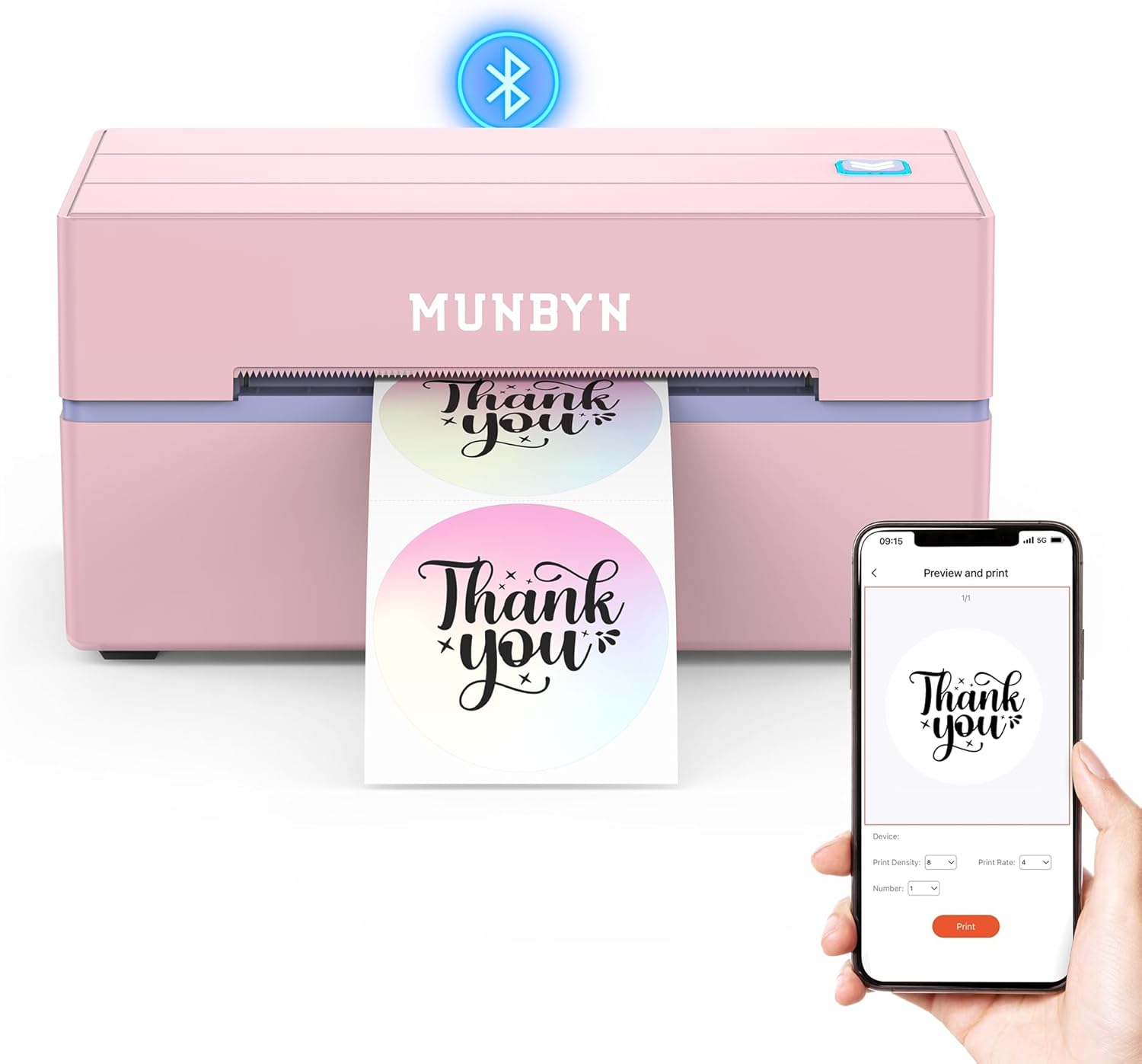
- 203 DPI Direct Thermal Printing Without Ink or Toner: Produces black shipping information, tracking barcodes, and inventory labels using compatible thermal paper without requiring replacement ink cartridges.
- Bluetooth and USB Connectivity for Flexible Order Fulfillment: Allows compatible smartphones and computers to prepare shipping labels through supported wireless or wired printing workflows.
- Fast Printing for Repetitive Ecommerce Shipping Tasks: Advertises speeds up to 150 millimeters per second, helping small businesses process multiple shipping labels during busy packing sessions.
- Multiple Label Sizes for Shipping and Inventory Organization: Supports standard 4x6 shipping labels and smaller compatible formats for barcodes, product identification, and storage organization.
- - Compact Pink Desktop Design with Convenient Label Software: Fits into small packaging workspaces and supports MUNBYN's mobile design tools for creating customized monochrome labels.
The MUNBYN 130B Is Useful for Shipping, but Color Printing Is Not Its Strength
The MUNBYN 130B ITPP130B is a compact Bluetooth thermal label printer designed for shipping labels, barcodes, inventory identification, and everyday business packaging tasks. It uses direct thermal printing at 203 DPI and supports common 4 by 6-inch shipping labels. For anyone comparing the Best Color Label Printer For Small Business options, the most important limitation is that this printer produces black-only output rather than full-color graphics.
That distinction matters because shipping labels and decorative product labels have different requirements. A shipping label needs readable addresses, tracking numbers, and barcodes, while product packaging may require colorful illustrations and branding. The dedicated thermal printing system for everyday shipping tasks is designed primarily for the first application.
Consider someone operating a small online clothing store. They may ship fifteen packages on an ordinary weekday and considerably more during seasonal promotions. Printing shipping labels on standard office paper, cutting them out, and attaching them with tape adds unnecessary handling to every order.
The MUNBYN 130B allows compatible adhesive shipping labels to be printed directly. This removes the need to cut ordinary paper into individual labels. The direct printing onto adhesive shipping label material can make order preparation more convenient.
The printer uses direct thermal technology. Its heated printhead activates a special coating on compatible thermal paper, producing black text and graphics without using ink cartridges or toner. The ink-free printing process for reducing routine consumable purchases is one of its strongest practical advantages.
For example, an online seller printing shipping labels every morning does not need to monitor black ink cartridge levels. The main recurring printing expense is compatible thermal label stock. This simplifies supply management, although businesses still need to account for paper costs.
The 130B provides a printing resolution of 203 DPI. This is a common resolution for desktop shipping label printers and is suitable for many addresses, tracking numbers, and standard barcodes. The 203 DPI printing resolution for readable shipping information is more relevant to this product than photographic image quality.
Consider someone printing a shipping label containing a delivery address, tracking barcode, and carrier information. These details need to remain readable throughout the delivery process. Proper printing settings and compatible label material are essential.
However, 203 DPI provides less fine detail than a 300 DPI thermal printer. Very small lettering and intricate graphics may appear less refined. The difference between standard thermal resolution and higher-definition label printing becomes noticeable when designs contain small details.
For example, a business may want to include a small monochrome logo beside a barcode. The MUNBYN 130B can reproduce supported black graphics, but very thin lines may not print as clearly as they would on a higher-resolution model. Simplifying the artwork can improve the result.
The printer is advertised with printing speeds of up to 150 millimeters per second. This is approximately 5.9 inches per second under suitable conditions. The fast thermal printing capability for processing multiple ecommerce orders is useful when businesses prepare shipping labels in batches.
Consider someone preparing forty packages for a scheduled carrier collection. Printing the labels through a dedicated thermal printer can be more convenient than using a conventional office printer. However, actual productivity depends on the entire packing process rather than printing speed alone.
Labels still need to be matched to the correct orders and applied carefully. A fast printer cannot prevent mistakes caused by disorganized fulfillment. The importance of organizing printed labels during batch shipping becomes particularly relevant when several orders contain similar products.
Bluetooth Connectivity and Flexible Label Sizes Make Daily Work Easier
One of the most useful features of the MUNBYN 130B is its combination of Bluetooth and USB connectivity. This provides flexibility for businesses using smartphones, tablets, or computers to prepare shipping labels. The wireless and wired printing options for small business workflows can simplify everyday fulfillment.
Consider someone who manages orders from a smartphone but prepares larger shipping batches using a laptop. Bluetooth provides a convenient connection for supported mobile printing, while USB offers a direct connection for compatible computers. This flexibility can reduce the need to change equipment when switching between tasks.
However, Bluetooth printing does not automatically mean every application can send labels directly to the printer. Some shipping platforms generate PDF files that must be opened through compatible printing software. The importance of checking software compatibility before purchasing a printer should not be overlooked.
For example, a business using Shopify or Etsy may download shipping labels in a specific format. The owner should confirm that those files can be printed at the correct dimensions using the intended device. Testing a sample label before processing real orders helps prevent formatting problems.
The printer supports compatible iOS and Android devices through the MUNBYN Print application. The software provides tools for preparing labels and accessing design templates. The mobile label design application for convenient business printing is useful for sellers who prefer smartphone-based workflows.
Consider someone operating a handmade accessories business from home. They may receive orders while working away from their main computer. A supported mobile printing workflow allows them to prepare shipping labels from a compatible phone.
However, the exact connection requirements depend on the operating system and software version. Buyers should confirm whether their computer supports the intended Bluetooth workflow or requires USB. The need to verify device-specific connection requirements before installation can prevent unnecessary setup difficulties.
The MUNBYN 130B supports compatible label widths of approximately 40 to 110 millimeters. This includes standard 4 by 6-inch shipping labels and several smaller label formats. The flexible label width support for different business applications makes the printer useful beyond parcel shipping.
Consider a small retailer that needs shipping labels for outgoing orders and smaller stickers for inventory bins. The same printer can handle supported label formats when the correct media is loaded. This reduces the need for separate printers for basic monochrome labeling.
However, businesses should confirm that their chosen labels are designed for direct thermal printing. Ordinary adhesive paper intended for inkjet or laser printers may not produce the expected results. The importance of using compatible direct thermal label stock becomes clear when purchasing supplies.
For example, someone may purchase inexpensive adhesive labels without checking the printing technology. Those labels may lack the heat-sensitive coating required by the 130B. The printer could feed the material without producing a readable image.
The printer also supports decorative precolored thermal label stock. This can provide some visual variety for simple business identification stickers. The use of colored thermal paper for basic packaging labels is an option for businesses that do not require full-color artwork.
However, printing on colored paper is different from printing in color. The MUNBYN 130B still produces black text and graphics. It cannot reproduce colorful photographs, gradients, or multicolor illustrations.
For example, a handmade soap business may use pastel-colored thermal stickers with black product names. This can provide a simple packaging style. However, a business wanting detailed botanical illustrations in several colors would need a different printer.
The 130B also supports barcode and inventory identification tasks. Businesses can create labels for storage bins, shelves, and product locations using compatible media. The monochrome barcode printing capability for inventory organization can help improve stock management.
Consider someone operating a small warehouse with several hundred products. Printed identification labels can help workers locate inventory and reduce confusion during order preparation. Clear barcodes and readable product codes are particularly useful when using inventory management software.
However, barcode quality depends on correct scaling and printing settings. A barcode that appears readable to a person may still be difficult for a scanner to interpret. The importance of testing barcode readability before large printing batches becomes relevant when labels are used for stock management.
For example, someone may reduce a barcode excessively to fit a narrow label. The resulting bars could become too small or poorly defined. Testing the label with the intended scanner can reveal the problem before hundreds of copies are printed.
The printer has a compact desktop design and weighs approximately 2.3 pounds. This makes it relatively easy to position within a small packaging area. The compact thermal printer construction for home business workspaces is useful when desk space is limited.
Consider someone operating an ecommerce store from a spare bedroom. Their packing table may already contain a laptop, boxes, tape, and inventory supplies. A compact thermal printer can fit alongside these items without requiring a separate commercial printing station.
However, users should leave enough room for label feeding and cable connections. Placing the printer too close to a wall or other equipment can interfere with the media path. A stable surface and unobstructed label supply help maintain consistent operation.
Another useful feature is automatic label calibration. MUNBYN describes a size detection and adjustment process that can be activated through the printer's feed button. The automatic label calibration for maintaining accurate printing alignment helps when switching between compatible label sizes.
Consider someone changing from 4 by 6-inch shipping labels to smaller inventory stickers. The printer needs to recognize the new media dimensions. Running the calibration process can help prevent labels from printing in the wrong position.
However, automatic calibration does not replace correct software settings. Users should still select the appropriate label dimensions in the printing application. Incorrect page sizing can cause text or barcodes to extend beyond the label boundaries.
Routine maintenance is relatively straightforward because the printer does not use liquid ink. However, the printhead and feeding mechanism still require occasional cleaning. The regular cleaning of the thermal printhead for consistent printing quality helps prevent faded sections and missing details.
Consider someone noticing faint lines through shipping barcodes after several months of use. Dust or adhesive residue may be affecting the printhead. Following the manufacturer's cleaning instructions can help restore normal output.
Users should allow the printhead to cool before maintenance. Thermal printing components can become hot during operation. Handling them immediately after a printing session can create unnecessary risks.
Another consideration is label durability. Direct thermal labels can darken or fade when exposed to excessive heat, sunlight, or unsuitable storage conditions. The limited long-term durability of some heat-sensitive labels matters for certain business applications.
For example, a shipping label generally needs to remain readable during delivery. A product identification label stored in a hot warehouse for several years has different requirements. Direct thermal printing may not be the best choice for permanent identification in demanding environments.
Why We Ranked the MUNBYN 130B Seventh Instead of First
We placed the MUNBYN 130B at number seven in our Best Color Label Printer For Small Business rankings because it provides practical shipping and barcode printing features but does not offer the full-color capabilities that define the main purpose of this comparison. Its strongest advantages are ink-free printing, Bluetooth connectivity, and support for common shipping label formats.
The direct thermal printing system for everyday ecommerce fulfillment is particularly useful for businesses that regularly prepare parcels. It eliminates ink cartridge replacement and provides a straightforward way to produce adhesive shipping labels.
Another positive feature is the combination of Bluetooth and USB connectivity. Businesses can choose a supported mobile or computer-based workflow depending on their equipment. This flexibility can make the printer easier to incorporate into an existing packaging station.
The compact construction also contributes to its appeal. Smaller businesses may not have space for large commercial printing equipment. The 130B provides a practical desktop alternative for routine shipping tasks.
However, the main reason for its seventh-place ranking is the absence of full-color printing. The top-ranked Primera LX500c can produce colorful product labels, while the Liene PixCut S1 models ranked second and third can create decorative stickers with automatic contour cutting.
The MUNBYN 130B cannot reproduce multicolor photographs, gradients, or detailed color illustrations. The lack of full-color printing for professional product branding makes it less suitable for businesses producing decorative packaging labels.
For example, a handmade candle company may want colorful labels featuring botanical illustrations and different fragrance designs. The 130B would not be able to reproduce those designs in full color. A dedicated inkjet or dye-sublimation printer would be more appropriate.
Another consideration is its 203 DPI resolution. This is sufficient for many standard shipping labels, but it offers less fine detail than the 300 DPI MUNBYN 941BP ranked fourth. The lower printing resolution compared with higher-ranked thermal alternatives may matter when labels contain very small text.
The printer also lacks automatic contour cutting. It is designed primarily for conventional shipping labels and monochrome identification stickers. Businesses producing custom-shaped decorative stickers may prefer the Liene PixCut S1.
Another limitation is the dependence on direct thermal label stock. Businesses cannot use ordinary inkjet paper or expect the same range of decorative printing options available with dedicated color label printers. The restricted media compatibility of direct thermal printing technology should be considered before purchasing.
Thermal label durability is another consideration. Prolonged exposure to heat and sunlight may cause printed information to deteriorate. This makes the printer less suitable for some long-term product labeling applications.
The 130B also requires appropriate software configuration. Although Bluetooth connectivity is convenient, users should verify that their preferred shipping platforms and devices support the intended printing workflow. Incorrect page sizing can produce unreadable or poorly aligned labels.
Another consideration is that this model shares many core features with the MUNBYN ITPP130B configuration ranked sixth. Both are associated with the 130B printer family and use 203 DPI direct thermal printing. The similar printing capabilities between these two MUNBYN configurations mean buyers should compare the actual package contents, color, availability, and price rather than expecting a major difference in printing performance.
However, these limitations are less important for businesses focused primarily on shipping. An online seller preparing multiple packages each day may prioritize readable barcodes, straightforward operation, and ink-free printing over decorative color output.
For the best results, we recommend using compatible direct thermal labels, checking the selected label dimensions, and testing printing from the intended device before processing large batches. Keep the printhead clean and verify that shipping barcodes remain readable.
Ultimately, the MUNBYN 130B deserves seventh place because its monochrome output, 203 DPI resolution, and limited creative printing capabilities make it less versatile than the higher-ranked color label printers. Nevertheless, its Bluetooth and USB connectivity, compact construction, ink-free operation, and practical shipping label support make it an excellent choice for small businesses that primarily need everyday parcel labels, barcodes, and inventory identification.